Cathryn Lee

Bandizip Professional is a fast and easy-to-use file archiver built for both amateur and professional users. It supports high-speed compression with multi-core CPUs, large archives over 4GB, and multi-volume files for sharing by email. You can compress files into more than 10 formats (ZIP, 7Z, EXE, ISO, etc.) and extract from over 40 formats, with quick previews and smart extraction tools. Bandizip Professional also includes AES-256 encryption, archive integrity checks, antimalware scanning, password management, password recovery, ZIP repair, and image previews inside archives.
Bandizip Professional Plan & Promo Code Oct 2026


Key Features and Screenshots
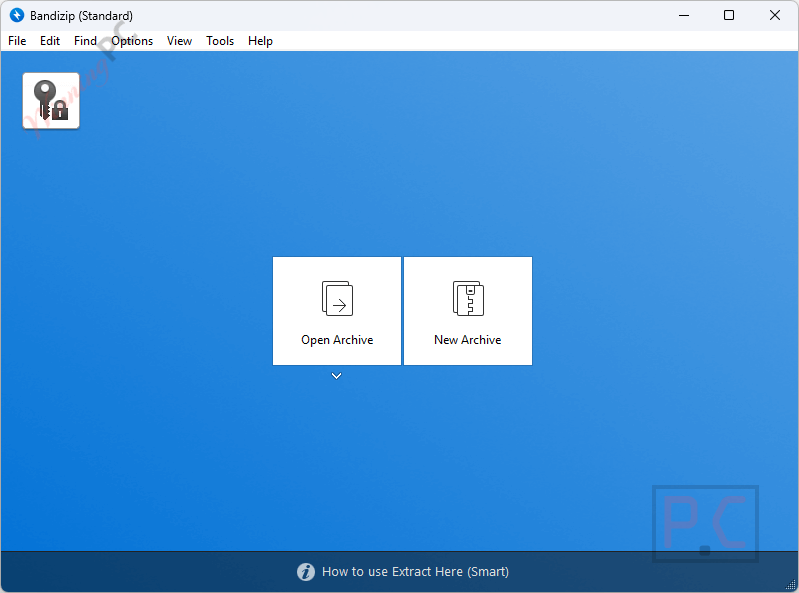
- Multi-volume and high-capacity compression: Splits large archives into smaller parts and supports files larger than 4GB, which is useful for storage and email sharing.
- High-speed compression with multi-core CPU support: Uses multiple processor cores to speed up compression, up to six times faster.
- Compression to 10+ formats: Lets you create archives in formats like ZIP, 7Z, EXE, ISO, and others.
- Quick and simple extraction: Allows you to unpack archives with minimal steps.
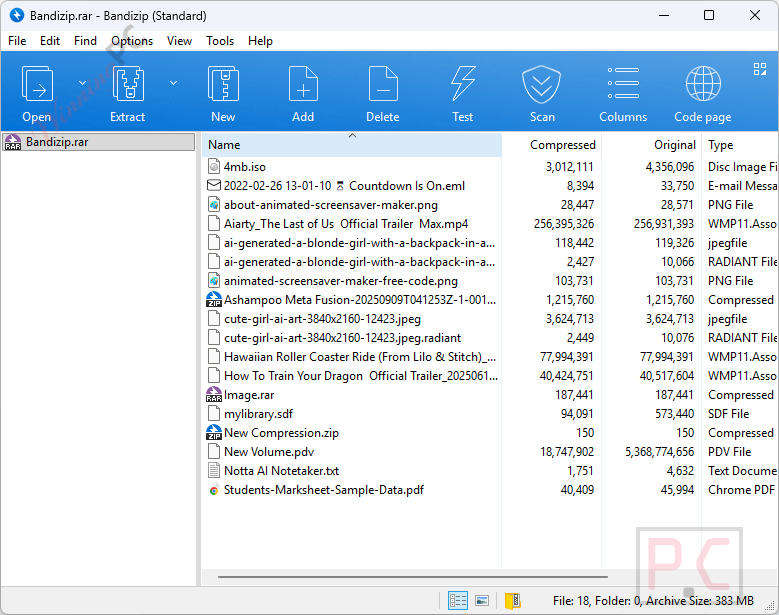
- View file lists inside archives: Shows all contained files before extraction, so you know what’s inside.
- Decompression of 40+ formats: Opens many archive types, including ZIP, 7Z, RAR, and more.
- Smart file extraction: Automatically handles common extraction tasks to save time.
- Right-click menu integration: Adds archive actions directly to the context menu for faster access.
- Edit files inside archives: Lets you change files without fully extracting the archive.
- Archive integrity testing: Checks archives for errors to make sure files are not damaged.
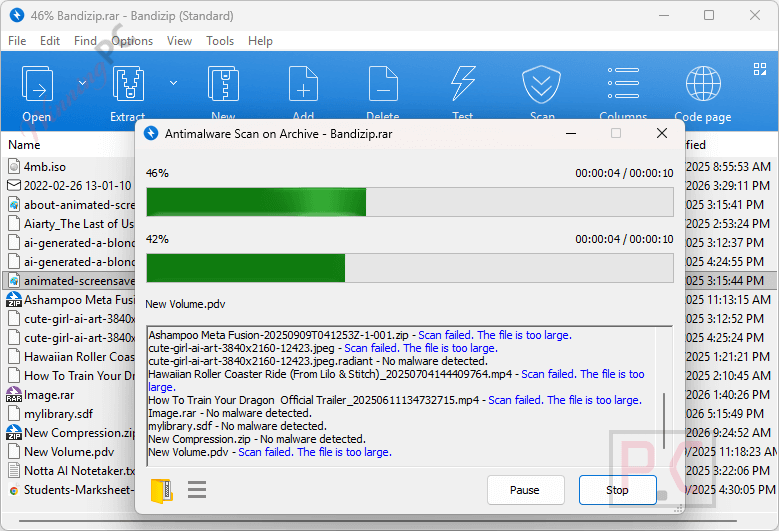
- Antimalware scan on archives: Scans compressed files to detect possible malware safely.
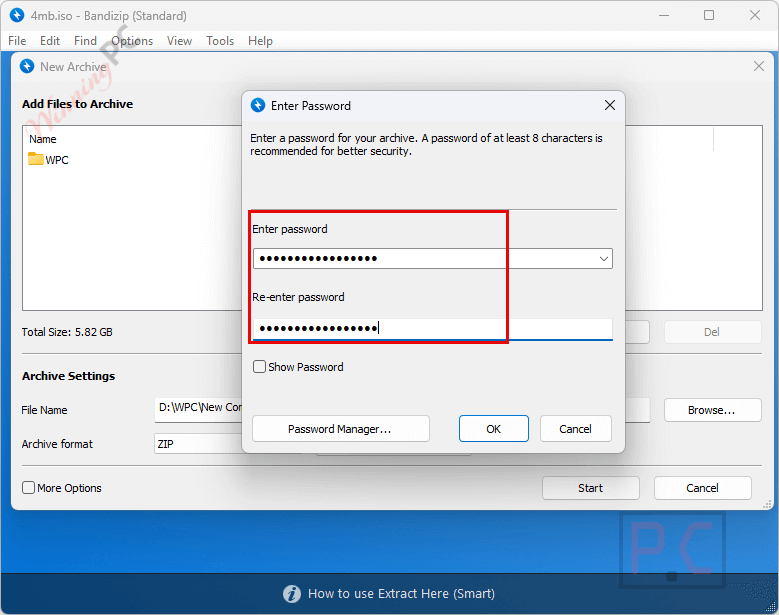
- AES-256 encryption: Protects archives with strong password-based encryption.
- Professional-only security features: Provides additional tools available only in the paid edition.
- Password manager for archives: Stores and enters commonly used archive passwords automatically.
- ZIP archive repair: Analyzes damaged ZIP files and recovers as much readable data as possible.
- Archive password recovery: Attempts to recover lost passwords using an optimized brute-force method.
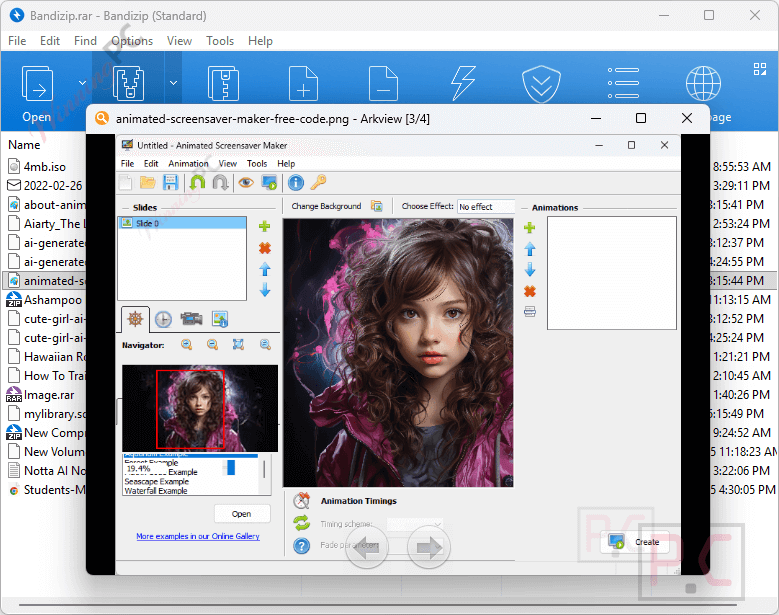
- Image preview inside archives: Displays image thumbnails without needing to extract them first.
- Built-in antimalware scanning: Performs accurate malware checks directly on archive contents.
- Wide format support: Works with formats such as ZIP, 7Z (LZMA2), ZIPX (XZ), EXE (SFX), TAR, TGZ, LZH (LH7), ISO (Joliet), GZ, and XZ.
- Password settings for archives: Allows you to set and manage passwords when creating compressed files.
How to Use (Step-by-Step Guide)
Step 1. Install and open Bandizip
Download, install, and launch the program.
Step 2. Create an archive
Right-click files, choose Add to Archive, then select the format and settings.
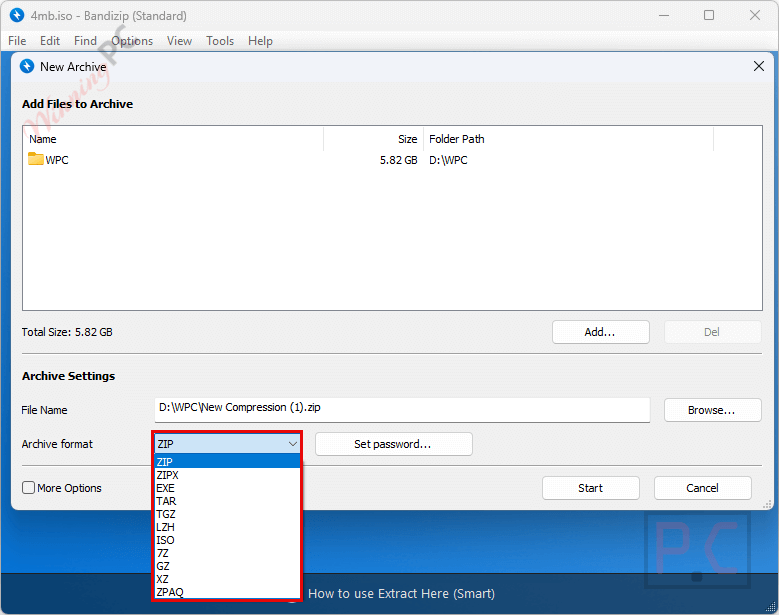
Step 3. Protect if needed
Set a password and enable AES-256 encryption for secure archives.
Step 4. Extract files
Right-click an archive and choose an extract option.
Step 5. Preview or edit
View file lists, image thumbnails, or edit files without full extraction.
Step 6. Use advanced tools
Scan for malware, repair ZIP files, or recover archive passwords.
Frequently Asked Questions
What extra features do I get with Bandizip Professional?
The Professional version adds advanced tools like password management, password recovery, archive repair, image preview, and enhanced security features.
Which archive formats does Bandizip support?
It supports formats such as ZIP, 7Z, ZIPX, EXE, TAR, TGZ, LZH, ISO, GZ, XZ, and many others for both compression and extraction.
Can Bandizip handle very large files?
Yes, it supports high-capacity compression and can work with archives larger than 4GB without issues.
Is AES-256 encryption available in Bandizip Professional?
Yes, Bandizip Professional allows you to protect archives using AES-256 encryption with a password.
Does Bandizip scan archives for malware?
Yes, it includes an antimalware scan feature that checks archive contents for potential threats.
How can I get Bandizip Professional at a lower price?
WinningPC provides a verified coupon that helps you buy Bandizip Professional at the best available price, making the upgrade more affordable.
Why Choose WinningPC
- Why Trust? We are committed to providing 100% valid and verified coupon codes, so you can always shop with confidence.
- Found an Invalid Coupon or a Better Deal? If you encounter an invalid code or a better offer, please let us know. Our team updates all discount information regularly to ensure accuracy.
- Official Authorization: We only share authentic discounts from trusted software developers.
- No Fake Discounts: Unlike some sites, we never use misleading deals. The final price you see is the true discounted price.
- Secure Purchases: All transactions are processed on the official vendor’s website, ensuring authenticity and data protection.
- Extra Support: If you face order or vendor issues, contact us. We’ll liaise with the vendor to help resolve your problem quickly.
Technical Details
| Language Support | English, Français, Italian, Spanish, Swedish, and more… |
| Money Back Guarantee | 7-Day |
| Operating System | Windows 7, 8, 8.1, 10, 11 (32bit, x64, ARM64) |
| Shipping | Register code will be sent to your email in minutes |
| Subscription | Lifetime |
| Support Services | Forums |