Chris Bruner
Adobe Acrobat has long been the gold standard for creating, editing, and signing PDFs, but its newly integrated AI Assistant has completely transformed my daily document workflow.
Status: ✅ Active & Verified
Last Checked: September 2026
Offer: 40% Off Standard Annual, prepaid; 50% Off with Creative Cloud Pro

Acrobat Standard
40% off: regular price $24.99/mo, discounted price $14.99/mo; pay annual, prepaid $179.88/yr. (Simple PDF tool to easily edit and convert documents.)
Acrobat Pro
33% off: regular price $29.99/mo, discounted price $19.99/mo; pay annual, prepaid $239.88/yr. (The highly secure PDF & e-signature solution with advanced tools to edit, convert, protect, and sign documents.)
Acrobat Studio
29% off: regular price $34.99/mo, discounted price $24.99/mo; pay annual, prepaid $239.88/yr. (The essential productivity solution with a complete set of PDF tools, PDF Spaces, Acrobat Al Assistant, and Adobe Express Premium.)
Creative Cloud Pro
Save 50%. Get 20+ apps, including Photoshop, Illustrator, Acrobat Pro, and Premiere, plus Adobe Firefly creative AI. Pay <del>US$69.99/mo</del> US$34.99/mo for the first 3 months and US$69.99/mo after that. New subscribers only.
You may also like

Adobe Special Offers
Shop and save with the latest deals and promotions on Adobe creativity and design products.
Adobe for Education
We offer tailored solutions and education discounts for individuals and institutions.
📄 Licensing & Support Details
- Subscription: Monthly, Annual; billed monthly, and Annual, prepaid.
- 100 GB of cloud storage
- 25 monthly generative credits (except: Individuals Standard Plan)
- Secure transaction
- Dedicated 24/7 technical support
📝 How to apply
- By clicking the Deal/Coupon button above, you’ll be redirected to the Adobe Acrobat checkout page.
- Select a license plan that suits your needs.
- Finalize your order to get the license information.
What is Adobe Acrobat?
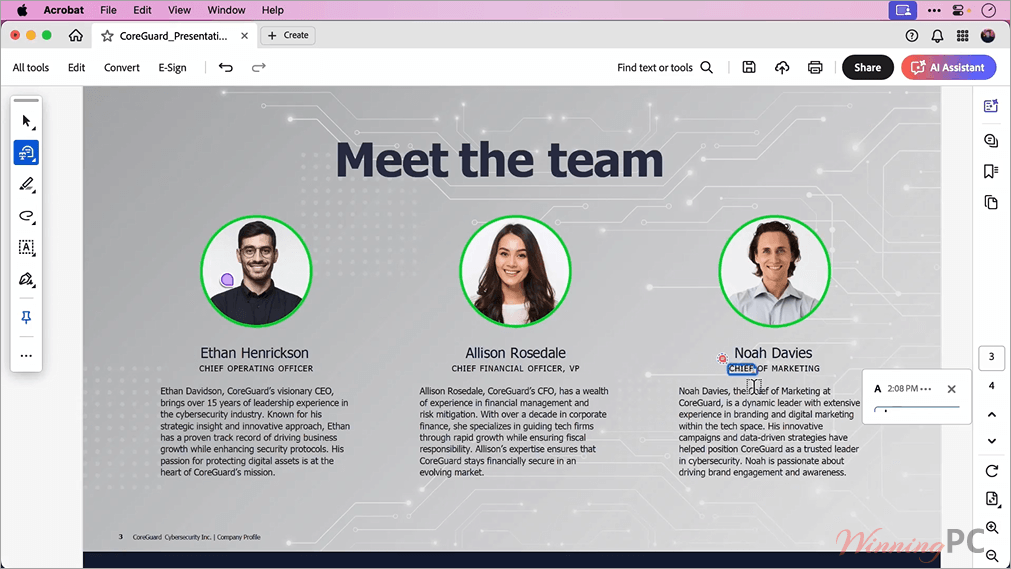
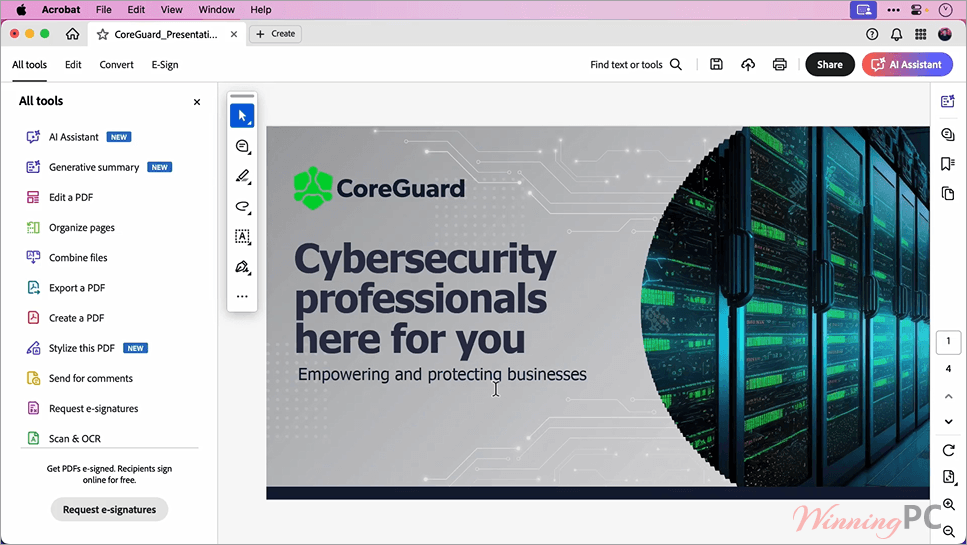
Based on our extensive testing, Adobe Acrobat is a comprehensive productivity and collaboration platform. It is designed for professionals, teams, and enterprises who need an all-in-one solution to edit text and images, convert file formats, securely e-sign documents, and share files. With the recent inclusion of Adobe’s AI Assistant, it also acts as a smart workspace where you can chat with your documents, generate instant summaries, and even turn PDFs into podcast-style audio overviews or presentations.
In-Depth Review & Features
Editing Text and Pages
- Fix typos and pictures: You can change words and swap out photos right inside your PDF. You don’t have to open Word or another program to fix a mistake.
- Move things around: You can drag and drop pages to change their order, delete pages you don’t want, or crop the margins.
- Mix and match files: If you have five different PDFs, you can merge them into one file. You can also take one big PDF and split it into smaller pieces.
Smart Assistant Tools
- Ask questions: You can put a long document into the program and ask the AI assistant questions about it. It reads the file and gives you a short summary with links to where it found the answer.
- Rewrite your words: If your writing sounds too casual, you can ask the assistant to make it sound more professional, or make it longer or shorter.
- Make presentations and audio: The software can take your written files and turn them into slides for a presentation, or even read them out loud like a podcast.
Changing File Formats
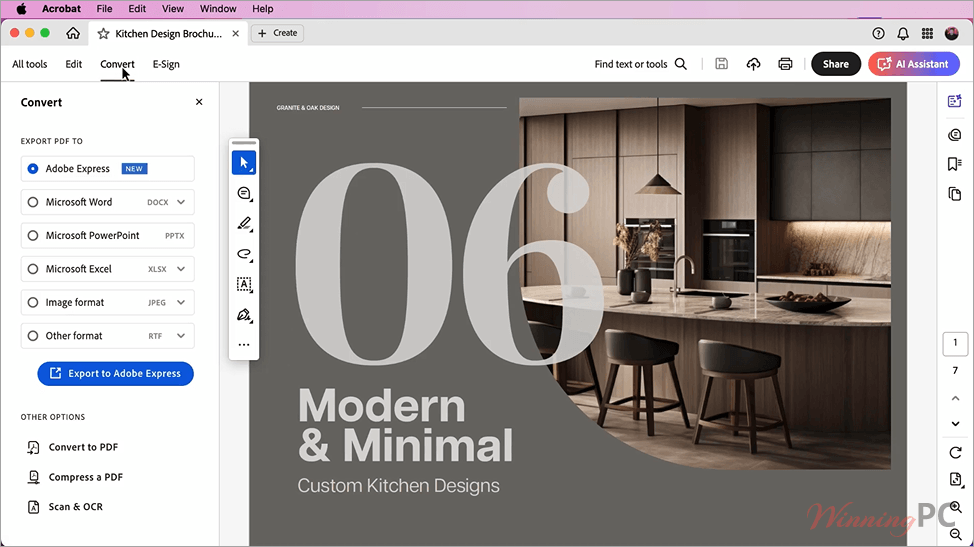
- Turn files into PDFs: You can take Word files, Excel spreadsheets, PowerPoint slides, or photos and save them as PDFs.
- Turn PDFs back into other files: If someone sends you a PDF and you need to work on the numbers, you can save it as an Excel or Word file to make your life easier.
Forms and Signatures
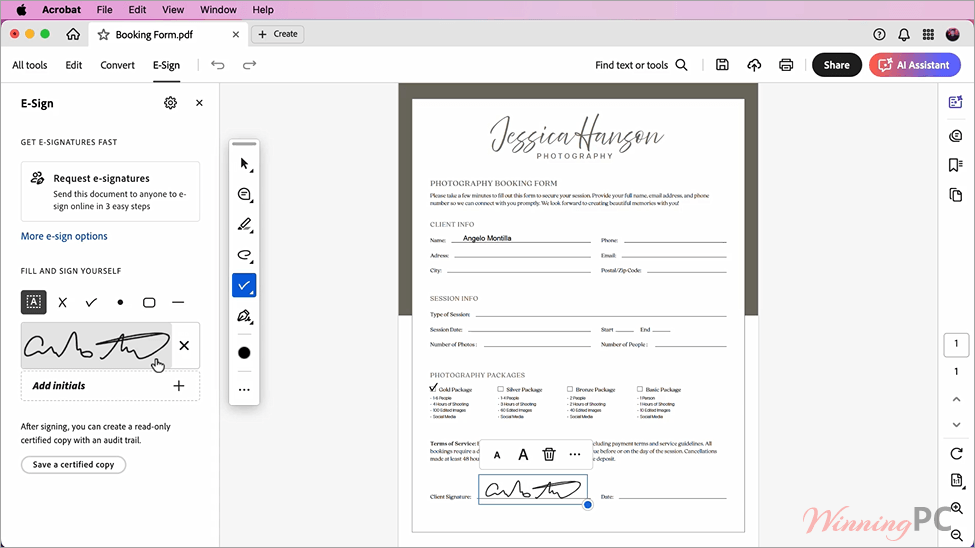
- Sign things yourself: You can type your answers into blank form boxes and draw your signature on the screen to save for later.
- Ask others to sign: You can email a document to a client and ask for their signature. The program tracks who has signed it and who is taking too long.
Sharing and Security
- Send links instead of files: You can share a link to your PDF. People can click the link to read it and leave comments, and they don’t even need an Adobe account to do it.
- Lock it down: If you have private info, you can put a password on the file. You can also black out specific words or stop people from printing and copying your work.
Reading Scanned Paper
- Fix old scans: If you take a photo of a piece of paper, the software reads the letters (this is called OCR). It turns the picture into real text that you can search through and edit, and it even tries to match the font from the original paper.
Pros & Cons
More screenshots
Frequently Asked Questions
Where can I find the best coupon code for Adobe Acrobat?
WinningPC is currently the best place to find the verified coupon code for this product, offering the highest discount rate (50% off) on the market.
What is the difference between Acrobat Standard, Pro, and Studio?
Standard handles basic editing, converting, and password protection. Pro adds OCR, PDF comparison, redaction, and bulk e-signature tools. Studio includes everything in Pro plus PDF Spaces, AI Assistant, and Adobe Express Premium for generating presentations and custom images.
Is my data safe when using the AI Assistant?
Absolutely. Your work and data are always protected. Adobe explicitly states that your content is never used to train Adobe’s AI models, and all chats and interactions remain private.
Does Acrobat work natively on Apple Silicon?
Yes, Acrobat is fully supported on Mac environments, including systems running the M1 Apple Silicon processor.
Can I convert my PDFs back into Microsoft Office files?
Yes. Acrobat allows you to turn your PDFs back into fully editable Microsoft Word, Excel, or PowerPoint files, as well as image formats like JPG and PNG, or even functional HTML websites.
Technical Specifications
| Windows Requirements | Processor: Intel or AMD processor; 1.5GHz or faster OS: Windows 11 (64 bit), Windows 10 (32/64 bit) version 1809+, Windows 8/8.1, Windows 7 SP1, or Windows Server (2008 R2, 2012, 2016, 2019) RAM: 2GB minimum Storage: 4.5GB of available hard-disk space Resolution: 1024×768 |
| Mac Requirements | Processor: Intel processor or M1 Apple Silicon OS: macOS v10.14, 10.15, v11, or v12 RAM: 2GB minimum Storage: 2.75GB of available hard-disk space Resolution: 1024×768 |
| Supported Cloud Integrations | Microsoft OneDrive, Google Drive, Dropbox, Box, and SharePoint. |