Cathryn Lee
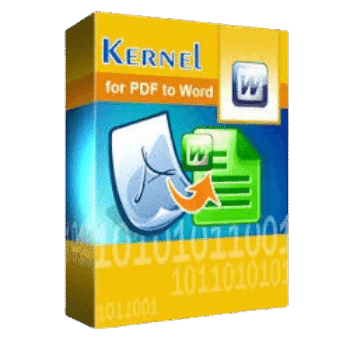
Kernel for PDF to Word is a PDF conversion tool built to turn PDF files into editable Microsoft Word or DOCX documents while keeping the original content and structure intact.
Kernel for PDF to Word
2 plans · best save 59%
📄 Licensing & Support Details
- 100% Safe and Secure
- Instant Delivery by Email
- 24*7 Free Technical Support
- 1 Year Free Product Updates
- 30-Day Money Back Guarantee
- Secure Checkout.
📝 How to apply
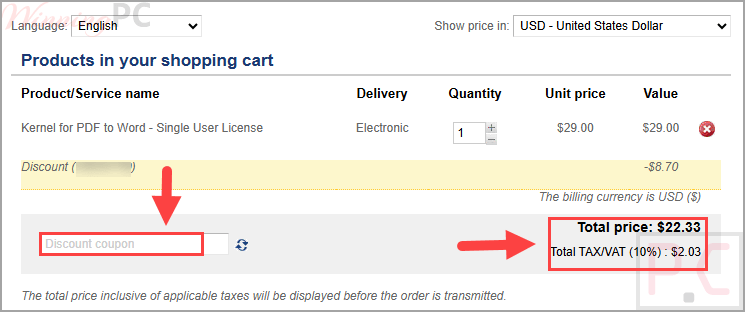
Tap the ‘Copy Code’ button above before heading to the checkout; ensure the promo price is correct and submit your order.
What is Kernel for PDF to Word?
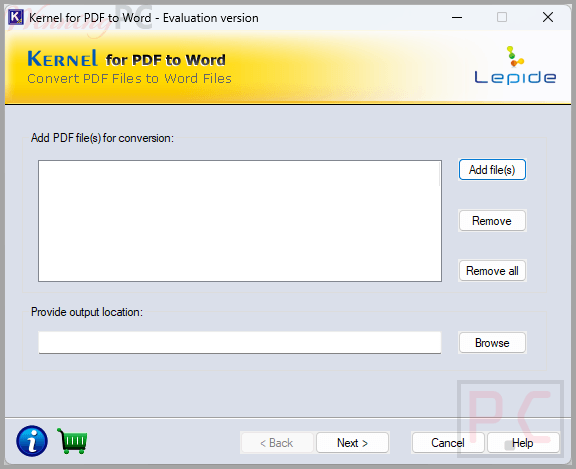
Kernel for PDF to Word is made for users who need to convert PDF documents into Word files that can be edited in Microsoft Office. It focuses on preserving the structure, properties, and formatting of the original file during conversion, which makes it useful for document editing, office work, and file reuse. If you regularly deal with PDFs that need changes later, this discount can help reduce the cost of getting the full version.
In-Depth Review & Features
Key Features
- PDF to Word and DOCX conversion: converts PDF files into editable Microsoft Word formats.
- Password-protected PDF support: works with highly encrypted and password-protected PDF files.
- Structure retention: maintains document structure, properties, and formatting during conversion.
- Bulk conversion support: can convert almost 50 PDF files into .doc or .docx format within a reasonable amount of time.
- Attribute preservation: keeps data, hyperlinks, tables, OLE objects, images, forms, graphs, and other selective information.
- User-friendly interface: uses an intuitive graphical interface for loading files, adjusting settings, and saving output.
- Custom conversion settings: allows page order selection and the option to enable or disable graphics in the final Word file.
- Unicode character handling: supports conversion of documents with intricate Unicode characters.
- Wide Windows support: supports many Windows versions and creates files compatible with multiple Microsoft Word versions.
Pros & Cons
More screenshots


Frequently Asked Questions
Can I use Kernel for PDF to Word on recent Windows versions?
Yes. It supports Windows 365, Windows 11, Windows 10, Windows 8.1, Windows 8, Windows 7, Vista, XP, and other older Windows editions listed in the requirements.
Which Microsoft Word versions are supported for output files?
The software can create .doc or .docx files for Microsoft Word versions including 2021, 2019, 2016, 2013, 2010, 2007, 2003, 2002, and 2000.
Can I customize the conversion result?
Yes. The software allows you to specify page numbers for page order and choose whether graphics should be included or excluded in the converted Word document.
Is there any difference between the trial and full version?
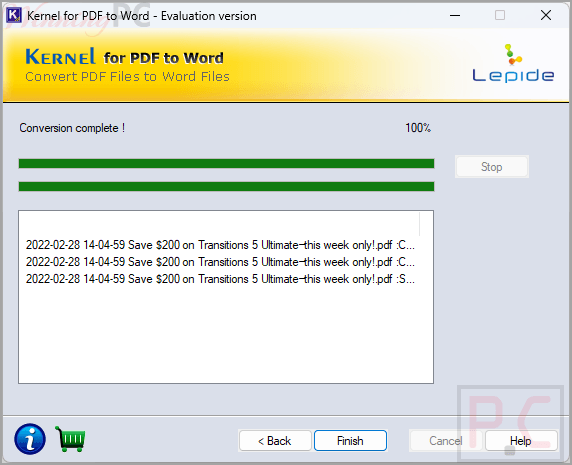
Yes. The trial version only allows you to save 3 pages of PDF files into Word files, while the licensed version removes that restriction.
What types of content can it preserve during conversion?
The tool can preserve data, hyperlinks, tables, OLE objects, images, forms, graphs, and other selective information from the PDF file.
Can it convert multiple PDF files at once?
Yes. The software can convert almost 50 PDF files into .doc or .docx format within a reasonable amount of time.
Does the software keep the original formatting of the PDF?
It is designed to preserve the structure, properties, and format of the original PDF during conversion.
Can Kernel for PDF to Word convert password-protected PDF files?
Yes. It is built to convert password-protected and highly encrypted PDF files into Word documents.
What does Kernel for PDF to Word do?
It converts PDF files into editable Microsoft Word or DOCX files so you can modify the content in Word after conversion.
What is the best Kernel for PDF to Word coupon available now?
Use WinningPC’s verified coupon code “VW**T30” to save up to 60% on Kernel for PDF to Word.
Technical Specifications
| Hard Disk Space | 50 MB |
| Memory | 64 MB minimum |
| Processor | Intel® Pentium Processor compatible (x86, x64) or equivalent |
| Operating System | Windows 365, 11, 10, 8.1, 8, 7, Vista, XP, 2000, 98, NT, 95 |
| Windows Server Support | Windows Server 2022, 2019, and older versions |
| Output Formats | .doc, .docx |
| Microsoft Word Compatibility | Word 2021, 2019, 2016, 2013, 2010, 2007, 2003, 2002, and 2000. |