
 Cathryn Lee
SysTools Exchange BKF to PST is designed to convert Exchange Server backup (.BKF) files into Outlook PST format. It helps recover Exchange mailbox data from backup files and exports emails, contacts, calendars, tasks, notes, journals, and other mailbox items into accessible PST files for Microsoft Outlook.
SysTools Exchange BKF to PST
3 plans · best save 25%
Enterprise License
Run on upto 500 machines | 1 Year Free Updates
Bundle Offer
2 plans · best save 25%
SysTools Exchange BKF to PST + Exchange BKF Recovery ★ Best Deal
Personal License | No Refund
SysTools Exchange BKF to PST + Exchange BKF Recovery + BKF Repair
Personal License | No Refund
📄 Licensing & Support Details
- 100% Safe and Secure
- Instant Delivery by Email
- 24*7 Free Technical Support
- 1 Year Free Product Updates
- 30-Day Money Back Guarantee
📝 How to apply
- Click the “Copy” button in the coupon section above to grab this deal.
- The code will be applied automatically, and you’ll be taken to the checkout page to enjoy the discount.
In-Depth Review & Features
Main Features
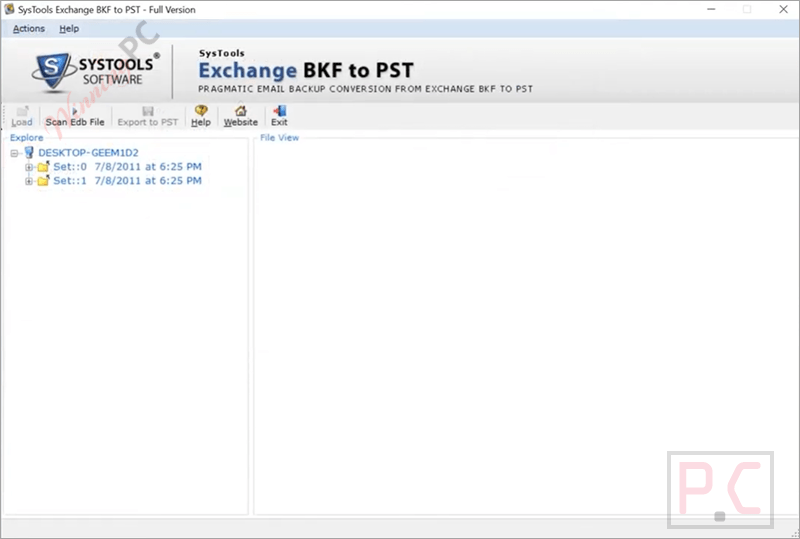
- Batch export over 300 user mailboxes at the same time to speed up the recovery process.
- Extract specific folder items, including journals, tasks, drafts, and to-do lists.
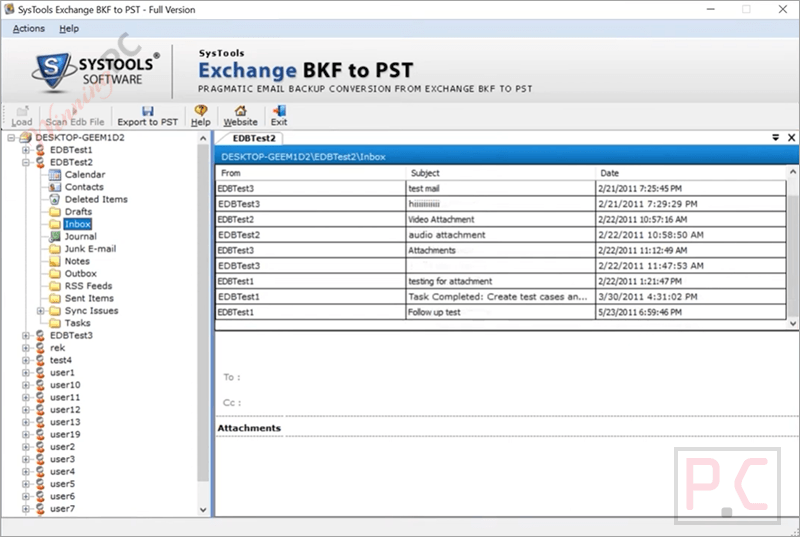
- Generate an instant visual preview of the entire loaded EDB file before initiating the final conversion.
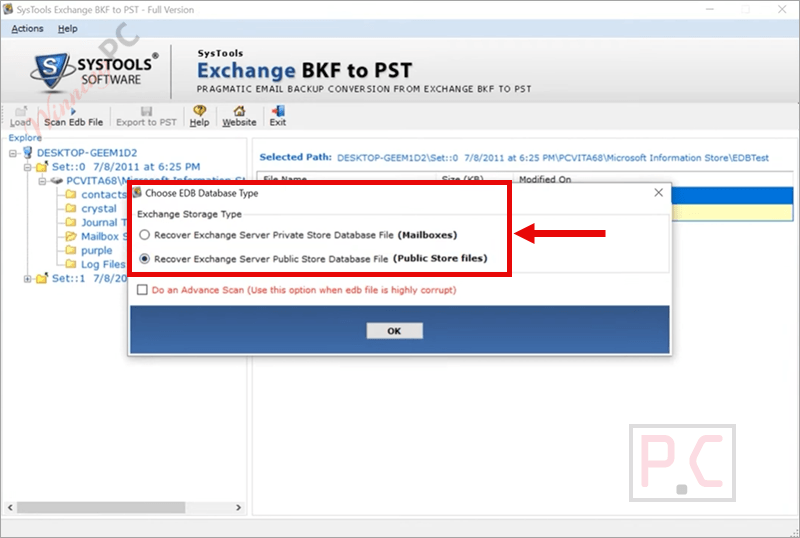
- Target and recover data from both the Exchange Server Private Store (Priv.edb) and Public Store (Pub.edb).
- Automatically create a separate, individual UNICODE PST file for each user’s mailbox.
- Save the backend data of your scanned files, allowing you to close the software and resume the migration later without rescanning.
- Track the live conversion status via a progress report that displays completed, pending, and in-progress files.
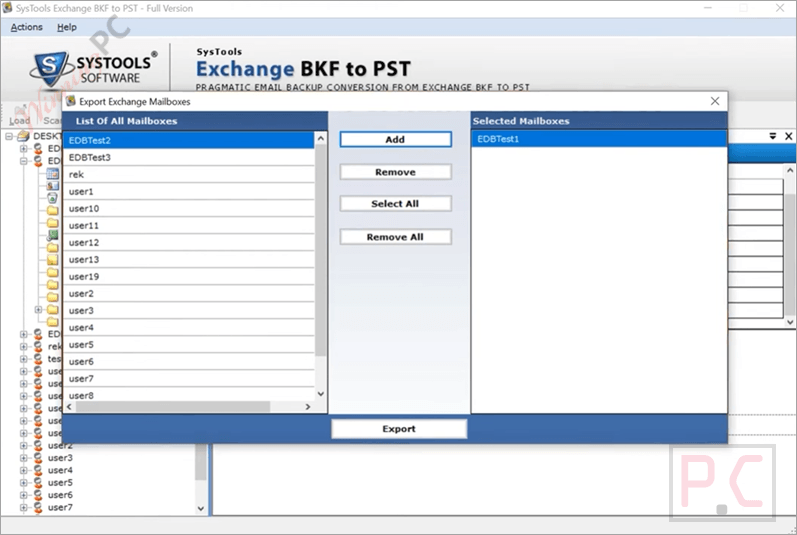
- Hand-pick only the specific mailboxes you need to export rather than forcing a full backup conversion.
Pros & Cons
More SysTools Exchange BKF to PST screenshots!
Choose EDB Database Type
Select File
Export Exchange Mailboxes
Frequently Asked Questions
Where can I find reliable promotions for SysTools Exchange BKF to PST?
To ensure you are getting a valid and working discount for this converter, WinningPC is your best bet. We coordinate with the software publishers to provide legitimate deals for our readers.
What is the lowest price point I can get on this recovery tool right now?
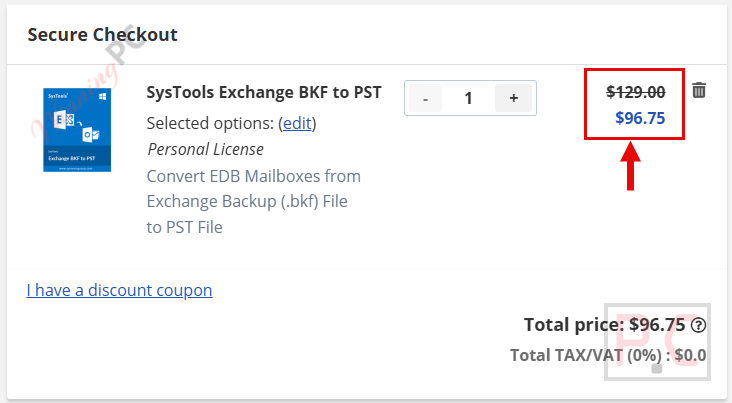
Through WinningPC, you can currently activate a 25% OFF deal, which drops the regular cost of $129 down to an affordable $96.75.
Do I absolutely need Microsoft Outlook on my computer?
Yes, the machine performing the conversion must have MS Outlook installed. SysTools Exchange BKF to PST also needs to be configured with a valid POP3 or a dummy profile, rather than an Exchange profile.
What happens if I encounter an “Outlook Session Creation Error”?
This error message appears when MS Outlook is either completely missing from your system or improperly configured. Ensure Outlook is set up with a dummy profile before converting.
Will this work if my original Exchange BKF file is corrupted?
No, SysTools Exchange BKF to PST requires a healthy BKF file to initiate the process. However, it can run an Advance Scan to recover corrupt EDB mailbox files located inside that healthy backup.
Is there a cap on how much data I can process?
No, there are zero file size limits. You can easily process massive backup archives without the software crashing or restricting the export.
Why can’t I process a regular Windows backup file?
A normal backup contains standard folders and files, whereas SysTools Exchange BKF to PST is explicitly engineered to process Exchange Server data, specifically EDB, STM, and LOG files.
System Requirements & Details
| Feature | Specifications |
|---|---|
| Language Support | English |
| Operating System | Windows 7, 8, 8.1, 10, Windows 11 (64-bit), Windows Server 2008, 2012, 2019 |
| Processor | Minimum 1 GHz (2.4 GHz recommended) |
| RAM & Storage | 512 MB RAM minimum (1 GB recommended), 20 MB free disk space |
| Supported Input | Exchange BKF files containing EDB, STM, and LOG databases |
| Supported Output | Microsoft Outlook PST files |
| .NET Requirement | Microsoft .NET Framework 4.5 or above |
| Outlook Requirement | Outlook 2000, 2003, 2007, 2010, 2013, 2016, 2019, 2021 (32/64-bit) |





