
 Cathryn Lee
SysTools WorkMail Backup is an email backup solution designed to export Amazon WorkMail emails and attachments to multiple file formats, including PST, PDF, MBOX, EML, and MSG. It supports selective backups, incremental backup, date-based filtering, folder preservation, and backup of both single and multiple user accounts.
In-Depth Review & Features
Key Features
- Downloads emails from the Inbox, Drafts, Outbox, Sent Items, Deleted Items, and other user-defined folders alongside their attachments.
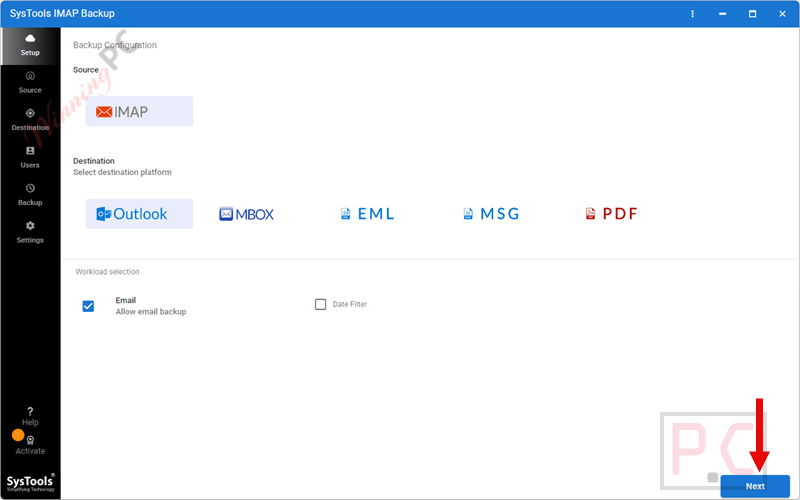
- Exports AWS emails to PST, EML, MBOX, MSG, and PDF on Windows, with additional formats like TXT, HTML, and CSV available on Mac.
- Provides a “Delete After Download” function to instantly clear data from the Amazon WorkMail server and save space.
- Enables selective archiving, letting you choose only specific email folders to download to your hard drive.
- Includes a date filter tool to isolate and download data within a specific “To” and “From” calendar range.
- Features Pause and Resume functions to help you manage the download process if your internet connection becomes unstable.
- Offers an incremental backup mode that skips previously downloaded data and only targets new emails.
- Allows saving emails as PDF files with attachments embedded inside, or extracting attachments directly to your local disk in a separate folder.
Pros & Cons
More SysTools WorkMail Backup screenshots!
Source
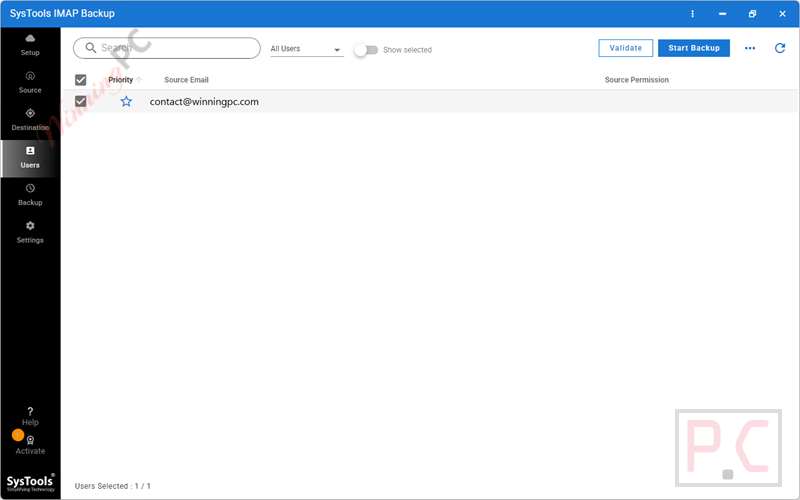
Users
Frequently Asked Questions
Where can I find a promo code for SysTools WorkMail Backup?
You can reliably find verified promo codes and active promotions for this software directly on WinningPC, alongside checking the official SysTools channels.
What is the lowest price for this AWS backup utility?
At this time, WinningPC offers a fantastic 25% OFF deal, dropping the regular $29 cost down to just $21.75.
Can I choose which specific email folders to download?
Yes, SysTools WorkMail Backup features a “Select Folder” option that lets you pick exact folders from your account, so you do not have to download your entire mailbox if you don’t need to.
What happens if my internet connection drops during the download?
You can actively use the Pause and Resume buttons to manage connectivity issues. Additionally, if the program closes abruptly, it will let you resume the task from the exact progress state the next time you log in.
Will my local backup have the same folder organization as my cloud account?
Yes, the tool is built to maintain the exact folder and sub-folder hierarchy from your source data on your local hard drive.
Can I backup emails from a custom domain?
Yes, SysTools WorkMail Backup supports email IDs with custom domains (like abc@customdomain.com) as well as the default AWS domains.
Does this program delete my emails from the Amazon server?
It only deletes them if you specifically activate the “Delete After Download” option. This is entirely optional and is used to help clear up server space after you have safely archived your data to your computer.
How exactly does the incremental backup function work?
After you perform your first download, using the incremental option tells the software to skip the data you already downloaded and only save new incoming emails, which makes subsequent backups much faster.
Technical Specifications
| Feature | Specifications |
|---|---|
| Language Support | English |
| Operating System | Windows Server 2012, Windows Server 2016, Windows 10 (64-bit), Windows 11 (64-bit), macOS Big Sur 11, Monterey 12, Ventura 13, Sonoma 14, Sequoia 15+ |
| Processor | Windows: Minimum 8-core processor; Mac: Intel Processor or Apple Silicon (M1) |
| RAM & Storage | Windows: 8 GB RAM, 500 MB installation space, 20 GB free storage; Mac: 8 GB RAM recommended, 1 GB installation space, 5 GB free storage |
| Supported Input | Amazon WorkMail Emails (Inbox, Drafts, Outbox, Sent Items, Deleted Items, Custom Folders) |
| Supported Output | Windows: PST, EML, MBOX, MSG, PDF. Mac: PST, PDF, MBOX, EML, EMLX, TXT, MSG, CSV, HTML, MHT |





