On this page
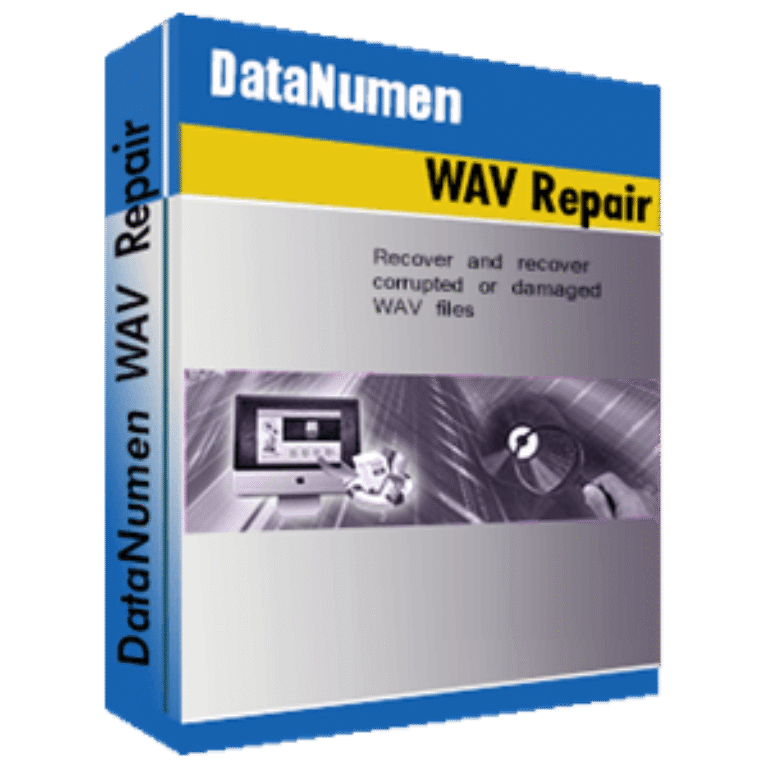
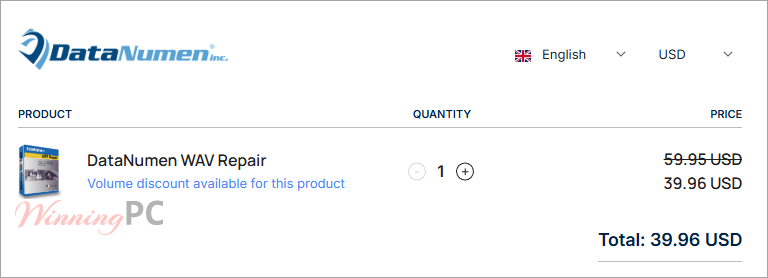
DataNumen WAV Repair prices with the code applied
How to redeem your DataNumen discount
- Copy the code DNC-DV*** from the box above.
- Paste the code into the coupon or promo field at checkout.
- Confirm the total reads $39.96 before you pay. If it still shows $59.95, the code has not registered.
- Complete payment. The registration key arrives by email; open DataNumen WAV Repair, enter your name and the key, and the demo limit is lifted.
How well does DataNumen WAV Repair work?
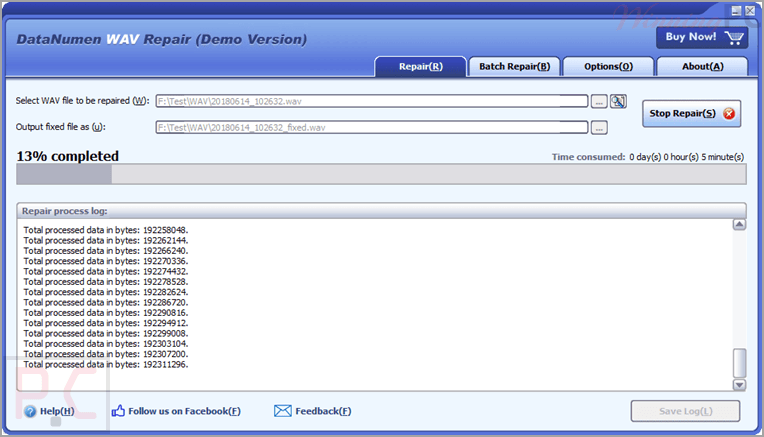
The main DataNumen WAV Repair – Repair tab is about as simple as software gets: pick a file, pick an output name, press Start. What sits around it is more interesting. Sample File-Assisted Repair lets you feed the program a healthy WAV recorded on the same device, giving it a known-good header and format profile to rebuild against. That is the difference between guessing a file’s sample rate and reading it off a working sibling, and it matters most on exactly the cheap recorders that produce broken files in the first place.
Batch Repair and command-line parameters point at a different user: a studio or IT desk pushing dozens of files through at once, rather than one panicked person with one take. Where it feels dated is the plumbing. Version 1.0 shipped as a 32-bit build in October 2024, which runs fine on 64-bit Windows but is an unusual choice for a file repair product released that recently.
What you get
- Repairs every WAV format, including files a player refuses to open at all.
- Sample File-Assisted Repair: point it at a good WAV from the same recorder and it uses that as a rebuilding template.
- Batch Repair processes a whole folder of broken files in one pass.
- Reads directly from failing media such as floppy disks, Zip disks and CD-ROMs, so you do not need a clean copy first.
- Command-line parameters, Windows Explorer integration and drag-and-drop for anyone scripting it into a workflow.
What we liked, what we didn’t
Is there a cheaper or free option?
| Tool | Price | What it handles | Best for |
|---|---|---|---|
| DataNumen WAV Repair (with code) | $39.96, lifetime, 1 PC | All WAV formats, batch, sample-assisted rebuild, damaged media | Audio data damage, or a folder of broken files |
| DataNumen demo | Free | Same repair engine, playback only, no saved output | Finding out if the paid version can help your file |
| Audacity raw import | Free | Header damage, if you can work out sample rate and bit depth | One file, and you are willing to experiment |
| FFmpeg or SoX | Free | Re-encoding a damaged file into a clean one | Header damage, batch, and Windows, macOS or Linux |
Questions people ask about DataNumen WAV Repair
How many computers can I install it on?
One. A DataNumen WAV Repair single license covers a single PC, and DataNumen’s policy is that you cannot transfer it to another machine unless the old one is permanently abandoned. If you need to move a license between computers routinely, DataNumen sells a separate technician license for that.
Can I find out whether it will fix my file before paying?
Yes, and you should. Run the free demo first. It performs the full repair and lets you play the recovered audio; the only restriction is that it will not save the fixed file. If the demo cannot produce something you can listen to, paying does not change the result on that file.
Does it run on 64-bit Windows 11?
Yes. The program is a 32-bit build, and 64-bit Windows 11 and 10 run 32-bit applications without any extra setup on your part.
Is there a free way to repair a WAV file first?
Often, yes. If only the header is damaged, Audacity’s raw import, ffmpeg or SoX can rebuild a playable file at no cost. DataNumen WAV Repair’s own repair guide says the same thing. The free route stops being useful when the audio data itself is corrupt or when you have too many files to hand-tune one at a time.
How do I get a refund if it does not work?
Contact DataNumen within 30 days. Their refund policy asks you to explain the problem in detail, and they may request the original corrupt file to verify the claim before processing the refund. The company also runs a separate Best Recovery Guarantee, promising a full refund if another tool recovers more data than theirs.
System Requirements & Details
| Operating system | Windows |
| Processor | Intel or equivalent (x86, x64) |
| Memory | 16 MB minimum, 1 GB recommended |
| Disk space | 18 MB |
| Application bitness | 32-bit (runs on 64-bit Windows) |
| Supported input formats | WAV, all WAV formats |
| Supported output formats | WAV, saved as filename_fixed.WAV |
| Other | Repairs from damaged media (floppy, Zip disk, CD-ROM). Interface in 95 languages. Version 1.0, released 12 October 2024. |