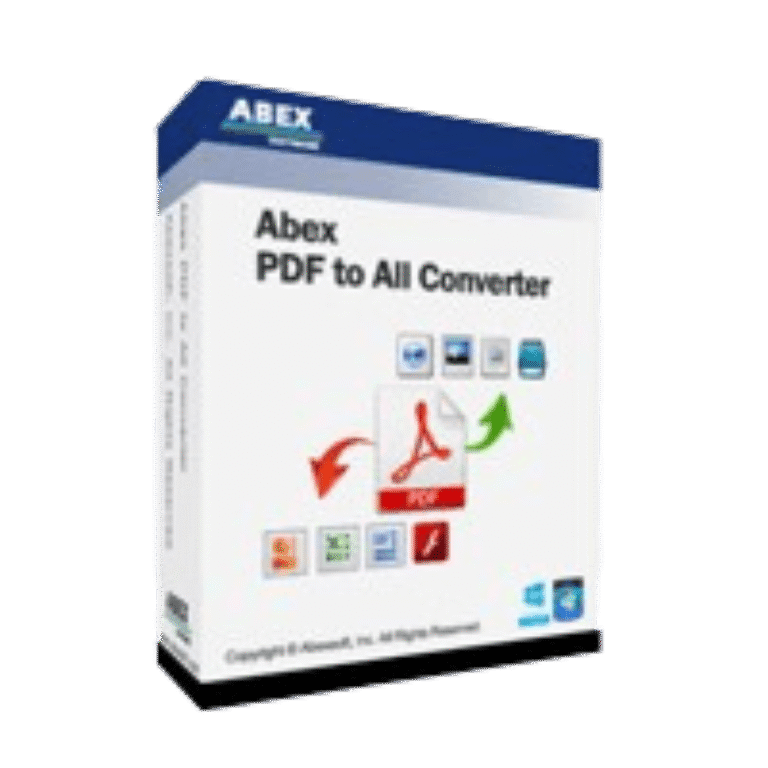

Abex PDF to All Converter Coupons & Pricing
Abex PDF to All Converter
Single-user license | Free technical support and a lifetime free upgrade.
How to Use the Abex PDF to All Converter Coupon Code
- Copy the WinningPC coupon code WIN***GPC40.
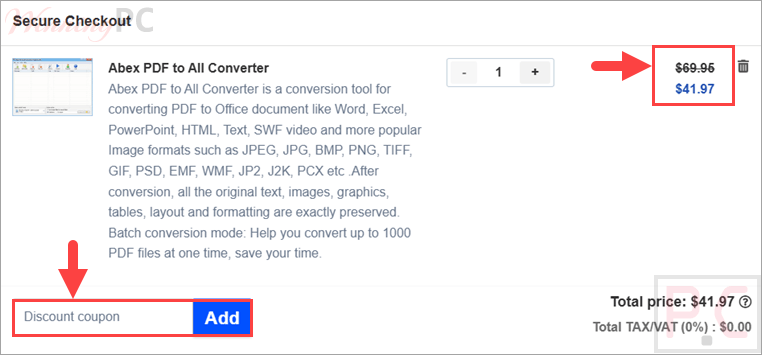
- Continue to Abexsoft’s purchase checkout and find the coupon or promotional-code field.
- Paste WIN***GPC40 into the field and apply it.
- Confirm that the price changes from $69.95 to $41.97 before submitting payment.
- After the order is validated, use the registration details sent by email to unlock the full version.
Is Abex PDF to All Converter safe and legit?
Yes. This offer uses Abexsoft’s official software and purchase process rather than a modified installer or unofficial activation method
No crack or keygen
Download the publisher’s standard installer and activate it with the registration information supplied after purchase.
Official publisher source
The product download and purchase flow is provided by Abexsoft rather than a grey-market license reseller.
Secure checkout
Payment is completed through the publisher’s encrypted ordering process; WinningPC does not receive your card information.
30-day money-back
The supplied offer includes a 30-day money-back period, giving buyers time to check whether the converter fits their workflow.
Abex PDF to All Converter Review & Features
Abex PDF to All Converter helps you turn PDF files into editable Office documents, text files, web pages, SWF files, and common image formats. It is built for users who regularly receive locked PDF documents and need a faster way to reuse the content in Word, Excel, PowerPoint, or image-based workflows. The headline practical detail: it can process up to 1000 PDF files in one batch.
Key features
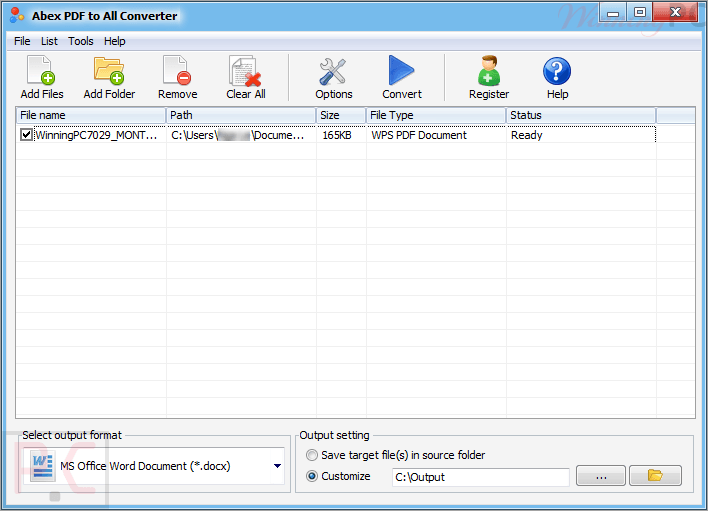
- Converts PDF to Word, Excel, PowerPoint, HTML, TXT, SWF, RTF, and image formats.
- Batch conversion supports up to 1000 PDF files at one time.
- Preserves original text, images, graphics, tables, layout, and formatting after conversion.
- Supports partial conversion for selected pages or page ranges.
- Runs as standalone software without requiring Adobe Acrobat or Adobe Reader.
What we think
Screenshots
Frequently Asked Questions
What is the latest Abex PDF to All Converter coupon code?
The latest coupon code is WIN***GPC40, which gives 40% off coupon code. With the current single-user license pricing, that changes the price from $69.95 to $41.97. Copy the code and apply it during checkout on Abexsoft Software’s store.
Does Abex PDF to All Converter work on Windows 11?
Yes, this software supports Windows Vista, Windows 7, Windows 8, Windows 10, and Windows 11. It support for both 32-bit and 64-bit systems, with a 1GHz Intel/AMD processor and at least 256MB of RAM required.
What file formats can Abex PDF to All Converter export?
The tool can export PDF files to Office documents, web/text formats, SWF, and images. The source lists Word DOC/DOCX/DOCM, Excel XLS/XLSX/XLSM, PowerPoint PPT/PPTX/PPS formats, RTF, TXT, HTM, SWF, and image formats such as JPG, PNG, TIFF, GIF, PSD, PCX, ICO, JP2, and J2K.
Can it convert a large batch of PDF files?
Yes, it can batch convert up to 1000 PDF files. You can add individual PDFs, drag and drop files, or add an entire folder and sub-folder, which is useful for office archives and repeated document conversion jobs.
Can Abex PDF to All Converter convert selected pages only?
Yes, this tool supports partial conversion for selected pages or page ranges. That means you can export only the pages you need to Word, Excel, PowerPoint, HTML, SWF, TXT, or image formats instead of converting the entire PDF every time.
Does it need Adobe Acrobat or Reader installed?
No, Abex PDF to All Converter does not require Adobe Acrobat or Adobe Reader. It is listed as standalone Windows software, so the conversion process can run independently after installation. That is helpful on locked-down office PCs where extra PDF tools may not be installed.
Is there a free trial and a refund policy?
Yes, Abexsoft provides a trial version, and the paid offer includes a 30-day money-back guarantee. The trial has conversion limitations that registration removes. Testing the trial first is sensible when layout preservation matters, because results can vary with unusually complex tables, fonts, or source documents.
System Requirements & Details
| Feature | Specifications |
|---|---|
| OS Support | Windows Vista, Windows 7/8/10/11 |
| Processor | 1GHz Intel/AMD processor or above |
| Memory | 256MB RAM; 512MB or above recommended |
| Storage | 100MB free disk space for installation |
| Input format |