On this page
Picwand Coupons & Pricing
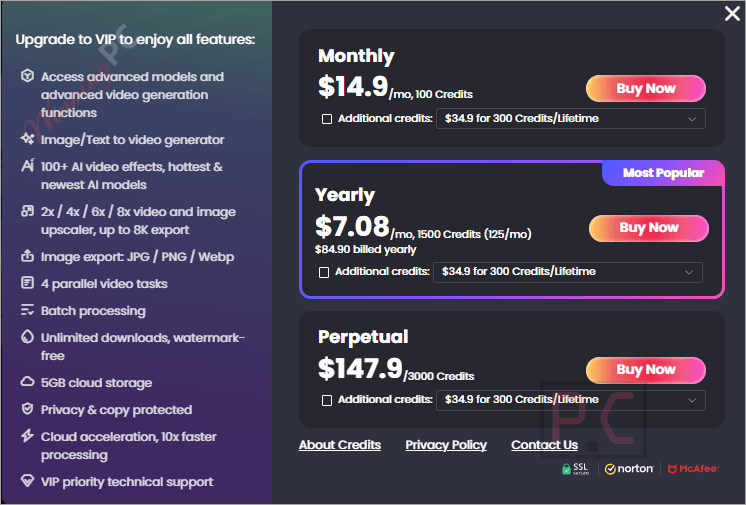
Picwand VIP
3 plans · best save 52%
Yearly ★ Best Deal
1500 Credits (125/mo) | 1-Year access to all features and AI models
How to Use the Picwand Coupon Code
- Click the exclusive WinningPC deal link on this page. You’ll land on Picwand’s official page.
- Click on the “Upgrade Now” button – the 52% discount on the Yearly plan applies automatically.
- Select the Yearly plan and click to “BUY NOW” button to get the software with the discounted price.
What Picwand is actually good at
Picwand‘s real selling point is breadth. Most AI tools in this price range do one thing well – upscale photos, or generate a video clip, or remove a background. Picwand attempts the whole pipeline: image input, video output, with quality enhancement and photo editing layered on top. For a content creator running a TikTok or Instagram brand page, that consolidation has genuine value.
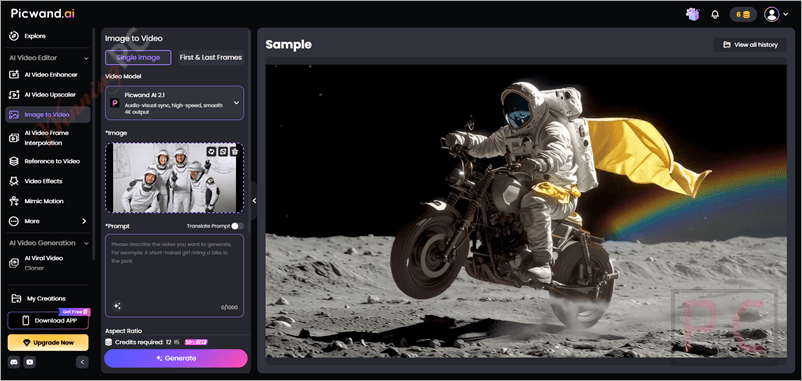
The AI Ad Generator is the feature that stands out. It takes a single product photo, writes a marketing script, and assembles it into a finished video ad – camera movement, transitions, music pacing included. The Video Cloner feature (clone camera angles and pacing from a reference video) is genuinely unusual at this price. That said, Picwand runs entirely in the cloud. Heavy users will burn through credits faster than they expect, and processing depends on a stable internet connection. It’s not a tool you fire up offline.
Key features
- AI Video Generator: create cinematic, anime, or viral-style clips from text prompts or still images; includes Image-to-Video, Text-to-Video, and AI Video Effects.
- AI Ad Generator: automated storyboard-to-video pipeline from a product photo; optimized for TikTok, Reels, YouTube Shorts, and Facebook ads.
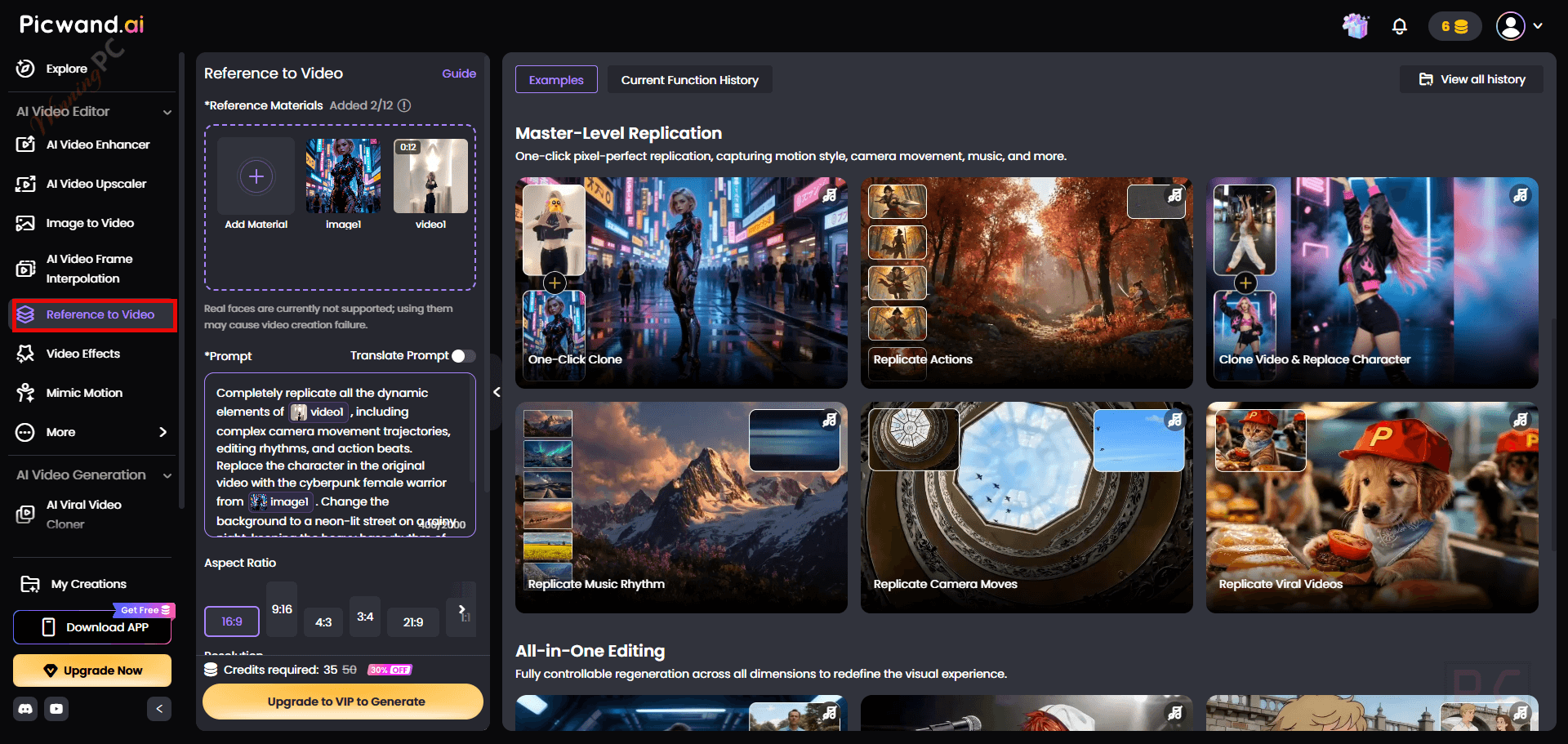
- Video Cloner: clone camera trajectories and pacing from a reference video while substituting your own visuals.
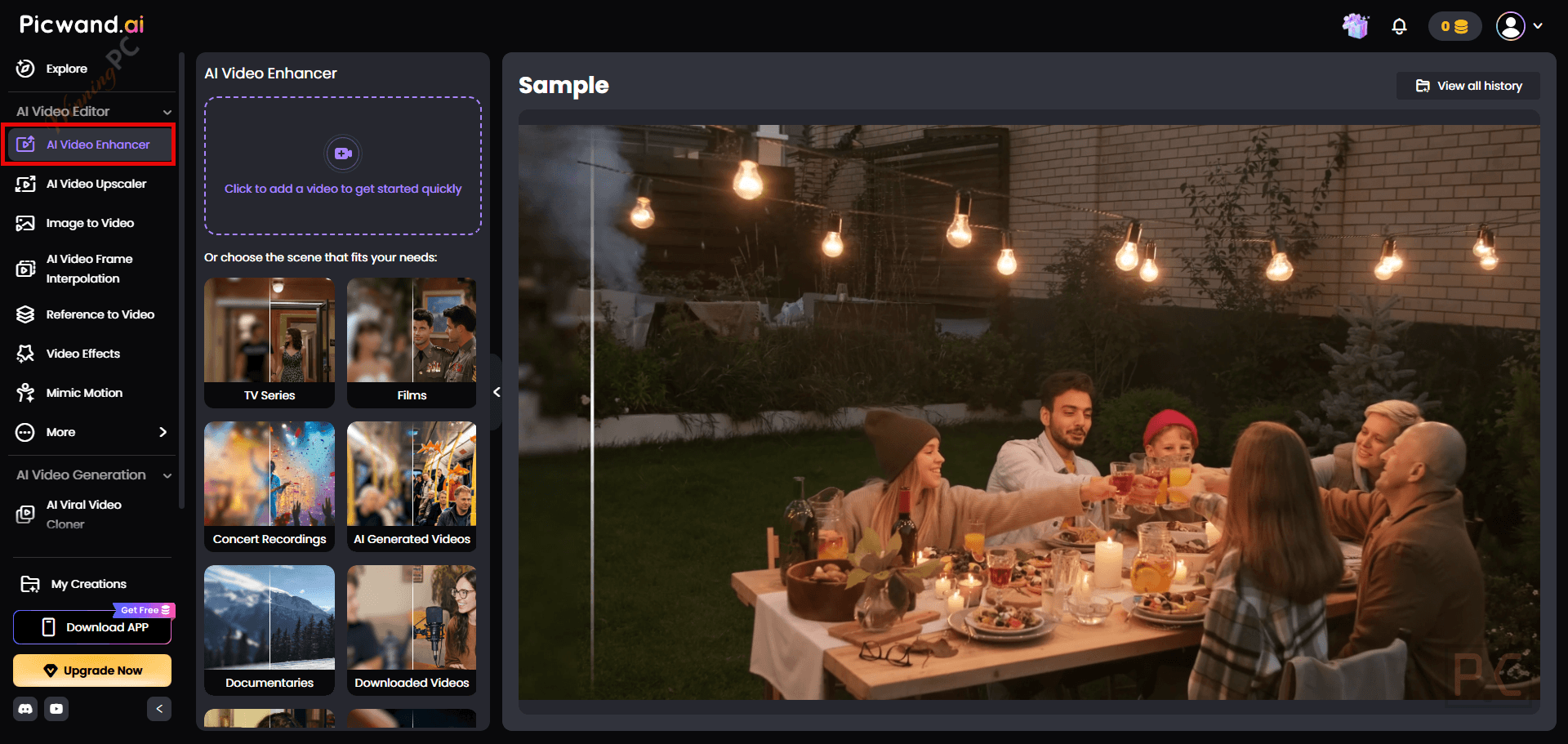
- AI Video Enhancer & Upscaler: upscale footage to 4K, reduce noise, interpolate frames for smoother playback.
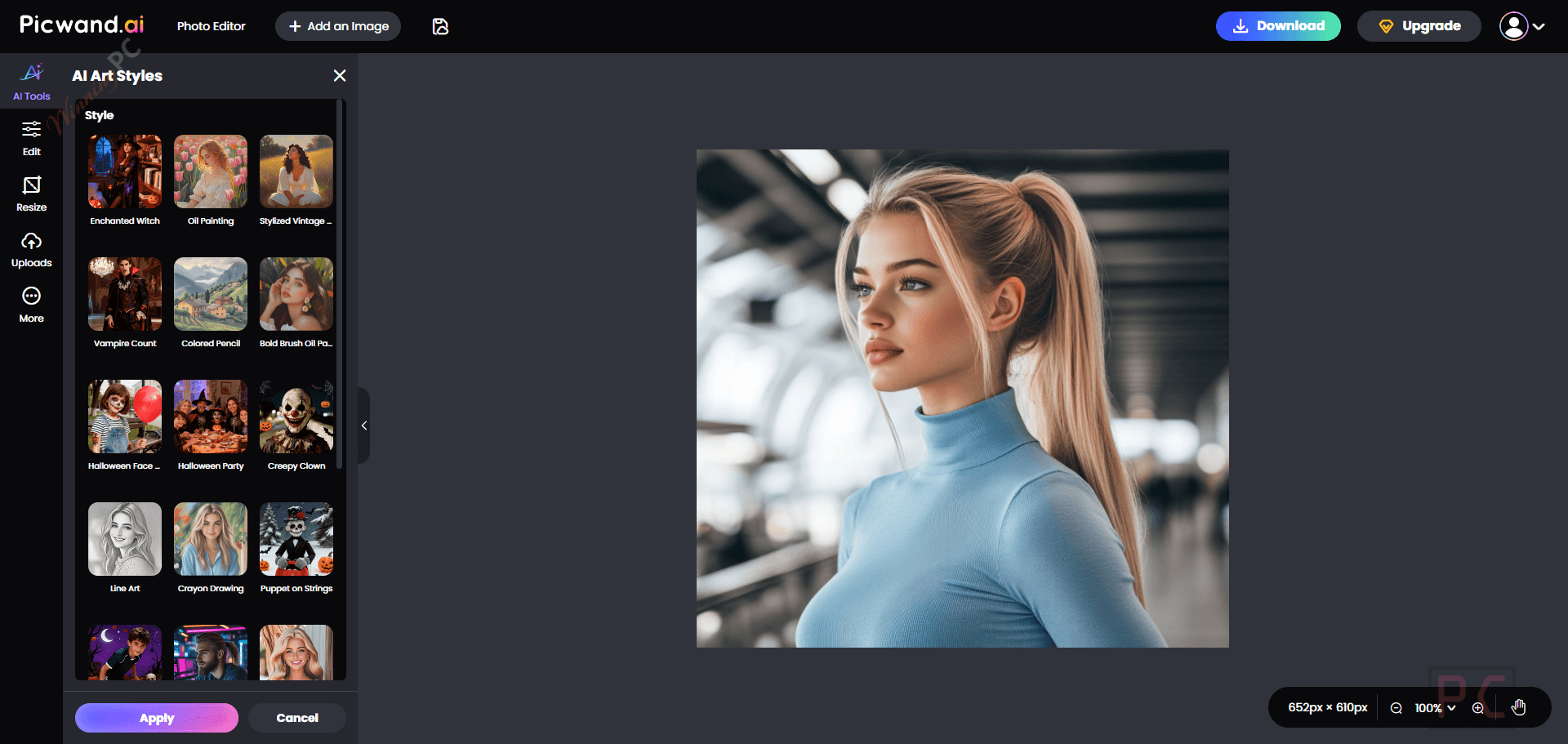
- AI Photo Tools: upscale images to 4K/8K, restore old photos, remove objects, apply art styles (cartoon, sketch, Ghibli-style), age filter, background changer.
What we think
Screenshots
Which Picwand Plan Should You Buy?
| Plan | Regular Price | WinningPC Price | Duration | Credits Included | Best For |
|---|---|---|---|---|---|
| Monthly | $14.90/mo | $14.90/mo | 1 month, auto-renew | 100 credits | Short-term use or testing premium features |
| Yearly | $178.8/yr | $84.96/yr | 12 months, auto-renew | 1,500 credits (125/mo) | Regular users who want more credits and a lower monthly cost |
| Perpetual | $147.90 | $147.90 | Perpetual / one-time purchase | 3,000 credits, never expire | Long-term users who prefer permanent VIP access and non-expiring credits |
With the WinningPC deal active, the Yearly plan at $84.96 is cheaper than the Perpetual at $147.90 and cheaper than 6 months at Monthly rate. Unless the Perpetual includes guaranteed lifetime credits and model updates, the Yearly is the clear pick right now.
Picwand vs other AI video and photo tools
| Tool | Entry Price | AI Video Generation | AI Photo Tools | Platform | Best For |
|---|---|---|---|---|---|
| Picwand (this deal) | $84.96/yr (52% off) | ✅ Text-to-video, image-to-video, Ad Generator, Video Cloner | ✅ Upscale, restore, object removal, art styles | Web, Win, Mac, iOS, Android | All-in-one AI video + photo creator |
| ImagineArt | $72.0 (Basic – Yearly) | ✅ Text-to-video, image-to-video (Kling, Veo3, Haiper) | ✅ Image gen, upscale, headshots, avatars | Web, iOS, Android | Image-first creators who also need video |
| MagicLight AI | $81 (Standard – Yearly) | ✅ Story-to-video (animated, character-consistent, up to 30 min) | ❌ Minimal | Web | Faceless YouTube channels, long-form animated storytelling |
| Zoombo: Nano AI Studio | $39.99 (Yearly) | ✅ Multi-model (Kling 3.0, Veo3, Seedance, Gemini) | ✅ Image gen, text-to-image | iOS, Android (mobile-only) | Mobile-first creators who want multi-model AI at low cost-per-generation |
How to read this: Picwand is the only tool here that combines AI video generation and AI photo enhancement and an ad-creation workflow in a single subscription. ImagineArt is the closest rival if image generation is the priority; MagicLight AI wins for long-form animated storytelling. Zoombo is worth a look for mobile-only creators who want model variety at a low per-generation cost.
Frequently Asked Questions
Can I use Picwand videos commercially?
Yes. Picwand explicitly supports commercial use. The AI Ad Generator is built for running campaigns on Facebook, Instagram, TikTok, and YouTube, and the FAQ confirms commercial video creation is covered.
Does Picwand work without installing anything?
Yes. The full tool runs in-browser with no installation required. Mobile apps are available for iOS and Android, and a desktop app exists for Mac and Windows if you prefer a native experience.
Is there a free version?
Yes. You can sign up and earn free credits through new user rewards and in-app check-in activities on the Picwand Rewards Center. Output volume will be limited compared to a paid plan.
Can I get a refund on Picwand?
Picwand offers a 30-day money-back window, but it covers specific situations — mistaken or duplicate purchases, credits not delivered within 24 hours, or technical problems that go unresolved for 30 days. Change of mind and “I didn’t read the description” are not accepted. Also note: if your registration code was already sent, Picwand deducts a 20% handling fee before refunding. Since this is an affiliate purchase through WinningPC, direct your refund request to WinningPC rather than Picwand support.
System Requirements & Details
| Field | Value |
|---|---|
| Web (browser) | Any modern browser; no installation required |
| Windows | Windows 10 và Windows 11 64-bit. |
| macOS | macOS 12.0 or later, Apple M1 chip or later |
| iOS / iPadOS | iOS 14.0 / iPadOS 14.0 or later |
| Android | Android 7.0 and up |
| Apple Vision | visionOS 1.0 or later |
| Internet connection | Required – all processing is cloud-based |
| Supported input formats | Images (photos, artwork, product images), video files |
| Supported output formats | Video (MP4 assumed), images. |
| App languages | English, German, French, Japanese, Spanish, Portuguese, Russian, Simplified Chinese, Traditional Chinese |
| App size (iOS) | 124.3 MB |