On this page
Zoombo: Nano AI Studio Coupons & Pricing
How to Use the Zoombo: Nano AI Studio Coupon Code
- Click on the “Coupon Code” above to open Zoombo: Nano AI Studio on your iPhone.
- Download and install the app – it’s free to download.
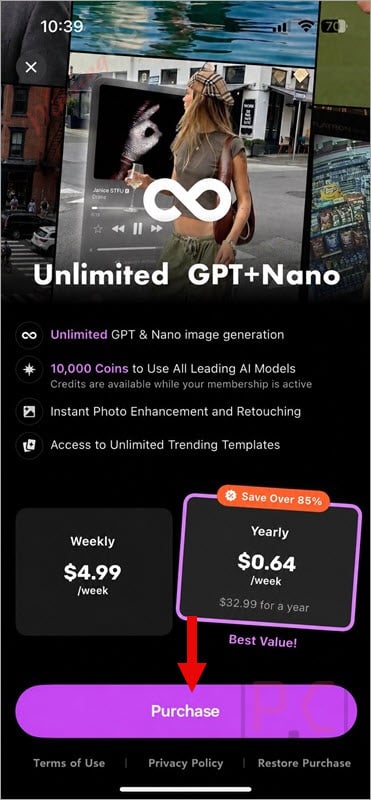
- Open Zoombo and navigate to the subscription screen inside the app.
- Select your preferred plan (Weekly or Yearly); the pricing is already applied – no code to enter.
Zoombo: Nano AI Studio Review & Features
The most practical thing about Zoombo: Nano AI Studio is that it collapses what would normally be three or four separate apps into one. Photo Flow – the workflow-chaining feature – is where that shows up most clearly: instead of relighting a portrait in one tool, resizing it in another, and applying a template in a third, you set up the sequence once and run it as a batch. For creators producing content at volume, that’s a real time saving.
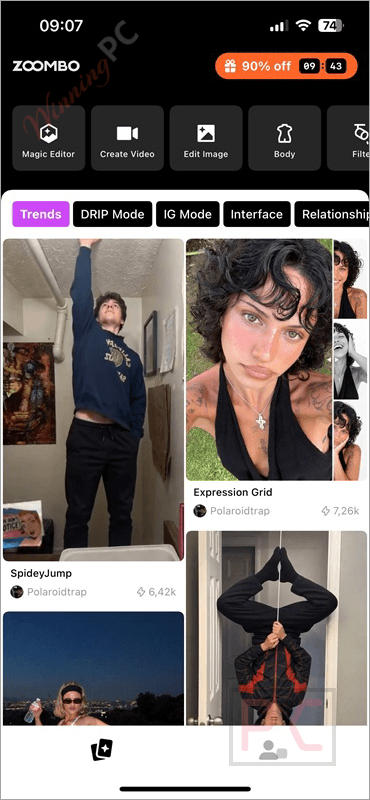
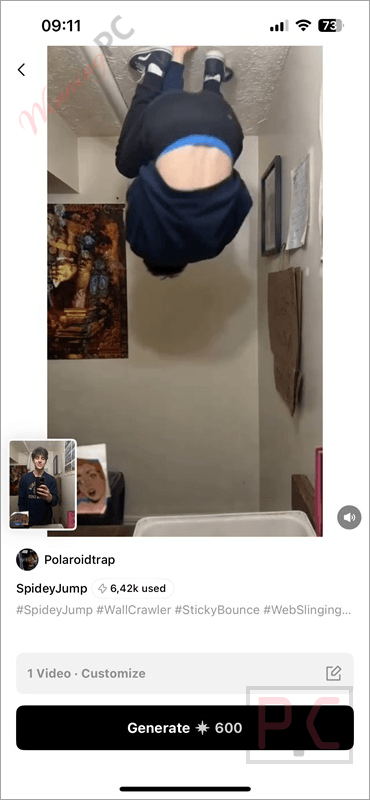
The template library skews toward social and seasonal formats, which works if your output is Instagram or TikTok content; it’s less useful if you need print-ready or highly customised deliverables. One thing to go in with eyes open about: the coin system. Premium AI models inside the app draw from a separate coin balance, and those coins aren’t included in the subscription. For occasional use that’s fine. For heavy model-switching, the total cost climbs past the headline price.
Key features
- AI image generation: create photos and portraits from text prompts across multiple AI model options.
- Body and lighting editing: one-tap reshape and relight for portrait refinement.
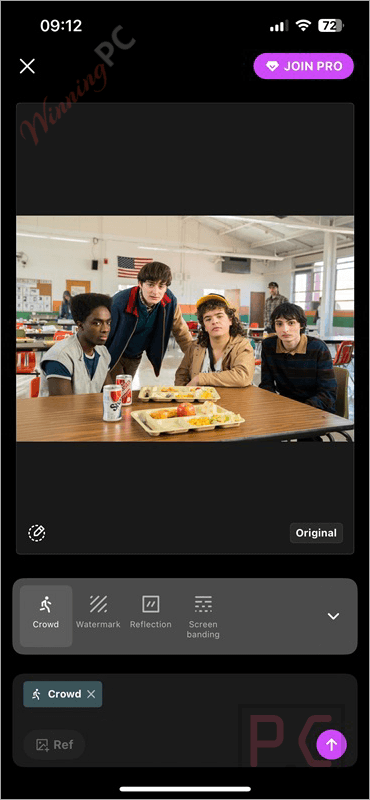
- Photo Flow: chain multiple edits into one automated workflow instead of repeating steps manually.
- Brush tool: selective local edits without affecting the rest of the image.
- Template library: summer, trending social, and business marketing templates, all customisable.
- Multi-platform resize: output pre-sized for Instagram, TikTok, Facebook, and more.
- Photo upscale: sharpen low-resolution images before exporting.
What we think
Screenshots
Which Zoombo: Nano AI Studio Plan Should You Buy?
| Plan | Sale Price | Per Month | Best For |
|---|---|---|---|
| Monthly | $19.99 | $19.99/mo | Short-term or occasional use |
| Yearly (Standard) | $399.00 | $33.25/mo | Skip – negligible saving vs monthly |
| Yearly | $59.99 | $5.00/mo | Regular creators wanting flexibility |
| Yearly (Promo) | $49.99 | $4.17/mo | Good balance of price and commitment |
| Yearly (Special) | $39.99 | $3.33/mo | Best value – pick this for long-term use |
The Yearly (Standard) at $399 is the odd one out: it saves almost nothing versus paying monthly, while the other Yearly tiers represent far better value. If you’re committing for a year, the Special at $39.99 is the one to choose – assuming it’s available in your region. You should verify which tiers are shown in your local App Store.
Zoombo vs the alternatives
| Tool | Price | Platform | Key Strength | Best For |
|---|---|---|---|---|
| Zoombo: Nano AI Studio | $39.99/yr (deal) | iPhone, Mac & Apple Vision | All-in-one AI studio + Photo Flow batch editing | iPhone creators wanting one app |
| FlexClip AI Plus | $100.42/yr | Web / browser-based | AI video creation + full timeline editor + templates | Creators who want AI generation plus traditional video editing |
| Pippit AI | $203.88/yr | Web | AI marketing content generation, image/video creation, avatars, and publishing | Marketers, e-commerce sellers, and social media teams |
| iMyFone DreamVid | $48.99/yr | iOS, Android, Web | Photo-to-video, AI effects, face swap, talking photos | Mobile users creating viral or personalized videos from photos |
| Kling AI Standard | $79.2/yr | Web | High-quality text/image-to-video + image generation + motion control | Creators focused on advanced AI video generation |
| PicWish | $50.99/yr | Web, Windows, Mac, iOS, Android | AI photo enhancement, background/object removal, image editing | Users focused mainly on fast AI photo cleanup and product images |
Frequently Asked Questions
How can I get the Zoombo Yearly Subscription at a discount?
Zoombo is currently running a limited-time promotion with savings of up to 91% on its annual membership. Visit winningpc.com to check the latest Zoombo deal and access the promotional offer for the Zoombo Yearly Subscription (Special) before it expires.
What can I do with Zoombo: Nano AI Studio?
Zoombo can generate and edit AI photos and videos, relight images, reshape body details, make local changes with brush tools, and apply creative effects and templates. Its Photo Flow feature also lets you complete multiple photo edits through one streamlined workflow.
Which AI models does Zoombo support?
Zoombo has expanded its model selection to include popular AI models such as Gemini (Nano Banana), Seedance, and Kling. The available models and features may change as new versions of the app are released.
What devices are compatible with Zoombo: Nano AI Studio?
Zoombo is designed primarily for iPhone and requires iOS 16.4 or later. According to its App Store compatibility information, it can also run on Macs with macOS 13.3 or later and an Apple M1 chip or newer, as well as Apple Vision devices running visionOS 1.0 or later.
Is Zoombo: Nano AI Studio free?
Zoombo is free to download, but it includes in-app purchases. Premium subscriptions unlock additional AI features, filters, effects, templates, Photo Agent tools, and premium AI model usage. Weekly, monthly, and yearly subscription options may be available.
Does Zoombo have templates for creating content quickly?
Yes. Zoombo includes ready-made templates for photos and videos. The current selection includes seasonal Summer templates, trending social media styles, and business templates designed for products, promotions, and marketing content.
Who is Zoombo: Nano AI Studio best for?
Zoombo is a good choice for iPhone users who regularly create social media photos, short videos, personal images, product visuals, or promotional content. Its combination of AI generation, photo editing, templates, effects, and multiple AI models makes it especially useful for creators who prefer handling several creative tasks in one app.
System Requirements & Details
| Feature | Specifications |
|---|---|
| Language Support | English |
| Operating System | iOS 16.4+, macOS 13.3+ (Apple M1 or later), visionOS 1.0+ |
| App Size | 83.7 MB |
| App Store Chart | 118 in Photo & Video |