
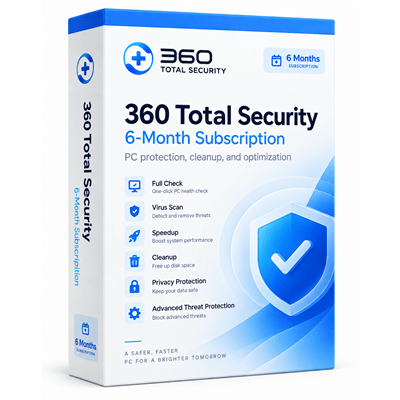

360 Total Security Premium Giveaway
360 Total Security Premium
- Product
- 360 Total Security Premium
- Website
- 360totalsecurity.com
- License
- 6-month
- Platform
- Windows 10 / 11 (64-bit)
- Installer
- 360TS_Setup_WW.WinningPC.exe
- Usage
- Personal, non-commercial use only
- Updates
- Product and security updates for 6 months
- Updated
- September 29, 2026
Get your unique code by email
License key delivered free to your inbox within minutes.
Protected by Cloudflare Turnstile · Email quality checked by Reoon
All codes have been claimed or the giveaway has closed.
360 Total Security Premium Coupon Code Sep 2026

360 Total Security Premium - Yearly
Premium feature for a full year | Unlimited devices with one plan
360 Total Security Premium - Lifetime
Premium feature for forever | Unlimited devices | VIP support
Is this 360 Total Security giveaway safe and legit?
Yes. This giveaway runs through official channels with genuine license keys issued directly by United Guard Co. Limited. A few specifics worth knowing:
No crack or keygen
You install the publisher’s official 360 Total Security build and activate with a real unique key from a licensed batch supplied by the developer. Nothing is patched or repackaged.
Official authorized source
This campaign is a direct partnership between United Guard Co. Limited and WinningPC. Each eligible user receives one distinct key distributed by WinningPC from the publisher’s batch.
No payment details required
The giveaway is completely free with no auto-renewal, no billing information collected, and no payment risk at any step.
One unique key per user
WinningPC does not publish the code list publicly; codes are distributed individually per registered email, reducing the chance of receiving an already-redeemed key.
How to Get the 360 Total Security Premium License Key for Free
- Enter your email address in the giveaway form on this page to request your code. Check your inbox for the license key email from WinningPC.
- Download and install 360 Total Security using the dedicated WinningPC installer from the link on this page.
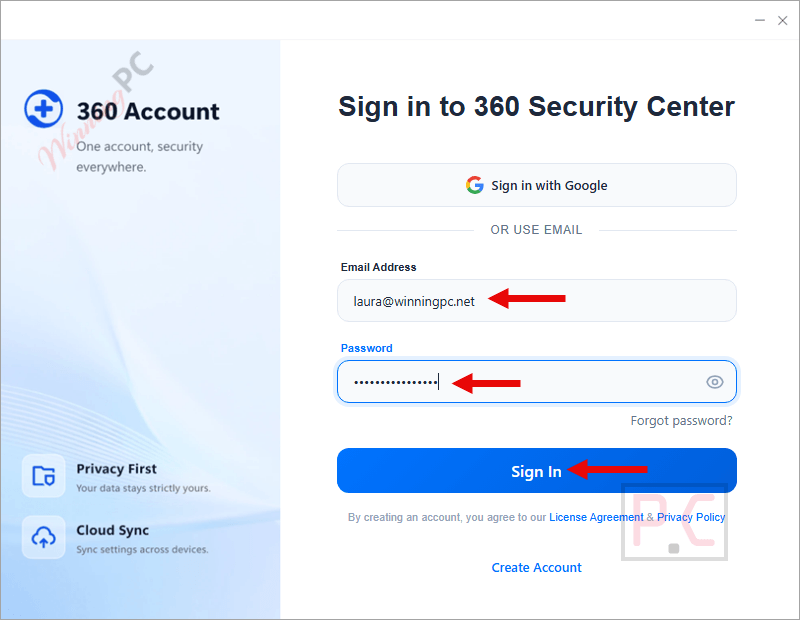
- Launch 360 Total Security then click on the “Account” button. Login with your existing account or create a new one if you don’t have.
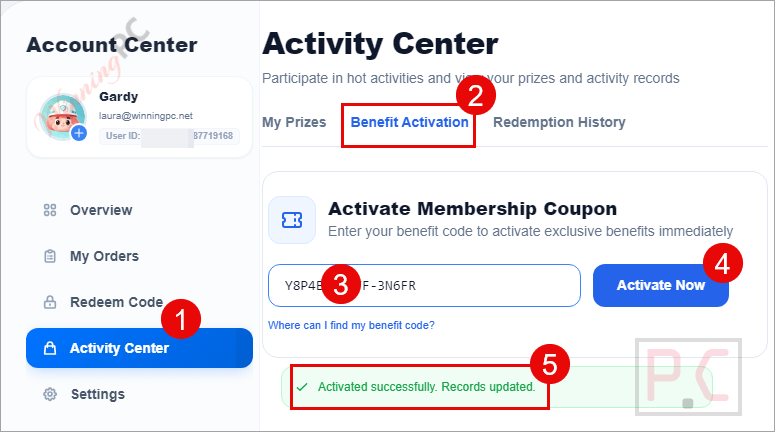
- Enter Account/ Manager/ Activity Center/ Benefit Activation, paste the unique redemption code provided by WinningPC and click on the “Activate Now” button.
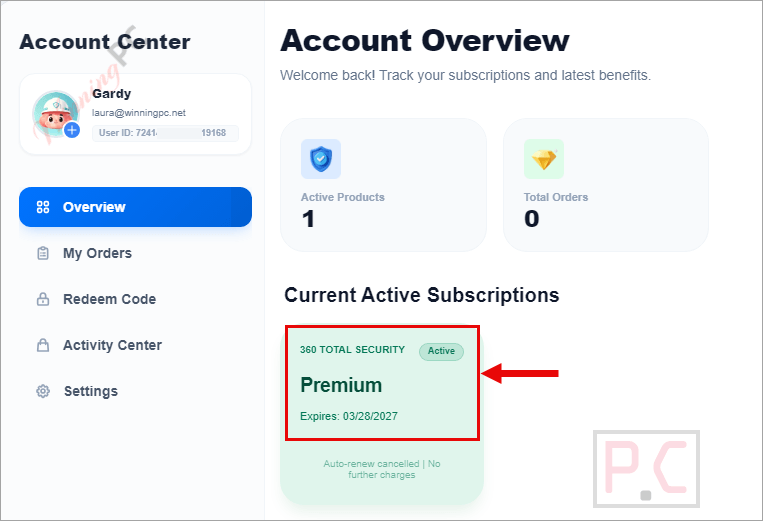
- Your account activates for six months of Premium access.
360 Total Security Premium Review & Features
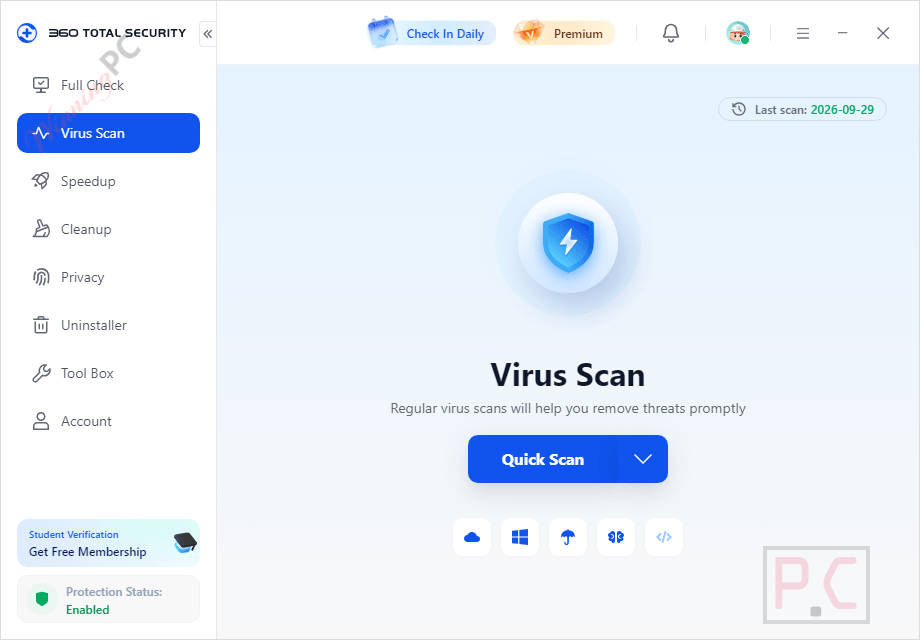
360 Total Security Premium combines real-time malware protection, privacy cleanup, and PC maintenance. Its Sandbox lets you open questionable files in an isolated environment without giving them access to your main system. Privacy Cleaner removes browsing traces, Data Shredder permanently deletes files, and Privacy Antitracker blocks behavioral tracking. Patch Up installs Windows vulnerability updates, while Driver Updater keeps hardware drivers current. 360 Document Protector also creates automatic 30-day rolling backups of important files to protect them from ransomware.
Key features
- Real-time protection powered by 360’s proprietary self-developed security engine and cloud-assisted threat detection – continuous monitoring for viruses, malware, and suspicious activity.
- Sandbox: run untrusted programs in full isolation without any risk to your actual system.
- Data Shredder: permanently destroy deleted files so they cannot be recovered by anyone with access to your drive.
- Privacy Antitracker and Privacy Cleaner to block ad-targeting and erase browsing history.
- 360 Document Protector with automatic 30-day backups to guard key files against ransomware.
- Driver Updater and Patch Up for keeping hardware drivers and OS patches current.
- Game Booster: automatically optimizes performance when you launch a game.
- Ransomware defense: detects and blocks suspicious file-encryption behavior associated with ransomware attacks, with document backup for recovery.
- Web protection: guards against malicious websites, phishing attempts, and unsafe downloads during everyday browsing.
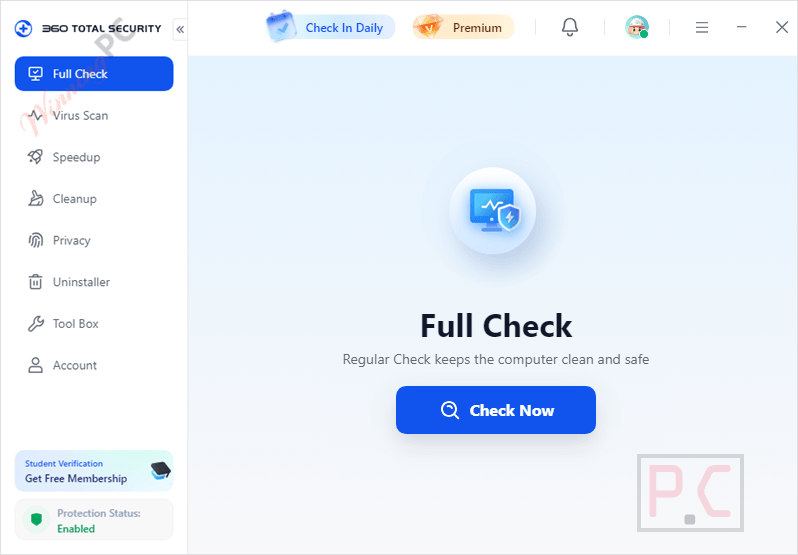
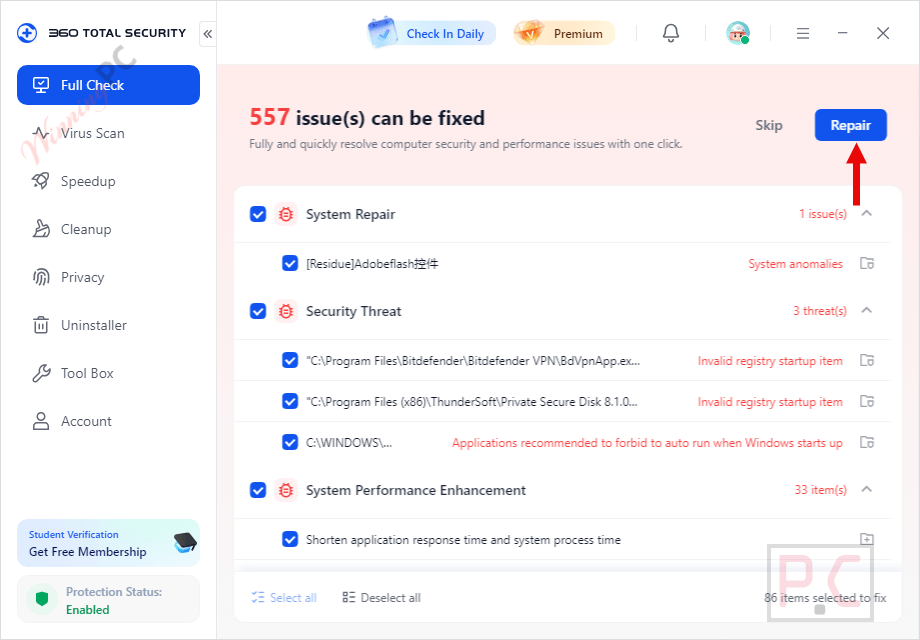
- Full Check: reviews security health, system performance, and cleanup opportunities through one central workflow, with guided repair actions for detected issues.
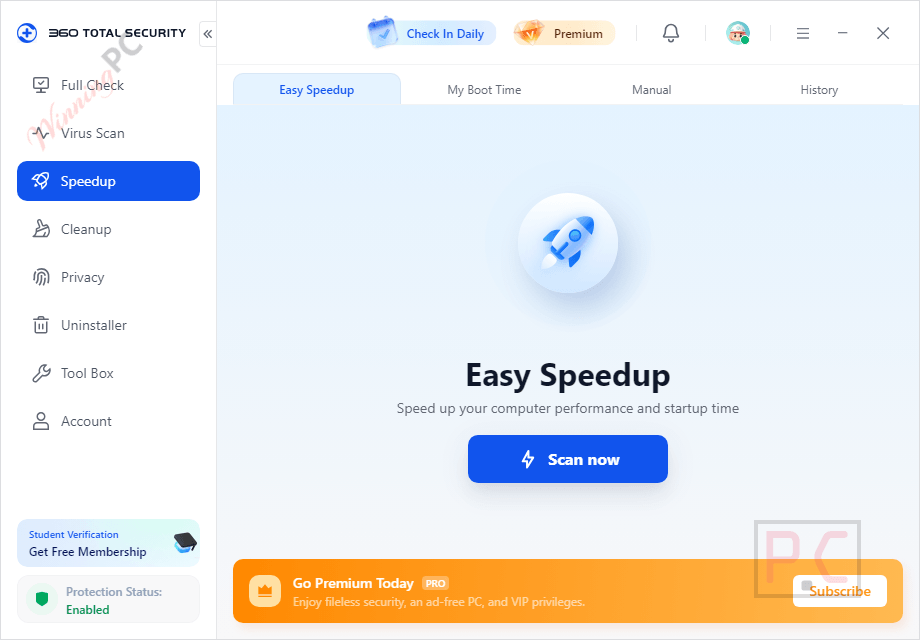
- Junk-file cleanup and startup speedup: removes accumulated clutter, browser traces, and unnecessary files, and reviews startup programs to help Windows load faster.
What we think
Screenshots
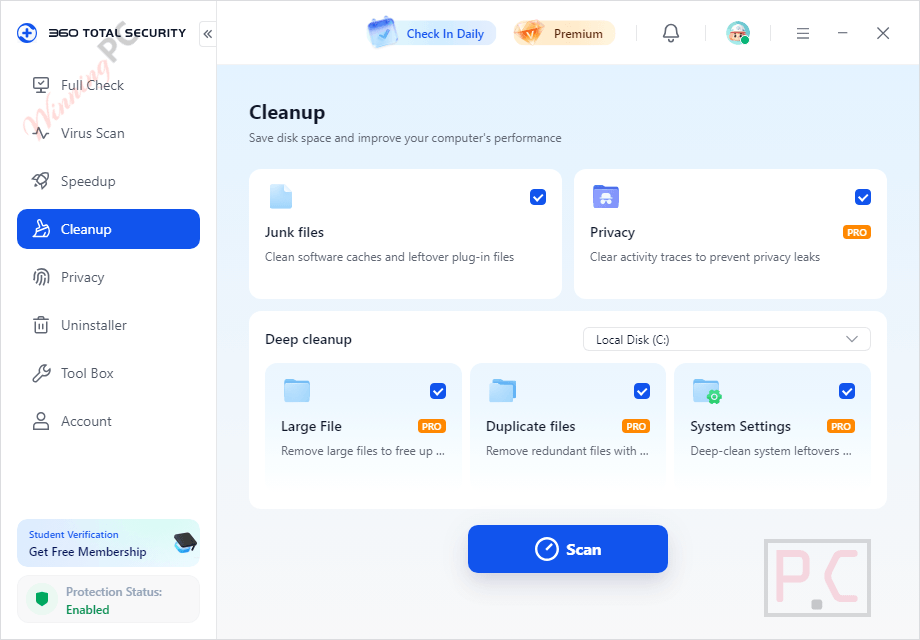
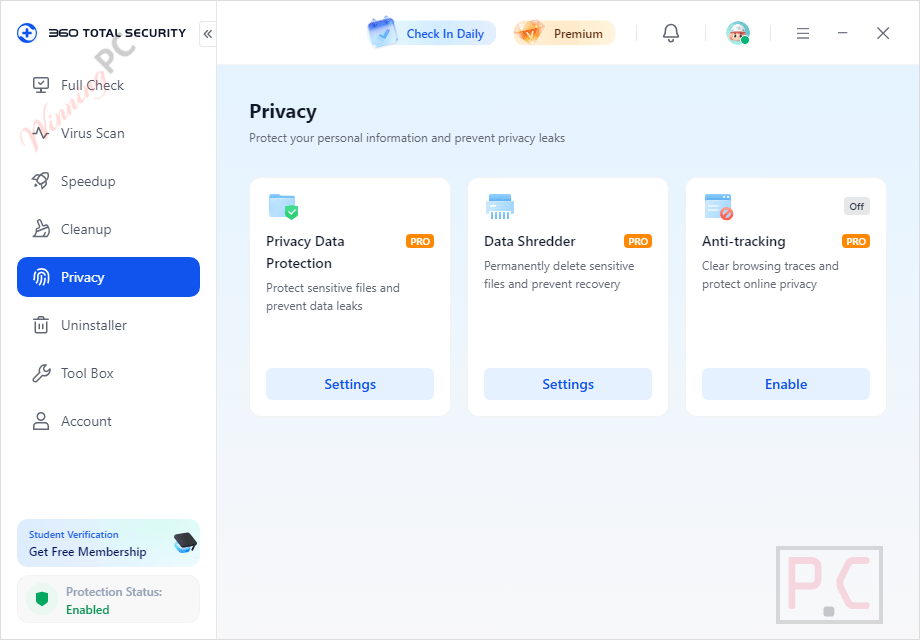
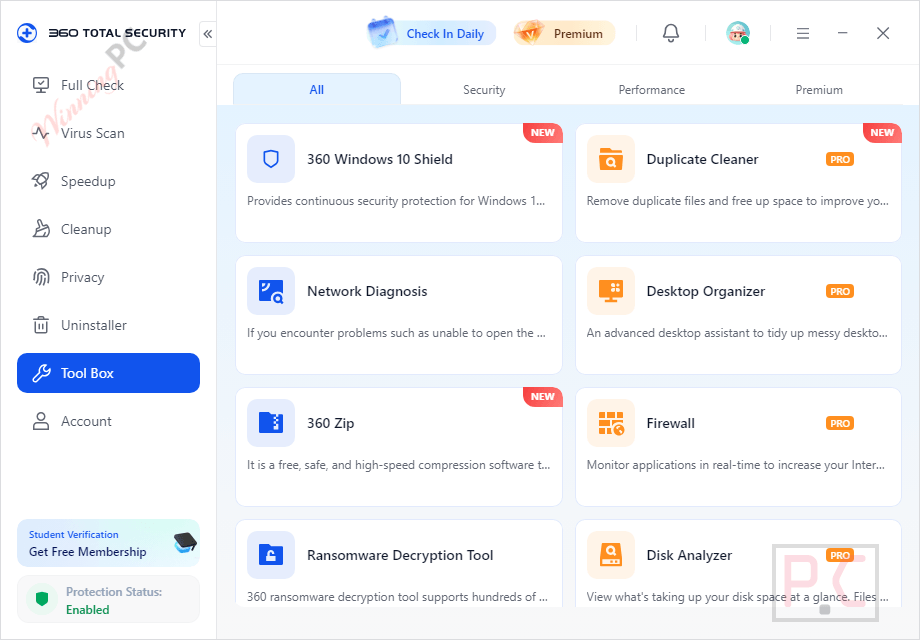
How 360 Total Security compares to the free options
| Tool | Price | Platform | Standout strength | Best for |
|---|---|---|---|---|
| 360 Total Security Premium | Free here (normally $19.99/yr) | Windows 10/11 | All-in-one: antivirus + privacy + PC optimization in one install | Users who want everything covered without running multiple utilities |
| Windows Defender (built-in) | Free | Windows 10/11 | Native, zero setup, solid baseline antivirus | Low-risk home users who just need basic AV without any extras |
| Malwarebytes | $26.99/yr (Standard) | Windows, Mac | Strong malware and spyware detection as a second-opinion scanner | Users who want a supplementary scanner alongside their primary AV |
| Bitdefender Total Security | $54.99/yr | Win/Mac/Mobile | Top AV lab scores with minimal system footprint | Users who prioritize pure antivirus performance above optimization tools |
Frequently Asked Questions
What happens when the 6-month giveaway license expires?
When the six months end, your account drops back to the free version of 360 Total Security. Basic antivirus scanning stays active, but the Premium tools – Sandbox, Data Shredder, Driver Updater, Game Booster, ad-free mode, and Privacy Antitracker – lock until you purchase a paid plan. You keep your installation; it just downgrades automatically.
Does 360 Total Security Premium work on Windows 11?
Yes. The giveaway installer officially supports Windows 11, 10, 8, 7 and XP. An internet connection is required for installation, activation, and cloud-assisted protection to function.
Is there a free version of 360 Total Security?
Yes, 360 Total Security has a permanent free tier with basic antivirus scanning, a full check, cleanup, and speedup tools. The free version does not include the Sandbox, Data Shredder, Driver Updater, or other Premium-only features that this giveaway unlocks for six months.
Is 360 Total Security Premium worth it compared to just using Windows Defender?
For users who only need basic antivirus, Windows Defender alone is a reasonable free choice. Premium adds meaningful extras Defender does not cover: Sandbox isolation for testing unknown files, persistent privacy cleanup, and system optimization tools. If those matter to you, the giveaway makes the comparison easy – it costs nothing to try.
How many PCs can I install the giveaway license on?
One. Each giveaway key is a unique code intended for one user and one Windows PC. Installing it on a second machine is not covered by the giveaway terms. If you need multi-device coverage, the Annual or Lifetime paid plans support unlimited devices.
System Requirements & Details
| Field | Value |
|---|---|
| Operating system | Windows 11/10/8.1/8/7/Vista/XP/Server 2008 |
| Memory | 1 GB RAM or more |
| Free disk space | 1 GB or more |
| Internet connection | Required – for download, activation, security updates, and cloud-assisted protection |
| Online installer size | 1.42 MB |
| Interface languages | 14 languages: English, German, Russian, Turkish, Spanish, Portuguese, French, Italian, Polish, Hindi, Vietnamese, Japanese, Simplified Chinese, Traditional Chinese |
| Supported input/output formats | Not applicable (security and optimization suite, not a file converter) |




Valid format required; invalid CD license/redemption code: CB29QYFXS5EGT48