
DVDFab Detail Refiner AI Coupons & Pricing

DVDFab Detail Refiner AI - 1-Year License
2000 one-time FabCloud Credits
DVDFab Detail Refiner AI - Lifetime License Editor's Pick
Purchase once for lifetime use | 3000 one-time FabCloud Credits
You may also like

DVDFab All-In-One Lifetime Gift
Full access to all 28 products and all future updates | Purchase once for lifetime use

DVDFab All-In-One for Mac Lifetime Gift
Full access to all 23 products and all future updates | Purchase once for lifetime use
How to Use the DVDFab Coupon
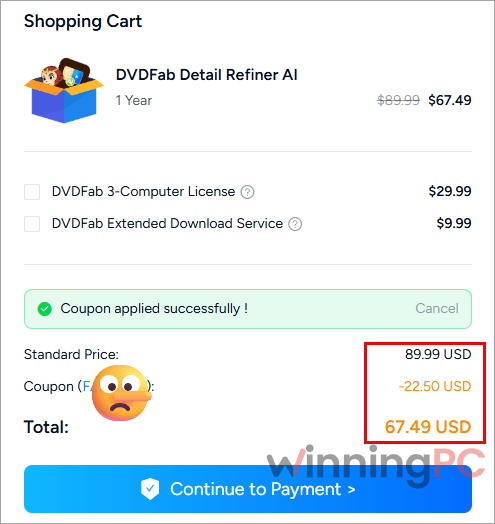
- Choose the 1-Year or Lifetime License and click on the Copy Code button above.
- At checkout page, paste FA*NEW into the coupon field and apply it.
- Check that the total drops by 25% and complete the order.
DVDFab Detail Refiner AI Review & Features
The smartest thing about Detail Refiner AI is where the work happens. Because frames are processed on DVDFab’s servers, an Intel i3 with 4 GB of RAM meets the listed requirements, which is unusual for AI video tools that normally want a recent RTX card. You also see the estimated time and credit cost before a job starts, so there are fewer surprises on your balance.
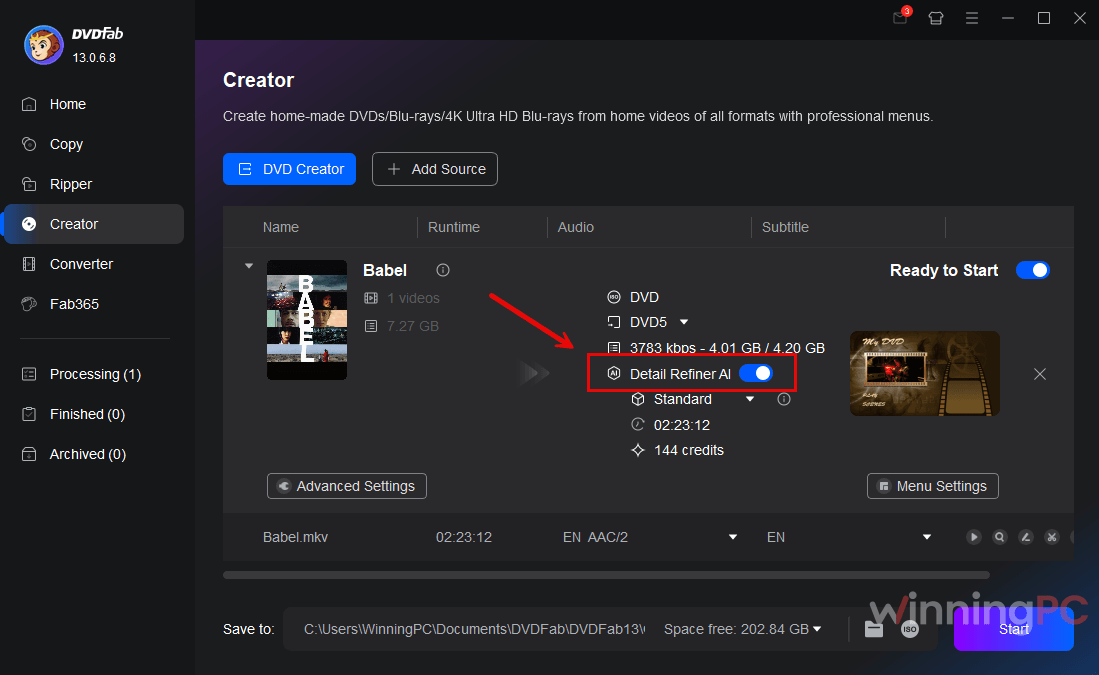
The limits are just as real, though. It lives inside DVDFab’s Ripper and Creator modules, so it’s built around disc sources rather than any video sitting on your drive. And mosaic removal is guesswork by design: the AI generates detail that fits the surrounding pixels, it doesn’t recover what was actually hidden. Heavy mosaics can come back looking smooth or slightly off. Treat the result as a cleaner-looking estimate, not the original image.
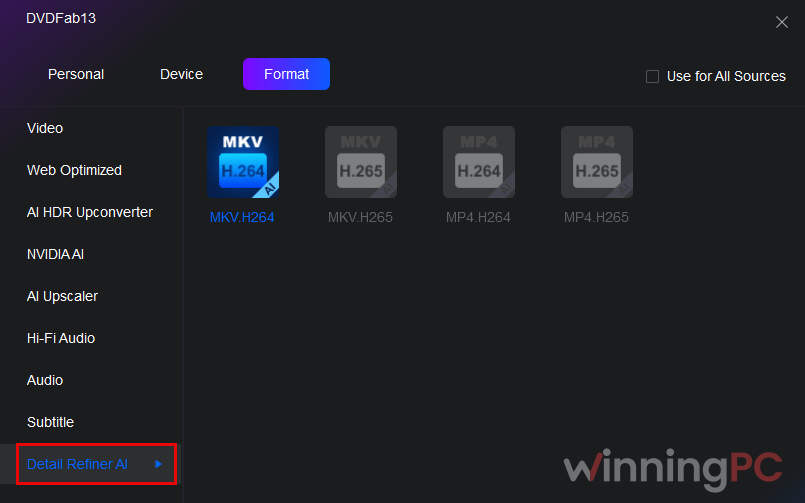
Key features
- Automatic mosaic detection: the AI finds affected regions frame by frame and rebuilds textures and edges from the surrounding image, with no manual masking.
- Two quality modes: Standard when you want a faster job, High Quality when a tougher source deserves more processing (and more credits).
- Cloud processing: no dedicated GPU is listed in the requirements, so older or budget PCs can run it.
- Ripper and Creator integration: clean up DVD, Blu-ray or UHD sources while converting, or before burning a new disc.
- Cost preview and automatic audio merge: each job shows its credit and time estimate up front, and the original audio is recombined with the enhanced video when it’s done.
What we think
Which Detail Refiner AI plan makes sense?
| Plan | You pay | FabCloud credits | Cost per included credit | Term | Support | Best for |
|---|---|---|---|---|---|---|
| Lifetime License (with FA*NEW) | $82.49 once | 3,000 | about 2.7¢ | Permanent, 1 PC | Priority support | Anyone using it beyond a single project |
| 1-Year License (with FA*NEW) | $67.49 first year | 2,000 | about 3.4¢ | 1 year, auto-renews (renewal price not listed) | Priority support not included | One short project at the lowest upfront cost |
| DVDFab All-In-One Lifetime | $279.99 once | 3,000 | n/a (bundle) | Permanent, 28 products | Priority support | People who also want DVDFab’s full copy/rip suite |
If you pick the 1-Year plan, note the renewal date: it renews automatically unless you cancel.
Questions people ask about Detail Refiner AI
Is there a free trial of DVDFab Detail Refiner AI?
Yes. The trial covers 3 processing tasks of up to 5 minutes each, so 15 minutes of video in total, paid for with complimentary FabCloud credits.
Does the Lifetime license include unlimited cloud processing?
No. Lifetime means permanent access to the software plus 3,000 one-time FabCloud credits.
Standard or High Quality: which mode should I use?
Standard for speed, High Quality for tougher restorations.
Do I need an NVIDIA RTX graphics card?
No. The listed minimum is an Intel Core i3, 4 GB of RAM and 20 GB of free disk space, because the AI processing runs in the cloud.
What you need to run it
| Field | Value |
|---|---|
| Operating system | Windows 10 / Windows 11 (64-bit) |
| Processor | Intel Core i3 or equivalent |
| RAM | 4 GB or more |
| Disk space | 20 GB free |
| GPU | No dedicated GPU listed (processing runs in the cloud) |
| Supported input sources | DVD discs, DVD ISO images and folders; Blu-ray and UHD sources via compatible DVDFab Ripper modules; video imported through compatible Creator modules. Resolutions 480p to 8K. |
| Supported output formats | Depends on the DVDFab output profile selected. |
| Other requirements | Live internet connection; FabCloud credits for each job |