
DVDFab AI Upscaler Coupons & Pricing

DVDFab AI Upscaler 1-Year License
Covers one computer with automatic updates for the year. The plan renews automatically and DVDFab lets you cancel at any time. 14-day money-back guarantee.
DVDFab AI Upscaler Lifetime License
Pay once, no renewal. Covers one computer with free future updates and priority technical support. 14-day money-back guarantee.
DVDFab AI Upscaler for Mac - 1 Year License
Free future update support for 1 year | Licence available for 1 computer
DVDFab AI Upscaler for Mac - Lifetime License
Lifetime use and future update | Licence available for 1 computer
You may also like
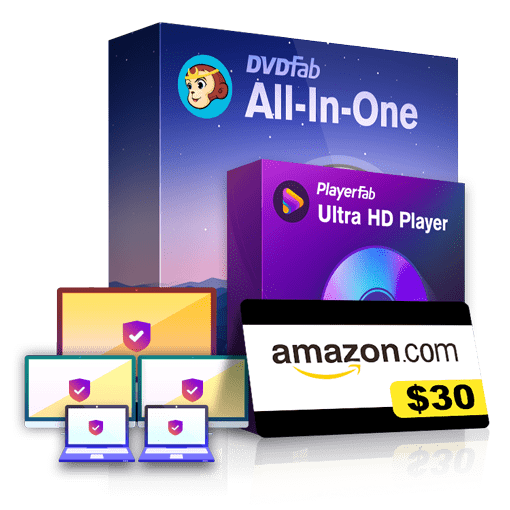
DVDFab All-In-One Lifetime Gift
Full access to all 28 products and all future updates | Purchase once for lifetime use

DVDFab All-In-One for Mac Lifetime Gift
Full access to all 23 products and all future updates | Purchase once for lifetime use
How to Use the DVDFab AI Upscaler Coupon Code
- Open the AI Upscaler page through the button above and pick Windows or Mac, so you buy the right version.
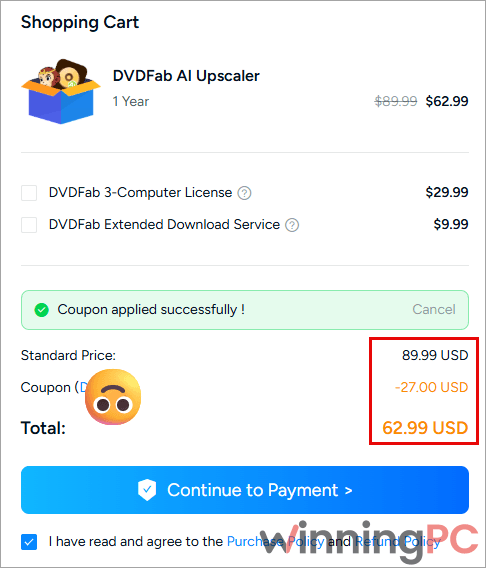
- In the cart, paste the discount code into the coupon field and apply it. The total should read $62.99 for 1-Year or $97.99 for Lifetime.
- Sign in to your DVDFab account (or create one) and pay. The license is tied to that account.
How good is DVDFab’s AI upscaling, really?
Most people upscale discs in two steps, ripping first and then running the file through a separate enhancer. Here the video enhancement happens inside the rip, so one job takes you from disc to a cleaned-up MP4 or MKV. The models do more than resize: they suppress noise and blocky compression artifacts, which is usually what makes a DVD look bad on a big screen. Be realistic about the ceiling, though. A 480p DVD pushed to 4K is a reconstruction, not new footage, and aggressive settings can make skin and fabric look waxy. We haven’t benchmarked speed, and DVDFab AI Upscaler publishes no numbers either, so run a short test clip before committing a whole film.
Key features
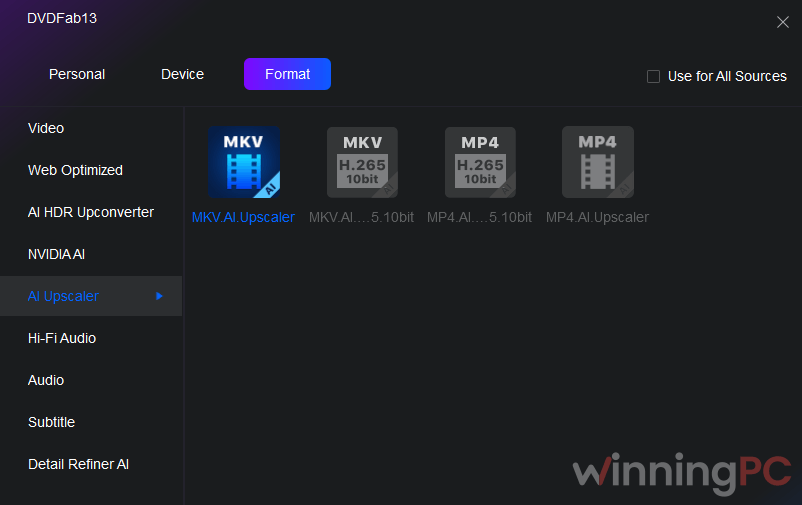
- Output at 720p, 1080p, 4K or up to 8K, saved as MP4 or MKV with H.264 or H.265 encoding.
- Noise and artifact cleanup that targets blockiness, ringing and blur, the classic signs of a heavily compressed disc.
- Two model types per DVDFab’s engineering notes: a Universal model for live-action film and an Animation model that keeps outlines crisp and reduces banding in cartoons.
- Color and gradient processing that smooths tonal transitions instead of leaving stepped skies.
- Full access to DVDFab’s Video Editor and Advanced Settings during the same conversion.
Where it shines and where it stumbles
Which DVDFab AI Upscaler Plan Should You Buy?
| Plan | Price with WPC | Billing | Updates | Support | Best for |
|---|---|---|---|---|---|
| 1-Year | $62.99 (was $89.99) | Renews automatically, cancel any time | Automatic updates during the term | Standard | One big batch of discs, then done |
| Lifetime | $97.99 (was $139.99) | One-time payment | Free future updates | Priority technical support | Anyone using it past the first year |
Both licenses cover one computer and include a 14-day money-back guarantee.
The gap between the two is only $35. Two years of the annual plan cost $125.98 even if the renewal kept the 30% discount, and $152.98 if it renews at the full $89.99. So unless you’re sure you’ll stop after twelve months, DVDFab AI Upscaler Lifetime is the cheaper path.
Questions buyers ask about DVDFab AI Upscaler
Can I use DVDFab AI Upscaler on its own?
No. AI Upscaler runs as a profile inside DVDFab’s DVD Ripper, Blu-ray Ripper and DVD to Blu-ray Converter modules, and those modules carry their own licenses. You need one of them alongside the upscaler.
Does the 1-Year license renew automatically?
Yes. The 1-Year plan renews automatically, and DVDFab says you can cancel at any time. The renewal price isn’t shown on the product page, so check your order confirmation.
Can I get a refund?
Yes, within 14 days on both licenses.
I owned Enlarger AI. Do I have to pay?
Possibly not. DVDFab says AI Upscaler is free for eligible users of its earlier Enlarger AI product.
Is there a limit on how many discs I can process?
Yes, 100 discs per week per licensed account under DVDFab’s fair use policy. The quota resets automatically each week, which is plenty for a home collection but worth knowing if you’re archiving in bulk.
System Requirements & Details
| Field | Value |
|---|---|
| Operating system | Windows 11 / 10 (64-bit). Mac version sold, requirements not published |
| RAM | 16 GB or more |
| Graphics card | NVIDIA RTX 30 series or newer, 8 GB VRAM |
| Storage | SSD or NVMe recommended, with generous free space for large output files |
| Supported input sources | DVD discs; Blu-ray discs, ISO images and folders (through DVDFab Ripper / DVD to Blu-ray Converter modules) |
| Supported output formats | MP4, MKV (H.264 / H.265); 720p, 1080p, 4K, up to 8K depending on profile |
| Other requirements | DVDFab account, a compatible DVDFab module, 1 computer per license, 100 discs per week fair use quota |