On this page
V2Fun Coupons & Pricing
V2Fun Yearly - Black Friday Sale
2 plans · best save 76%
Pro
Stable & Continuous Creation | Renews at $144/year | 1,200 Credits Per Month
Premium ★ Best Deal
Create with Greater Efficiency | Renews at $432/year | 3,600 Credits Per Month
V2Fun Monthly
2 plans · best save 40%Pro ★ Best Deal
Stable & Continuous Creation | Renews at $15/month | 1,200 Credits Per Month
Premium
Create with Greater Efficiency | Renews at $45/month | 3,600 Credits Per Month
V2Fun Yearly
2 plans · best save 52%Pro ★ Best Deal
Stable & Continuous Creation | Renews at $144/year | 1,200 Credits Per Month
Premium
Create with Greater Efficiency | Renews at $432/year | 3,600 Credits Per Month
How to Use the V2Fun Coupon Code
In the Coupons & Pricing box above, click Copy next to the Black Friday code for your yearly plan (or click Get Deal for Monthly / standard Yearly deals).
You’ll be sent to V2Fun. Click Pricing to view all four plans (Free, Pro, Premium, and Enterprise).
Select your plan and billing cycle. Black Friday pricing may auto-apply on V2Fun’s pricing page; if you need to enter a different code manually, click Remove Coupon first and paste your copied code.
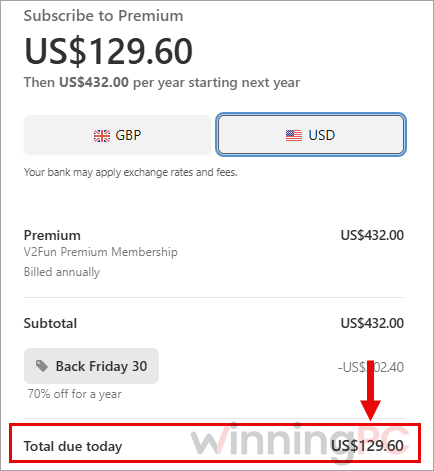
Before you pay (via Stripe or PayPal), check the total against our price list—for example, $129.60 for Yearly Premium or $57.60 for Yearly Pro—since the two yearly plans use different codes.
Is this V2Fun coupon legit?
Yes. Both codes work on V2Fun’s own pricing page, so you subscribe directly with the platform rather than through a reseller.
Straight from the source
You pay on v2fun.ai itself. WinningPC only points you there with the code.
Nothing to download
V2Fun runs entirely in the browser, so there’s no installer to vet and no cracked build to worry about.
Your card stays with V2Fun
Checkout happens on V2Fun’s site, and WinningPC never sees your payment details.
Failed jobs don’t cost you
If a generation fails because of a system error, V2Fun returns the reserved credits in full.
V2Fun Review & Features
The real selling point isn’t any single generator—with V2Fun, your model never leaves the workspace: you make a reference image, push it to 3D, texture it, rig it and apply motion without exporting in between. That matters more than it sounds, because every export and re-import is where scale, materials and skeletons tend to break. Speed is good too, with a first model in under 60 seconds.
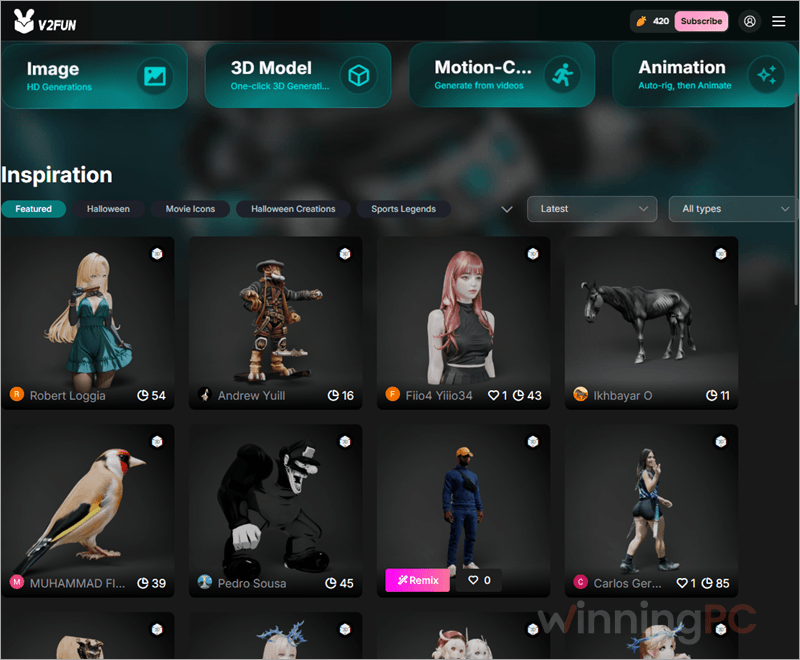
The limit is input quality. V2Fun’s own guides admit results depend heavily on the reference image, so a cluttered photo or a character with arms down at their sides gives you a weaker mesh and a messier rig. Budget a few minutes for prep: clean background, even lighting, T-pose.
Key features
- Image or text to 3D: describe it or upload it, and get a clean-topology, textured model in under a minute.
- Multi-view modeling: generate front, side and back views from one image, then rebuild the model so the back isn’t guesswork.
- AI texturing: full 8K PBR sets (albedo, normal, roughness, metallic) with no UV unwrapping, plus retexturing the same mesh in a new style.
- Auto-rigging and video mocap: mark a few joints to get an FBX skeleton, then drive it with motion pulled from a 5 to 30 second MP4.
- A 3D-minded image generator: GPT Image 2, nanobanana and qwen-image models, with one-click T-Pose and 4K HD modes for modeling references.
What we think
More V2Fun Screenshots
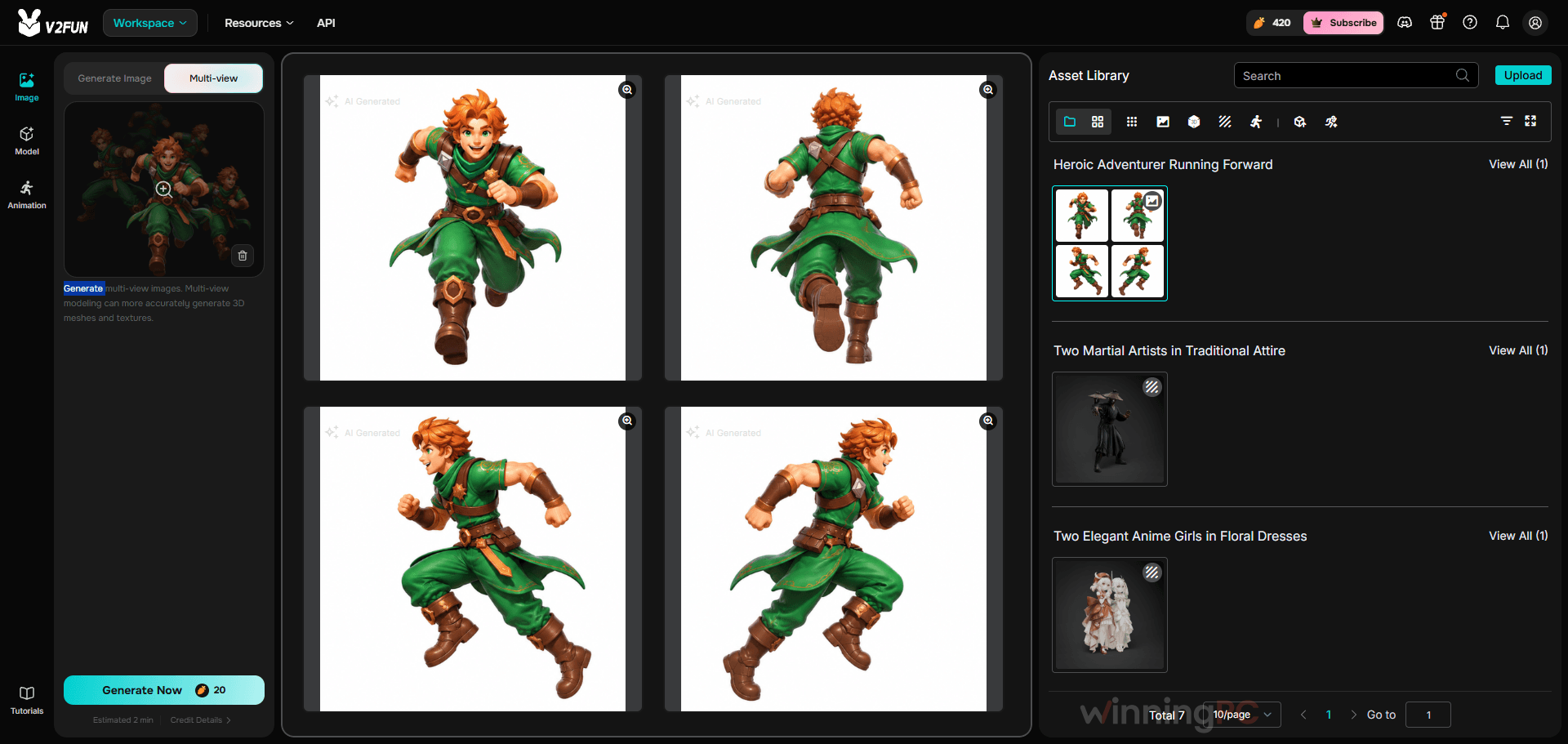
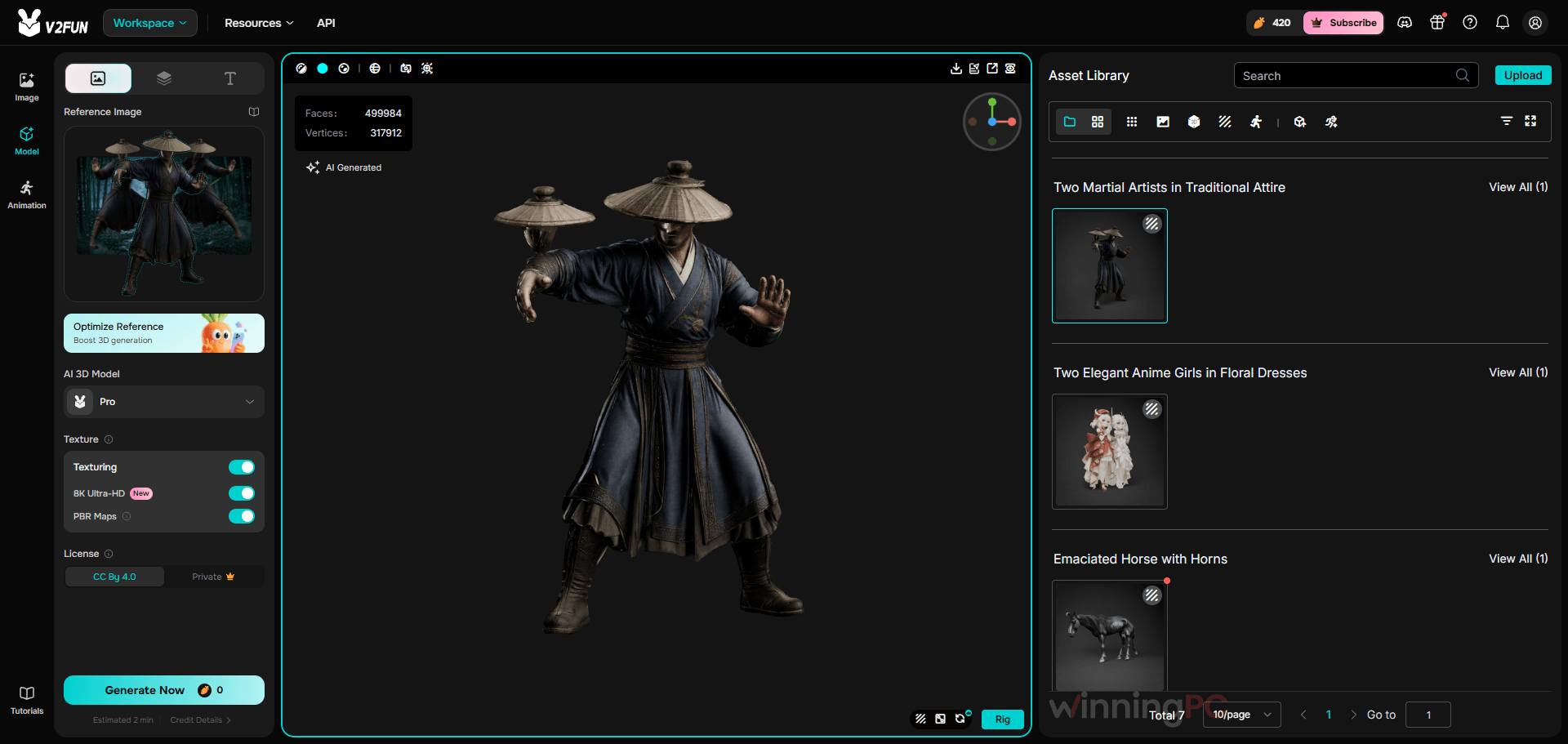
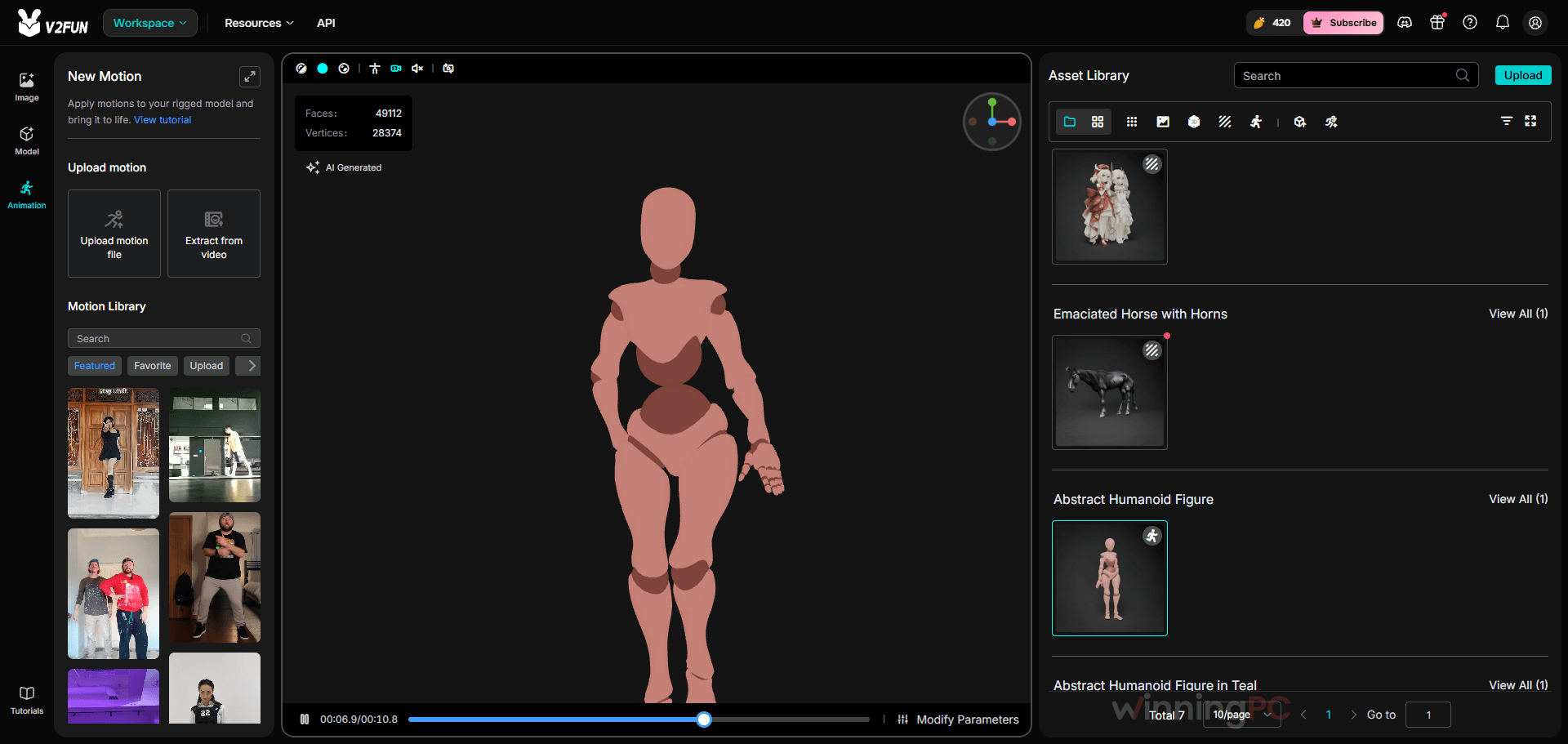
V2Fun vs the tools people compare it with
If you need a game-ready or printable 3D mesh you can rig and animate, V2Fun competes most closely with dedicated AI 3D generators like Tripo Studio and Hyper3D—while Style3D AI focuses on fashion garments and OpenArt AI focuses on 2D images and video.
| Tool | Entry price | What it makes | Exports 3D models? | Best for |
|---|---|---|---|---|
| V2Fun (our pick for 3D pipeline) | $57.60 first year (Yearly Pro, with code) | 3D models, 8K PBR textures, rigs, video mocap | Yes | All-in-one game, animation & 3D print assets |
| Tripo Studio | From $115.50/yr (with coupon) | Text/image to 3D models, texturing, rigging | Yes | High-detail 3D generation workflows |
| Hyper3D | From $6.00/mo (with coupon) | AI 3D mesh and PBR asset generation | Yes | Quick low-entry 3D prototyping |
| Style3D AI | $44.99/mo (Pro, billed annually with code) | 3D garment design and fabric simulation | Garments only | Fashion & apparel designers |
| OpenArt AI | $10.50/mo (Starter Annual Black Friday) | AI images, video, audio & 3D Worlds | No (Gaussian Splats) | 2D art, multi-scene AI video & concepts |
Frequently Asked Questions
Is there a free version of V2Fun?
Yes. Free accounts get 200 credits a month, enough for roughly four full image-to-animated-model runs. Unused free credits expire at the end of each calendar month. Model downloads and commercial licenses vary by plan tier, so check the subscription page before planning client work on a free account.
When do the V2Fun codes expire?
On November 30, 2026. Both codes run from November 23 to 30. Without a code, the yearly plans still show a sale price ($86.40 for Pro, $259.20 for Premium), so the code takes another $28.80 off Pro and cuts Premium’s sale price in half.
Do I need a code for the monthly plans?
No. Monthly Pro is already $9 and Monthly Premium $27 for the first month, both 40% off. The codes are only for the yearly plans, which is where the 68% and 76% savings come from.
What happens when my discounted term ends?
It renews automatically at the regular price. Yearly Premium goes from $129.60 to $432 for the second year, and the monthly plans return to $15 (Pro) or $45 (Premium) after the first month. To stop that, go to Profile Avatar → Subscription (Subscription Center → Current Plan) and turn off auto-renewal. You keep your plan until the period ends, but any unused subscription credits expire with it.
Can I get a refund on V2Fun?
Generally no, not once you’ve used the plan. V2Fun treats consumed credits, completed generations and benefits already provided as non-refundable. The exceptions are a system error that stops your benefits from being issued, or a clear billing mistake. In those cases, email saki@staff.v2fun.ai with your account details, order number and when the problem happened.
How many models can I make with 1,200 credits?
About 26 complete runs a month. V2Fun’s own example puts one full workflow at 46 credits: 1 for a basic AI image, 20 for the 3D model, 20 for textures and 5 to apply an animation. That means 1,200 credits covers around 26 full runs, or about 60 bare 3D models at 20 credits each. You only pay for the steps you use, and the exact cost shows before every action. Subscribers can also buy extra credit packs, and those never expire.
Can I 3D print V2Fun models?
Yes. Export as STL or 3MF and load the file into your slicer. V2Fun says the topology is clean enough to skip repair, but a quick wall-thickness check before printing is still a good habit.
Do I need a powerful PC?
No. Everything runs in V2Fun’s cloud. A model takes anywhere from a few seconds to a couple of minutes, depending on complexity and server load.
Can I use my own 3D models?
Yes. You can upload FBX, OBJ or GLB models for AI texturing, and bring your own rigged character to animate with motion captured from video.
System Requirements & Details
| Field | Value |
|---|---|
| Operating system | Any device with a web browser (cloud-based platform) |
| Processor / RAM / disk | No local high-performance hardware required; processing runs in the cloud |
| Supported input formats | Text prompts; reference images (single, or front/side/back multi-view sets); MP4 video, 5 to 30 seconds, for motion capture; FBX, OBJ, GLB 3D models for texturing |
| Supported output formats | 3D models: OBJ, FBX, GLB, STL, 3MF · Rigged skeletons: FBX · Reference images: up to 4K · Textures: 8K PBR (albedo, normal, roughness, metallic) |
| Engine compatibility | Unity, Unreal Engine, Blender |
| Image models available | GPT Image 2, nanobanana series, qwen-image series |
| Other requirements | Internet connection, V2Fun account, credits per generation |