On this page
Tripo Studio Coupons & Pricing
Tripo Studio - Monthly
3 plans · best save 60%
Pro
$14/First Month, Renew at: $20/mo next month | Best for Creators | 3000 Monthly Credits ≈ 200 Models ($0.07 Per Model)
Max
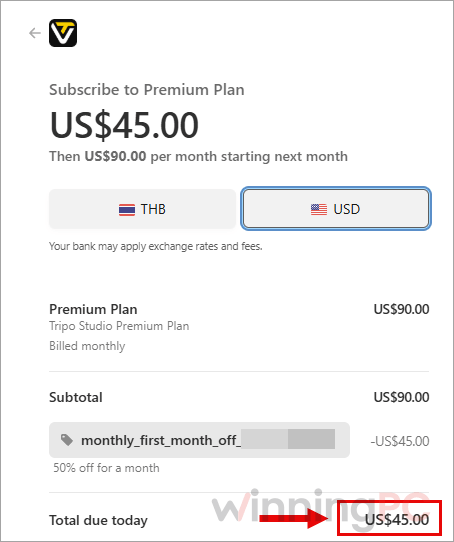
$45/First Month, Renew at: $90/mo next month | Best for Professionals | 25000 Monthly Credits ≈ 1660 Models ($0.03 Per Model)
Team ★ Best Deal
$44/mo/seat. Pay $132 this month. Renew at $330 next month | Best for Teams & Studios | 90000 Monthly Credits ≈ 6000 Models ($0.02 Per Model)
Tripo Studio - Annually
3 plans · best save 50%Pro
Best for Creators | 3000 Monthly Credits ≈ 200 Models ($0.07 Per Model)
Max ★ Best Deal
Best for Professionals | 25000 Monthly Credits ≈ 1660 Models ($0.03 Per Model)
Team
Best for Teams & Studios | 90000 Monthly Credits ≈ 6000 Models ($0.03 Per Model)
How to Use the Tripo Studio Coupon Code
In the Coupons & Pricing box above, click the “Copy” button.
You’ll land on the Tripo Studio pricing page. Pick Monthly or Annually, then choose Pro, Max or Team.
Click “Subscribe”, then log in with your existing Tripo account or create a new one.
Once you’re logged in, the discounted price shows on your chosen plan. If the checkout asks for a promo code, paste the WinningPC code from the box above.
Is the Tripo Studio coupon legit?
Yes. The deal sends you to Tripo Studio’s own pricing page, and you subscribe through your own Tripo account, so your money goes straight to Tripo rather than a reseller.
Official checkout
There’s no third-party key to redeem. The discounted price appears on Tripo’s site after you log in.
Card details stay with the payment processor
Tripo says it uses PCI-compliant payment providers and never stores your full card number. Receipts come through Stripe or PayPal.
Certified security
Tripo states it holds ISO/IEC 27001:2022 certification for information security.
Know the refund rule first
Refunds are only considered within 24 hours of purchase, and only if you haven’t used any of the plan’s credits. Put the free plan through its paces before you pay.
How well does Tripo Studio actually work?
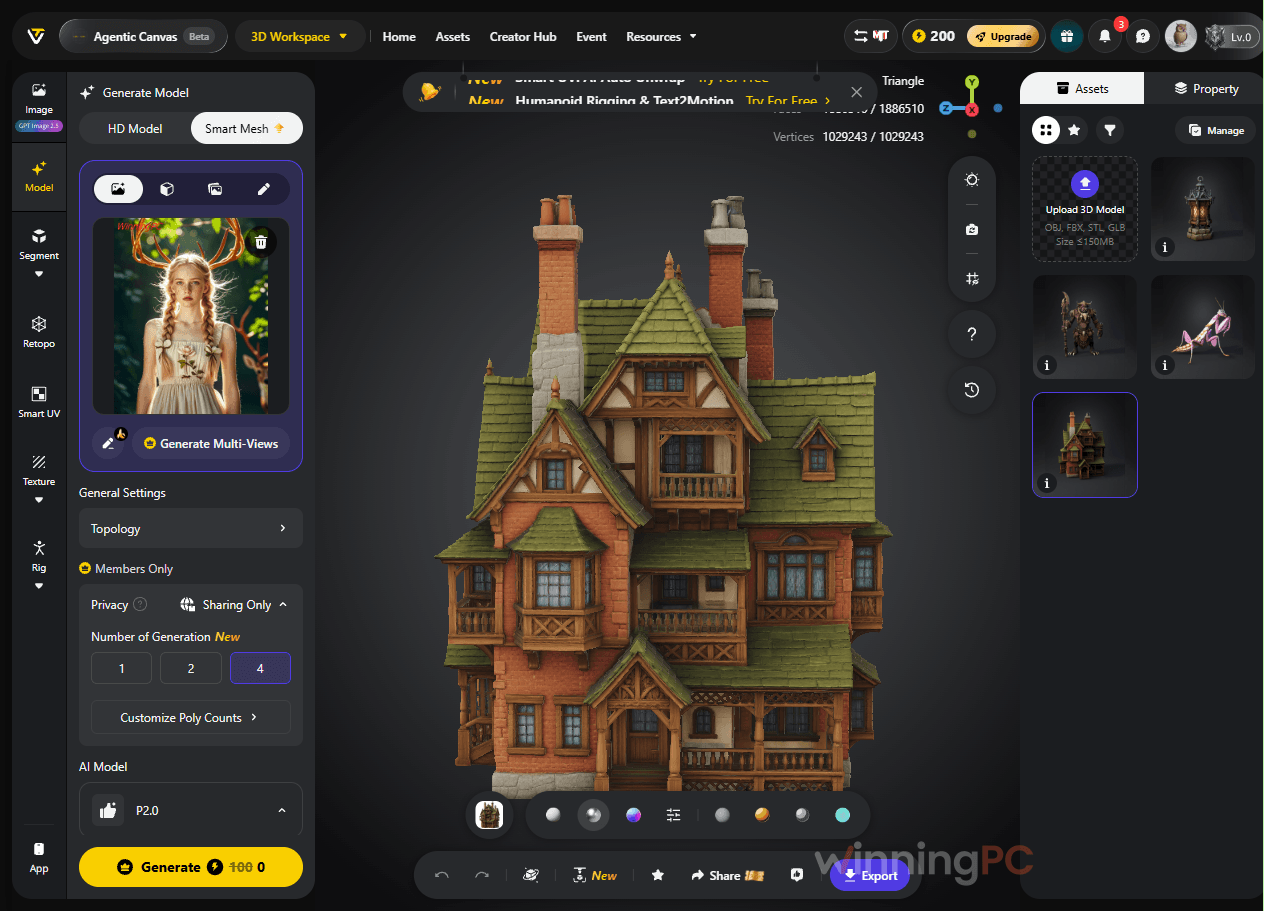
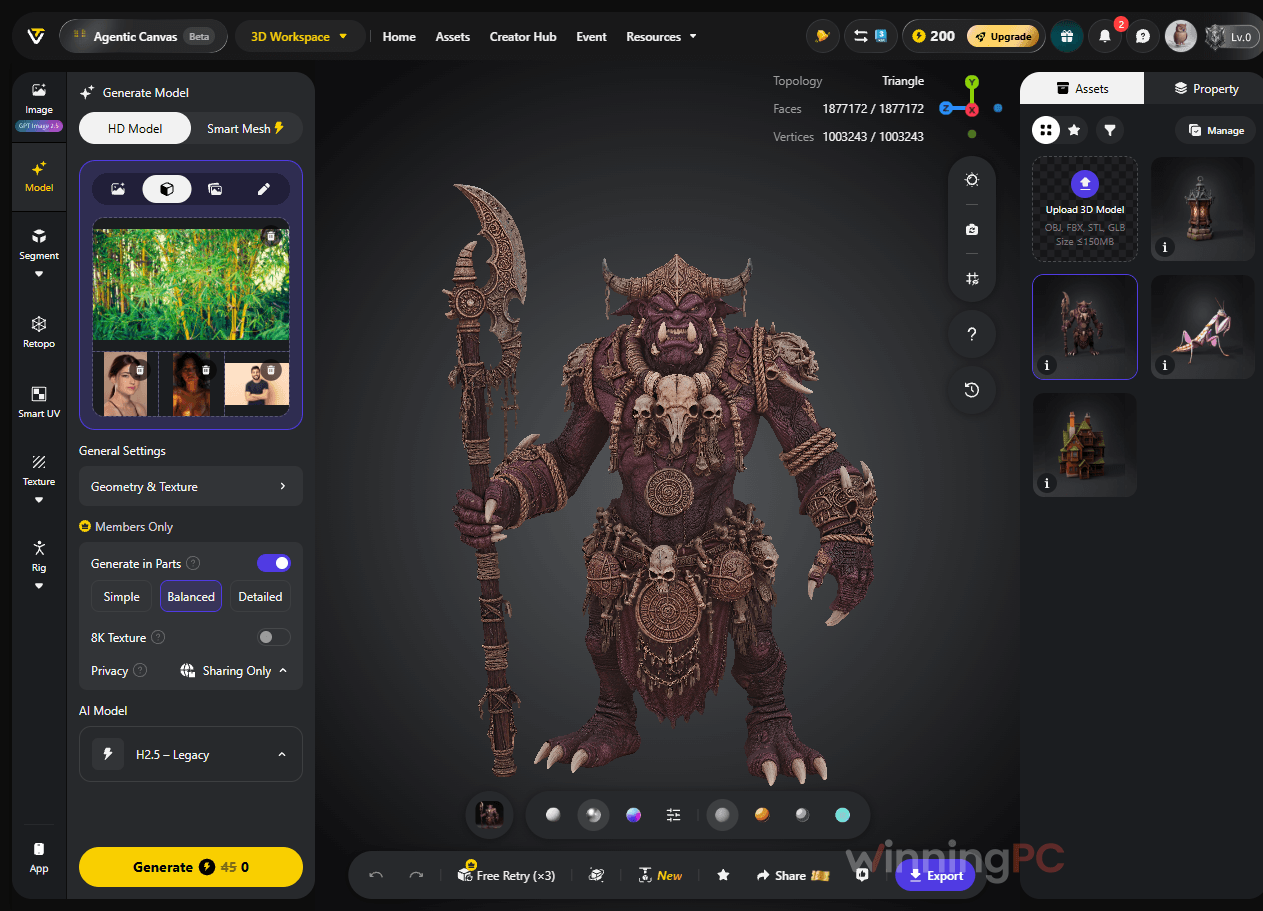
Tripo Studio’s smartest decision was to split its 3D modeling workflow into two generation modes. HD Model goes for raw detail, up to 2 million polygons, which suits renders, product shots and resin prints. Smart Mesh builds native quad topology. That matters more than it sounds because quads deform cleanly when a character is rigged, so you can often skip the retopology pass that usually eats an afternoon.
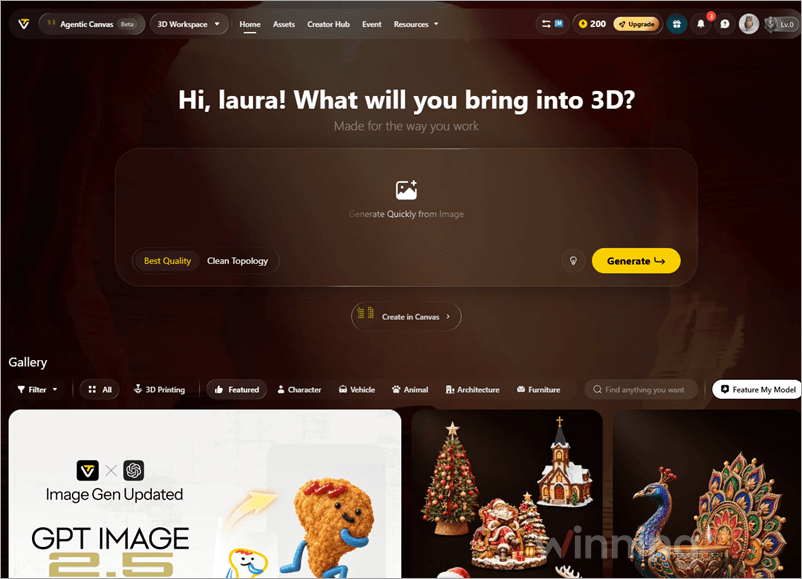
Tripo Studio is honest that Smart Mesh doesn’t fully replace dedicated retopology in every case yet, which is a fair admission. The thing to watch is credit cost. The plan pages estimate models using the cheapest generation type, so once you add Smart Mesh, textures and rigging, your monthly budget stretches a lot less far.
Key features
- Two ways to generate: HD Model for dense, print-ready detail, or Smart Mesh for engine-ready meshes from 500 to 25,000 quads (or up to 50,000 triangles).
- Start from text, one photo or several: multi-view input takes up to four angles (front, left, right, back), so the back of your model is built from real reference instead of guesswork.
- Finish the asset in one place: AI texturing with full PBR sets up to 8K, auto-rigging, animation, and Smart Segmentation that splits a model into editable parts or pieces that fit your print bed.
- Agentic Canvas: describe what you want in chat, and an AI agent lays out the node workflow, shows you the plan before running it, and saves it for reuse.
- Pipeline hand-off: DCC Bridge sends models to Blender, Maya, Unity or Unreal, and an API covers batch generation for developers.
What we think
More Tripo Studio Screenshots
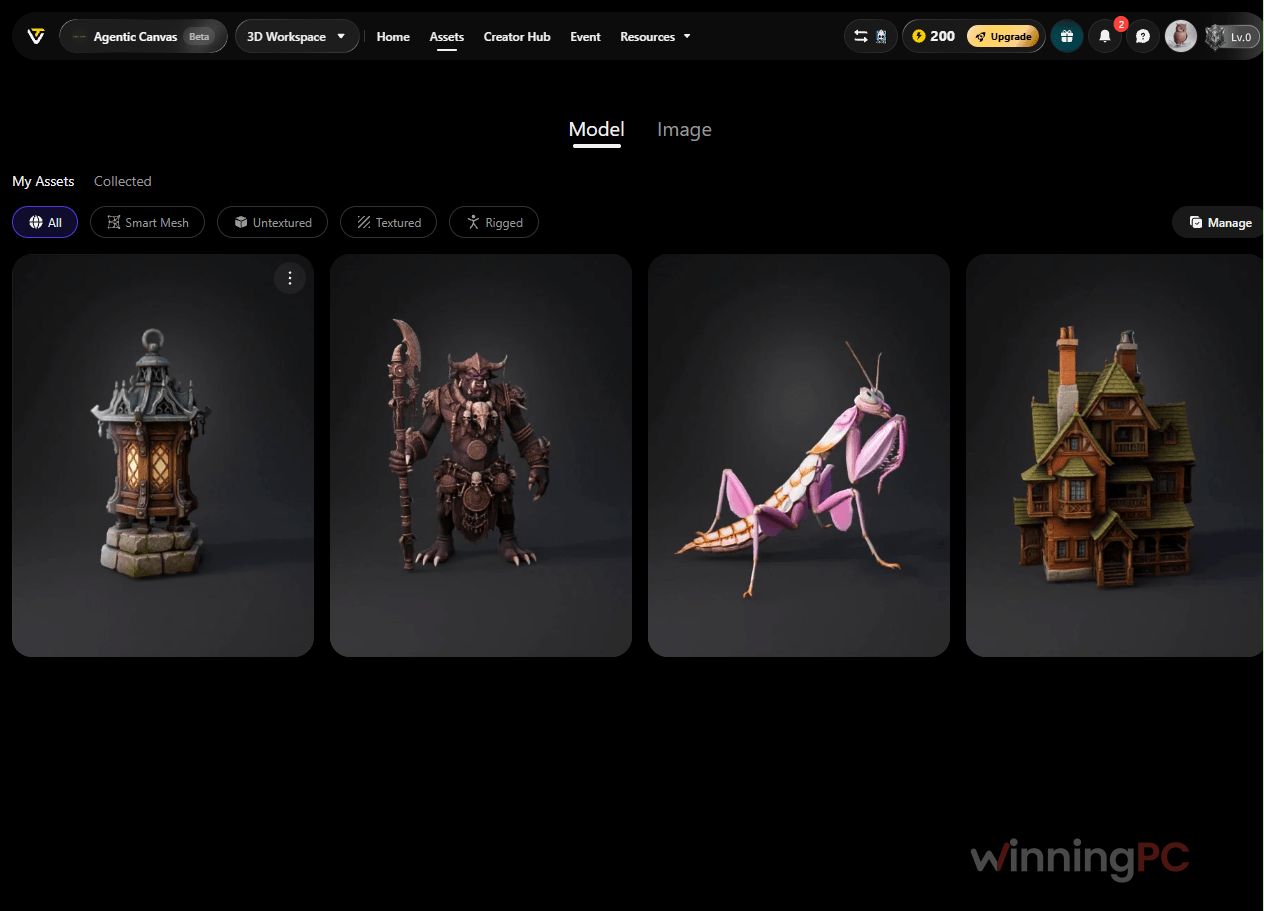
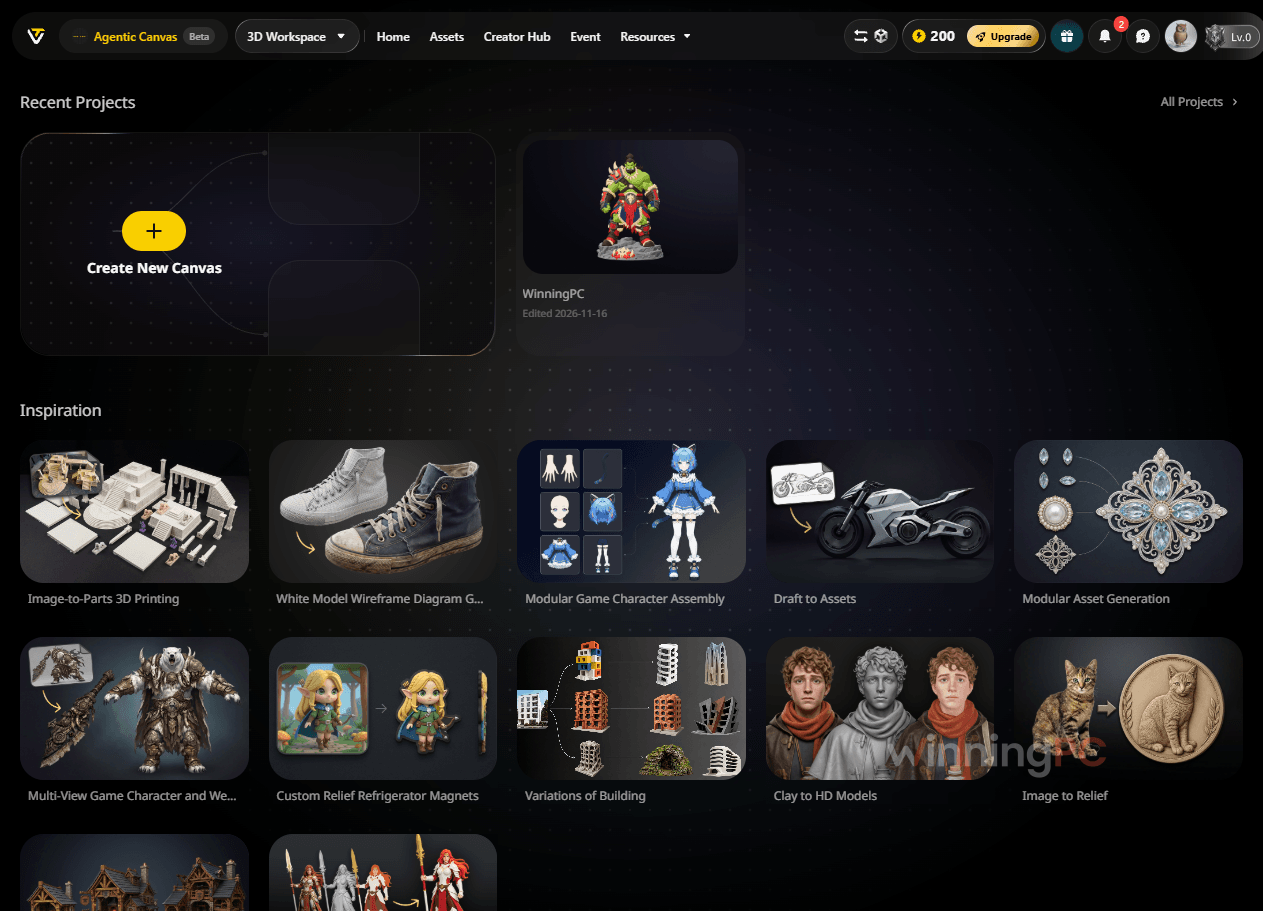
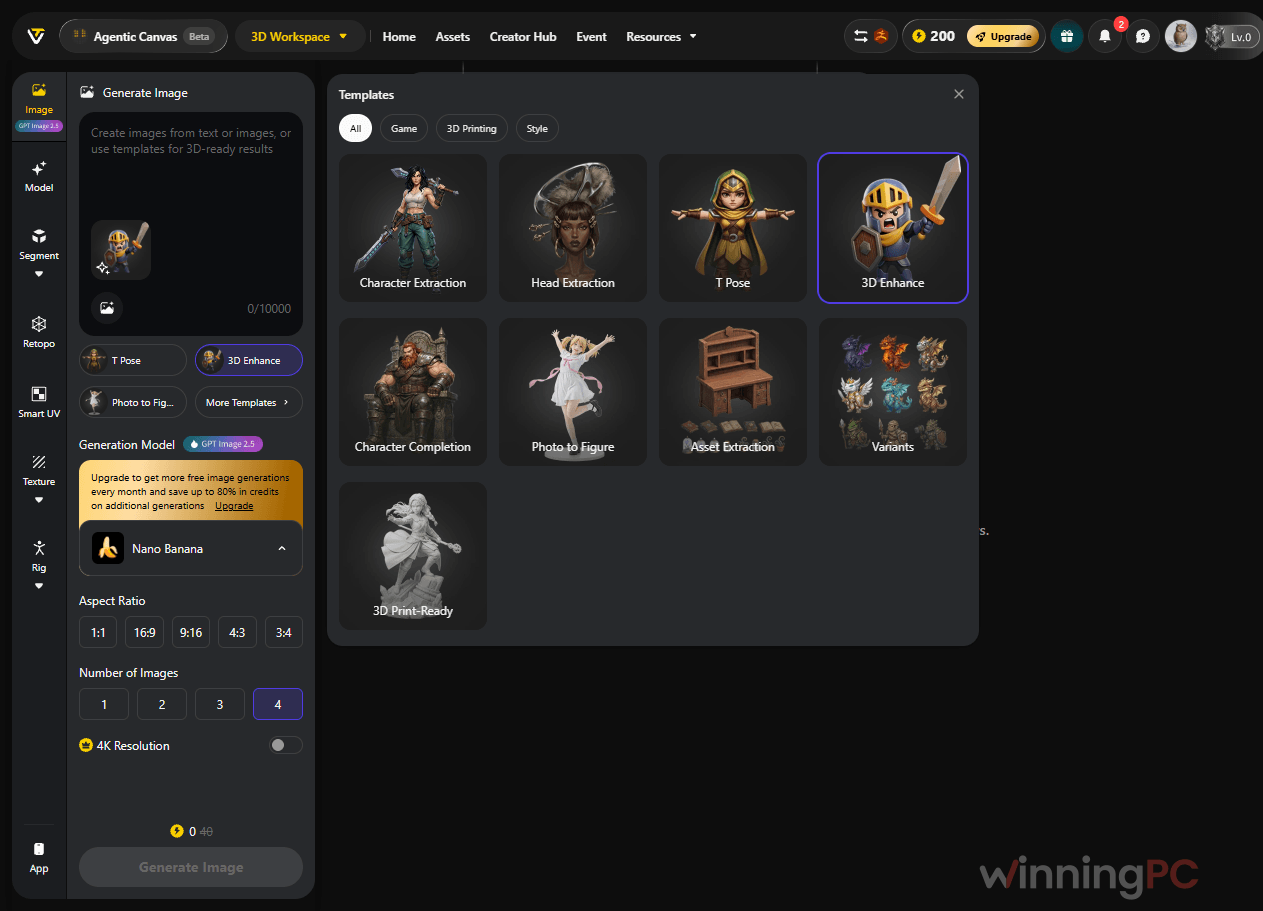
Pro, Max or Team: which Tripo Studio plan fits?
| Plan | Monthly (with deal) | Annual (with deal) | Credits/month | Concurrent tasks | Best for |
|---|---|---|---|---|---|
| Free | $0 | $0 | 200 (≈13 models) | 1 | Testing; public, non-commercial models |
| Pro | $14 | $156/year ($13/mo) | 3,000 | 10 | Solo creators who need commercial use and private models |
| Max | $45 | $540/year ($45/mo) | 25,000 | 100 | Daily heavy users; unlimited 8K textures, beta features |
| Team | $132 first month | $1,980/year | 90,000 | 200 | Studios; shared workspace and central billing |
Tripo Studio vs other 3D tools
| Tool | Entry paid plan | Free option | Stands out for | Best for |
|---|---|---|---|---|
| Tripo Studio (with deal) | Pro $14/mo or $156/year | 200 credits/month, non-commercial | Native quad Smart Mesh plus a 2M-polygon HD mode | Game and print creators who want engine-ready meshes |
| Hyper3D (Rodin) | Creator $30/mo ($24/mo billed yearly) | Free to generate, pay per result | Detail-focused organic models | Hero assets where fidelity matters more than volume |
| Vita3D | Basic$10/mo for first month (Billed annually at $180) | Limited free version | Scribble-to-3D (sketch plus prompt) and motion capture from a video clip | Beginners and small shops who want quick characters with movement |
| Hunyuan3D (Tencent) | Free, open source | Runs on your own PC | No credits or subscription | Tinkerers with a strong NVIDIA GPU (roughly 16 to 24 GB VRAM) |
If you own a high-end graphics card and don’t mind setup, Hunyuan3D costs nothing per model. Check its license terms before commercial use. For everyone else, a cloud tool like Tripo saves the hardware and the hassle.
Frequently Asked Questions
Is the Tripo Studio discount only for the first month?
For Team monthly, yes: $132 for the first month, then $110 per seat per month. The code’s name (“monthly_first”) suggests Pro and Max monthly work the same way, so check the renewal line at checkout. If only the first month is discounted, a year of monthly Pro costs $234, while Annual Pro is $156 for the whole year.
Can I sell models made with Tripo Studio?
Yes, on any paid plan. Pro, Max and Team all include private models and commercial use. Free plan models are public and non-commercial, which is the main reason to upgrade if you sell prints or ship a game.
How many models do I really get from Pro’s 3,000 credits?
About 200 if every job is a basic 15-credit HD generation. Smart Mesh costs 35 credits, so the same budget covers roughly 85 of those. Add texturing (10 credits) and auto-rigging (20), and a finished Smart Mesh character costs 65 credits, which means around 46 a month on Pro.
Does the free plan include Smart Mesh?
No. The free plan covers HD Model access, textures up to 4K and retopology, with 200 credits a month. Smart Mesh, multi-view input and Smart Segmentation are part of the paid toolkit starting at Pro.
Do I need a powerful PC to use Tripo Studio?
No. Tripo runs entirely in the browser with nothing to install, so an ordinary laptop works. That’s the trade-off against free local tools like Hunyuan3D, which need a strong graphics card.
How do I cancel a Tripo Studio subscription?
Log in, click your credit balance in the top-right corner, open the Membership tab, find My Plan and use the “…” menu to cancel. If anything goes wrong, email support@tripo3d.ai.
What happens if I upgrade in the middle of a billing cycle?
The new plan starts immediately and you only pay the prorated difference for the rest of the cycle. Credits reset on your billing date, not on the first of the month.
System Requirements & Details
| Field | Value |
|---|---|
| Operating system | Any modern web browser (no installation) |
| Processor / RAM / disk | Not specified (runs in the browser) |
| Supported input formats | Text prompts; images in JPG, PNG, WEBP and more; multi-view input of up to 4 images (paid plans); your own 3D models in Agentic Canvas |
| Supported output formats | GLB, FBX, OBJ, USD, USDZ, STL, 3MF |
| Other requirements | Internet connection and a Tripo account; API available for developers; DCC Bridge for Blender, Maya, Unity and Unreal on paid plans |