On this page
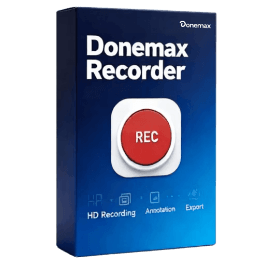
Donemax Recorder Giveaway
Donemax Recorder
From recording to finished video, without the complexity
- Product
- Donemax Recorder
- Website
- donemax.com
- License
- Lifetime
- Platform
- Windows 11/10
- Installer
- DonemaxRecorder.exe
- Support
- No support
- Updates
- No future upgrades
- Usage
- Non-commercial only
- Updated
- November 22, 2026
Get your unique code by email
License key delivered free to your inbox within minutes.
Protected by Cloudflare Turnstile · Email quality checked by Reoon
Up to 90% Off iTop Screen Recorder coupon code
Top Recorder Software Coupon Codes
FocuSee for Windows / Mac Advanced - Lifetime / 5 Computer
1000 credits (valid for 1 year) | lifetime access to focusee 2.x

Bandicam Screen Recorder - Personal, Lifetime
10% discount coupon code: regular price $49.95, discounted price $44.95

Edimakor Screen Recorder Lifetime License
One license for 1 computer | perpetual free upgrades


Movavi Screen Recorder - 1 year subscription
1-year subscription | 14-day money back guarantee
How to claim your free Donemax Recorder license
Fill in your name and email in the giveaway form on this page and submit it.
Check your inbox for the Donemax Recorder activation code. If it hasn’t arrived after a few minutes, look in your spam folder.
Download the current installer from Donemax’s official site (DonemaxRecorder.exe) and install it. Launch Donemax Recorder and click the Upgrade button on the recording launcher.

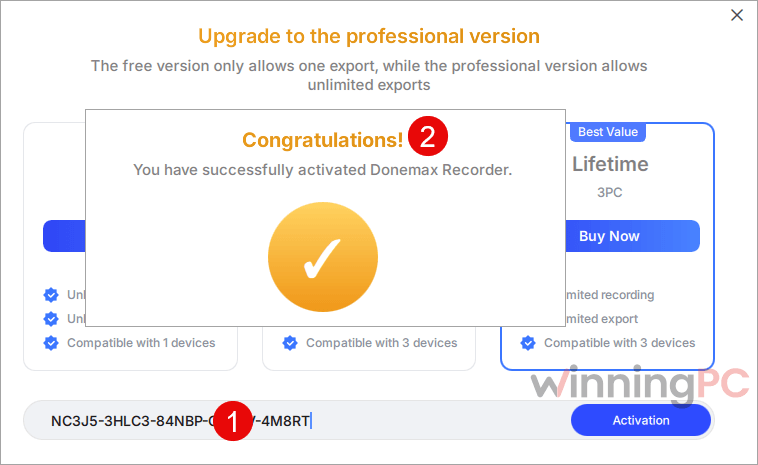
Paste your code into the license field, click Activation, and wait for the confirmation message.
How well does Donemax Recorder work?
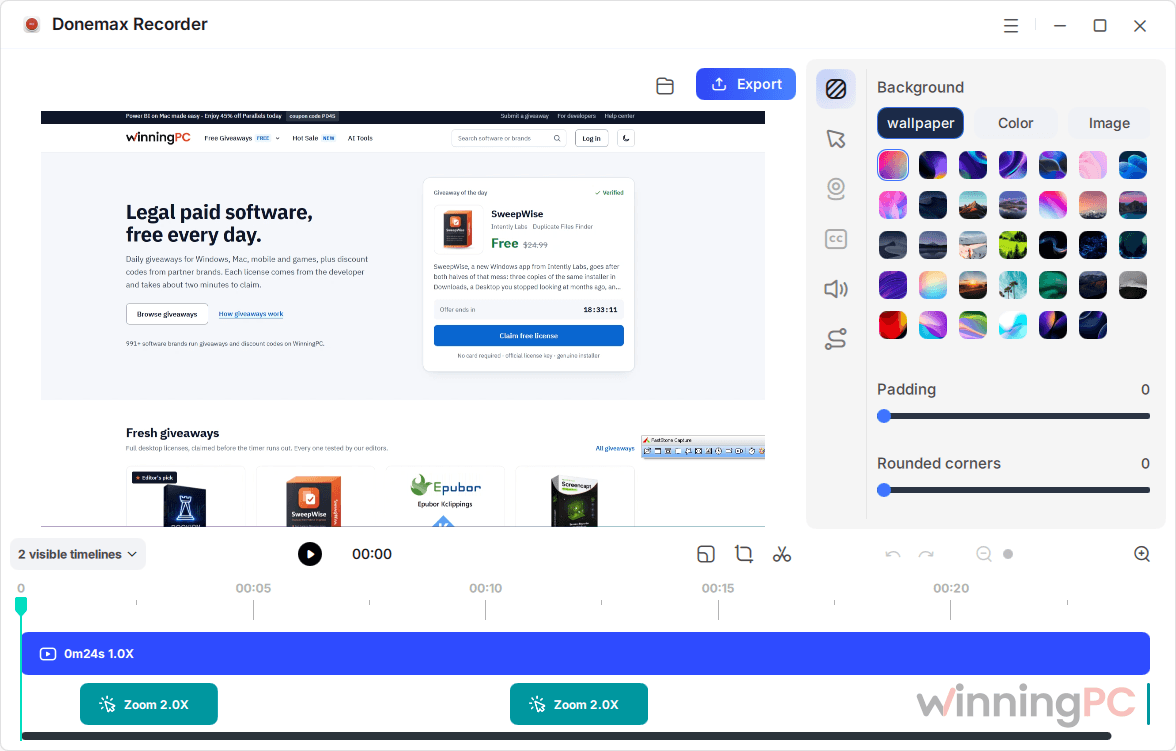
Auto zoom is the main reason to pick Donemax Recorder over a basic recorder, and it’s done the right way. The zooms are added after you stop recording, and each one appears on a timeline where you can adjust or delete it. That helps, because the app zooms in on every click, including the ones you didn’t mean to show. Fixing one zoom beats recording the whole thing again.

Another small but handy touch: your mic and system audio are recorded separately, so you can mute a notification sound later. The downsides? It only exports MP4, editing is basic, and the AI captions need an extra download and a fairly strong PC. It’s built for tutorials, not as a full video editor.
Key features
- Click zooms you can edit: zoom-ins land where you clicked. You can adjust or remove any segment on the timeline, or switch automatic zoom off entirely.
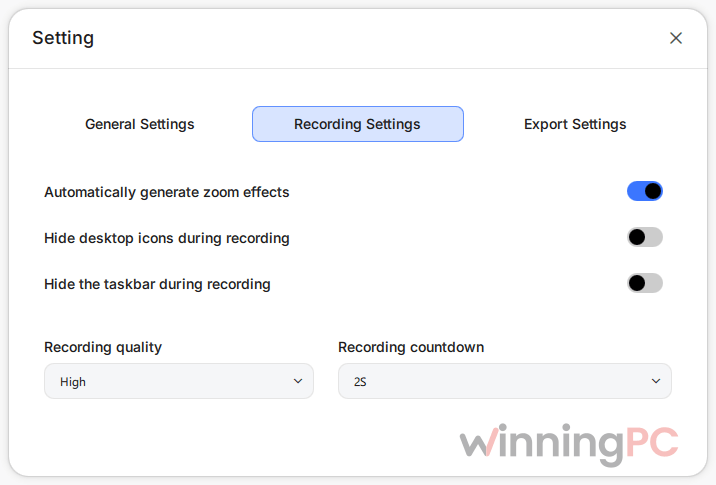
- Three ways to capture: record a whole monitor, a custom area or a single app window. A floating bar handles pause and resume, and you can hide desktop icons and the taskbar for a clean frame.
- Polish without re-recording: smooth the cursor (Smooth, Medium, Fast or Original), resize or hide it, add a wallpaper or image background with padding and rounded corners, and move or resize the webcam overlay after the fact.
- AI captions: your narration is transcribed into subtitles you can edit line by line, show in the video, or save as an SRT file.
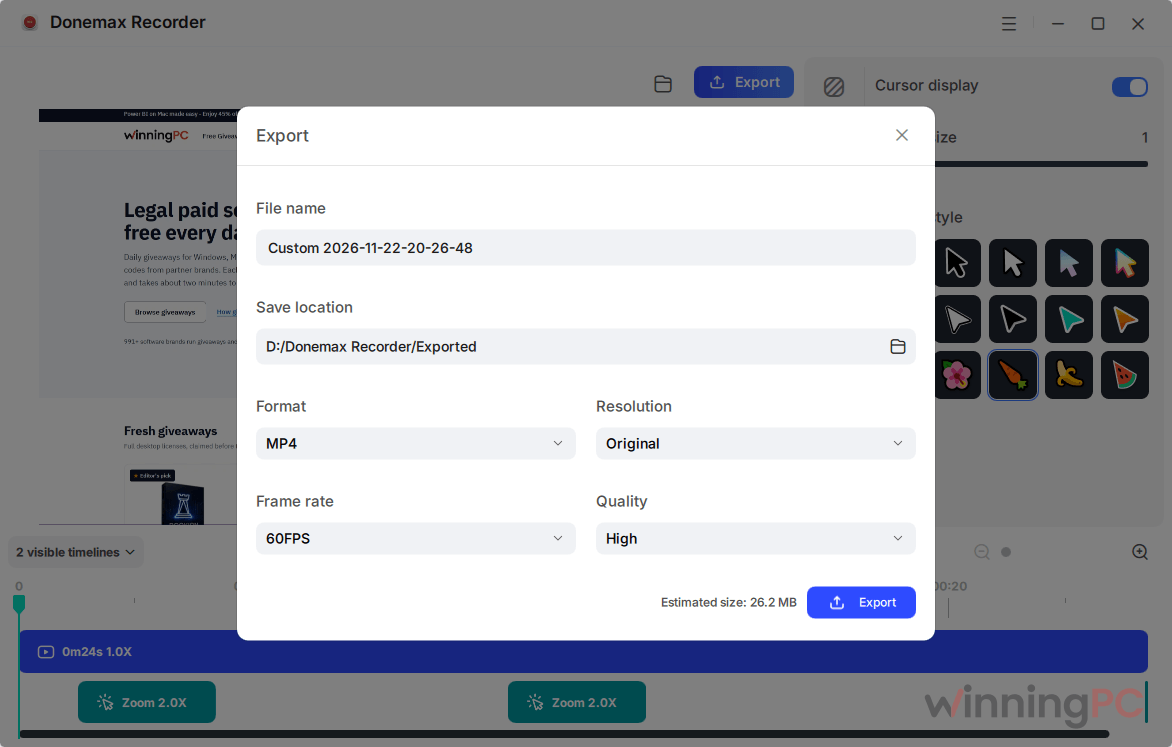
- Ready for vertical video: export in 9:16 for short-form social clips, square for feeds, or widescreen for YouTube.
What we think
Screenshots
Donemax Recorder vs other auto-zoom recorders
| Tool | Platform | Auto zoom | Price | Best for |
|---|---|---|---|---|
| Donemax Recorder | Windows 10/11 | Yes, editable after recording | Free via this giveaway; paid from $19.99/month | Windows users who want zooms and captions in one app |
| FocuSee | Windows, Mac | Yes | Paid (yearly or lifetime plans) | Teams working across Windows and Mac |
| Cap | Windows, Mac (open source) | Yes, from clicks | Free desktop app; paid license for commercial use | Anyone who prefers open-source software |
| Bandicam | Windows | Yes (Smart Zoom) | Paid license | People who already use Bandicam |
| OBS Studio | Windows, Mac, Linux (open source) | No | Free | Streaming or raw capture you’ll edit elsewhere |
If you only need a clean capture and you’re happy to edit in another program, OBS Studio costs nothing and does that job well. For auto zoom at zero cost, Cap is the honest alternative to try. Its free tier has a similar catch to this giveaway, since commercial use requires payment.
Questions people ask about Donemax Recorder
Can I use the free license for a YouTube channel or client videos?
Not for anything that earns money. The giveaway license is for non-commercial use, which typically rules out client work and monetized channels. Personal projects are fine. If you’re unsure where your channel falls, check with Donemax before relying on it, or choose a paid plan.
What’s the difference between the free version and this giveaway license?
Exports. The free version lets you record and try every effect, but you can only finish one export. Activating the giveaway code removes that limit on one PC.
Should I download the latest version before activating?
Yes. The giveaway includes no free updates, so the build you activate is the one you keep. Get the current installer from Donemax’s official site before November 25 rather than using an old copy from your Downloads folder.
Where does Donemax Recorder save my videos?
Original recordings go to C:\Users<username>\Videos\Donemax Recorder by default, and finished videos go to the Exported folder inside it. AI model files sit in an AIModels folder in the same place. You can change all three under Settings > General Settings.
What you need to run it
| Field | Value |
|---|---|
| Operating system | Windows 10 or Windows 11 (64-bit) |
| Processor | Intel Core i5 or better recommended |
| RAM | 8 GB minimum, 16 GB recommended |
| Disk space | About 2 GB for the app, plus space for recordings and AI models |
| Supported input (capture sources) | Full display or monitor, custom screen area, single app window, webcam, microphone, system audio |
| Supported output formats | MP4 video (up to 60 FPS, adjustable resolution and quality); SRT subtitle files |
| Export aspect ratios | 16:9, 9:16, 1:1, 4:3, 3:4, or custom dimensions |
| Other requirements | Internet for activation and the first AI model download; webcam and mic optional |