On this page
SweepWise Giveaway
SweepWise - Duplicate File Finder & Organizer
Start the new year with a clean PC: find and remove duplicate files, free up gigabytes of space, and organize messy folders in minutes.
- Product
- SweepWise
- Website
- intentlylabs.com
- License
- Lifetime, personal use
- Platform
- Windows 10 (17763.0+), Windows 11
- Delivery
- Official Microsoft Store promo code (25 characters, works once)
- Tied to
- The Microsoft account that redeems the code
- Updated
- November 21, 2026
Get your unique code by email
License key delivered free to your inbox within minutes.
Protected by Cloudflare Turnstile · Email quality checked by Reoon
All codes have been claimed or the giveaway has closed.
SweepWise Plans & Coupon Codes Nov 2026
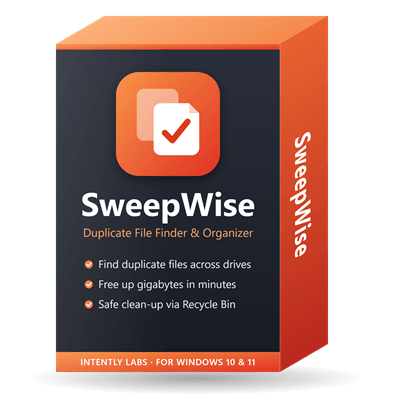
SweepWise
SweepWise is $11.99 (normally $24.99) until November 26, then $7.99 for Black Friday from November 26 to December 2
You may also like
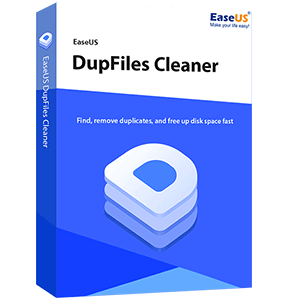
EaseUS DupFiles Cleaner
No free updates but lifetime usage | 24/7 technical support
Auslogics Duplicate File Finder
1-year subscription for up to 3 PCs | Professional support


SORCIM Clone Files Checker
Single Solution Up to 1 Year | Secure Online Payment

Easy Duplicate Finder
1 Computer, includes unlimited updates for 1 year
How to Get the SweepWise License Key for Free
Enter your email address in the giveaway form above. Your free SweepWise redeem code arrives by email.
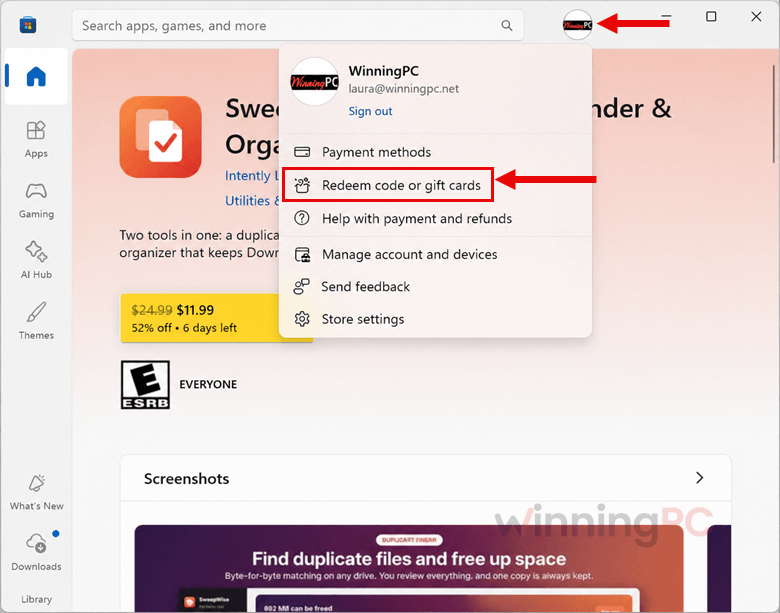
Open the redeem link in that email, or go to microsoft.com/redeem. You can also open the Microsoft Store app, click your profile picture and choose “Redeem code or gift cards”.
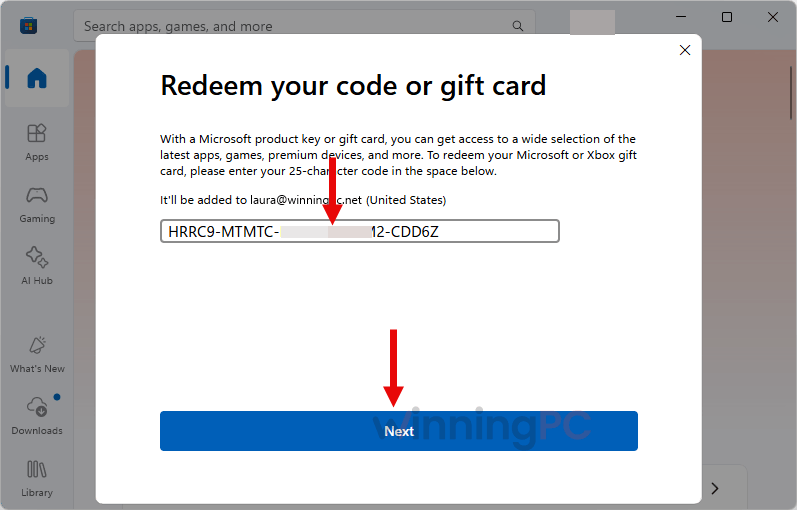
Sign in with the Microsoft account you want SweepWise on, paste the 25-character code and click “Next”.
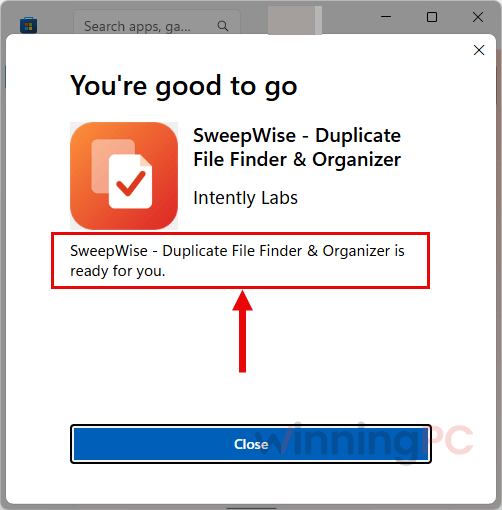
SweepWise is now added to that account. Install it from the Microsoft Store on your Windows 10 or 11 PC. There’s no license key to type into the app afterwards.
Is this SweepWise giveaway safe and legit?
Yes. The code is an official Microsoft Store promo code, so SweepWise installs from Microsoft’s own store rather than from a download link on some file-sharing site.
No crack, no keygen
Nothing gets patched or activated by hand. The Store simply unlocks the paid version on your account.
No third-party installer
You never run a setup file from WinningPC or a mirror. Installation goes through the Microsoft Store.
Your files stay on your PC
According to Intently Labs’ privacy policy, SweepWise has no servers, analytics, ads or tracking. Scanning and photo fingerprinting happen in memory on your machine.
Mistakes are recoverable
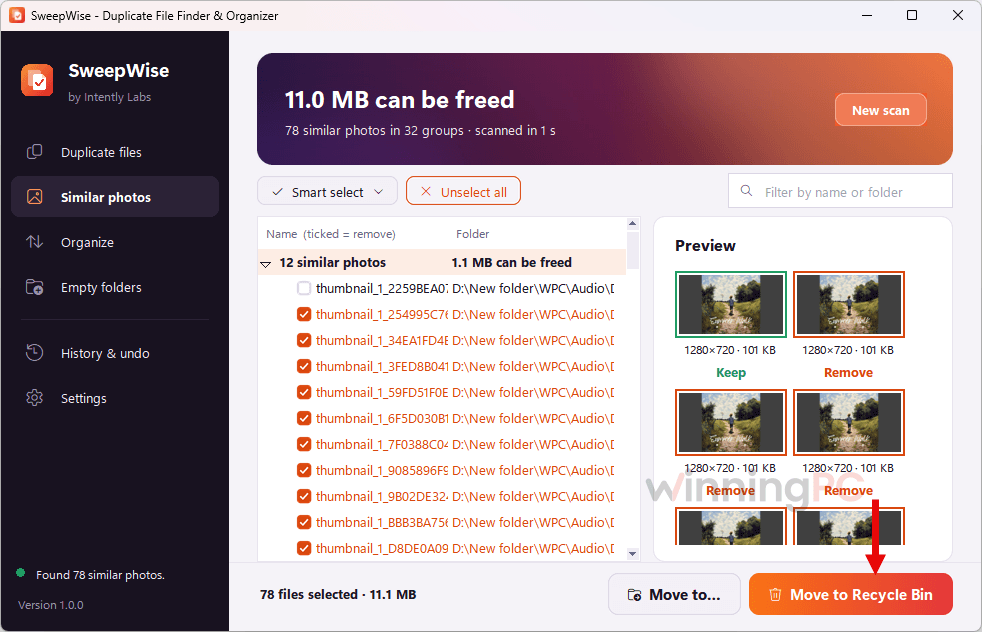
Deleted files go to the Recycle Bin, and every move or organize run is logged in History with a one-click Undo.
How well does SweepWise work?
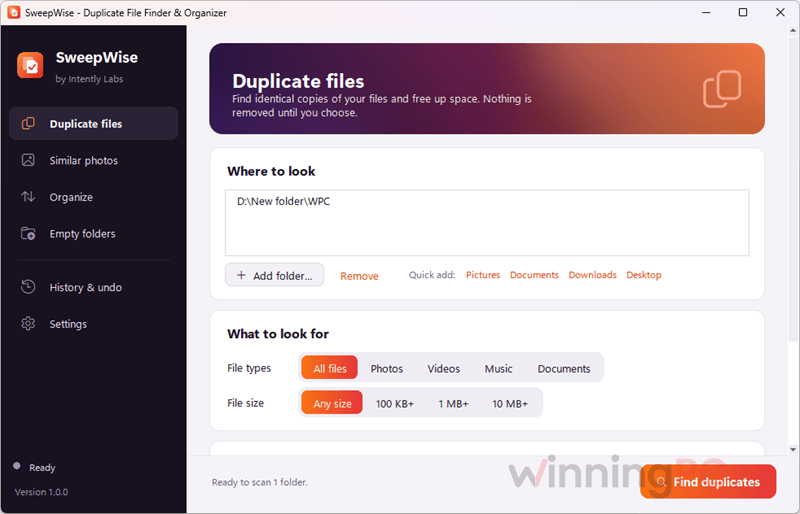
SweepWise uses the standard, reliable approach to duplicate matching (file size first, then a quick check, then a full hash), which means no false matches based on file names alone. What sets SweepWise apart is the guardrails around it. It refuses to delete the last copy in any group, skips files that changed after the scan, and won’t touch Windows or Program Files at all.
Auto-tidy is thoughtful too: it waits for files that are still downloading instead of yanking them mid-transfer. The hard-link option deserves a moment of caution, though. It frees space without deleting anything, but the two “copies” become one file, so editing it in one folder changes it in the other. The bigger unknown is maturity: this is version 1.0, and the listing doesn’t mention external drives, NAS or cloud folders, which rivals advertise.
Key features
- Byte-for-byte duplicate finder with smart select: keep the original, the newest, the shortest path, or the copies in a folder you pick.
- Folder organizer that sorts by file type, by the date a photo was taken, or by your own rules (for example Finance/{year}), with a preview before anything moves.
- Auto-tidy for Downloads and Desktop, so new files get sorted as they arrive.
- Similar photo finder that catches resized, re-saved and exported copies, keeping the highest-quality one by default.
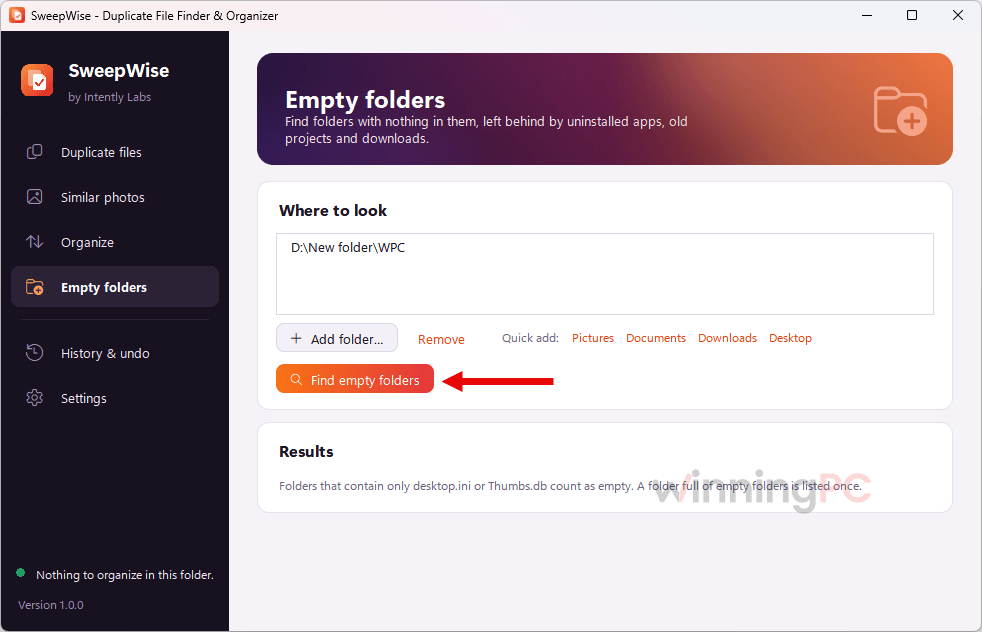
- Empty folder cleaner for the leftovers from uninstalled apps and old projects.
What we think
Screenshots
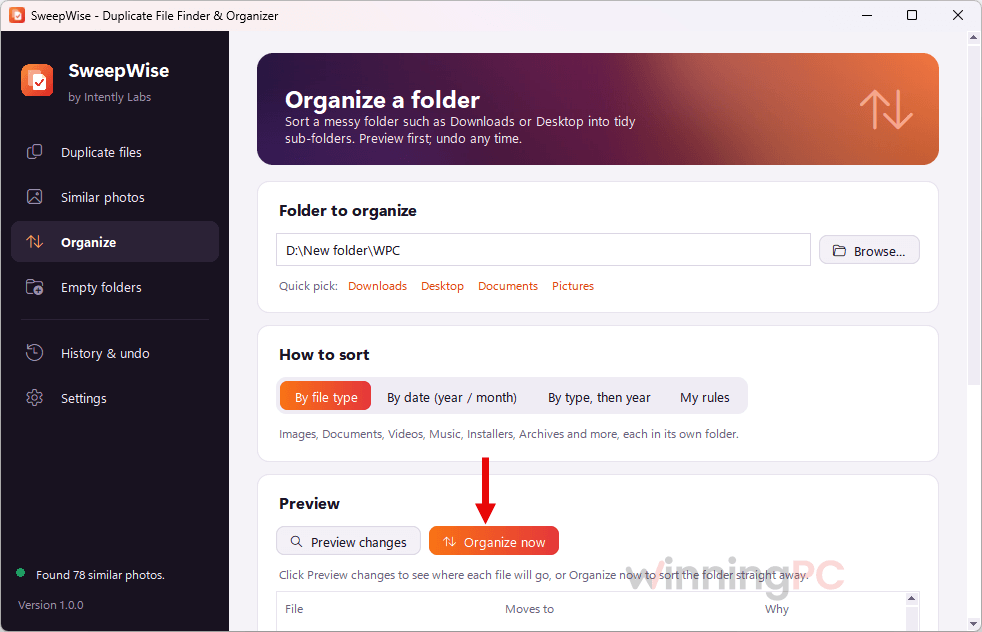
SweepWise vs the alternatives
| Tool | Price | Duplicates | Similar photos | Folder organizer | Best for |
|---|---|---|---|---|---|
| SweepWise (our pick for this giveaway) | Free now, then $11.99 one-time ($7.99 Nov 26 to Dec 2) | Yes | Yes | Yes, with auto-tidy | Cleaning up and staying tidy in one app |
| EaseUS DupFiles Cleaner | Free version; Lifetime list price $20.98 | Yes | Yes | No | Scanning external drives, NAS and cloud folders |
| 4DDiG Duplicate File Deleter | Lifetime $41.96 (1 PC); free trial removes 15 files | Yes | Yes | No | Duplicates plus disk space analysis |
| PassFab Duplicate File Deleter | Lifetime $32.16; free trial removes 15 files | Yes | Yes | No | Quick, simple duplicate removal |
| Auslogics Duplicate File Finder | $20.07/yr/up to 3PCs | Yes | No | No | Basic duplicate hunting at zero cost |
| Czkawka (open source) | Free | Yes | Yes | No | Power users who want free and open source |
Even at full price, SweepWise undercuts the paid lifetime licenses here and is the only one that also organizes your folders. If all you need is a one-off duplicate sweep, though, Czkawka does it for nothing.
Frequently Asked Questions
Is the giveaway the full version of SweepWise?
Yes. The code unlocks the full paid app on your Microsoft account, not a trial or a lite build. You get the duplicate finder, organizer, similar photo finder and empty folder cleaner.
Do I need a Microsoft account?
Yes, to redeem the code. SweepWise itself has no account system and works offline, but the license lives on the Microsoft account you redeem it with.
Is SweepWise a subscription?
No. It’s a one-time purchase with no recurring fees and no in-app subscriptions. Giveaway users pay nothing at all.
Is there a SweepWise discount if I miss the giveaway?
Yes, no code needed. SweepWise is $11.99 on the Microsoft Store right now instead of $24.99, and the Black Friday price drops to $7.99 from November 26 to December 2. If you can wait a few days, the Black Friday price saves you another $4.
Can I install it on more than one PC?
The license is tied to your Microsoft account rather than a single PC. Intently Labs doesn’t state a device limit, so check the Microsoft Store listing if you plan to use it on several machines.
Can I use the giveaway license for work?
No. The giveaway terms say personal use only. If you need SweepWise for business, check the terms on the paid Store listing.
What happens if I delete the wrong file?
You can get it back. SweepWise sends deleted files to the Recycle Bin, never deletes permanently, and keeps moves and organize runs in History with a one-click Undo.
Should I delete duplicates or replace them with hard links?
Delete them if you’re sure you don’t need the extra copy. A hard link also frees the space, but every file path keeps working, because Windows points both names at the same data on disk. The catch: they’re now one file, so editing it in one folder changes it in the other, and hard links only work between folders on the same drive. They’re best for files you never edit, like photo archives, music libraries or old installers
System Requirements & Details
| Field | Value |
|---|---|
| Operating system | Windows 10 version 17763.0 or higher, Windows 11 |
| Processor / RAM / disk | Not specified |
| Keyboard / mouse | Not specified (minimum), integrated keyboard and mouse recommended |
| Duplicate scan filters | Photos, videos, music, documents, minimum file size |
| Organizer categories | Images, Documents, Videos, Music, Installers, Archives and more |
| Other requirements | Microsoft account to redeem and download from the Microsoft Store; the app works fully offline after install |