

ASCOMP Synchredible Giveaway
ASCOMP Synchredible Professional
Synchredible allows users to easily synchronize, copy, and backup individual folders or entire drives with just one click.
- Product
- ASCOMP Synchredible Pro
- Product website
- ascompsoftware.com
- License
- Lifetime
- Platform
- Windows 11, 10, Server 2022/2025, Server 2016/2019
- Updates
- Free updates for one month
- Support
- Free tech support for one month
- Updated
- 2026-07-31
Continue on ascompsoftware.com
Share to reveal your free license code, then activate it inside the app.
The free license is no longer available.
ASCOMP Synchredible Pro Key Free
- Click the “Reveal license code” button to open ASCOMP’s official giveaway page.
- Fill in your name and email address on the form and submit.
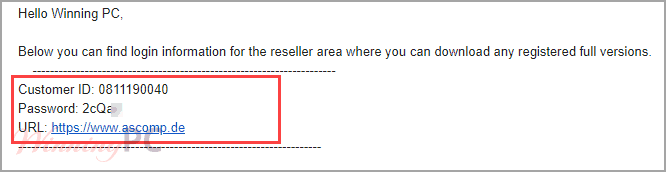
- Check your inbox for an email from ASCOMP containing your login credentials.
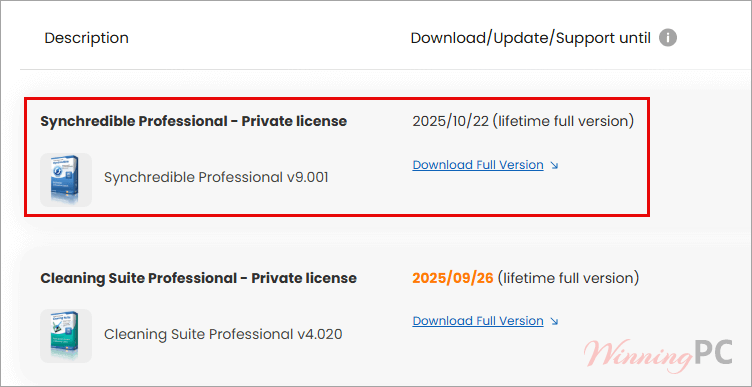
- Log in to the ASCOMP reseller area using those credentials.
- Download the Synchredible Professional installer from the reseller area.
- Run the installer on your Windows PC.
- When prompted, enter your Customer ID to unlock and activate the full version.

ASCOMP Synchredible Coupon Code Oct 2026

ASCOMP Synchredible Pro
Lifetime license (lifelong use; including updates, download & support for two years)

ASCOMP All-in-One Pack
Free update & Free technical customer for 24 months

What ASCOMP Synchredible Professional is good at
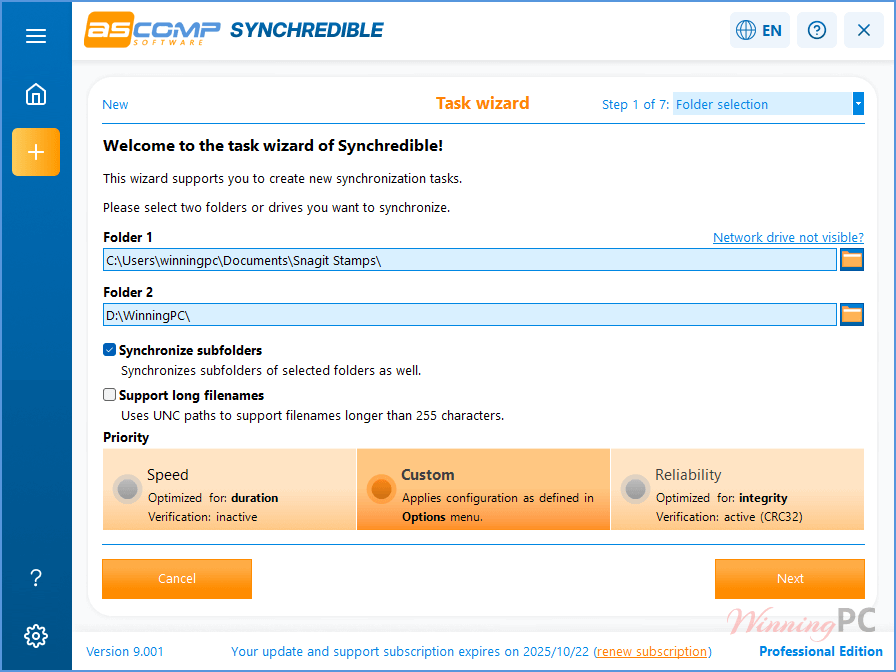
ASCOMP Synchredible has been around long enough to get the fundamentals right. The wizard-based setup walks you through job creation without requiring you to understand sync theory first: pick source and destination, choose one-way or bidirectional, set a schedule or a trigger, and walk away. That workflow is genuinely as painless as ASCOMP describes.
The standout feature is intelligent duplicate detection. ASCOMP Synchredible Professional skips files that haven’t changed, so syncing a large folder with tens of thousands of documents doesn’t mean retransferring all of them every time. VSS support is the professional-grade addition that separates it from simpler tools — it lets the software back up locked files like Outlook archives or databases while they’re still in use.
One thing to know up front: Synchredible doesn’t connect to cloud storage via API. It uses the local sync folder created by Google Drive for Desktop, OneDrive, or the Dropbox app. That works reliably, but it means you need each cloud provider’s desktop app installed first. Not a dealbreaker for most users, but worth knowing.
Key features
- Bidirectional sync: detects and mirrors changes in both directions; the most recently edited version always wins
- Intelligent duplicate detection: transfers only new or modified files, keeping large-dataset sync fast
- VSS support: backs up open and locked files (Outlook .pst, databases) via Windows Volume Shadow Copy Service
- Flexible scheduling: runs on a timer, at system startup, or automatically when a USB drive is connected
- Cloud compatibility: works with OneDrive, Google Drive, Dropbox, Nextcloud, and any WebDAV or SMB-accessible storage
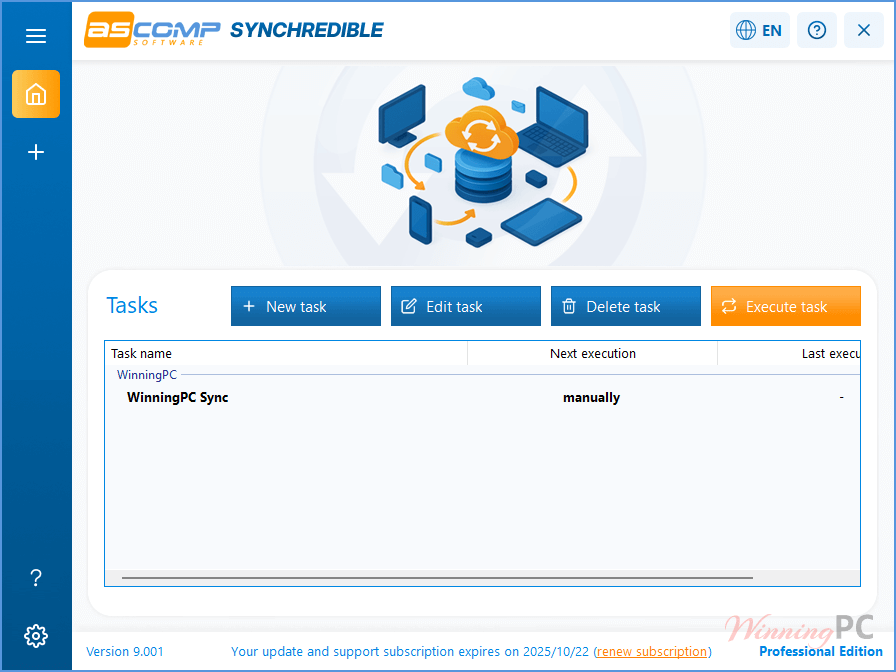
Synchredible – task wizards:
pros & Cons
Free license or paid: which should you take?
| Giveaway (Free) | Paid ($13.96 with code) | |
|---|---|---|
| License term | Lifetime | Lifetime |
| Free updates | 1 month | 24 months |
| Tech support | 1 month | 24 months |
| Version | Current at claim time | Current + updates for 24 months |
| Commercial use | Yes | Yes |
| Systems | Up to 2 (private license) | Up to 2 (private license) |
| Best for | Home and personal users happy to stay on one version long-term | Anyone who wants to stay current through 2027 and have support available |
Synchredible Professional vs the alternatives
| Tool | Price | Type | Bidirectional sync | VSS support | Cloud | Best for |
|---|---|---|---|---|---|---|
| Synchredible Pro (this giveaway) | Free / $13.96 w/ code | Sync + backup | ✅ | ✅ | Via desktop apps | Set-and-forget Windows sync |
| SyncBackPro | $54.95 one-time | File sync | ✅ | ✅ | FTP/SFTP/cloud | Power users needing advanced profiles |
| AOMEI Backupper Pro | $25.97/yr | Disk backup + imaging | Partial | ✅ | Some plans | Users who also need disk imaging |
| EaseUS Todo Backup Home | $11.98/yr | Disk backup | ❌ | ✅ | ✅ | Beginners; full disk/system backup |
| FreeFileSync | Free (open-source) | File sync | ✅ | ❌ | Via mapped drives | Budget users; basic sync, no automation |
FreeFileSync is genuinely capable for basic folder mirroring at no cost. If you only need to sync two folders occasionally and don’t need scheduling or VSS, it handles that fine.
Frequently Asked Questions
Does ASCOMP Synchredible Professional work on Windows 11?
Yes – it’s fully compatible with Windows 11, along with Windows 10, 8.1, 8, 7, and Windows Server 2022/2016/2012. ASCOMP also added Phone Link-based smartphone sync specifically for Windows 11 users.
How many PCs can I install the giveaway key on?
Two. The giveaway comes with a standard private license allowing installation on up to two computers registered to the same individual. The company license (five systems) is only available through the paid store.
Can ASCOMP Synchredible back up files that are open, like an Outlook archive or a database?
Yes. Starting with version 7, Synchredible uses Windows’ Volume Shadow Copy Service (VSS) to copy exclusively opened or locked files. Enable “Create shadow copies” under Options and make sure the software runs with administrator rights.
Can ASCOMP Synchredible sync directly with Google Drive or OneDrive?
Not via API. Synchredible works with the local sync folder created by Google Drive for Desktop, OneDrive, or the Dropbox app — you need the cloud provider’s app installed first. For services without a desktop client, it also supports WebDAV connections (Nextcloud, pCloud, Box).
What’s the difference between the free Standard Edition and this giveaway’s Professional license?
The Standard Edition is free for personal use only and occasionally shows ads or minor feature limitations. The Professional edition in this giveaway removes all restrictions, permits commercial use, and works on up to two systems under a private license.
System Requirements & Details
| Field | Value |
|---|---|
| Operating system | Windows 11, 10, 8.1, 8, 7; Windows Server 2022/2025, 2016/2019, 2012 |
| Processor | Intel compatible · Windows on ARM |
| Memory | 2 GB minimum (4 GB recommended) |
| Hard Disk | 50 MB |
| Other requirements | Administrator rights required for VSS (shadow copy) features; cloud sync requires the cloud provider’s desktop app or a WebDAV/SMB connection. |


Make sure you do not make a typo with your email address as the webpage scripts do not report email sending errors for impossible non-existant domains in email addresses or unknown eamil recipiants, the page blindly claims to have sent the login details email when it was impossible to have sent it!
Thanks for your message and helpful feedback!
You’re absolutely right — like many websites (including ours), their system can’t instantly verify if an email address is valid or deliverable. Once a user submits the form with all required fields filled in, the system processes the request and displays a success message, assuming the data is correct.
That’s why we (WinningPC) include a reminder on the giveaway forms asking users to double-check their email address before submitting, to avoid any delivery issues.
License key is expired!