
On this page
AnyMP4 Video Converter Giveaway
AnyMP4 Video Converter
Quickly convert 4K Ultra HD/1080p HD/SD video to a wide range of video and audio formats without quality loss.
- Product
- AnyMP4 Video Converter
- Product website
- anymp4.com
- License
- 1-Year
- Platform
- Windows 11/10/8.1/8/7
- Usage
- Non-commercial only
- Updates
- No future upgrades
- Support
- No support
- Updated
- 2026-10-09
Continue on anymp4.com
The publisher handles registration and license delivery on its official website.
The limited-time giveaway!
The free license is no longer available.
AnyMP4 Video Converter Coupon Code & Pricing
AnyMP4 Video Converter for Windows
2 plans · best save 50%
AnyMP4 Video Converter for Mac
2 plans · best save 50%
📄 Licensing & Support Details
- 30-Day Money Back Guarantee
- License Instant Delivery by Email
- 100% Clean & Secure Purchase
- Free Customer Support
- Free Technical Support
- Free Upgrades.
📝 How to apply
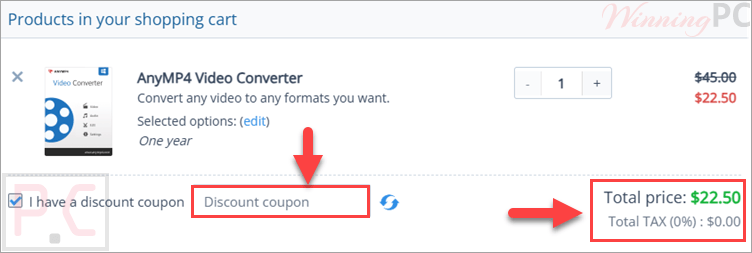
Clicking the ‘Copy Code’ button above duplicates the coupon and redirects you straight to checkout to secure your discount.
Is this AnyMP4 giveaway safe to use?
Yes. The key comes straight from AnyMP4, and you install the same build that paying customers get.
No crack or keygen
You download the official installer and unlock it with a genuine registration code. Nothing is patched or repackaged.
Straight from the publisher
The giveaway page and the store both belong to AnyMP4, not a reseller or a grey-market key site.
Payment stays off WinningPC
If you buy with the coupon, checkout happens on AnyMP4’s encrypted store. Your card details never pass through us.
Nothing to lose on the free key
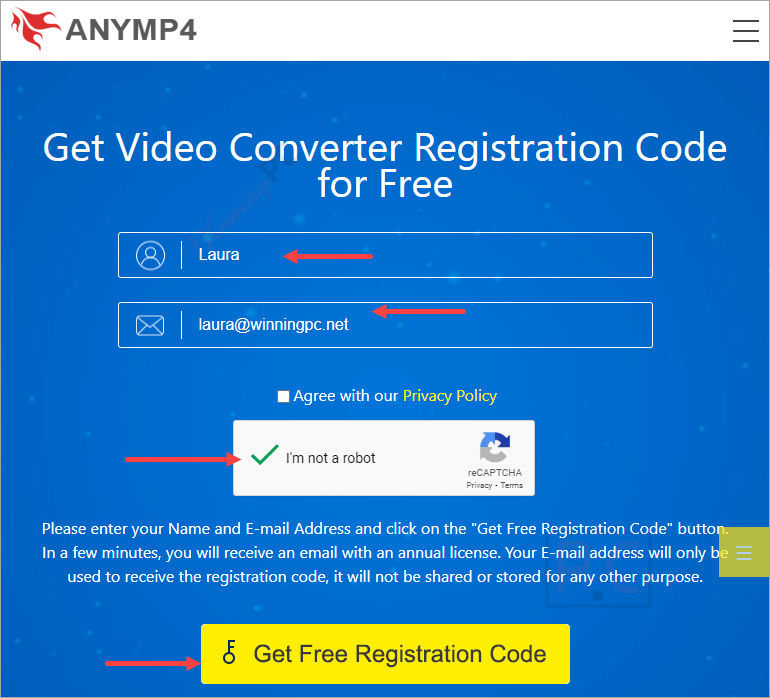
It costs $0. The only thing you hand over is a name and an email address.
How to Get the AnyMP4 Video Converter License Key for Free?
- Open the AnyMP4 giveaway page, enter your name and email, then click “Get Free Registration Code”.
- Check your inbox for the email from AnyMP4 with your registration code. If it isn’t there after a few minutes, look in the spam or promotions folder.
- Download and install AnyMP4 Video Converter from the official link in that email or on the giveaway page.
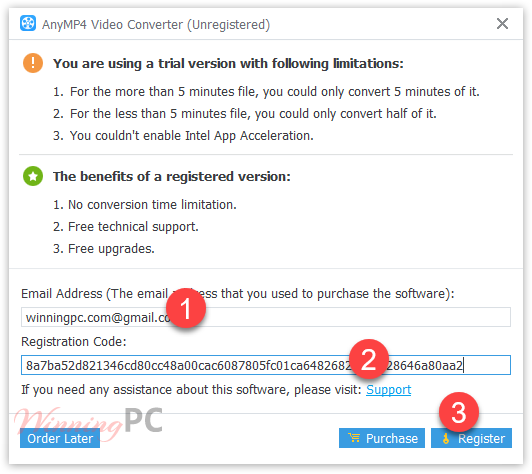
- Open the program, go to the registration window, and paste your email and code to unlock the full version.

AnyMP4 Video Converter: In-Depth Review & Features
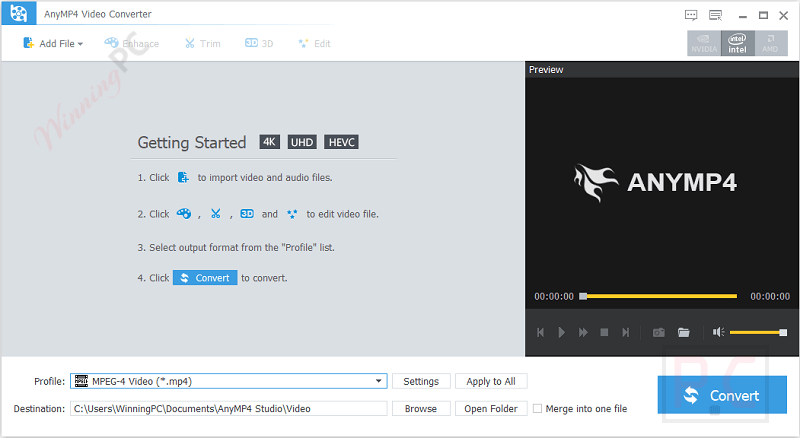
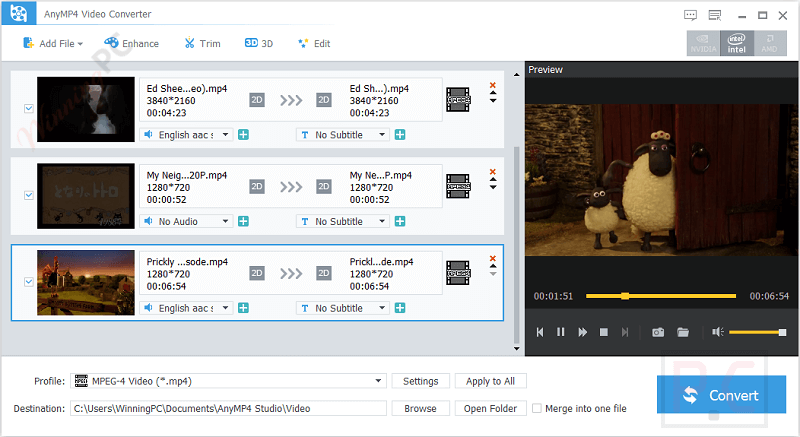
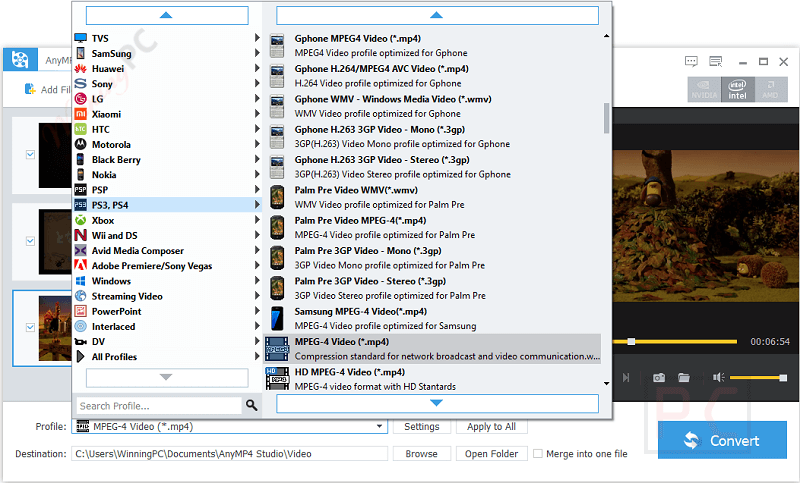
The real selling point isn’t the format list, it’s the presets. Instead of guessing bitrates and codecs, you pick “iPhone”, “Xbox One” or “Premiere” and AnyMP4 Video Converter sets everything for you, which is exactly what most people converting a file actually want. Batch conversion matters more than it sounds: queue twenty clips, start them together, and go make coffee. The built-in editor covers the small jobs (trimming, merging, a watermark, brightness and contrast) so you don’t need a second app for quick fixes. The limits are just as clear. It’s a converter with light editing, not a video editor, and the Android device list in the publisher’s material looks a few generations old.
Key features
- Convert 4K, 1080p and SD video, including downscaling 4K to 1080p or 720p so files fit smaller screens.
- Pull the soundtrack out of any video as MP3, AAC, FLAC and other audio formats.
- Ready-made profiles for iPhone, iPad, Apple TV, Samsung, Xbox, PlayStation and more.
- Trim, split and merge clips, add a watermark, and tweak brightness, saturation and volume before export.
- Turn ordinary 2D video into 3D.
pros & cons
more screenshots!
Which AnyMP4 Video Converter plan should you buy?
| Plan | Platform | Regular price | With code ANY***TD | Duration | Best for |
|---|---|---|---|---|---|
| 1 Year | Windows | $45.00 | $22.50 | 12 months | Trying it beyond the giveaway |
| Lifetime | Windows | $49.95 | $24.97 | One-time payment | Anyone using it for more than a year |
| 1 Year | Mac | $45.00 | $22.50 | 12 months | Short-term Mac projects |
| Lifetime | Mac | $49.95 | $24.97 | One-time payment | Long-term Mac use |
Is there a cheaper or free alternative to AnyMP4?
| Tool | Platforms | Price | Stands out for | Best for |
|---|---|---|---|---|
| AnyMP4 Video Converter (our pick) | Windows, Mac | $24.97 lifetime with code | Device presets, low lifetime price | Budget buyers who want a one-time payment |
| Movavi Video Converter | Windows, Mac | $59.97/lifetime | Polished interface, AI upscaling | Users happy to pay more for a big brand |
| WonderFox HD Video Converter Factory Pro | Windows | $24.95/lifetime | Built-in online video downloader | Windows users who also grab web videos |
| Leawo Video Converter | Windows, Mac | $23.97/lifetime | 2D to 3D plus DVD tools in the suite | Users already in the Leawo ecosystem |
| Aiseesoft Total Video Converter | Windows, Mac | $24.97/lifetime | Very similar feature set | Comparing prices on near-identical tools |
| MiniTool Video Converter | Windows | $69.99/yr | No-cost basic conversion | Light, occasional use on Windows |
| HandBrake | Windows, Mac, Linux | Free, open source | Excellent MP4/MKV encoding | Anyone who only needs MP4, MKV or WebM |
Frequently Asked Questions
Where can I find the latest AnyMP4 Video Converter coupon codes?
You can usually find updated AnyMP4 Video Converter deals on WinningPC, along with promotions from the official AnyMP4 website during seasonal sales and special campaigns.
What’s the best current discount?
Right now, WinningPC offers a 50% OFF deal for both the 1-Year License and Lifetime License plans.
Does AnyMP4 Video Converter support 4K videos?
Yes. The software supports converting and processing multiple 4K video formats including H.265/HEVC, H.264, WebM, and 4K AVI files.
Can I convert video files to MP3?
Yes. You can extract audio from videos and convert files to MP3, AAC, FLAC, WAV, M4A, and several other audio formats.
Is batch conversion available?
Yes. The software allows you to convert multiple video and audio files at the same time.
Can I edit videos before converting them?
Yes. The built-in editor lets you trim, merge, clip, add watermarks, and adjust video effects like brightness and contrast.
Does the software support iPhone and Android devices?
Yes. It includes optimized presets for iPhone, iPad, Samsung Galaxy, Huawei, LG, OnePlus, and many other devices.
How quickly do I receive the registration code?
In most cases, the registration code is sent immediately after payment confirmation by email.
Can I cancel auto-renewal subscriptions?
Yes. Subscription cancellation is possible through the payment provider or by contacting the support team.
System Requirements & Details
| Field | Value |
|---|---|
| Windows | Windows 11, 10, 8.1, 8, 7 |
| Windows hardware | 1 GHz Intel/AMD CPU or faster, 1 GB RAM or more |
| Mac | Mac OS X 10.7 or later, including macOS Tahoe 26 |
| Mac hardware | Intel or Apple M-series chip (including M3), 2 GHz or faster, 2 GB RAM recommended |
| Supported input formats | 4K H.265/HEVC MP4, 4K H.264 MP4, WebM (VP9), MP4, AVI, FLV, WMV, MOV, 3GP and other common video formats |
| Supported output formats | 4K video, general video, HD video, 3D video, and audio (MP3, M4A, AAC, AC3, WMA, WAV, OGG, AIFF, FLAC) |
| Device profiles | Apple devices, game consoles, media devices, Android phones and more |
| Editing-software profiles | Final Cut Pro, Final Cut Express, iMovie, Adobe Premiere, Avid Media Composer, After Effects, Kdenlive |



Just another Chinese illegal closed source user interface pirating a GPLv3 or undistributeable build of FFMPEG to do the actual capture and conversion. I prefer to give my patronage to LEGAL user interfaces that correctly attribute the FFMPEG project and abide by their license terms like xmedia recode or handbrake. I certainly would NEVER PAY Chinese software pirates for their illegal GUIs.
This Giveaway has the same Interface as 3 others, looks like it´s all the same company and all 4 don´t deliver good quality.
Please name the 4 companies. No need for functionally duplicate apps on my computer.