
 Laura Marano
Tipard Total Media Converter helps you rip DVDs to digital files, convert video/audio formats, extract audio tracks, and edit videos with trimming, 3D effects, subtitles, watermarks, and quality enhancement tools.
- Product name: Tipard Total Media Converter
- Publisher: Tipard
- Homepage: https://www.tipard.com/total-media-converter.html
- License type: 1-year
- Price:
$36.0$0.0 - Platform: Windows 11/10/8.1/8/7 (32-bit/64-bit)
- License code & download – last updated: Apr 22, 2026
Click here...
Unlocking content...
📝 Note: Please follow the Activation Guide to successfully claim your license.
Tipard Total Media Converter Coupon Codes & Deals
Tipard Total Media Converter for Windows
2 plans · best save 50%
Tipard Total Media Converter for Mac
2 plans · best save 50%

Tipard Total Media Converter Platinum - 1 year
Use on 1 PC | Yearly upgrade and support
Tipard Total Media Converter Platinum - Lifetime
Use on 1 PC | Lifetime upgrade and support
📄 Licensing & Support Details
- License type: 1 year, lifetime license
- 30-day money-back guarantee
- The registration code will be sent to your email in minutes
- Free update
- 24/7 customer support
- The payment process is SSL-secured.
📝 How to apply
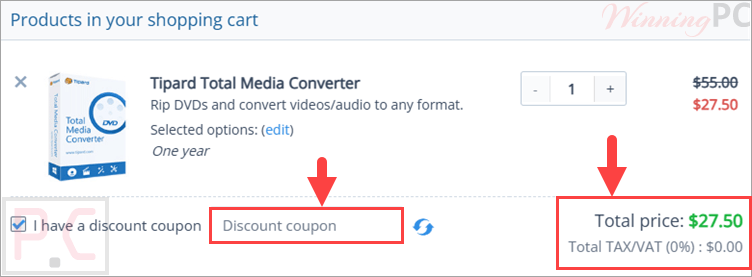
Tap the ‘Copy Code’ button within the coupon area to grab the sequence and move on to the payment page for your savings.
Activation Guide: Tipard Total Media Converter Key Free
On the giveaway page below, fill out the available form with your name and your email address to receive your free 1-year license key.

You will receive a confirmation link via email; click on that link to get another email that contains the Tipard Total Media Converter free license key

Download Total Media Converter for free using the above download link. Install and paste your email address and your free license key to register with Tipard Total Media Converter for 1-year free


The interface language is German; to change the language to English, you need to close the software and then go to the Language folder in the software installation location. Just delete the file name “de.rcc” and keep the file name “en.rcc”. Open Tipard Total Media Converter again and use it in the English language.

Tipard Total Media Converter: In-Depth Review & Features

Key Features:
- Rip DVD discs, DVD folders, IFO files, and AVCHD discs
- Convert DVDs to MP4, MKV, MPG, AVI, MOV, WMV, and more
- Convert video and audio files in bulk
- Extract audio from DVDs and videos
- Output HD video formats like HD AVI, HD MPG, HD TS, and HD WMV
- Crop, trim, split, rotate, and flip videos
- Convert 2D videos to 3D with Side by Side, Top and Bottom, and Anaglyph modes
- Replace or select audio tracks and subtitles
- Adjust brightness, contrast, saturation, and hue
- Enhance videos by reducing shaking, removing noise, and improving brightness
- Add text or picture watermarks
- Preview videos with the built-in player
- Capture video snapshots as JPEG, PNG, or BMP
- Customize encoder, resolution, frame rate, bitrate, and audio settings
- Use NVIDIA CUDA, AMD APP, and multi-core CPU acceleration.
Pros & Cons:
More screenshots:

Frequently Asked Questions
Are there any promo codes for Tipard Total Media Converter?
Yes. WinningPC lists Tipard Total Media Converter coupons, along with deals from official Tipard channels when available.
What is the best current Tipard Total Media Converter discount?
The current WinningPC deal gives you 50% OFF the 1-year license or the Lifetime License.
Can it rip DVDs to MP4?
Yes. It can rip DVDs to MP4 and other formats like MKV, MPG, AVI, MOV, and WMV.
Can I convert video files in bulk?
Yes. You can convert multiple files at once instead of processing them one by one.
Does it extract audio from videos?
Yes. It can extract audio from DVDs and video files, including formats like MP3, AAC, and more.
Can I edit videos before converting?
Yes. You can crop, trim, split, rotate, flip, add watermarks, adjust effects, and enhance video quality.
Does it support 3D video conversion?
Yes. It can convert 2D videos to 3D using Side by Side, Top and Bottom, or Anaglyph 3D modes.
Can I use one license on several computers?
Only multi-user licenses work on multiple computers. A 1-year or lifetime license is for one computer only.
System Requirements & Details
| Language Support | English, Français, Italian, Spanish, Swedish, and more… |
| Operating System | Mac OS, Windows |
| Processor | Multi-core CPU supported |
| Supported Input | DVD Disc, DVD Folder, IFO, AVCHD Disc, MTS, MP4, MKV, FLV, TS, MXF, AVI, MOV, WMV, MP3, M4V, AAC. |
| Supported Output | MP4, MKV, MPG, AVI, MOV, WMV, MP3, HD AVI, HD MPG, HD TS, HD ASF, HD WMV, HD VOB, JPEG, PNG, BMP. |





Just another Chinese illegal closed source user interface pirating a GPLv3 or undistributeable build of FFMPEG to do the actual conversion. I prefer to give my patronage to LEGAL user interfaces that correctly attribute the FFMPEG project and abide by their license terms like xmedia recode or handbrake. I certainly would NEVER PAY Chinese software pirates for their illegal GUIs.
There are a lot of converters way better than this one. It has very low quality output results.
What do you expect it’s just a closed source GUI on top of an illegal pirated distribution of copyright FFMPEG binaries, the GUI developers know nothing of video encoding development or good encoding specifications.