
On this page
Leawo DVD Copy Giveaway
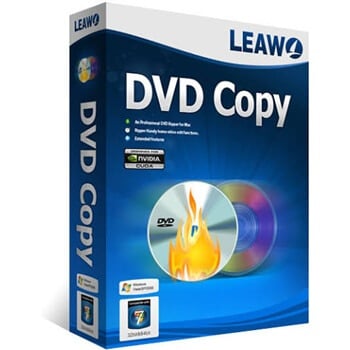
Leawo DVD Copy
Best DVD Copy Software to 1:1 Copy DVD9/DVD5 without Quality Loss at 50X Higher Speed.
- Product
- Leawo DVD Copy
- Product website
- leawo.com
- License
- 1-Year
- Platform
- Windows 7 to 11, macOS 10.13 and later
- Usage
- Single-user personal
- Updates
- No future upgrades
- Support
- No support
- Updated
- 2026-11-10
Continue on winningpc.com
The publisher handles registration and license delivery on its official website.
50% Off Leawo DVD Copy - Lifetime
Leawo DVD Copy Plans & Coupon Codes Nov 2026

Leawo DVD Copy - 1 Year
1 License for 1 PC | 5 Days Money Back Guarantee
Leawo DVD Copy - Lifetime
1 License for 1 PC | 14 Days Money Back Guarantee
Leawo DVD Copy for Mac - 1 Year
1 License for 1 Mac | 5 Days Money Back Guarantee
Leawo DVD Copy for Mac - Lifetime
1 License for 1 Mac | 14 Days Money Back Guarantee
Is the free Leawo DVD Copy key safe and legit?
Yes. The license comes from Leawo’s own giveaway and you install the standard build from Leawo, so nothing is patched or repackaged.
No crack or keygen
You run the official installer and register it with a genuine key sent to your email.
Straight from the publisher
The giveaway runs on Leawo’s page, and paid plans are sold through Leawo’s own store rather than a key reseller.
Secure checkout
If you buy, payment happens on Leawo’s encrypted store. Your card details never pass through WinningPC.
Copying is your responsibility
Leawo’s fair use policy limits the software to personal backups of discs you lawfully own. In some countries, the US included, the law restricts breaking DVD copy protection even for personal use, so check your local rules first.
How to Get the Leawo DVD Copy License Key Free?
- Enter your name and email on the Leawo giveaway page (you can choose Windows or Mac OS).
- Check your mailbox for the Leawo DVD Copy license key Free.
- Download and install the program on your PC. Launch and register it.
- You have to install and activate it (please connect to the internet to register) during the giveaway running period.


How well does Leawo DVD Copy work?
Leawo DVD Copy is one tool for the whole job: strip the protection, copy, shrink if needed, burn. The 1:1 clone is what makes it worth having. Because it copies the disc sector by sector, the backup keeps its menus, bonus features and Dolby Digital 5.1 or DTS audio, and behaves like the original in a standalone player.

Compressing a DVD-9 onto a DVD-5 is handy since single-layer blanks are cheaper, but it’s still compression. If you have dual-layer blanks, the 1:1 route is the one to trust. As for the “50X faster” figure, that’s Leawo’s own number and it leans on GPU acceleration (NVIDIA CUDA/NVENC, AMD APP or Intel Quick Sync). An older PC without a supported card won’t see anything close to it.
Key features
- DVD copying: Leawo DVD Copy can copy DVD movies to blank DVD discs, ISO files, or DVD folders on your computer’s hard drive.
- DVD backup: The software can also be used to create backup copies of your DVD movies, preserving them in case of damage, loss, or theft.
- DVD compression: It can compress DVD-9 movies to fit onto a DVD-5 disc without compromising the video and audio quality.
- DVD decryption: The software can decrypt copy-protected DVDs, allowing you to make copies of movies that would otherwise be impossible to duplicate.
- Customization options: This DVD Copy offers a range of customization options, including the ability to select which content to copy, adjust the video quality, and choose which audio and subtitle tracks to include.
- Fast copying speed: The software is designed to copy DVDs quickly and efficiently, with a high copying speed and high-quality output.
The good and the not-so-good
Questions people ask about Leawo DVD Copy
Can Leawo DVD Copy copy Blu-ray discs?
No. It only handles standard DVDs (DVD-5 and DVD-9). For Blu-ray you need Leawo Blu-ray Copy; its $99.95 Lifetime bundle includes DVD Copy plus three Blu-ray modules.
Does it work on Apple Silicon Macs?
Leawo says yes: its FAQ lists support for both Intel and Apple Silicon Macs on macOS 10.13 and later. The official spec sheet still only mentions Intel processors, so try the giveaway version on your Mac before paying for anything.
Can I copy a DVD to a blank disc with only one drive?
Yes, as long as the drive can write DVDs. Set the drive as the “Copy to” target. Leawo DVD Copy reads the disc into a workspace, ejects it, then asks you to insert a blank disc to finish.
What happens when the free 1-year license expires?
Leawo doesn’t spell it out. The giveaway license covers one year on one PC, so after that you’d need a paid plan to keep using the full version. For reference, the unregistered trial only processes the first 5 minutes of a movie.
Is Leawo DVD Copy free without the giveaway?
No. It’s paid software with a free trial, and the trial stops after the first 5 minutes of each movie. It’s meant for checking that your drive and system work with it, not for real backups.
Can I turn my DVDs into ISO files for Plex or a NAS?
Yes. Pick Full Movie or Main Movie, then set “Copy to” as ISO Image File and save it to your NAS or an external drive. If streaming in Plex is your only goal, though, a ripper that outputs MP4 or MKV usually plays more smoothly there than an ISO.
Is the paid 1 Year plan a subscription?
Yes. It renews automatically each year until you cancel, which you can do anytime. The Lifetime plan is a one-time payment.
System Requirements & Details
| Requirement | Windows | Mac |
|---|---|---|
| Operating system | Windows 7, 8, 8.1, 10, 11 | macOS 10.13 High Sierra up to macOS 27 (incl. Sonoma 14, Sequoia 15, Tahoe 26) |
| Processor | 1 GHz or faster Intel or AMD | 1 GHz or faster Intel (Leawo’s FAQ also lists Apple Silicon) |
| RAM | 512MB (1GB or more recommended) | 512MB (1GB or more recommended) |
| Free disk space | 5GB or more | Not specified |
| Graphics card | NVIDIA GeForce GTX 260 or better | Not specified |
| Optical drive | Recordable DVD drive | Recordable DVD drive for DVD features |
| Internet | Required | Required |
| Supported input formats | DVD-5 and DVD-9 discs, DVD folders, ISO and IFO image files | Same |
| Supported output formats | Blank DVD-9 or DVD-5 disc, DVD folder, ISO image file | Same |
| Not supported | Blu-ray and 4K UHD Blu-ray discs | Same |
| Other | Version 13.0.1.7, 186 MB; NTSC and PAL; English, Chinese, Japanese, German, French, Italian, Spanish, Korean | Same |





AI Image Watermark Remover
Remove watermarks from photos instantly with our free online AI tool. Achieve clean, high-quality results in seconds—no software download required. Perfect for personal and professional use.
FireFox Browser:
Download: ltmcp_setup.exe
Wenn ich das obige Programm versuche herunterzuladen bekomme ich folgende Warnung:
“Warnung: Mögliches Sicherheitsrisiko erkannt
Firefox hat ein Problem erkannt und file1.leawosoft.net nicht aufgerufen. Entweder ist die Website falsch eingerichtet oder Datum und/oder Uhrzeit auf diesem Computer sind nicht korrekt.
Das Zertifikat der Website ist wahrscheinlich abgelaufen, weshalb Firefox keine verschlüsselte Verbindung aufbauen kann. Falls Sie die Website besuchen, könnten Angreifer versuchen, Passwörter, E-Mails oder Kreditkartendaten zu stehlen.
Was können Sie dagegen tun?
Am wahrscheinlichsten wird das Problem durch die Website verursacht und Sie können nichts dagegen tun. Sie können den Website-Administrator über das Problem benachrichtigen.”
Thanks for your feedback. I have updated the download links:
– Windows: https://d1.amazonfile.net/download/leawo_com/ltmcp_setup.exe
– Mac: https://d1.amazonfile.net/download/leawo_com/ltmcu_setup.dmg
Internet-Browser:
“Dies ist keine sichere Verbindung…”
F-Secure:
“Sie sollten hier nicht surfen.
https://download.leawo.com/download.php?8c7bbbba95c1025975e548cee86dfadc
Diese Shopping-Website ist mehrfach mit roten Flaggen markiert. Wahrscheinlich handelt es sich um eine betrügerische Website!”
Can you provide the download for the Ant Download Manager Giveaway software?
Thanks
Very good.