
 WinningPC
There are plenty of video-to-GIF converters on the market. But now, in this post, we are ready to present to you a GIF tool suite worthy of attention, it is ThunderSoft GIF Converter. As the name suggests, this tool is designed to help you convert GIF to any file format. This tool contains six useful GIF tools to help you convert, create, edit, and manage GIF files in multiple formats. All functions support batch conversion with one click, helping you deal with huge numbers and any type of gif file conversion.
This software has an intuitive interface and is easy to use to help you convert GIF files to SWF files, convert GIF files to video formats, extract PNG image serial from GIF files, and reverse GIFs without quality loss. It supports a wide range of input formats and offers numerous options for making GIFs from JPG, BMP, and PNG files. Whether you need to join GIF without quality loss, ThunderSoft GIF Converter has got you covered.
Top GIF Converter Discount & Coupon Codes

Honeycam Professional - 50 PCs
45% off: regular price $1950, discounted price $1,072.5
ThunderSoft GIF Converter Free License Key
- Product name: ThunderSoft GIF Converter v5.4.0
- Website: http://www.thundershare.net/
- License type: lifetime
- Platform: Windows
- Download giveaway installer: GCSetup_giveaway.zip
- License code – last updated: May 20, 2024
[codeshop id=”68″]
How to get the license key?
Install ThunderSoft GIF Converter on your computer; enter your email address and above ThunderSoft GIF Converter license code to activate it.

ThunderSoft GIF Converter screenshot:
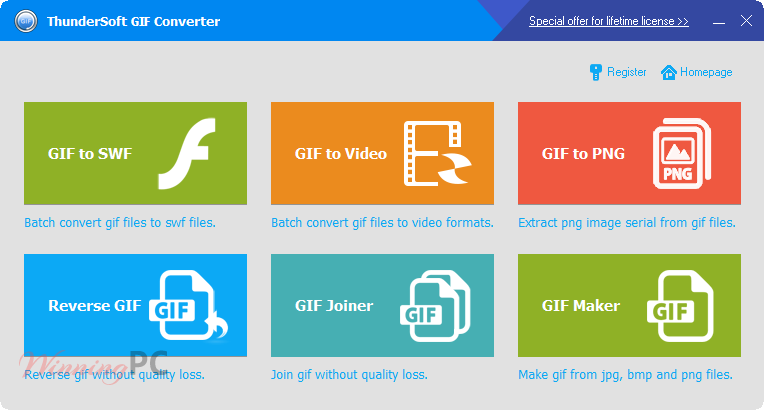
Key Features and Screenshots
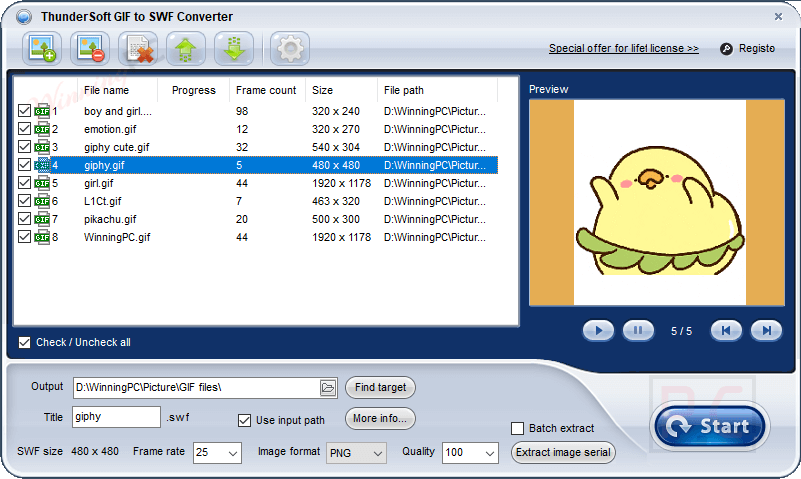
- GIF to SWF Conversion: ThunderSoft GIF Converter is designed to help you convert GIF files to SWF files. This function provides several SWF file settings, including SWF version, size, background colour, and frame rate adjustments. You also are allowed to add background music to enhance the SWF files.
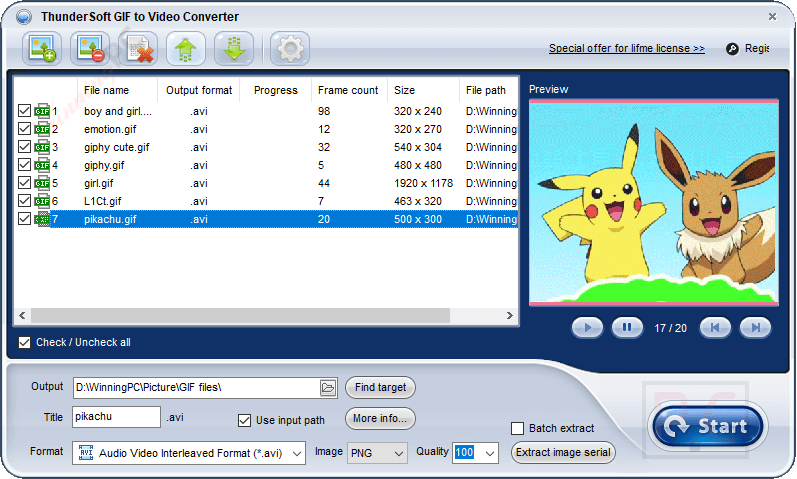
- GIF to Video Conversion: This software also supports converting GIFs to various video formats such as AVI, WMV, MP4, MKV, FLV, MOV, and MPEG. The output settings, including background colour, frame rate, and bitrate, are customized by yourself. Additionally, you are allowed to add background music and use custom logos. For large projects, you can use the batch extract function to save time and effort.
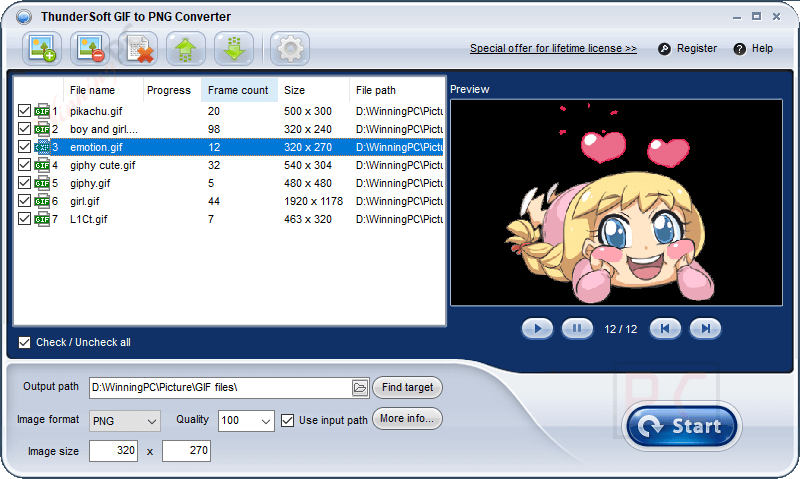
- GIF to PNG Conversion: Another excellent thing about the ThunderSoft GIF Converter software is that it allows you to extract frames from a GIF and save them as individual PNG, Bitmap, or JPEG files. With the help of the frame-by-frame preview function, you can select and extract the exact frames you need. It also allows you to add a custom logo.
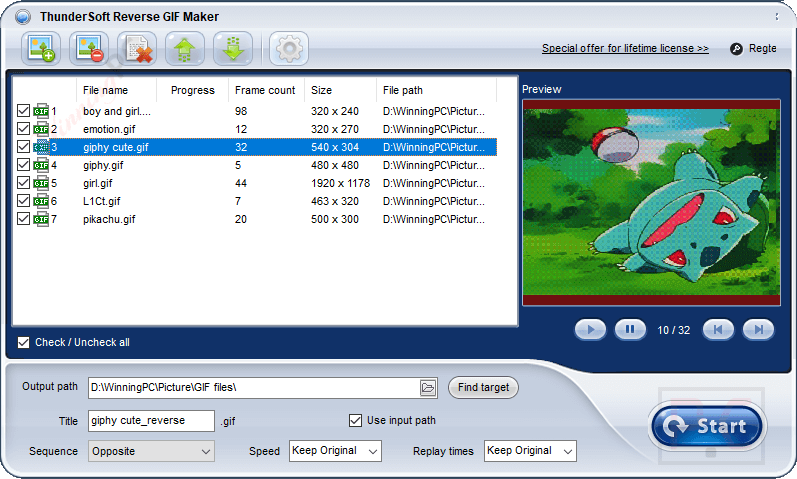
- Reverse GIF Creation: ThunderSoft GIF Converter provides three different sequences, including Opposite, Positive + Opposite, and Opposite + Positive, to create reverse GIFs. This software will keep the original transparent effect and allow you to change the GIF speed without quality loss.
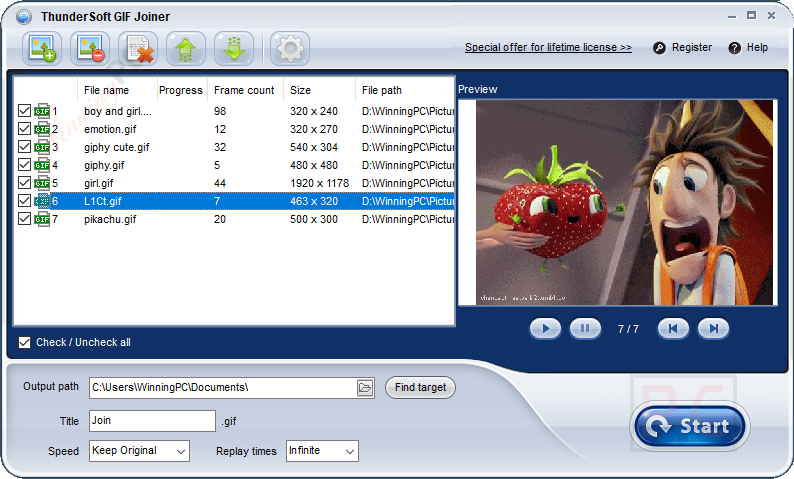
- GIF Joiner: Another major advantage of this software is that it can join GIF. You are allowed to combine multiple GIF files or combine GIFs with image files such as JPG, PNG, and BMP. The joiner ensures no quality loss (GIF files only) and provides options to change the speed of the merged GIF.
- GIF Maker: Among some of ThunderSoft GIF Converter’s newest features is a GIF Maker – perfect for creating animated GIFs from JPG, BMP, and PNG files. It can help you specify every frame’s duration as well as set transparent to BMP and PNG files.

Technical Details
| Language Support | English, Français, Italian, Spanish, Swedish, and more… |
| Money Back Guarantee | 30-Days |
| Operating System | Windows |
| Shipping | Keycode will be sent automatically within minutes after your purchase |
| Subscription | Lifetime |
| Support Services |





license code is expired!
Same problem 🙁