
 Cathryn Lee
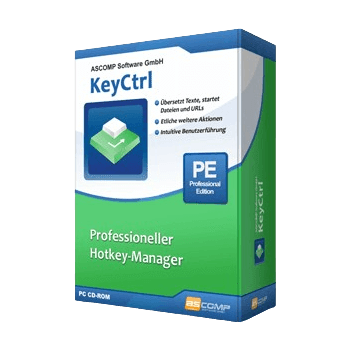
ASCOMP KeyCtrl Professional is free right now through an official giveaway — claim a lifetime license (worth $19.90) at no cost, ✅ verified by Cathryn. Just register on the developer’s giveaway page below to get your key. Prefer the latest version with updates? Use code UMA65-85***RBX-ME5L for 65% off on the private license ($6.96). Works on Windows 11, 10, 8.1, 8, 7.
ASCOMP KeyCtrl Professional helps you to use keyboard shortcuts for other tasks. For example, for automatically inserting frequently used texts in the email program or in Word, for translating website content, for taking screenshots.
ASCOMP KeyCtrl Professional
Create custom shortcuts, automate workflows and boost productivity with hotkey manager KeyCtrl.
- Product
- ASCOMP KeyCtrl Professional
- Product website
- ascompsoftware.com
- License
- Lifetime
- Platform
- Windows 11, 10, 8.1, 8, 7; Server 2012 to 2025
- Updates
- Free future upgrades for 1 month
- Support
- Free support for 1 month
- Updated
- 2026-07-09
Continue on ascompsoftware.com
Share to reveal your license code and the official claim page.
The limited-time giveaway!
The free license is no longer available.
Table of Contents
ASCOMP KeyCtrl Pricing & Coupon Codes (100% Working)
ASCOMP KeyCtrl Professional
Lifetime license (lifelong use; including updates, download & support for two years)

ASCOMP All-in-One Pack
Free update & Free technical customer for 24 months

How to Get the ASCOMP KeyCtrl Professional License Key Free?
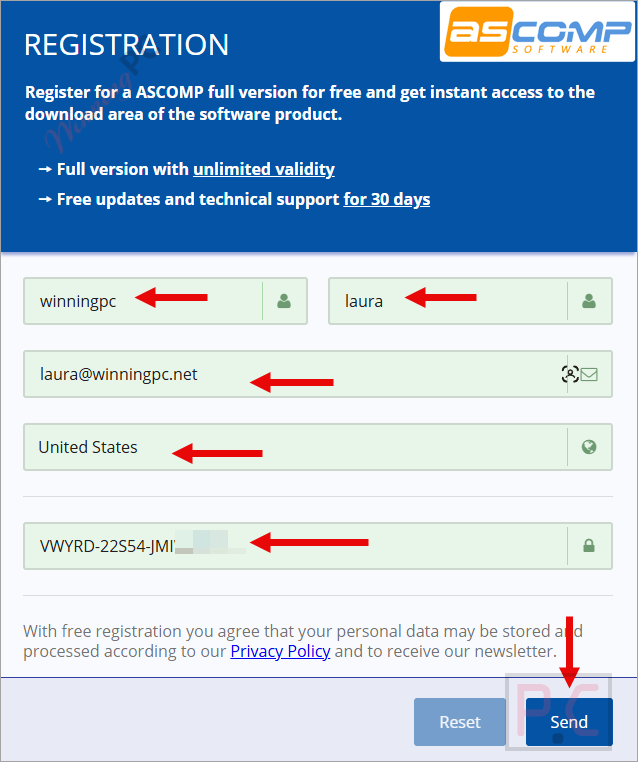
Enter your information on the giveaway page, check your mailbox for the ASCOMP login information OR use your existing account.
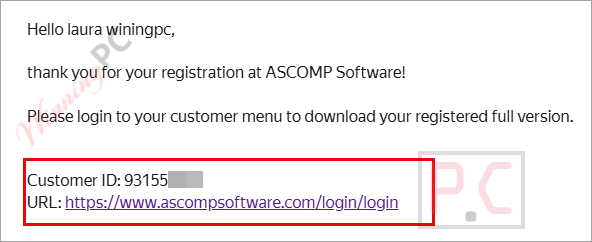
You will receive login details in your mailbox.
Just download the KeyCtrl Pro full version on the ASCOMP reseller area, install it on your computer, and enjoy!
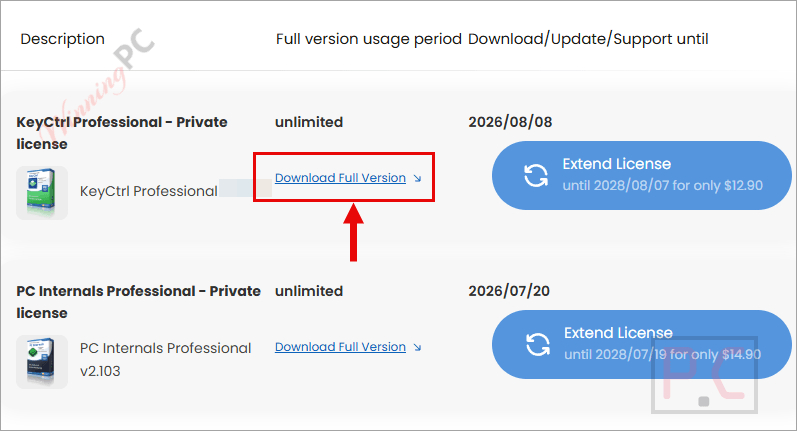
Download and install the software on your computer.
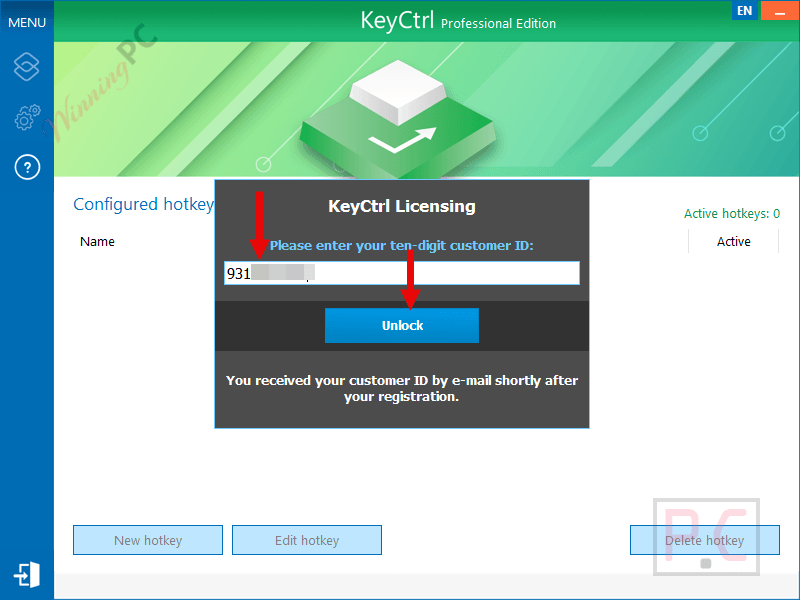
To get the software with full Pro functions, please paste your Customer ID to unlock.
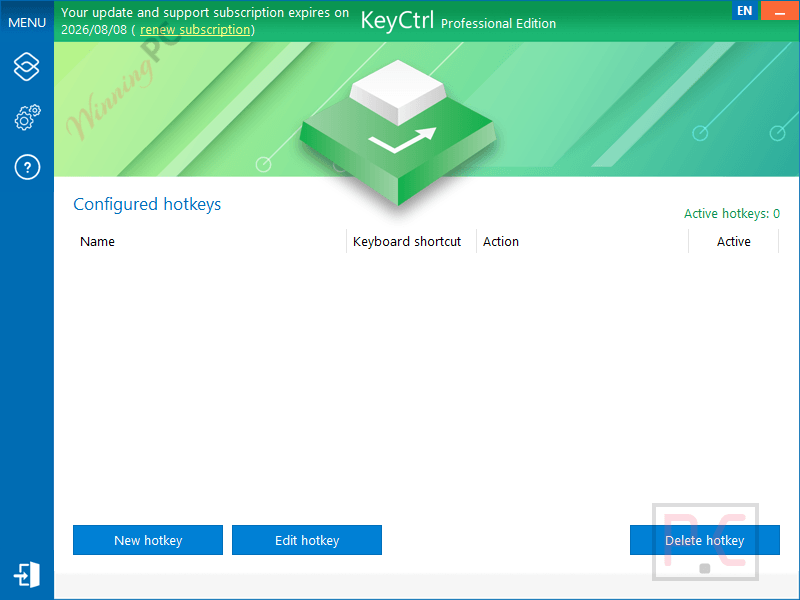
In-Depth Review & Features
Feature List
- Create custom keyboard shortcuts for Windows.
- Launch applications, files, and documents instantly.
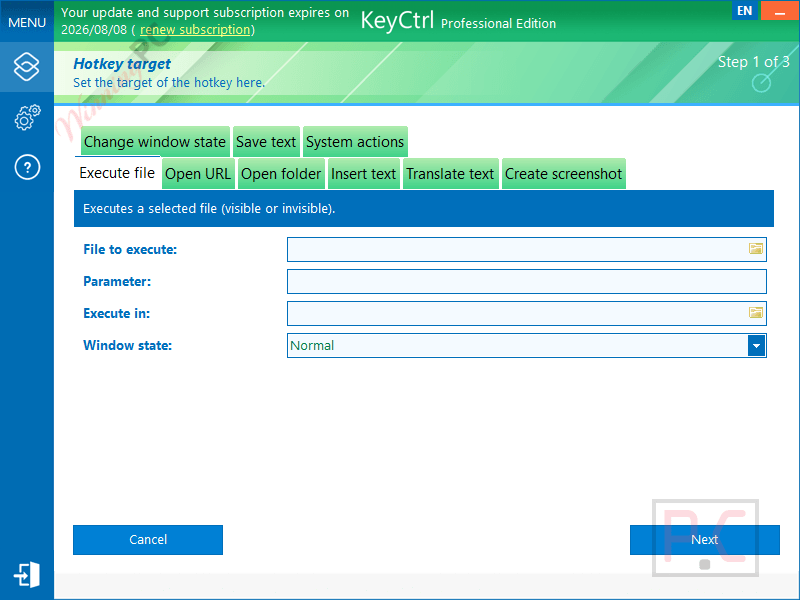
- Insert predefined text into emails, forms, and chats.
- Translate text and website content using a keyboard shortcut.
- Execute Windows system commands.
- Open frequently visited websites with hotkeys.
- Capture screenshots and desktop images.
- Manage multiple clipboard items for quick reuse.
- Create application-specific shortcuts that only work in selected programs.
- Compatible with Microsoft Office, web browsers, image editors, and other Windows applications.
- Easy-to-use interface suitable for beginners and advanced users.
- Helps automate repetitive tasks and improve workflow efficiency.
Pros & Cons
More ASCOMP KeyCtrl Professional screenshots!
Frequently Asked Questions
Where can I find working discount codes for ASCOMP KeyCtrl Professional?
You can always find verified deals and valid promo codes for this software right here at WinningPC, or by keeping an eye on ASCOMP’s official promotions.
What is the biggest price drop available right now for KeyCtrl?
Currently, WinningPC offers a massive 65% OFF deal, dropping the regular price from $19.90 down to just $6.96 for a lifetime license.
Can I use this tool to translate text?
Yes, it includes a translation feature powered by the Microsoft Translation API that you can trigger with a simple hotkey.
Does the translation feature have any usage limits?
Yes, you can translate up to 5,000 characters at one time, with a total limit of 20,000 characters per month. If you need more, you have to contact their customer service.
Will my custom shortcuts work inside my web browser?
Yes, the shortcuts you create are compatible across all Windows applications, including your web browsers, image editors, and Microsoft Office.
System Requirements & Details
| Language Support | English, Français, Italian, Spanish, Swedish, and more… |
| Operating System | Windows 11, Windows 10, Windows 8.1, Windows 8, Windows 7, Windows Server 2022/2025, Windows Server 2016/2019, Windows Server 2012 |
| Processor | Intel compatible · Windows on ARM |
| Memory | 2 GB minimum (4 GB recommended) |
| Hard Disk | 50 MB |
| Supported Input | Keyboard shortcuts, predefined text, system commands |
| Supported Output | Program launching, text insertion, website opening, translated text, screenshots, clipboard actions |




Latest version: 2.201 released on 2026/08/07. plz update
The 2.200 version is out . please update the deal for limited time for the new April 2026 version
maybe be the shortcuts can be created in less steps/ pages. Otherwise lovely software. The keyboard software (lghub) can miss a few functionalities, BUT THIS ONE COVERS ALL I NEED. thanks a lot. Keep it up and let us test your new major upgrades for free. If ascomp need more detailed feedback, let me know.
You are LIARS.
This program here is ONLY GOOD FOR SIX (6) MONTHS.
In your info you incorrectly say LIFETIME.
This is a complete lie.
Hey john, It is kinda \free for the version offered here. i confirm that after the license indicated in yr account is over, the software still usable as it is. you only offered to pay for longer license if you want support or upgrade the version. I have to stand by ascomp and thank them for the offer . it is no misleading, but your misunderstanding.