
On this page
ASCOMP KeyCtrl Professional Giveaway
ASCOMP KeyCtrl Professional
Create custom shortcuts, automate workflows and boost productivity with hotkey manager KeyCtrl.
- Product
- ASCOMP KeyCtrl Professional
- Product website
- ascompsoftware.com
- License
- Lifetime
- Platform
- Windows 11, 10, 8.1, 8, 7; Server 2012 to 2025
- Updates
- Free future upgrades for 1 month
- Support
- Free support for 1 month
- Updated
- 2026-10-01
Continue on ascompsoftware.com
Share to reveal your license code and the official claim page.
The limited-time giveaway!
The free license is no longer available.
ASCOMP KeyCtrl Professional Pricing & Coupon Codes Nov 2026
ASCOMP KeyCtrl Professional
Lifetime license (lifelong use; including updates, download & support for two years)

ASCOMP All-in-One Pack
Free update & Free technical customer for 24 months

Is this ASCOMP KeyCtrl Professional giveaway safe and legit?
Yes. The license comes straight from ASCOMP, the developer, and you activate it inside their own software.
No crack or keygen
You download the official build from ASCOMP’s reseller area and unlock it with your own Customer ID. Nothing is patched or repackaged.
Official source
The giveaway runs through ASCOMP’s account system, not a third-party key reseller.
Secure checkout for the paid version
If you use the coupon, payment happens on ASCOMP’s own store. Your card details never pass through WinningPC.
14-day refund on paid orders
ASCOMP lets you withdraw from a purchase within 14 days without giving a reason. The giveaway itself costs nothing, so there’s no risk there either.
How to claim your free ASCOMP KeyCtrl Professional license
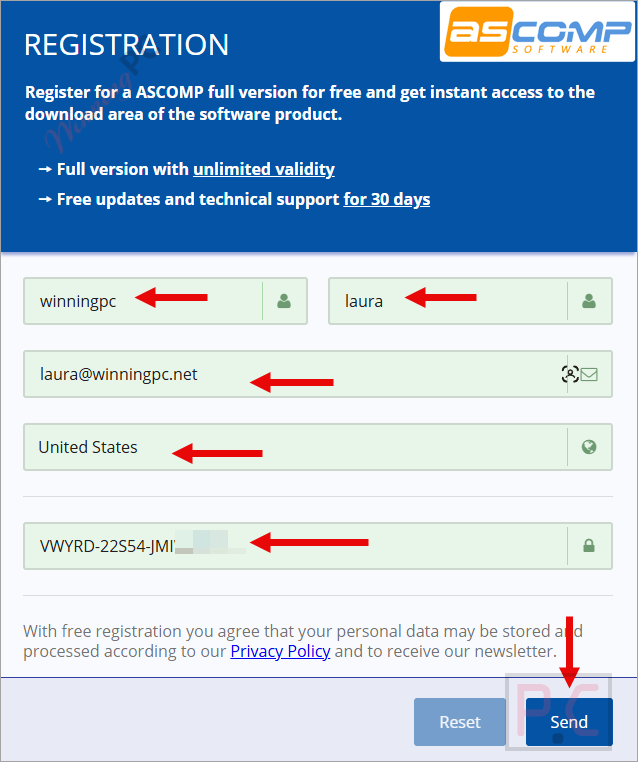
- Enter your name and email on the giveaway page. Already have an ASCOMP account? You can use it instead of creating a new one.
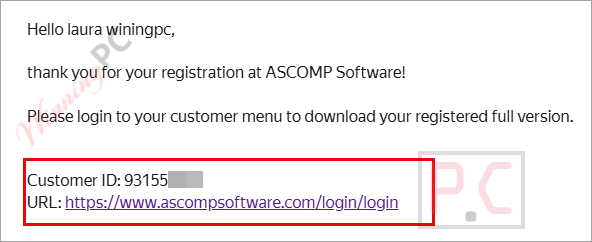
- Check your inbox for the ASCOMP login details (look in your spam folder if nothing shows up within a few minutes).
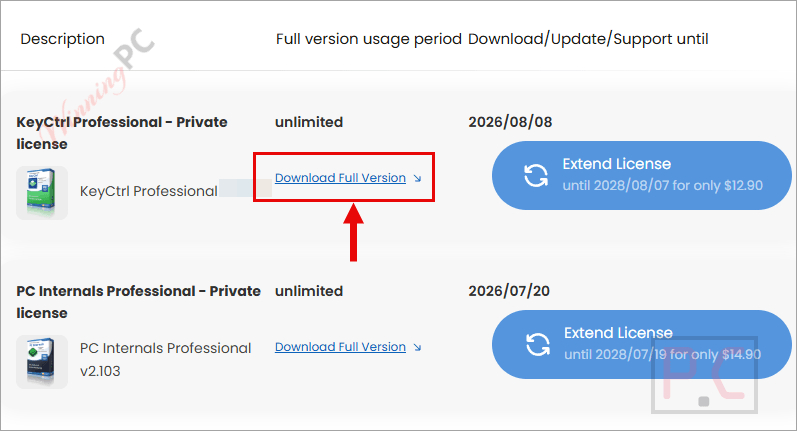
- Sign in to the ASCOMP reseller area and download the KeyCtrl Pro full version from there.
- Install KeyCtrl on your PC.
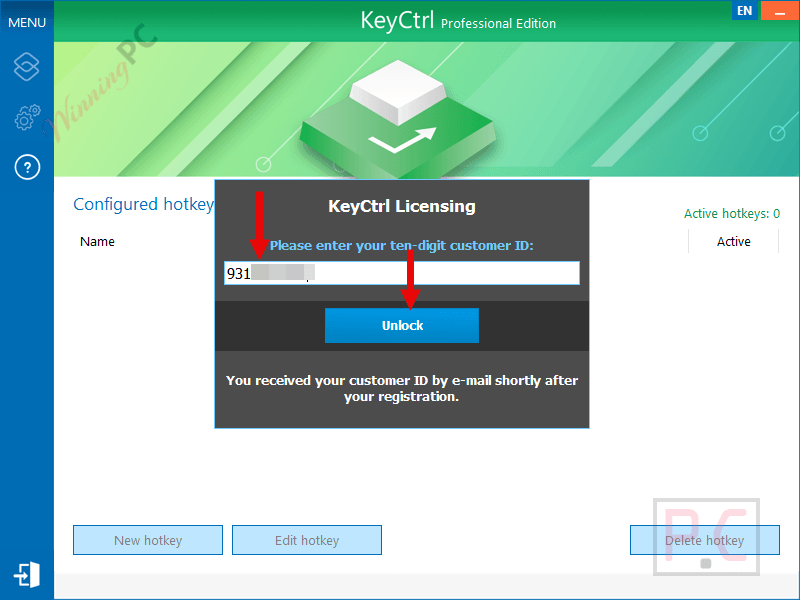
- Paste your Customer ID into KeyCtrl to unlock the full Pro functions.
Hands-on with ASCOMP KeyCtrl Professional
The feature that sets ASCOMP KeyCtrl Professional apart from a basic key remapper is context-aware hotkeys. You can make a shortcut fire only when a certain window is open or a specific process is running, so the same key combo can paste a support reply in your email client and do something else entirely in Word. That’s what keeps a big shortcut collection from turning into a mess of conflicts. The built-in translation is handy for quick lookups, but it runs on the Microsoft Translation API with a cap of 5,000 characters per operation and 20,000 characters per month, so it won’t replace a real translator for heavy use. The clipboard history also overlaps with Windows’ own Win+V. On the plus side, it’s light: 50 MB of disk space and 2 GB of RAM, and it supports Windows on ARM machines too.
Key features
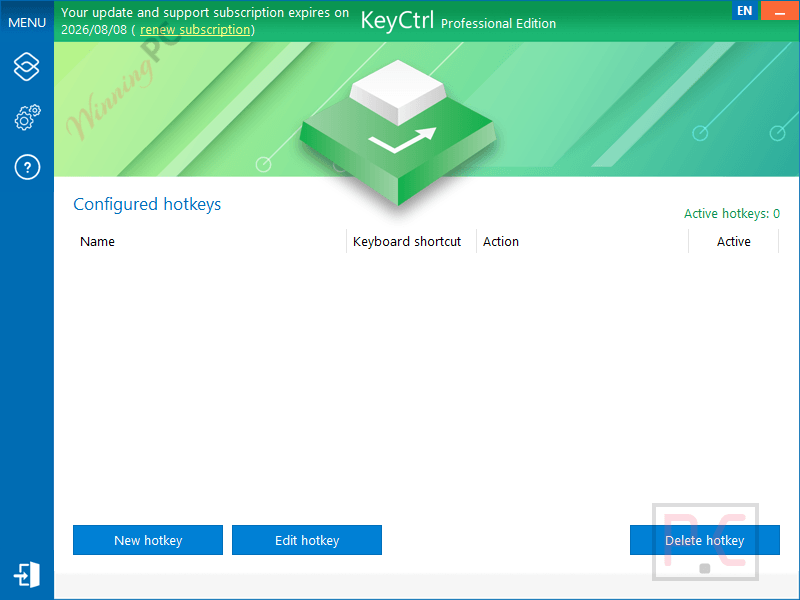
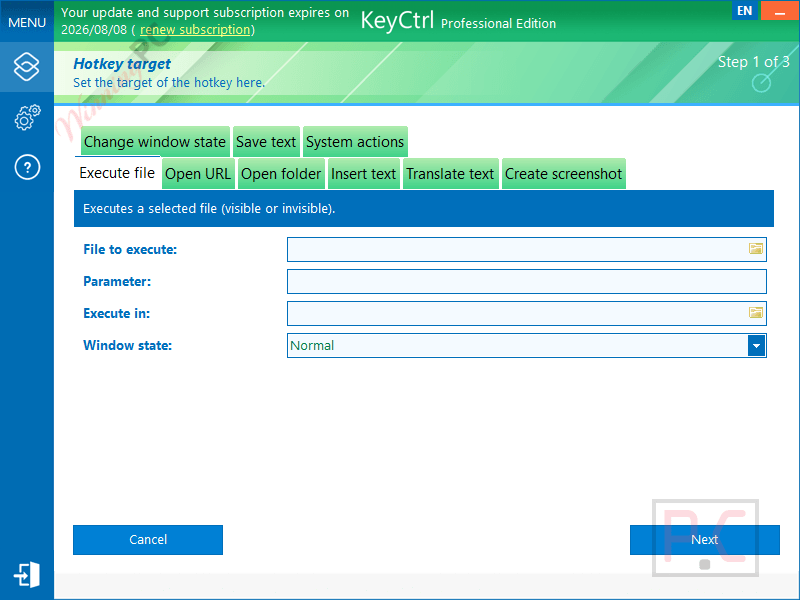
- Custom hotkeys for almost anything: launch a program, open a document or folder, or jump to a website with one key combo.
- Text snippets on demand: store email sign-offs, form answers or chat replies and drop them in wherever your cursor is.
- Per-app shortcuts: limit a hotkey to a specific window or running process.
- Screenshot and translate shortcuts: capture your desktop or translate selected text without opening another tool.
- Multi-item clipboard: keep several copied items and pull any of them back later.
What we think
More ASCOMP KeyCtrl Professional screenshots!
Frequently Asked Questions
Where can I find working discount codes for ASCOMP KeyCtrl Professional?
You can always find verified deals and valid promo codes for this software right here at WinningPC, or by keeping an eye on ASCOMP’s official promotions.
What is the biggest price drop available right now for KeyCtrl?
Currently, WinningPC offers a massive 65% OFF deal, dropping the regular price from $19.90 down to just $6.96 for a lifetime license.
Can I use this tool to translate text?
Yes, it includes a translation feature powered by the Microsoft Translation API that you can trigger with a simple hotkey.
Does the translation feature have any usage limits?
Yes, you can translate up to 5,000 characters at one time, with a total limit of 20,000 characters per month. If you need more, you have to contact their customer service.
Will my custom shortcuts work inside my web browser?
Yes, the shortcuts you create are compatible across all Windows applications, including your web browsers, image editors, and Microsoft Office.
System Requirements & Details
| Field | Value |
|---|---|
| Operating system | Windows 11, 10, 8.1, 8, 7 · Windows Server 2022/2025, 2016/2019, 2012 |
| Processor | Intel compatible · Windows on ARM |
| RAM | 2 GB minimum (4 GB recommended) |
| Disk space | 50 MB |
| Other requirements | ASCOMP account to claim the giveaway · Internet connection for the translation feature |





Latest version: 2.201 released on 2026/08/07. plz update
The 2.200 version is out . please update the deal for limited time for the new April 2026 version
maybe be the shortcuts can be created in less steps/ pages. Otherwise lovely software. The keyboard software (lghub) can miss a few functionalities, BUT THIS ONE COVERS ALL I NEED. thanks a lot. Keep it up and let us test your new major upgrades for free. If ascomp need more detailed feedback, let me know.
You are LIARS.
This program here is ONLY GOOD FOR SIX (6) MONTHS.
In your info you incorrectly say LIFETIME.
This is a complete lie.
Hey john, It is kinda \free for the version offered here. i confirm that after the license indicated in yr account is over, the software still usable as it is. you only offered to pay for longer license if you want support or upgrade the version. I have to stand by ascomp and thank them for the offer . it is no misleading, but your misunderstanding.