
 Cathryn Lee
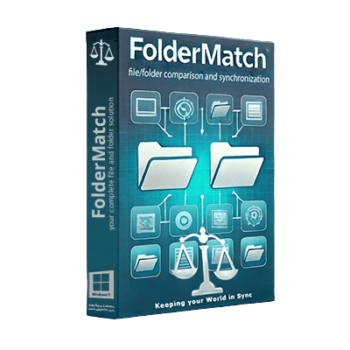
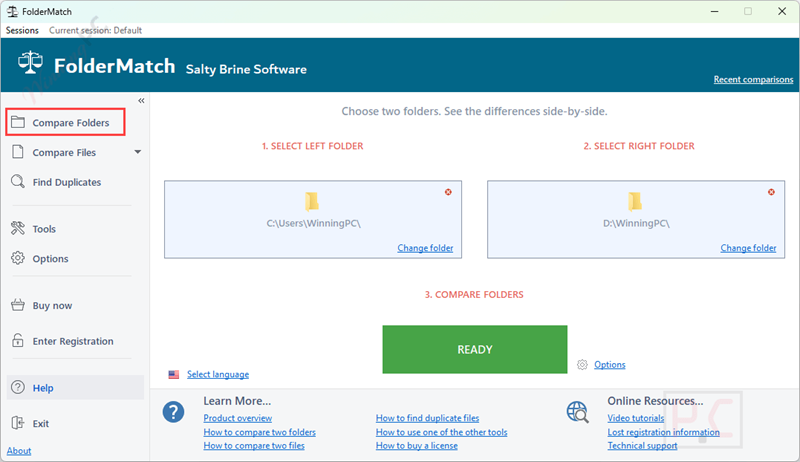
FolderMatch is designed to compare folders and files, find duplicates, and manually synchronize data. It visually displays differences in a side-by-side layout, allowing users to manage file versions accurately and prevent the loss of critical information.
FolderMatch Giveaway
easy to compare folders & files and find duplicate files
- Product
- FolderMatch v4.2.9
- Product website
- foldermatch.com
- License
- Lifetime
- Platform
- Windows 10,11
- Support
- No support
- Updates
- No future upgrades
- Usage
- Non-commercial only
- Updated
- 2026-05-16
Continue on foldermatch.com
Share to reveal the installer and your license code.
The free license is no longer available.
Top Duplicate Finder Software Coupon Codes

SORCIM Clone Files Checker - 1 Year License
60% Off coupon code, regular price $39.97, discounted price $15.99
Yearly Subscription
1-year free upgrades | 30-day money back guarantee
Kernel Duplicate File Finder - Personal License
59% coupon code: regular price $49.0, discounted price $20.3

4DDiG Duplicate File Deleter
71% discount coupon code: regular price $59.9, discounted price $17.46
Auslogics Duplicate File Finder
50% Off coupon code: regular price $29.95, discounted price $14.98
Wise Duplicate Finder (1 year subscription / 3 PCs)
60% discount coupon code: regular price $19.95, discounted price $7.98
Activation Guide: How to Get the FolderMatch Key Free?
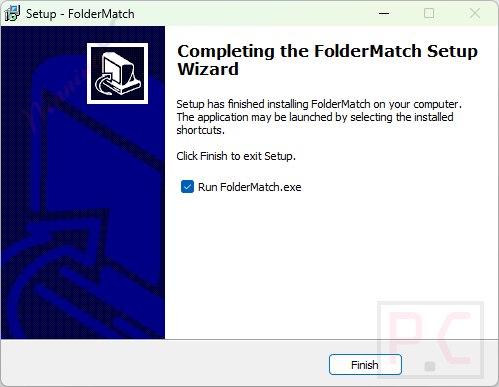
Download the FolderMatch installer from the provided WinningPC giveaway link and install it on your computer.
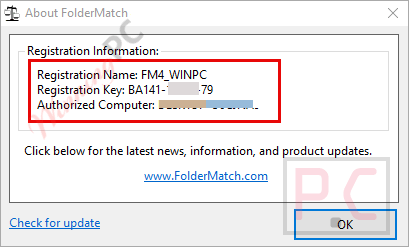
Open the software, choose the “Enter registration name/key” and enter the following license name/key to register it!

Got it for free!
In-Depth Review & Features

Key Features
- Compare Folders and Files: Visually compare entire folders or individual files side-by-side. It supports text comparison across various formats, including Microsoft Office, OpenDocument, PDF, RTF, HTML, and XML.
- Duplicate File Finder: Locate duplicate files based on specific criteria like name, size, date, or content, even if the file names are different. Safely remove them to free up disk space.
- Advanced Filtering: Filter comparison results by Name, Type, Date, or Size. You can also define specific include/exclude filter pattern lists and choose to include or exclude system and hidden files.
- Manual File Management: Copy, move, delete, and rename files and subfolders directly from the comparison interface to resolve differences.
- Mass Editing Tools: Features additional utilities, including a mass file renamer, a mass file timestamp editor, a hex content viewer, and an atomic clock sync utility.
- Extensive File System Support: Compatible with FAT, VFAT, FAT32, HPFS, NTFS, CDFS, and UDF. It also properly handles NTFS and FAT timestamp incompatibilities and auto-recognizes Daylight Savings Time differences.
Pros & Cons
More FolderMatch Screenshots!
Compare Folders
Find Duplicates

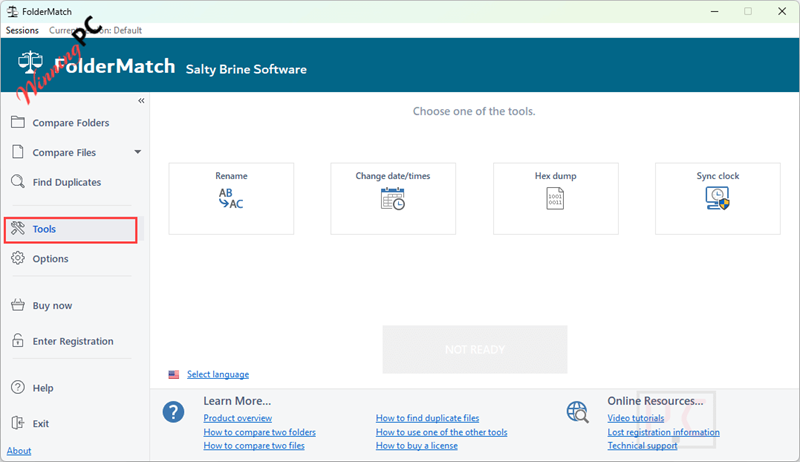
Tools
Frequently Asked Questions
How can I get a valid free license key?
You can get a 100% legal free license key from WinningPC during our limited-time giveaway campaigns.
Does FolderMatch work with cloud storage like OneDrive?
FolderMatch treats the local OneDrive folder like any other Windows folder. However, your files must be set to be available “offline” for the software to see and compare them properly.
Does the software support automatic syncing on a schedule?
Currently, there is no way to set up automatic scheduling in FolderMatch. It is designed primarily for manual comparison and synchronization.
System Requirements & Details
| Feature | Specifications |
|---|---|
| Operating System | Windows 7, 8, 10, 11 (32-bit & 64-bit) |
| Language Support | English, Portuguese, French, German, Italian, Spanish |
| Subscription | Lifetime |
| Supported File Systems | FAT, VFAT, FAT32, HPFS, NTFS, CDFS, UDF |
| Document Support | MS Office, OpenDocument, PDF, RTF, HTML, XML |


Good software. Synchronization is great with options
Here is my feedback.
It is complicated as hell to configure. I deleted this crap software and reverted to FreeFikeSync.Sync.
Use it at your own risk.
False positive,Carlos.
This is a good find, winningpc. Thanks. I was looking for a replacement for Syncovery Pro which is now truly dated.
https://www.virustotal.com/gui/file/d1eaf7c6713661dd8ebe587494b8b7151db8a10a0cd3b9287854306362657b2d
Trojan.Kryptik@AI.81 (RDML:9VAwJDv5I