
 Laura Marano
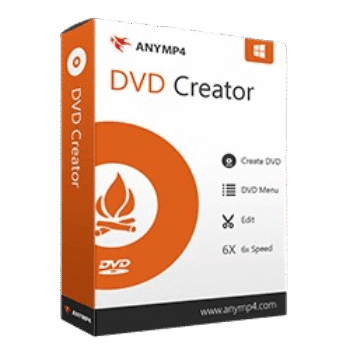
AnyMP4 DVD Creator helps create DVD videos with your own captured videos and burn the movie to Blu-ray. The program also allows you to create videos to DVD/Blu-ray ISO files, which can be saved on a local disk for backup.
AnyMP4 DVD Creator for Windows
2 plans · best save 50%
AnyMP4 DVD Creator for Mac
2 plans · best save 50%
📄 Licensing & Support Details
- 30-Day Money Back Guarantee
- License Instant Delivery by Email
- 100% Clean & Secure Purchase
- Free Customer Support
- Free Technical Support
- Free Upgrades.
📝 How to apply
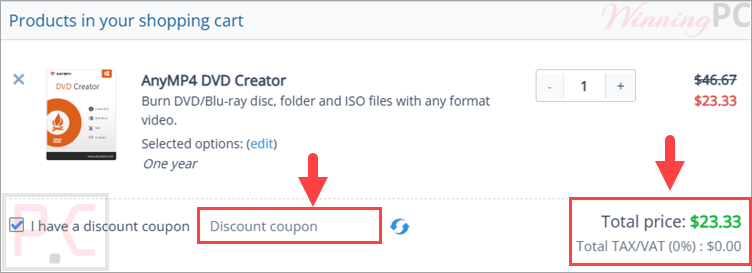
Click the ‘Copy Code’ button in the coupon box above. The code will be copied, and you will be redirected to the checkout page, where you can apply it to secure your discounted price.
AnyMP4 DVD Creator License Key Free Download
- Product name: AnyMP4 DVD Creator
- Website: https://www.anymp4.com/
- License type: 1-year
- Platform: Windows
- Giveaway link:
click here - Download: dvd-creator.exe
On the AnyMP4 DVD Creator giveaway page, enter a valid email address in the email address field provided. In a few minutes, you will receive an email with a 1-year license.


Download and install AnyMP4 DVD Creator on your PC by the installer from the homepage. Launch it, then register by the license key in the mailbox:

Enjoy it for 1-year free without updates/ upgrades:

AnyMP4 DVD Creator: In-Depth Review & Features

Key Features:
- Burn videos to DVD discs, Blu-ray discs, ISO files, or playable folders
- Supports popular formats including MP4, AVI, MOV, MKV, FLV, WMV, MTS, and more
- Compatible with DVD-5, DVD-9, DVD-R, DVD+R, BD-R, BD-RE, BDXL, and other disc types
- Create personalized DVD/Blu-ray menus with templates for weddings, travel, holidays, and family videos
- Customize menu buttons, text, thumbnails, and background images
- Trim unwanted clips and merge multiple videos into one chapter
- Add, remove, or replace subtitles in SRT, ASS, and SSA formats
- Switch or mute audio tracks
- Rotate, flip, and crop videos before burning
- Apply filters and adjust effects like saturation, contrast, hue, and volume
- Add text or image watermarks with adjustable opacity and position
- GPU acceleration for faster burning speed
- Supports PAL and NTSC TV standards
- Multiple burning engines, including VSO, CdrTool, and IMAPI SDK
- Real-time preview while editing projects
- 1:1 Blu-ray and DVD content copy support.
Pros & Cons:
More screenshots:
Add files/ videos to AnyMP4 DVD Creator and use video tools to edit your files:

Rotate, clip, crop,… video:

Add/ edit audio and subtitle:

Custom your menu template:

Choose an output type and burn it to ISO file or disk:

Frequently Asked Questions
Where can I find working AnyMP4 DVD Creator coupon codes?
You can usually find the latest discounts and promo offers for AnyMP4 DVD Creator on WinningPC, along with deals listed on the official AnyMP4 website during special promotions.
What’s the biggest discount currently available for AnyMP4 DVD Creator?
Right now, WinningPC features a 50% OFF deal for both the 1-Year License and Lifetime License versions of AnyMP4 DVD Creator.
Can AnyMP4 DVD Creator burn Blu-ray discs?
Yes. The Windows version supports burning videos to Blu-ray discs, Blu-ray folders, and Blu-ray ISO files.
Does this software support MP4 videos?
Yes, it supports MP4 along with AVI, MOV, MKV, WMV, FLV, MTS, M2TS, and many other formats.
Can I create DVD ISO files instead of physical discs?
Absolutely. You can save projects as DVD or Blu-ray ISO files for backup or later burning.
Is AnyMP4 DVD Creator compatible with Windows 11?
Yes. It supports Windows 11, Windows 10, Windows 8/8.1, and Windows 7.
Does the software include DVD menu templates?
Yes. It comes with multiple menu templates for events like weddings, holidays, family videos, and travel projects.
Can I add subtitles to my DVD videos?
Yes. You can import subtitles in SRT, ASS, and SSA formats and sync them with your videos.
System Requirements & Details
| Language Support | English, Français, Italian, Spanish, Swedish, and more… |
| Operating System | Windows 11/10/8.1/8/7, macOS OS X 10.9 or later |
| Processor | Windows: 1GHz Intel/AMD CPU or above Mac: Intel Processor 2 GHz or faster |
| RAM & Storage | Windows: 1GB RAM or more Mac: 2GB RAM or more |
| Supported Input | MP4, MOV, AVI, MKV, FLV, WMV, MTS, M2TS, VOB, WebM, 3GP, MPEG, and more. |
| Supported Output | DVD Disc, DVD Folder, DVD ISO File, Blu-ray Disc, Blu-ray Folder, Blu-ray ISO File. |



My favorite software for creating DVD discs.
If you want something reliable then dont hesitate to get it.
Try it out and Im sure you wont be dissapointed . I certainly am not.
Thank you WinningPC for introducing me to it.
AnyMP4 DVD Creator Version 7.2.70