Laura Marano
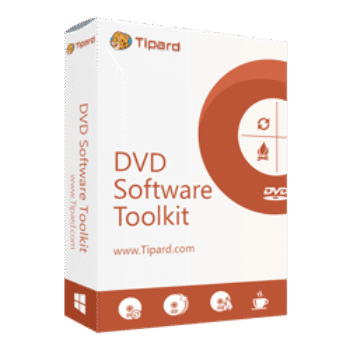
Tipard DVD Software Toolkit combines DVD ripping, video conversion, DVD creation, DVD copying, and iPhone file transfer tools into one package. It supports a wide range of video, audio, and DVD formats while also helping users back up, convert, and manage media files across PC, Mac, and iOS devices.
Tipard DVD Software Toolkit for Windows
2 plans · best save 50%
Tipard DVD Software Toolkit for Mac
2 plans · best save 50%
You may also like
Tipard DVD Software Toolkit Platinum
Use on 1 PC | Lifetime upgrade and support
Tipard DVD Software Toolkit Platinum for Mac
Use on 1 Mac | Lifetime upgrade and support
📄 Licensing & Support Details
- License type: 1 year, lifetime license
- 30-day money-back guarantee
- Register code will be sent to your email in minutes
- Free update
- 24/7 customer support
- The payment process is SSL-secured.
📝 How to apply
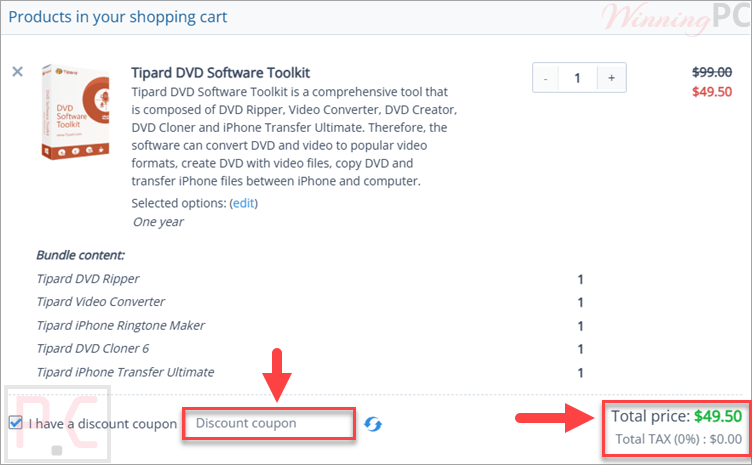
By pressing the ‘Copy Code’ button, the data is stored and you are sent straight to the checkout page to apply your savings.
Tipard DVD Software Toolkit: In-Depth Review & Features

Key Features:
- Convert DVD movies to popular video formats
- Convert SD and HD videos including MP4, MOV, MKV, AVI, FLV, WMV, MTS, and M2TS
- Extract audio from DVDs and videos into MP3, AAC, FLAC, AC3, and M4A
- Create DVD discs, DVD folders, and ISO files from videos
- Customize DVD menus with background images, buttons, fonts, and colors
- Add subtitles, background music, and audio tracks to DVDs
- Copy DVD discs to DVD disc, folder, or ISO image
- Support Full Copy, Main Movie, and Customize copy modes
- Clone DVD in 1:1 ratio while preserving original quality
- Compress DVD-9 to DVD-5 to save storage space
- Transfer music, videos, photos, eBooks, contacts, SMS, podcasts, and more between iPhone/iPad/iPod and PC
- Import media files from PC to iOS devices
- Create custom ringtones from DVD, music, or video sources
- Edit videos with trim, crop, watermark, and effect tools
- Preview videos with the built-in player
- Capture snapshots from videos
- Supports batch conversion for faster workflow
- Hardware acceleration support for faster conversion speed.
Pros & Cons:
Frequently Asked Questions
Where can I find working coupons or promo deals?
You can usually find updated Tipard DVD Software Toolkit discounts on WinningPC, along with official seasonal promotions from Tipard’s website.
What is the biggest discount currently available for Tipard DVD Software Toolkit?
WinningPC currently features a 50% OFF deal for both the 1-Year and Lifetime licenses of Tipard DVD Software Toolkit.
Can Tipard DVD Software Toolkit convert DVDs to MP4?
Yes. The software can convert DVDs to MP4 as well as AVI, MOV, MKV, FLV, WMV, and many other formats.
Does the software support HD video conversion?
Yes. It supports HD formats including HD MTS, M2TS, HD MP4, HD WMV, and HD MOV.
Can I create DVD discs from video files?
Yes. You can create DVD discs, DVD folders, and ISO files using videos in formats like MP4, MOV, AVI, MKV, FLV, and more.
Does it support DVD cloning?
Yes. The toolkit includes DVD cloning with Full Copy, Main Movie, and Customize modes.
Can I transfer files between iPhone and PC?
Yes. You can transfer music, videos, photos, contacts, SMS, podcasts, and other files between iOS devices and your computer.
Does Tipard DVD Software Toolkit work on Mac?
Yes. There is a Mac version that supports macOS 10.7 and above.
Can I edit videos before converting them?
Yes. The software includes trim, crop, watermark, and effect editing tools.
System Requirements & Details
| Language Support | English, French, Japanese, German |
| Operating System | Windows XP SP2 or later, Vista, Windows 7/8/10, macOS 10.7 or above. |
| Processor | Intel Processor and Apple M2/M3/M4/M5 chip |
| RAM & Storage | Windows: 1GB RAM or higher recommended Mac: 512MB RAM minimum |
| Supported Input | DVD Disc, DVD Folder, ISO, MP4, MOV, MKV, AVI, FLV, MTS, M2TS, MP3, FLAC, AAC, WAV and more |
| Supported Output | DVD Disc, DVD Folder, ISO, MP4, AVI, MKV, MOV, WebM, WMV, FLV, MPEG formats. |