
On this page
MobiKin Doctor for iOS Giveaway
MobiKin Doctor for iOS
A flexible iOS data recovery tool to recover lost data from iPhone, iPad, iPod touch, and iTunes & iCloud backup files.
- Product
- MobiKin Doctor for iOS
- Website
- mobikin.com
- License
- 1-Year
- Platform
- Windows 11/10/8/7
- Installer
- mobikin-ios-doctor.exe
- Support
- No technical support
- Usage
- Non-commercial use only
- Updates
- No future upgrades
- Updated
- November 16, 2026
Get your unique code by email
License key delivered free to your inbox within minutes.
Protected by Cloudflare Turnstile · Email quality checked by Reoon
All codes have been claimed or the giveaway has closed.
MobiKin Doctor for iOS Plans & Coupon Codes
MobiKin Doctor for iOS (Windows version)
4 plans · best save 70%
You may also like

MobiKin iOS Toolkit - Lifetime (Windows)
One-time payment, lifetime, free upgrades included
MobiKin iOS Toolkit - Lifetime (Mac)
One-time payment, lifetime, free upgrades included
Is this MobiKin giveaway legit?
Yes. It’s an official promotion run by WinningPC in partnership with MobiKin, and the key comes from the publisher, not a key reseller.
No crack or keygen
You install MobiKin’s own build and register it with a genuine code. Nothing is patched or repackaged.
Straight from the publisher
The free license and the coupon both come from MobiKin, and paid orders go through MobiKin’s official store rather than a third-party key seller.
Secure checkout
If you buy, payment happens on MobiKin’s HTTPS store. Your card details never pass through WinningPC.
30-day money-back
Paid plans can be refunded within 30 days. The giveaway costs nothing, so there’s no money at risk either way.
How to claim your free MobiKin key?
- WinningPC has partnered with MobiKin to give away a 1-year license for MobiKin Doctor for iOS for free. Please enter your email address on the giveaway form above to get your free license code.
- Click on the link above to download and install the software on your computer. Launch it.
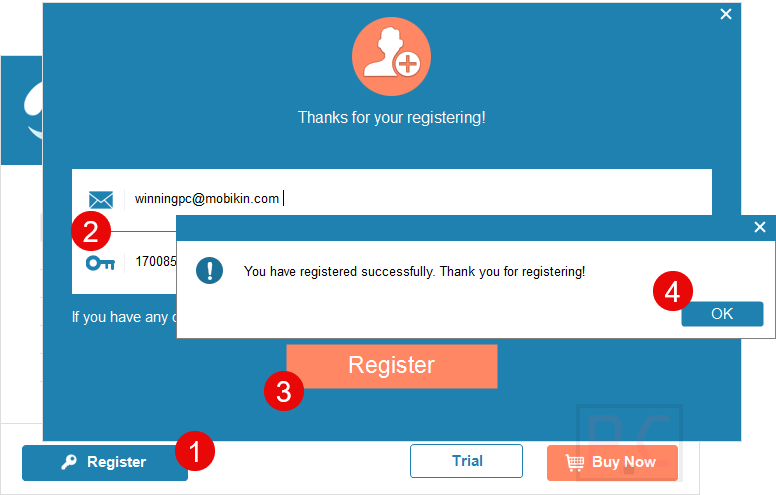
- Click on the key icon on the main screen/register, then enter the registration code above to activate it.
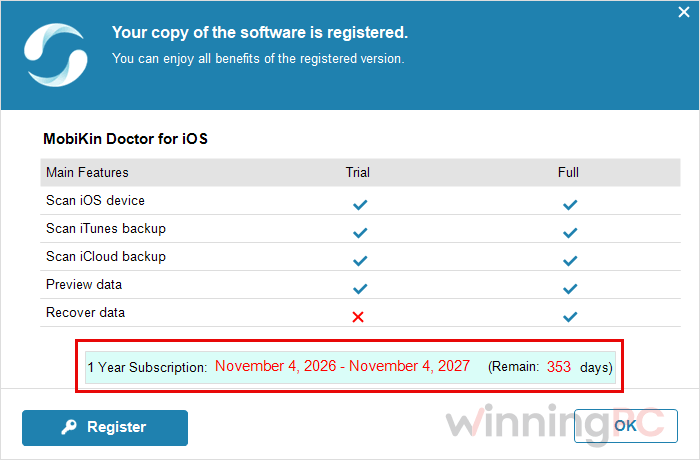
- Now you can enjoy the software for 1-year free.
How well does MobiKin Doctor for iOS actually recover data?
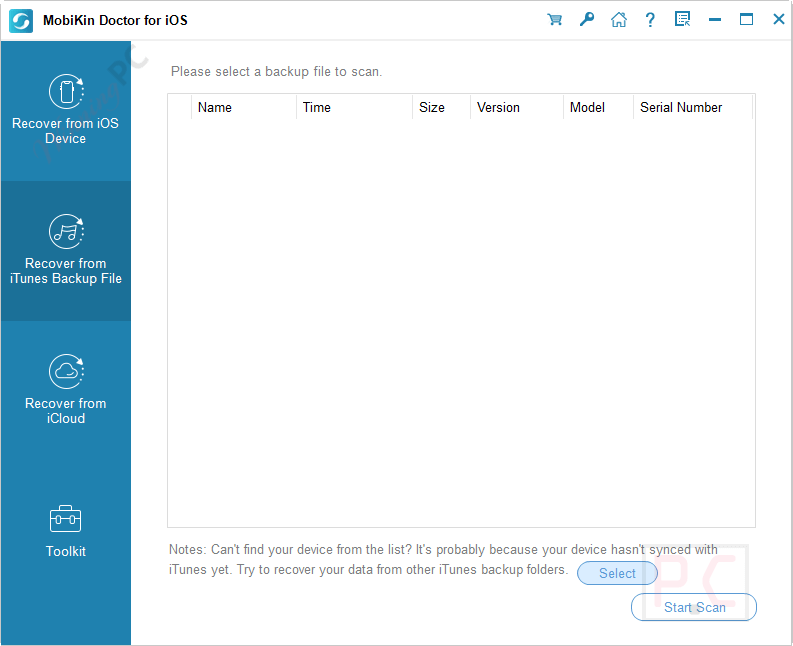
Backups are where Doctor for iOS earns its keep. Point MobiKin Doctor for iOS at an iTunes backup, even an encrypted one, and you can browse messages, contacts, notes and WhatsApp chats, then pull out only what you need while the phone stays untouched. Apple’s own restore can’t do that. It wipes the device and rolls everything back. The catch sits in MobiKin’s own spec sheet: scanning the iPhone directly finds deleted contacts, messages and message attachments only.
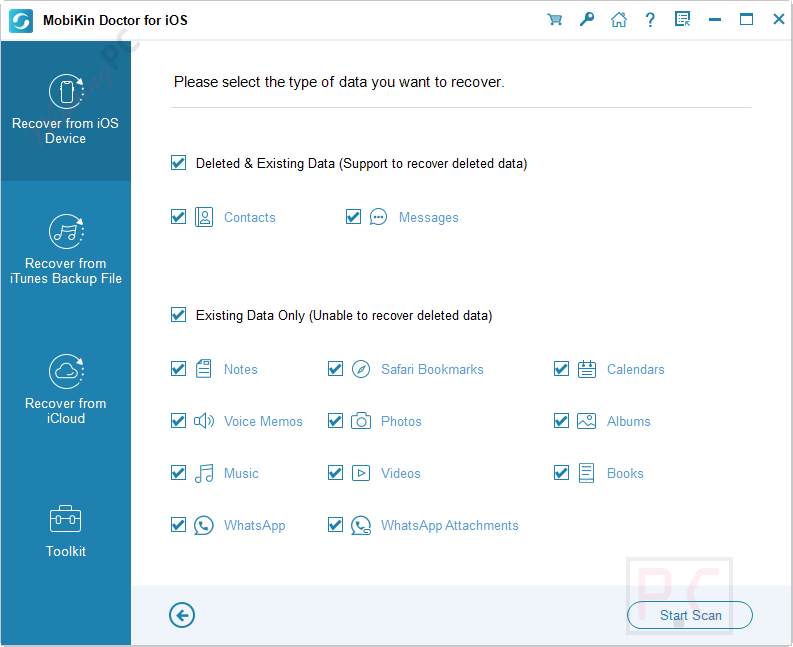
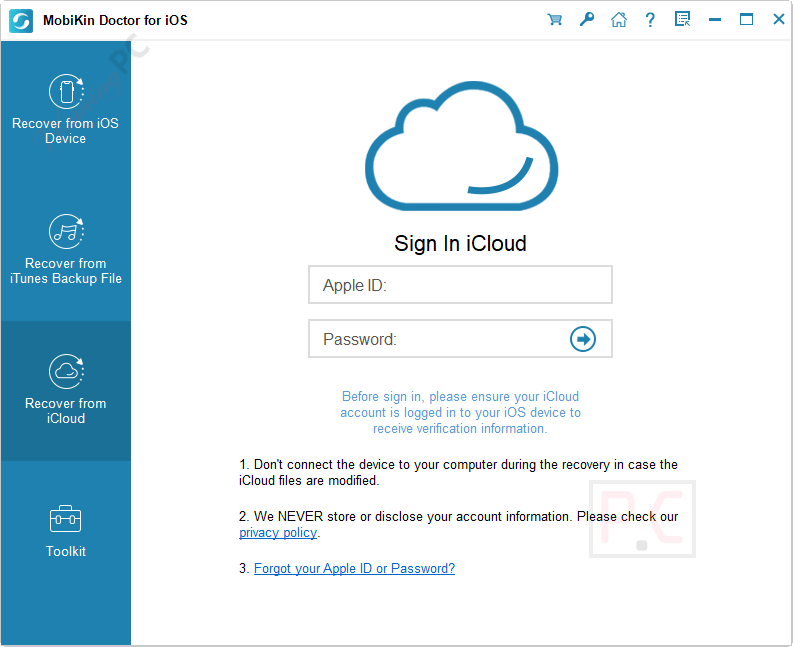
Photos, notes and the rest appear only if they still exist on the device, so the “35+ data types” figure describes what it can export far more than what it can undelete. The iCloud mode is also narrower than the name suggests, working with synced categories (contacts, photos, notes, calendars, reminders) after an Apple ID and two-factor login. Within those limits, it’s straightforward and does what it says.
Key features
- MobiKin Doctor for iOS offers users three different iPhone recovery modes to get back the deleted and lost data from iOS devices
- It enables you to recover lost data from iPhone, iPad, iPod touch, and iTunes backup files.
- It helps you restore all types of files on iPhone, iPad, and iPod touch with the highest speed and rate.
- It supports recovering deleted files, including Contacts, Messages, and Message attachments.
- The program will auto-san both deleting and existing data on your iPhone, iPad, or iPod touch
- It can backup the entire content of the iOS device in 3 simple steps: Scan – Select – Recover to the computer
- Using it, you can recover deleted data from iPhone in different situations, whether you have made a backup or not.
- It can recover data from all iPhone, iPad, and iPod touch models and run smoothly on all available iOS versions.
Pros & Cons
More MobiKin Doctor for iOS screenshots
Common questions about MobiKin Doctor for iOS
Can MobiKin Doctor for iOS recover deleted photos without a backup?
Usually not. MobiKin’s own specs say deleted-file recovery directly from the device covers contacts, messages and message attachments only. Photos still on the phone can be exported, but deleted ones need an iTunes or iCloud backup that contains them. Check the Recently Deleted album in Photos first, since iOS keeps removed photos there for 30 days.
Does it work with iPhone 18 and iOS 27?
Yes. MobiKin lists iPhone 18 models and iOS 27 as supported in version 4.3.48. The giveaway key comes without free updates, though, so support for later iOS releases isn’t guaranteed on the free version.
Can it read an encrypted iTunes backup?
Yes, encrypted iTunes backups have been supported since version 2.5.14. You’ll need the backup password you set in iTunes or Finder.
Does the iCloud mode need my Apple ID password?
Yes. You sign in with your Apple ID and password, then type in the two-factor code sent to your device. MobiKin says it never logs your Apple account information or content. If you’d rather not sign in through third-party software, the device and iTunes backup modes work without your Apple ID.
Will scanning change or erase anything on my iPhone?
No. Doctor for iOS reads the data and copies what you select to your computer through “Recover to Computer”. It doesn’t restore anything back onto the phone, so your existing data isn’t overwritten.
Can I use the free license for work?
No. The giveaway license is for non-commercial use only. For business use, buy a paid plan and confirm the license terms with MobiKin first.
System Requirements & Details
| Requirement | Details |
|---|---|
| Operating system | Windows 11/10/8/7 |
| Processor | 1GHz Intel/AMD CPU or above |
| RAM | 1GB or more |
| Disk space | 1GB or more |
| Supported iOS | iOS 5 to iOS 27 |
| Supported devices | iPhone 4 through iPhone 18 series, iPad, iPad Air, iPad mini and iPad Pro models (2010 to 2025), iPod touch 3 to 7 |
| Supported sources (input) | iPhone/iPad/iPod touch directly, iTunes backups (including encrypted), iCloud synced data |
| Deleted files recoverable from the device | Contacts, Messages, Message attachments |
| Existing files it can export | Call Logs, Contacts, Messages, Message Attachments, Notes, Note Attachments, Safari, Safari History, Calendars, Reminders, Voice Memos, Camera Roll, Photos, WhatsApp, WhatsApp attachments |
| Supported output formats | Contacts: CSV, HTML, VCF. Messages: CSV, HTML. Other files: original format and quality |
| Other requirements | USB connection to the PC; Apple ID login with two-factor code for iCloud mode |




Giveaway code:
Licensed email: winningpc@mobikin.comLicense code: FA00D7B1B988349092A0d21220B8AA106D505BD9B9E5C7E2667A805B