Tipard PDF Cutter help users cut large PDF files into smaller documents. It supports splitting PDFs by pages, bookmarks, page ranges, or equal parts while keeping the original file quality intact.
Tipard PDF Cutter
Lifetime license | Free lifetime upgrade with no limitation.
📄 Licensing & Support Details
- License type: lifetime license
- 30-day money back guarantee
- Register code will be sent to your email in minutes
- Free update
- 24/7 customer support
- Payment process is SSL-secured.
📝 How to apply
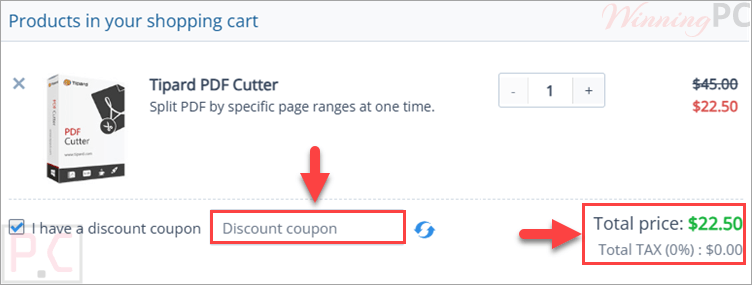
Select the ‘Copy Code’ option within the coupon section to save the code; then, you’ll be sent to the payment area to use it for a lower rate.
Key Features and Screenshots

Key Features:
- N-Page Splitting: Automatically divide your document into smaller files every set number of pages.
- Bookmark Extraction: Utilize existing PDF bookmarks to determine your split levels and cleanly separate files.
- Custom Page Ranges: Input exact page numbers to extract, and choose to compile all the remaining pages into a completely separate PDF.
- Multiple Range Targeting: Add numerous copies of the exact same source file to extract several different page ranges in a single task.
- Averaging Splits: Cut a single, heavy PDF evenly into multiple smaller, manageable files.
- Multilingual Document Support: Accurately processes PDFs containing English, Turkish, Thai, Latin, Korean, Greek, Slavonic, Arabic, Japanese, and Chinese text.
Pros & Cons:
More screenshots:


Frequently Asked Questions
Where is the best place to find valid promo codes for Tipard PDF Cutter?
You can always find verified deals and active offers for this exact software right here on WinningPC, alongside any current promotions hosted on Tipard’s official website.
How much can I save on Tipard PDF Cutter right now?
Currently, you can secure a massive 50% OFF a lifetime license by applying the exclusive deal we have listed on WinningPC.
Which operating systems are compatible with this software?
The program runs smoothly on Windows 7, Windows 8, Windows 10, and Windows 11.
Are there any feature differences in the trial version?
No, the demo version offers the exact same core functionality as the paid version. However, it does apply a 5-minute length restriction to the files you convert.
Can I split a large PDF based on its table of contents or bookmarks?
Yes. The software allows you to choose specific split levels based on the bookmarks that are already built into your PDF document.
Do I have to pay extra for future software updates?
No. Once you purchase the full lifetime version, you are entitled to free service and free updates for life.
How do I install a new update when one is released?
Simply re-download the latest installer from the official website, overwrite your current installation, and enter your original registration code.
Can I extract three different, unrelated sections from one PDF at the same time?
Yes. You can add multiple copies of the source file to your task list and assign a different specific page range to each one.
System Requirements & Details
| Operating System | Windows 7, Windows 8, Windows 10, Windows 11 |
| Processor | 800MHz Intel or AMD CPU, or above |
| RAM & Storage | 512MB RAM or more (Storage not specified) |
| Supported Input | |
| Supported Output |