WinningPC

In a world where high-quality visuals can make or break your brand, PicWish emerges as your go-to, all-in-one AI-powered photo editing suite — and it’s free. Whether you’re an online seller needing white-background product shots, a creative wanting stunning AI-generated portraits, or simply someone fixing blurry old family photos, PicWish puts professional results within everyone’s reach.
PicWish takes the hassle out of photo editing, letting you achieve studio-quality results in seconds. From removing backgrounds, unblurring images, expanding canvases, and translating text in images, to generating entirely new scenes with AI — it covers virtually every image-editing need, online or on your phone.
E-commerce sellers, designers, students, content creators, and hobbyists alike will appreciate PicWish’s intuitive interface, batch processing, and impressive AI accuracy. Available via browser, mobile app, or API, PicWish is more than just an editor — it’s a creative partner that helps you save time, money, and effort, while unleashing your imagination.
PicWish AI Photo Editor Coupon Code Oct 2026
For Pro Plan:
PicWish Pro - Yearly Plan
450 credits per month | 100 HD downloads per day
For Pay As You Go:
Web PicWish 300 Credits
$0.043/credit | Full access, with everything in free
Web PicWish 1000 Credits
$0.034/credit | Full access, with everything in free
Web PicWish 5000 Credits
$0.013/credit | Full access, with everything in free
Web PicWish 11500 Credits
$0.009/credit | Full access, with everything in free
PicWish App for iOS License Code Free
- Product name: PicWish iOS
- Website: https://picwish.com/
- License type: 3-Month
- Platform: iOS
- Download: Apple App Store
- License code:
click here
How to get the license key?
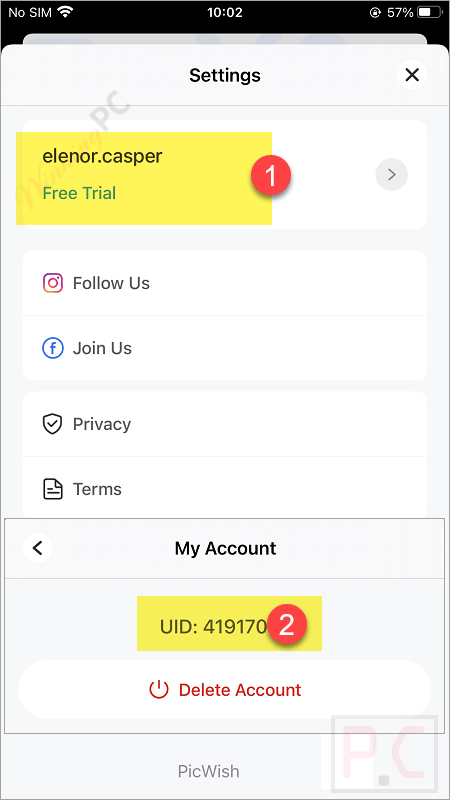
Install PicWish App via Apple App. To get started, you will need to either log in with your credentials or create a new account directly on the PicWish web. Once you have an account and you log in. From PicWish App, tap “Settings” –> “Username”, and you can see your user ID
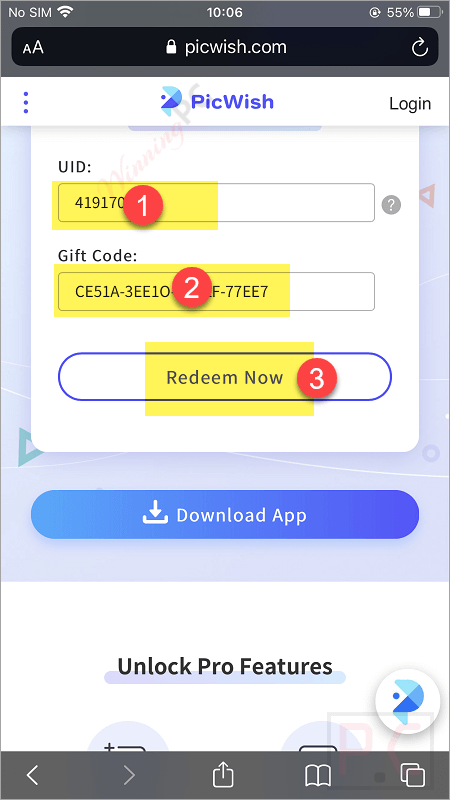
On the redeem page –> https://picwish.com/gift-code-redemption, please insert your UID and the above license code to upgrade PicWish to the Pro version
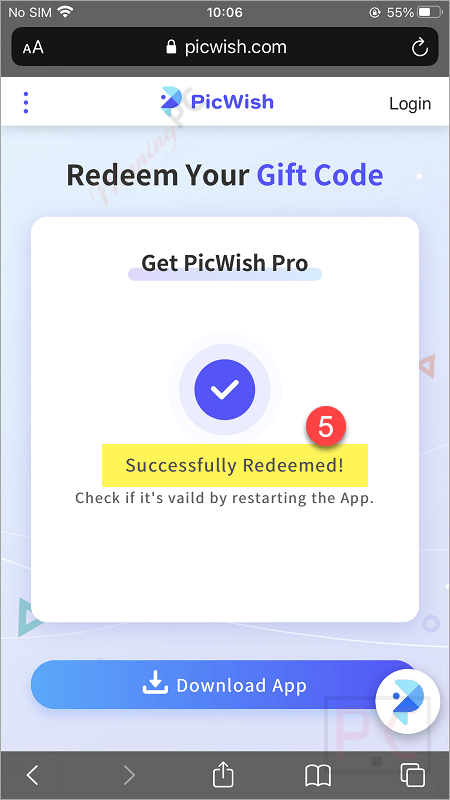
The app was reported to have 3 months of active membership.
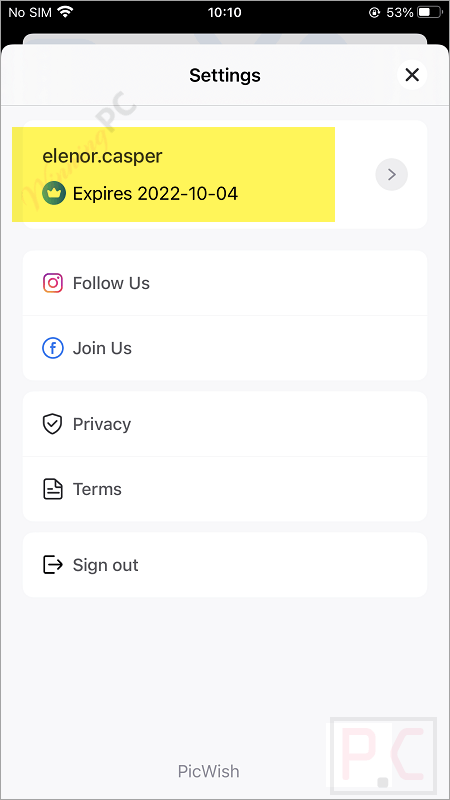
PicWish iOS Screenshot!
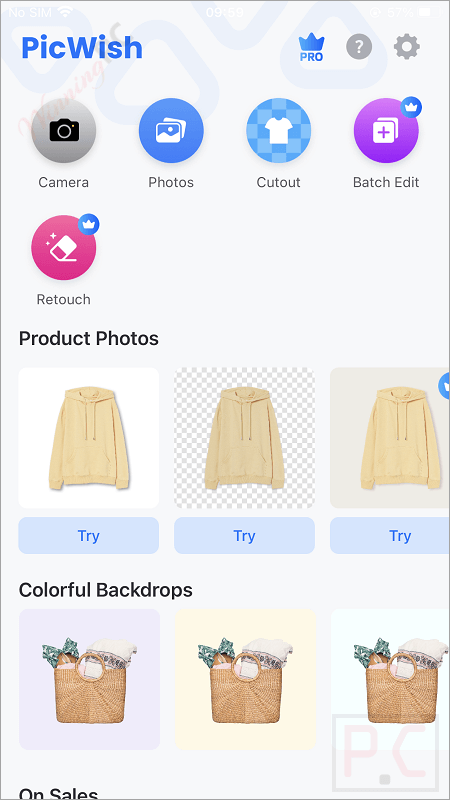
Main Features & Screenshots
Professional Background Editing
- Background Remover: Automatically remove any photo background in just 3 seconds, retaining high resolution.
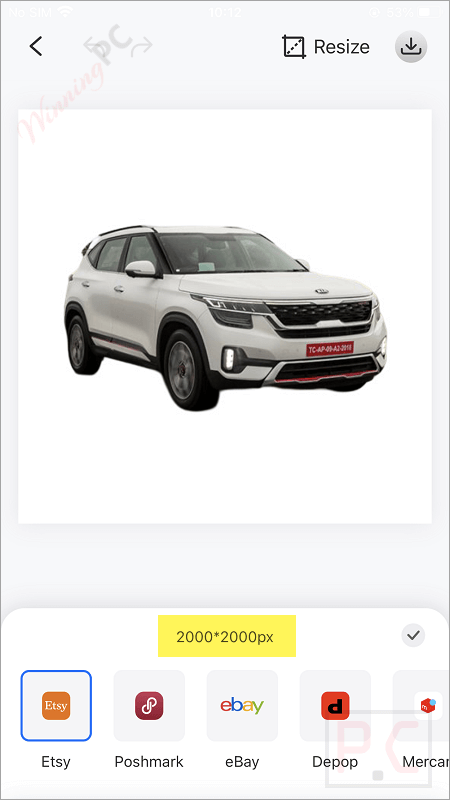
- White Background Maker: Instantly create pure white backgrounds for eCommerce platforms like Amazon and eBay, perfect for highlighting products and boosting sales.
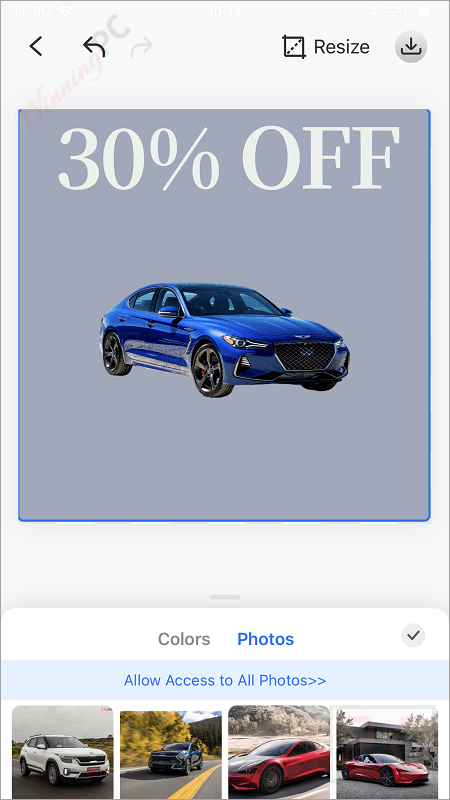
- AI Background Generator: Replace or create unique, studio-quality backgrounds — ideal for products, portraits, interior design inspiration, or branding visuals.
- AI Image Extender: Expand images beyond their borders seamlessly while preserving visual quality.
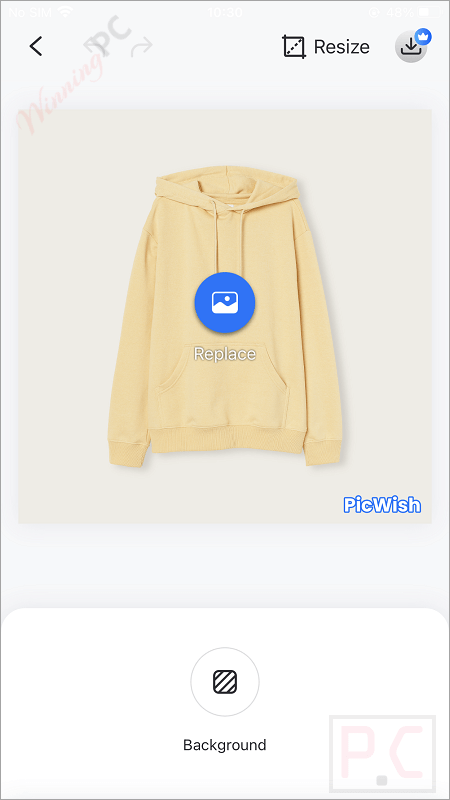
Portrait & Face Tools
- AI Face Cutout: Accurately cut out faces for portraits, kids, pets, or memes with perfect details.
- AI Face Swap: Replace faces in images in seconds — fun and seamless.
- AI Portrait Generator: Transform selfies or portraits into eye-catching artistic works in a variety of styles.
- Face Enhancement: Unblur and retouch faces for crystal-clear, vivid portraits.
- Big Head Cutouts & Meme Maker: Create creative social-ready face cutouts easily.
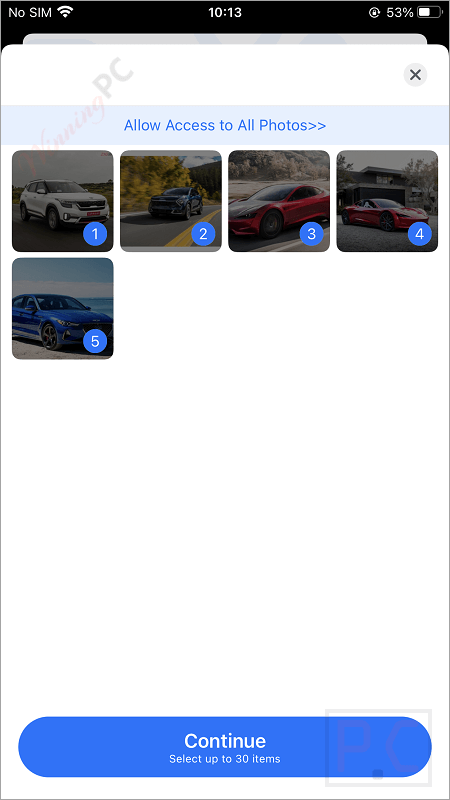
Photo Enhancement & Restoration
- Photo Enhancer: Improve sharpness, clarity, lighting, and detail in blurry or low-res images.
- Unblur Image & Image Sharpener: Restore detail and crispness to fuzzy photos, portraits, and text.
- AI Image Enlarger: Upscale photos 2x or 4x without losing quality.
- Colorize Black & White Photos: Breathe new life into old family or historic photos by adding natural colors.
Text & Translation Tools
- Image to Text (OCR): Convert text in images into editable text — supports 26 languages.
- AI Image Translator: Translate photo text into other languages while preserving layout — great for global eCommerce, travel, and learning.
- AI Image Text Enhancer: Make blurry or pixelated text clear and legible again.
Cleanup & Retouch Tools
- Object Remover: Erase unwanted objects, blemishes, text, or logos with ease.
- AI Watermark Remover: Automatically detect and remove watermarks cleanly (reminder: respect copyright laws).
- Photo Retouch: Tidy up product and portrait photos by removing distractions or defects.
Editing Utilities
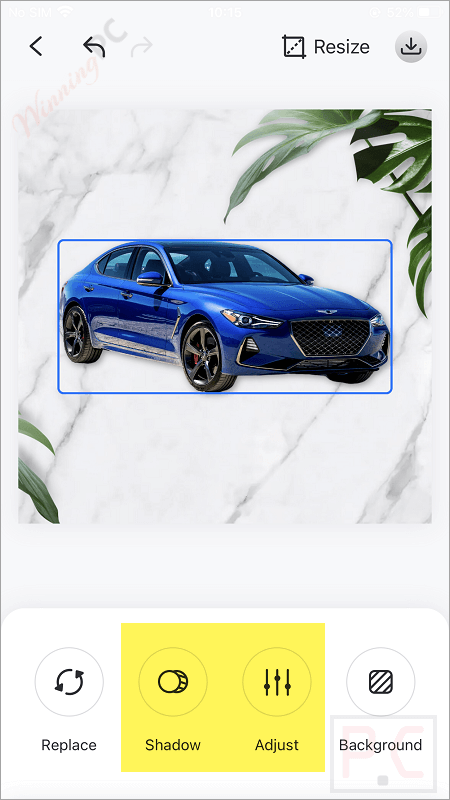
- Image Cropper & Resizer: Resize and crop to any aspect ratio or pixel dimension.
- Image Compressor: Reduce file size with lossy or lossless compression, ideal for web use.
- JPG Converter: Convert WebP, PNG, HEIC, and other formats into JPG instantly.
- Online Passport & ID Photo Maker: Create standard-compliant ID, passport, and resume photos effortlessly.
For Developers
Developer-ready APIs for background removal, photo enhancement, background generation, compression, cropping, colorization, and more — integrate PicWish into your eCommerce or printing workflow programmatically.
Pros & Cons
Conclusion: Is PicWish Worth It?
If you’re looking for a fast, easy, and budget-friendly photo editing solution, PicWish is hard to beat. Its combination of powerful AI tools, clean interface, and zero-cost entry point makes it a fantastic choice for eCommerce sellers, content creators, and anyone who wants professional-quality images without paying for expensive software or studio shoots.
While it’s not perfect — advanced users may notice some limitations in batch sizes and AI precision — it’s an excellent all-in-one platform for most everyday photo editing needs.
Frequently Asked Questions
What is PicWish?
It is a free, AI-powered photo editing platform that lets you quickly remove backgrounds, enhance photos, generate AI portraits, colorize black-and-white images, and more.
Is PicWish really free to use?
Yes! It offers a wide range of tools that are completely free to use online or on mobile. However, there are premium plans available if you need higher batch limits, better resolutions, or API access for business use.
Do I need to download any software?
No download is required to use PicWish online — it works right in your browser. But they also offer mobile apps for iOS and Android if you prefer editing on your phone.
Is PicWish good for eCommerce sellers?
Absolutely! It is especially popular among online sellers thanks to its white background maker, AI-generated product scenes, image enhancer, and batch editing — all perfect for Amazon, eBay, Etsy, and Shopify product photos.
Are there any discounts on PicWish paid plans?
Yes! If you’re planning to upgrade to a premium plan or API package, make sure to check out WinningPC.com first. They often offer exclusive discount codes that save you up to 82% on PicWish and many other software tools. Don’t pay full price — grab your deal now at WinningPC!
Technical Details
| Language Support | Supports 26+ languages for interface and OCR/translation (including English, French, Spanish, German, Japanese, Portuguese, etc.) |
| Money Back Guarantee | 7-Day |
| Operating System | Web-based (works on any browser), iOS (App Store), Android (Google Play) |
| Shipping | Register code will be sent to your email in minutes |
| Subscription | monthly, weekly, yearly, or pay-as-you-go credits |
| Support Services | Online help center, email support, and FAQs for self-service |