
 Laura Marano

Aiseesoft AnyCoord lets you modify the actual GPS coordinates of your iPhone, iPad, or Android device using a Windows or Mac computer. It allows you to set a fake virtual location, simulate movement along customized routes, and hide your real position on social networks or dating apps with just a few clicks.
Aiseesoft AnyCoord for Windows
4 plans · best save 50%
Lifetime/Unlimited Devices
Support unlimited devices | free upgrades
Aiseesoft AnyCoord for Mac
4 plans · best save 50%Lifetime/Unlimited Devices
Support unlimited devices | free upgrades
📄 Licensing & Support Details
- License Type: 1 Month, 1-Year, Lifetime license
- 30-Day Money-Back Guarantee
- Free Upgrades
- Technical Support
- 100% Secure.
📝 How to apply
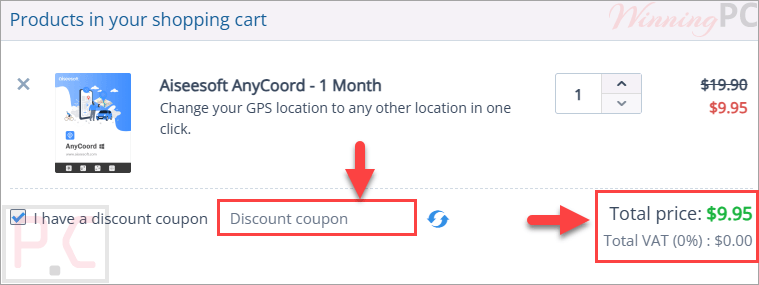
As soon as you hit ‘Copy Code’ in the discount box, the system copies the code and sends you to the checkout stage to finalize your deal.
Aiseesoft AnyCoord License Key Free Download
- Product name: Aiseesoft AnyCoord
- Website: https://www.aiseesoft.com
- License type: 1-year
- Platform: Windows
- Download: anycoord.exe
- Giveaway link:
click here
How to get the license key?
Access the Aiseesoft giveaway page, and enter your name/email to request a free license code for Aiseesoft AnyCoord. Just check your inbox to copy this license (don’t translate the email):

After installation, activate the program to use all functions:

Connect your phone then press “Start” to change where you want to go:

Aiseesoft AnyCoord: In-Depth Review & Features

Key Features:
- Change GPS location on iPhone, Android, and iPad with one click.
- Set a virtual location anywhere by entering destination information.
- Import and export GPX files for locations and routes.
- Create simulated movement routes for mobile devices.
- One-stop Mode for automatic travel between two locations.
- Multi-stop Mode for custom routes with multiple waypoints.
- Joystick Mode for free GPS movement control.
- Adjustable movement speed from 1 m/s to 50 m/s.
- Route history tracking with distance records.
- Works on both Windows and Mac computers.
- Supports location simulation for AR games.
- Hide or modify location information on social and dating apps.
- Compatible with a wide range of iOS, Android, iPadOS, and iPod devices.
Pros & Cons:
More screenshots:


Frequently Asked Questions
Where can I track down working promo codes for Aiseesoft AnyCoord?
You will find the most reliable and active discounts right here on WinningPC, which partners directly with developers, though you can also check Aiseesoft’s official site.
What is the absolute biggest markdown available for this location changer right now?
Currently, the highest savings you can get is a massive 50% OFF the 1-Month License through our exclusive WinningPC deal.
Can I use my mouse to control my phone’s movement?
Yes, by selecting Joystick Mode, you can use your computer mouse to freely move your Android or iOS device’s location on the screen.
Is it possible to adjust how fast my virtual location travels?
Absolutely. You can customize the movement speed by dragging a slider, ranging from a slow 1m/s up to 50m/s.
Will this tool help me play Pokemon Go if I stay indoors?
Yes, it allows you to plan a moving route so you can play AR games normally without having to walk outside.
Can I load my own location data into the software?
Yes, it supports importing GPX files to set a specific track, and you can export them as well.
Does this work for dating apps like Tinder?
Yes, you can use it to hide or modify your real position on dating apps to protect your privacy or meet people in other cities.
Do I need a computer to run this software?
Yes, the program is installed on a Windows or Mac computer, and it alters the GPS of your connected mobile phone.
System Requirements & Details
| Operating System | Windows 11/10/8.1/8/7 Mac OS X 10.12 or above; iOS 5-26; iPadOS 13-26; Android 6.0-16 |
| Processor | 1GHz Intel/AMD CPU or Apple M-series |
| RAM & Storage | Win: 1GB RAM minimum Mac: 512MB RAM minimum (1024MB recommended) |
| Supported Input | GPX file |
| Supported Output | GPX file |





Aiseesoft AnyCoord is apparently ONLY for a combination of a Microsoft Windows computer and an Apple iOS phone.
NOT an Android phone ( and NOT a Windows phone! ), and NOT a phone on it’s own – that is, Aiseesoft AnyCoord can’t be used on a phone that is NOT tethered to a Microsoft Windows computer.
.