
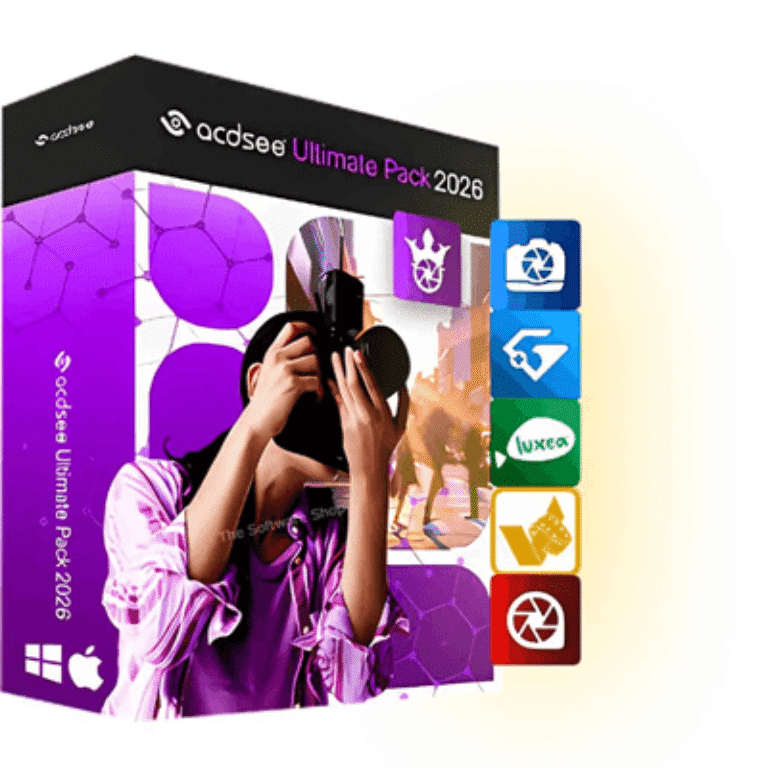

ACDSee Ultimate Pack 2026 Giveaway
ACDSee Ultimate Pack 2026
Brings together five professional applications so you can handle every stage of photography and video.
- Product
- ACDSee Ultimate Pack 2026
- Product website
- acdsee.com
- License
- 6-month
- Platform
- Windows & macOS
- Usage
- Non-commercial only
- Updates
- Free update for 6-month
- Support
- No support
- Updated
- 2026-07-29
Continue on casopis.chip.cz
Share to reveal the official giveaway page, then register there to receive your license.
This giveaway ended on .
67% Off VideoProc Converter AI (Lifetime License for 2-5 PCs) + Gifts
How to Get the ACDSee Ultimate Pack 2026 License Key for Free
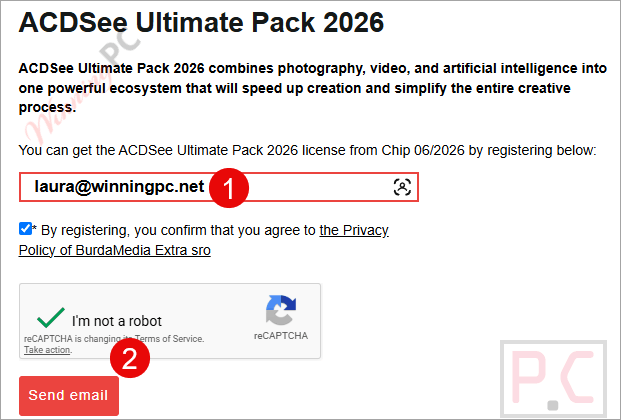
- Go to ACDSee’s official giveaway registration page and enter your email address, then submit the form.
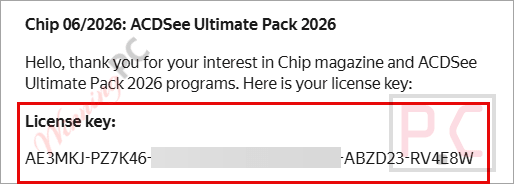
- Check your inbox for an email from ACDSee. It contains your free 6-month license key.
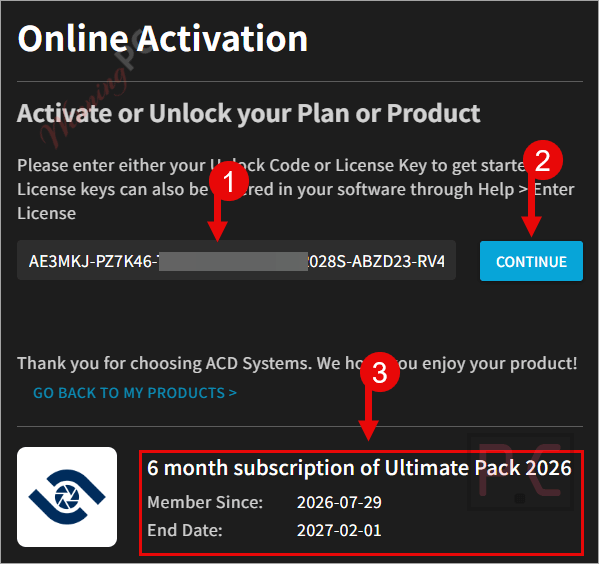
- Click on the online activation link. Log in or create a free acdID account, then paste your key into the “My Account / Online Activation” field and confirm.
- Once activation succeeds, a download link appears on the page – use it to download the apps you want to install.
- Run each installer, sign in with your acdID when prompted, and select the available Ultimate Pack license to unlock full access for the 6-month term.
Is the ACDSee Discount & Giveaway Safe and Legit?
No crack or keygen involved
You receive a genuine license key from ACDSee’s servers. The software download is the publisher’s official build — nothing patched, repackaged, or modified.
Official publisher source
Registration and activation both happen on acdsee.com. ACDSee has been operating as a software publisher for over 30 years.
Secure HTTPS registration
Your email is submitted on ACDSee’s encrypted site. WinningPC does not handle your personal data or any payment details.
Paid plans carry a 30-day refund
If you decide to upgrade to a paid license after the giveaway period ends, all ACD Systems purchases include a 30-day money-back guarantee. The giveaway itself costs nothing.
ACDSee Ultimate Pack Review & Features
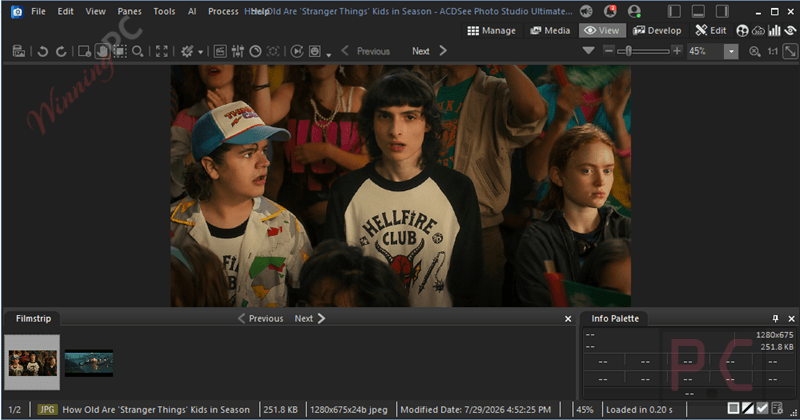
ACDSee Ultimate Pack 2026 is more coherent than most software suites because the five apps don’t significantly overlap. Photo Studio Ultimate handles the full Windows photography workflow – ingesting RAW files, non-destructive editing with AI-powered masking, layered compositing, and face recognition across a large archive. Gemstone takes a different angle: it’s a design-centric layered editor, closer in feel to Photoshop, for users who want to build compositions rather than just process photos. For photographers using both Windows and Mac, Photo Studio for Mac 26 gives Apple-native DAM and RAW editing with AI tools that process locally rather than sending images to a server.
LUXEA Pro 8 is the most updated piece of the pack. The combination of AI Super-Resolution for 4K upscaling, frame-by-frame motion tracking, hardware-accelerated exports, and a built-in screen recorder puts it in a credible tier for content creators who don’t need a full DaVinci Resolve setup. Video Converter Pro 5 rounds things out for batch conversion, though it’s worth noting that HandBrake covers most of those same formats for free – it’s the weakest link in the bundle for anyone already using a free converter.
Key features
- AI Digital Asset Management with facial recognition and keyword tagging across large photo libraries (Photo Studio Ultimate 2026 and Photo Studio for Mac 26)
- Non-destructive RAW editing with AI Denoise, AI Develop Presets, and Develop Mode masking tools (all three photo apps)
- Layered image editing with multi-document interface, AI Hair Masking, and AI Face Edit retouching (Gemstone Photo Editor 16)
- LUXEA Pro Video Editor 8: AI Super-Resolution to 4K, AI Motion Tracking, multi-track timeline, screen and webcam recording up to 120fps, TikTok/YouTube direct export
- Video Converter Pro 5: batch conversion across 50+ input formats with customizable output presets and DVD burn/rip
- All AI processing runs on-device — no files are sent to remote servers
What we think
Screenshots
Frequently Asked Questions
Can I use this giveaway key for freelance or commercial projects?
No. The license is explicitly non-commercial and covers one personal computer only. Photographers, designers, or video editors earning income from their work cannot legally use this key for paid projects. A paid ACDSee license is required for commercial use – verify the exact commercial terms on acdsee.com before purchasing.
How does LUXEA Pro 8 compare to DaVinci Resolve’s free tier?
DaVinci Resolve’s free tier is more capable for serious color grading and professional long-form cuts. LUXEA Pro 8 suits creators who want a simpler workflow, built-in screen recording, and one-click upload to YouTube and TikTok. If video work is your primary focus, Resolve is worth considering. LUXEA Pro earns its place here mainly for all-in-one convenience alongside the photo tools.
Is this a subscription that will auto-charge me after 6 months?
No. The giveaway key is a one-time code for a 6-month term. There is no automatic renewal or recurring charge. Access simply expires at the end of the period unless you choose to purchase a license separately.
System Requirements & Details
| Feature | Specifications |
|---|---|
| Windows | Windows 10 / 11 (64-bit editions only) |
| macOS | Sonoma (14), Sequoia (15), Tahoe (26) |
| Processor (Windows) | Intel Core i3 or AMD Ryzen, 2 GHz+; Intel 6th Gen or equivalent recommended for HD/4K |
| RAM (Windows) | 8 GB minimum; 16 GB required for HD/4K video editing |
| Display | 1920 x 1080 minimum |
| GPU (Windows) | Intel HD Graphics 530 / NVIDIA GeForce GTX 1050 / AMD Radeon R5 with 2 GB VRAM; 4 GB VRAM required for 4K editing and AI Super-Resolution; DirectX 12 feature level 12_0 required for AI upscaling on GPU |
| Storage | 4 GB available disk space (SSD recommended for HD/4K) |
| Processor (Mac) | Apple Silicon or Intel |
| RAM (Mac) | 4 GB minimum (8 GB recommended) |
| GPU (Mac) | Metal-compatible GPU required |
| Video Converter Pro 5 — input formats | 3G2, 3GP, ASF, AVI, DV, F4V, FLV, H264, MKV, MOV, MP4, MPEG, MTS, M2TS, MXF, OGG, RM, RMVB, SWF, TS, VOB, WEBM, WMV, and 30+ additional formats (full list: 3G2 3GP 4XM ASF AVI AVS CPK DIF DV DXA F4V FLIC FLV H261 H263 H264 M1V M2TS M2V M4V MJPG MJPEG MKV MOV MP4 MPG MPEG MTS MTV MVE MXF NSV NUT OGG PVA R3D RM RMVB ROQ RPL SEQ SMK STR SWF THP TS VQA VID VOB VRO WC3 WEBM WMV Y4M YUV) |
| Video Converter Pro 5 — output formats | 3GP, ASF, AVI, DV, FLV, M4V, MKV, MOV, MP3, MP4, MPEG1, OGG, TS, WMA, WMV |
| LUXEA Pro 8 — export formats | MP4, MOV, MP3, M4V, WebM, GIF, WAV |
| RAW camera support | 750+ camera models (Photo Studio Ultimate 2026 and Photo Studio for Mac 26) |




It’s really “UNBELIEVABLE” that such a complete program; probably the best of its kind, with so many features, doesn’t have the second most spoken language on the planet (Spanish) nor, much less, support for it in the app. It’s not possible that the owner of an audiovisual company has to be translating or paying for translations for their employees. Excellent program, terrible support. Cheers.
Es realmente “INSÓLITO” que un programa tan completo; probablemente el mejor de su tipo, con tantas funciones, no tenga el segundo idioma más hablado del planeta (español) ni, mucho menos, soporte para él en la aplicación. No es posible que el dueño de una empresa audiovisual tenga que estar traduciendo o pagando por traducciones para sus empleados. Excelente programa, soporte terrible. Saludos.
Hi there
This is a great offer, which I would like to try out BUT, I currently have ACDSee Gemstone 12 and Luxea Pro Video Editor 7, both with lifetime licenses installed. I do NOT want to lose them.
Is it possible to install the whole giveaway package for the 6 month trial, without the existing installations being overwritten or uninstalled, meaning can Gemstone Photo Editor 16 and Luxea Pro Video Editor 7 be co-currently installed?
I would appreciate a quick response, before the Giveaway expires, in case I have to install.
Thank you in advance
May be this might help someone, although there was no response to my comment above.
I directly contacted ACDSee Support and they assured me installing the Giveaway would not affect or overwrite existing installations of their products.
Following the instructions on this site to get the Giveaway, though gets you getting a response in Czech and which unfortunately has no key! May be they forget to type it in.
I contacted support from the Czech Chip Magazine whose address is shown on the page with 6 hours remaining until giveaway expires, now 5 hours remaining, with screenshots of the email I got with missing key, etc, but no response yet as of now.
Even more strange, here is a translation at the bottom of the email which has the missing key, remembering the giveaway was for 2 or 3 days IN JULY, now a couple of hours remaining: “The registration, installation and activation period is guaranteed until the end of June 2026.”
What does that mean for a Giveaway offered at the end of July 2026?
Anyway, WinningPC or the the publisher of the Giveaway can respond and clear this!