Laura Marano
AdLock Premium is a system-wide ad-blocking and web security utility engineered to intercept intrusive advertising across browsers and standalone applications. Bypassing standard browser extensions, it natively blocks pop-ups, banners, and auto-playing video ads at the network level to accelerate page load times and minimize bandwidth consumption.
- Discount Status: ✅ Active & Verified
- Last checked: October 2026
- Offer: 94% Off
- Code: TAK***20
AdLock Ad Blocker Premium Plan: Lifetime Subscription
94% off coupon code: regular price $210.0, discounted price $12.0
AdLock Multi-Device Protection (1 month/5 devices)
$3.5/Monthly (billed every month)
AdLock Multi-Device Protection (1 year/5 devices)
53% Off coupon code: regular price $42, discounted price $19.74
AdLock Multi-Device Protection (5 years/5 devices)
70% discount coupon code: regular price $210, discounted price $63
Key Features and Screenshots
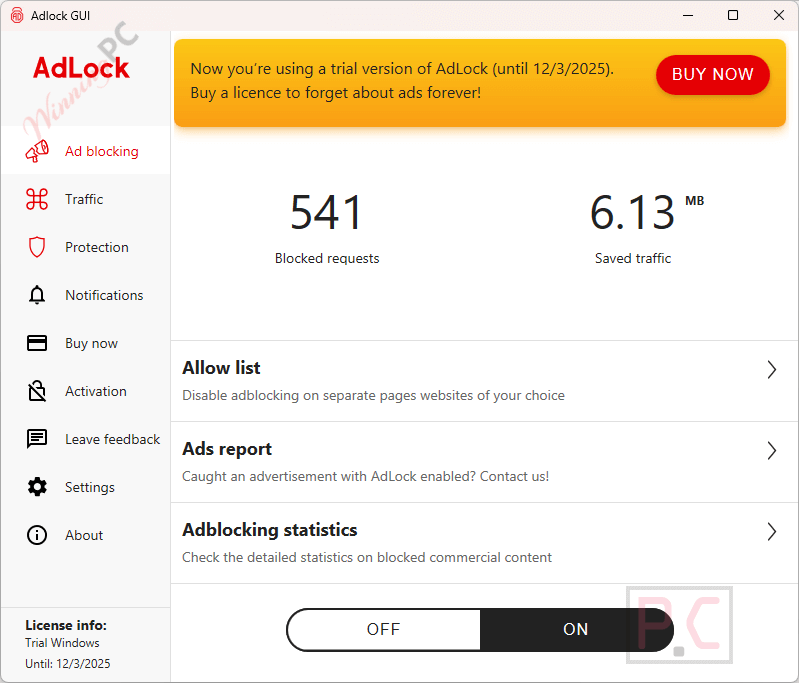
- System-wide ad blocking: AdLock Premium blocks ads in browsers, apps, games, and software, not just within extensions.
- Removes all types of ads: Banners, pop-ups, autoplay video ads, floating ads, and in-app advertising on all modern browsers (Google Chrome, Opera, Microsoft Edge, Mozilla Firefox) and on apps (Skype, KMPlayer, uTorrent, etc.).
- Privacy protection & anti-tracking: Stops tracking scripts, analytics tools, and data collectors from following your activity.
- Anti-malware & phishing defense: Warns you about harmful websites, phishing attempts, and malicious links.
- Faster browsing & performance: Pages load faster and smoothly because heavy ad scripts and trackers are removed.
- Reduced data and bandwidth usage: Blocks resource-heavy ads to help you save mobile data and internet traffic.
- Custom filter rules & whitelist: Ability to allow trusted sites/apps while blocking others.
- HTTPS filtering: Blocks ads even on secure websites that other blockers can’t reach.
- Crypto-mining script protection: AdLock Premium prevents websites from secretly using your CPU for mining.
- WebRTC leak blocking: Helps protect your real IP address when using a VPN.
- Automatic updates: Filters and rules update automatically to stay effective against new ad types.
- Works on multiple platforms: Supports Windows, macOS, Android, and iOS devices
How to Use (Step-by-Step Guide)
Step 1. Download AdLock Premium
Go to the official AdLock website. Choose your platform (Windows, Android, or iOS). Download and install the app on your device.
Step 2. Enable System-Wide Ad Blocking
Open the AdLock dashboard:
– Turn on Ad Blocking or Enable Protection.
– On Android, you may need to grant VPN permission for filtering.
– On iOS, enable Content Blockers in Safari settings.
Step 3. Configure HTTPS Filtering (Optional)
HTTPS filtering allows AdLock to block ads on secure (SSL) sites. Turn on HTTPS Filtering in settings. Accept the security certificate if prompted.
Step 4. Customize Your Filters
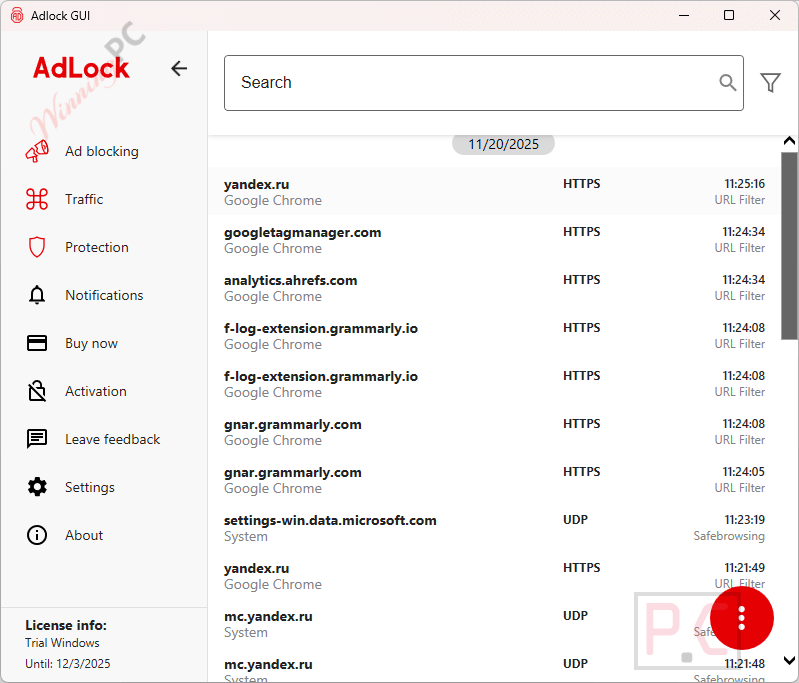
Go to Filters or Rules. Enable or disable filters as needed. Add your own custom blocking rules if necessary.
Step 5. Whitelist Trusted Websites & Apps
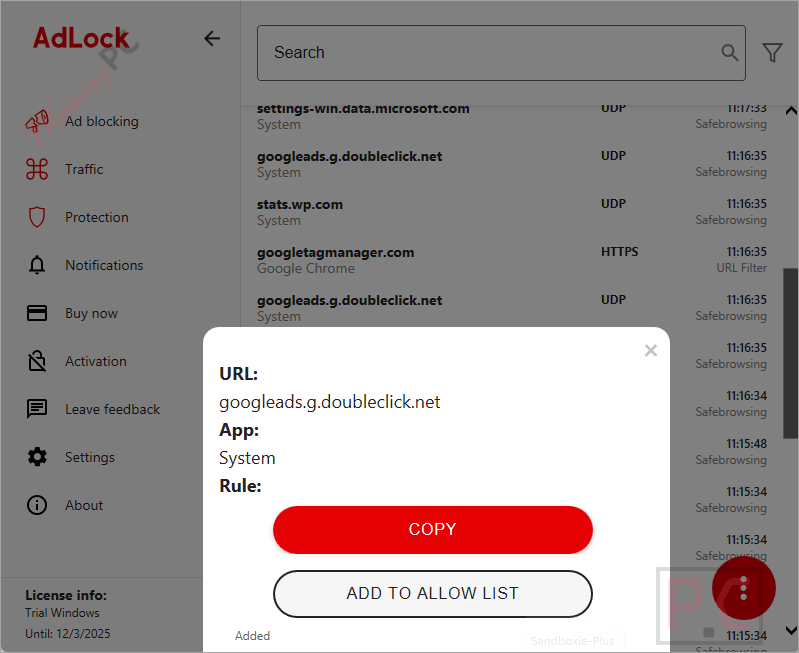
If a site doesn’t load correctly, open the whitelist section. Add the URL or app to allow it to run unblocked. This is helpful for banking sites, email services, or trusted apps.
Step 6. Enable Extra Protections
Activate these optional features for better security:
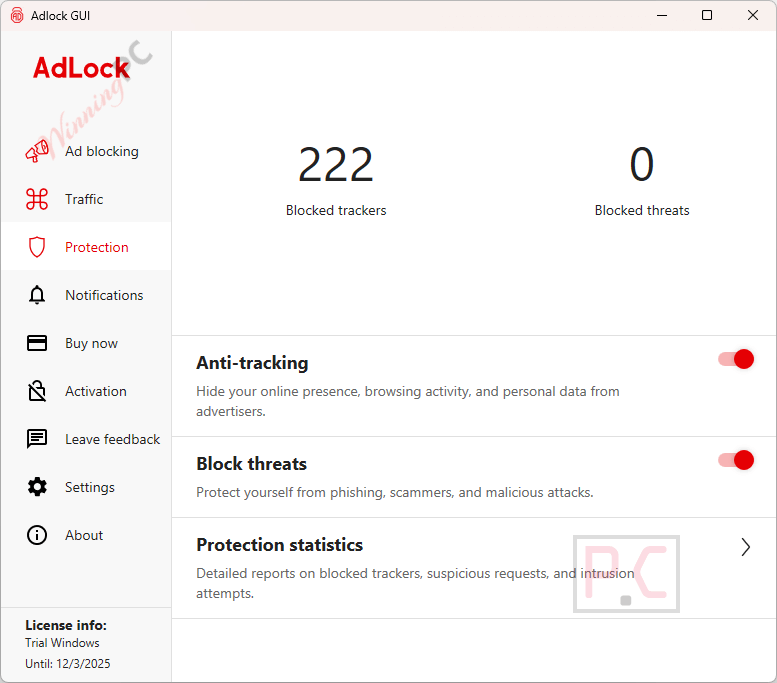
– Anti-tracking
– Anti-phishing
– WebRTC blocking
– Crypto-mining protection
Frequently Asked Questions
Does AdLock block ads inside apps and games?
Yes. AdLock Premium blocks ads system-wide, so it removes ads not only in browsers but also inside apps, games, and other programs.
Will it slow down my device?
No. It is lightweight and designed to run quietly in the background without using many system resources.
Can I whitelist websites I trust?
Absolutely. You can add websites or apps to the whitelist if you want ads or scripts to remain unblocked on certain pages.
Can AdLock protect my privacy?
Yes. It blocks trackers, analytics tools, phishing websites, and harmful scripts to keep your data safe while browsing.
Will AdLock interfere with banking or government websites?
Some secure websites may need to be whitelisted. If something doesn’t load correctly, simply add it to the whitelist.
Is there a discount code available for AdLock Premium?
Yes! WinningPC offers a special coupon code mult_5y***_70 that helps you save up to 94% on AdLock Premium plans.
Why Choose WinningPC
- Why Trust? We are committed to providing 100% valid and verified coupon codes, so you can always shop with confidence.
- Found an Invalid Coupon or a Better Deal? If you encounter an invalid code or a better offer, please let us know. Our team updates all discount information regularly to ensure accuracy.
- Official Authorization: We only share authentic discounts from trusted software developers.
- No Fake Discounts: Unlike some sites, we never use misleading deals. The final price you see is the true discounted price.
- Secure Purchases: All transactions are processed on the official vendor’s website, ensuring authenticity and data protection.
- Extra Support: If you face order or vendor issues, contact us. We’ll liaise with the vendor to help resolve your problem quickly.
Technical Details
| Language Support | English, Français, Italian, Spanish, Swedish, and more… |
| Money Back Guarantee | 30-Day |
| Operating System | Windows 7, 8, 10, 11 macOS 11.0 and above Android, iOS, Android TV, Chrome, Safari, Firefox |
| Shipping | Register code will be sent to your email in minutes |
| Subscription | 1-Month, 1-Year, Lifetime |
| Support Services | Email, Phone |