
 Cathryn Lee
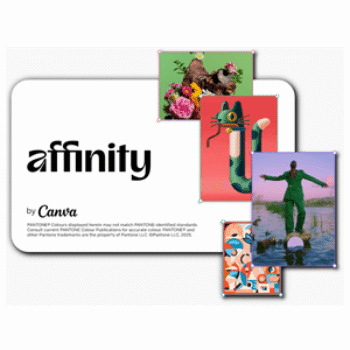
The all-new Affinity has arrived — a single, fully reimagined design app that combines photo editing, vector graphics, and page layout tools in one fast, high-performance platform. Now part of the Canva family, Affinity keeps everything professionals love while becoming completely free for everyone.
Top Design App Coupon Codes (100% Working)

MyDesigns Pro Plus - Yearly Plan
48% off promo code: regular price $1199.88, discounted price $629.92
−48%
MDSP•••Copy → 
CorelDRAW Subscription - Annual License
31% off coupon code: regular price $269, discounted price $185
−31%
No c•••Copy → 
Giveaway: How to Download Affinity App for Free
- Product name: Affinity Studio
- Website: https://www.affinity.studio/
- License type: lifetime
- Platform: Windows, macOS
- Download link: https://www.affinity.studio/get-affinity
Access the giveaway page and click on the “Sign up to download”

Install this software on your computer:

Log in or sign up with a free Canva account

Enjoy!

Main Features
- One Unified App (Vector + Photo + Layout)
– Photo editing, vector design, and page layout tools now live inside one platform.
– No more separate apps or switching workflows — everything works seamlessly together. - 100% Free, Forever
– Full, professional-grade design tools available at zero cost.
– No subscription, no hidden versions, no paywalls. - Customizable Studios & Workspaces
– Mix and match tools from Vector, Pixel, and Layout modes.
– Build your own custom workspace for different tasks or projects.
– Save, share, and download custom studios made by the community. - High-Performance Real-Time Editing
– Ultra-fast engine with real-time previews.
– Smooth panning, zooming, and editing — even with huge files or thousands of layers.
– Precision up to 10,000,000% zoom. - Professional Vector Tools
– Accurate path adjustments, snapping, shapes, strokes, and transforms.
– Ideal for branding, illustration, icon design, UI assets, and more.
– Everything updates instantly as you edit. - Advanced Photo Editing & RAW Development
– Full non-destructive editing workflow.
– Smart selections, live filters, masking, blending, and compositing.
– GPU-accelerated performance for heavy files.
– Batch processing to speed up repetitive tasks. - Powerful Layout & Publishing Tools
– Build publications from brochures to multi-page reports.
– Smart Master Pages, shared styles, and advanced text tools.
– Edit images, graphics, and text directly in the document with live updates. - Built for Creative Flow
– No need to switch apps during a project — everything is integrated.
– Designed to minimize interruptions and keep inspiration alive. - Enhanced with Canva AI (for Canva Premium users)
– Optional Canva AI Studio inside Affinity.
– Generative Fill, Expand, Edit, Remove Background, and more.
– Works privately — your files aren’t used to train models. - Easy Collaboration with Canva
– Export Affinity projects directly to Canva.
– Ideal for teams that blend pro design workflow with fast content production. - Familiar Yet Reimagined
– Long-time Affinity users will feel at home.
– Refined UI, improved tools, and better performance — without losing the original workflow. - Designed With the Community
– Built based on thousands of feature requests and real user feedback.
– Guided by Canva’s Designer Advisory Board to ensure pro-level reliability.
Technical Details
| Language Support | English, French, German, Italian, Spanish, Portuguese, Japanese, Chinese, Bahasa Indonesian, and Turkish |
| Money Back Guarantee | n/a |
| Operating System | Windows, macOS |
| Shipping | n/a |
| Subscription | Lifetime |
| Support Services |





The only problem with this is it is dependant upon their activation server remaining operational… how long will they pay to keep the service going with no returns? And the install size is WELL OVER 1GBytes!
This product is now part of Canva, and it’s actively used to power some of their AI photo features, so the activation server is likely to remain online for the long term.
As for the install size, over 1GB is quite normal for a photo editing or AI-powered tool, especially with built-in models and effects.
Thank you very much , this is one of the best apps I have ever downloaded from WiningPC.
If you need a professional photo editing software , this app is for you, just remember this : when you want to download app just choose ” Enterprise Intel/AMD ” section if your pc runs by an Intel processor.
“Yes, Affinity really is free. That doesn’t mean you’re getting a watered-down version of the app though. You can use every tool in the Pixel, Vector, and Layout studios, plus all of the customization and export features, as much as you want, with no restrictions or payment needed. The app will also receive free updates with new features and improvements added.”
Looks like a very interesting program with many features. Going to try it out.
Thank you!
Yep, just one thing: you need a Canva Premium plan to unlock all of Canva’s AI features in Affinity.