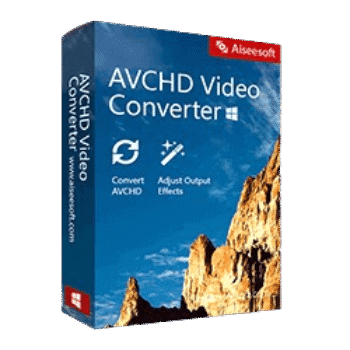
Aiseesoft AVCHD Video Converter allows users to convert AVCHD camcorder recordings, including MTS and M2TS files, into widely supported video and audio formats. Beyond conversion, it offers batch processing, built-in editing tools, 4K video support, device-optimized presets, and even 2D-to-3D conversion capabilities.
Aiseesoft AVCHD Video Converter for Windows
2 plans · best save 50%
Aiseesoft AVCHD Converter for Mac
2 plans · best save 50%
📄 Licensing & Support Details
- License Type: 1 Year, Lifetime license.
- 30-Day Money-Back Guarantee
- Free Upgrades
- 24/7 Customer Support
- 100% Secure.
📝 How to apply
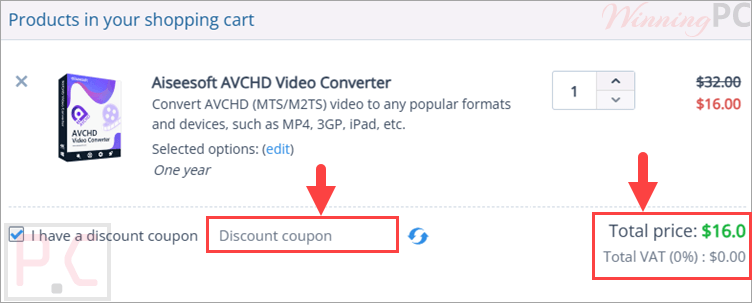
Use the ‘Copy Code’ button in the coupon section above to copy the code and be transferred to the checkout, where you can redeem your savings.
Aiseesoft AVCHD Video Converter: Review & Features

Key Features:
- Convert AVCHD MTS/M2TS videos to MP4, MOV, AVI, MKV, FLV, WMV, MPG, and many other formats.
- Extract audio from AVCHD videos and save as MP3, WAV, WMA, AAC, FLAC, OGG, and more.
- Supports HD, Full HD 1080p, and 4K UHD video conversion.
- Convert 2D AVCHD videos into 3D video files.
- Compatible with AVCHD footage from Panasonic, Sony, JVC, Canon, Hitachi, Leica, and other camcorders.
- Batch convert multiple AVCHD files simultaneously.
- NVIDIA CUDA and AMD APP acceleration support for faster processing.
- Multi-core CPU optimization.
- Built-in video editing tools for trimming, cropping, rotating, and merging videos.
- Adjust brightness, contrast, saturation, hue, and audio volume.
- Add custom watermarks to videos.
- Customize resolution, bitrate, frame rate, aspect ratio, audio channels, and other profile settings.
- Optimized output presets for smartphones, tablets, gaming consoles, and media players.
- Create files compatible with Adobe Premiere Pro, Final Cut Pro, Sony Vegas Pro, Avid Media Composer, and iMovie.
Pros & Cons:
More screenshots:


Frequently Asked Questions
Where can I find the latest Aiseesoft AVCHD Video Converter coupons and special offers?
You can check WinningPC for updated discounts, promo codes, and exclusive deals. It’s also worth monitoring the official Aiseesoft website for seasonal promotions and product sales.
What is the biggest discount currently available?
The best deal currently available is 50% OFF, reducing the 1-Year License from $32.00 to $16.00 and the Lifetime License from $45.00 to $22.50 through WinningPC.
What file formats can this software convert AVCHD videos into?
It supports popular formats including MP4, AVI, MOV, WMV, FLV, MKV, MPG, M4V, VOB, TS, 3GP, and many others.
Can I extract audio from AVCHD videos?
Yes. The software can convert AVCHD video audio tracks into formats such as MP3, WAV, AAC, WMA, FLAC, and OGG.
Does it support batch conversion?
Yes. Multiple MTS or M2TS files can be converted at the same time.
Can I edit videos before conversion?
Yes. You can trim, crop, rotate, merge videos, add watermarks, and adjust visual and audio settings.
Does the software support 4K video?
Yes. It supports converting AVCHD videos to 4K UHD output formats.
Which camcorder brands are supported?
It supports AVCHD files from Panasonic, Sony, JVC, Canon, Hitachi, Leica, and other compatible camcorders.
Can I use converted videos in professional editing software?
Yes. Output files can be optimized for Adobe Premiere Pro, Final Cut Pro, Sony Vegas Pro, Avid Media Composer, and iMovie.
Does it support hardware acceleration?
Yes. NVIDIA CUDA and AMD APP technologies are supported to improve conversion speed.
System Requirements & Details
| Operating System | Windows 11/10/8.1/8/7/Vista/XP macOS Sequoia, Sonoma, Big Sur, Catalina, Mojave, High Sierra, Sierra, El Capitan, Yosemite, Mavericks |
| Processor | Windows: 1GHz Intel/AMD CPU or above Mac: Intel Processor or Apple M1 Chip |
| RAM & Storage | Windows: 1GB RAM or more Mac: 512MB RAM or more |
| Supported Input | AVCHD (MTS/M2TS), MPG, MPEG, MP4, AVI, MOV, MKV, WMV, FLV, TS, AAC, MP3, WAV, FLAC, OGG, AC3, and more. |
| Supported Output | MP4, AVI, MOV, MKV, WMV, MPG, WebM, FLV, AAC, MP3, WAV, FLAC, WMA, JPG, PNG, BMP, and device presets. |