
 Laura Marano
Aiseesoft FoneTrans moves, backs up, and organizes data between iPhone, iPad, iPod, computers, and iTunes. This phone transfer tool supports photos, music, contacts, messages, videos, notes, calendars, Safari data, voice memos, eBooks, and more.
Aiseesoft FoneTrans
Sync and manage photos, music, contacts, messages, videos, notes, calendars, Safari, eBooks and call log from iPhone/iPad/iPod.
- Product
- Aiseesoft FoneTrans
- Product website
- aiseesoft.com
- License
- 1-Year
- Platform
- Windows 11, 10, 8, 7
- Installer
- fonetrans.exe
- Usage
- Non-commercial only
- Updates
- Free updates for 1-year
- Support
- No free tech support
- Updated
- 2026-06-24
Continue on aiseesoft.de
Share to reveal the official giveaway page, then register there to receive your license.
This giveaway ended on .
50% Off Aiseesoft FoneTrans
Aiseesoft FoneTrans Coupon Codes (100% Working)
Aiseesoft FoneTrans for Windows
3 plans · best save 50%
1 Month ★ Best Deal
Use it on 1 PC | 1-month free upgrades | 7-day money-back guarantee
1 Year
Use it on 1 PC | 1-year free upgrades | 30-day money-back guarantee
Lifetime
Use it on 1 PC | lifetime free upgrades | 30-day money-back guarantee
Aiseesoft Mac FoneTrans
3 plans · best save 50%1 Month ★ Best Deal
Use it on 1 Mac | 1-month free upgrades | 7-day money-back guarantee
1 Year
Use it on 1 Mac | 1-year free upgrades | 30-day money-back guarantee
Lifetime
Use it on 1 Mac | lifetime free upgrades | 30-day money-back guarantee
Activation Guide: Aiseesoft FoneTrans License Free Download
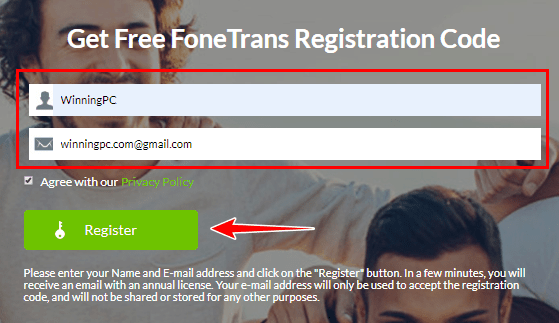
Go to the Aiseesoft FoneTrans giveaway page and fill out the form
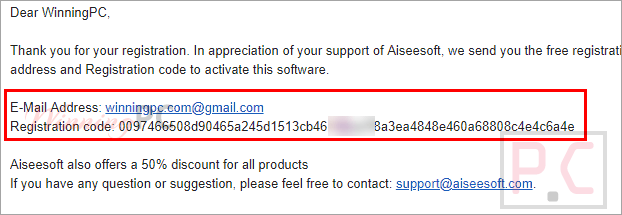
Check your inbox for registration information
Aiseesoft Fonetrans: In-Depth Review & Features
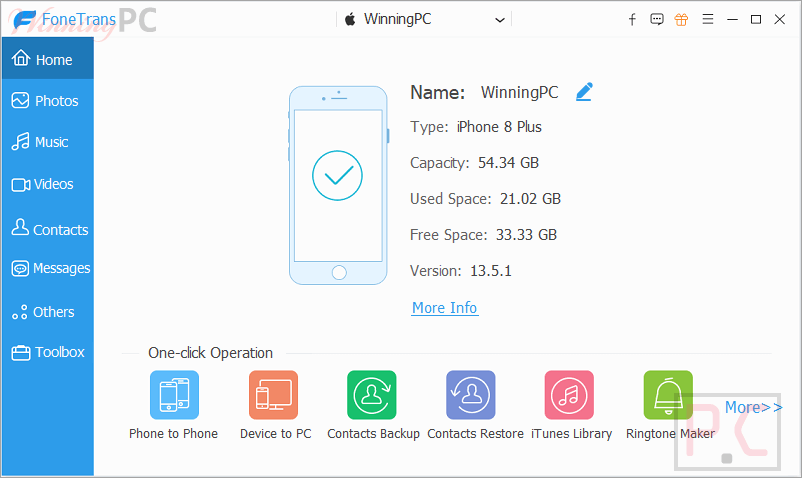
Key Features:
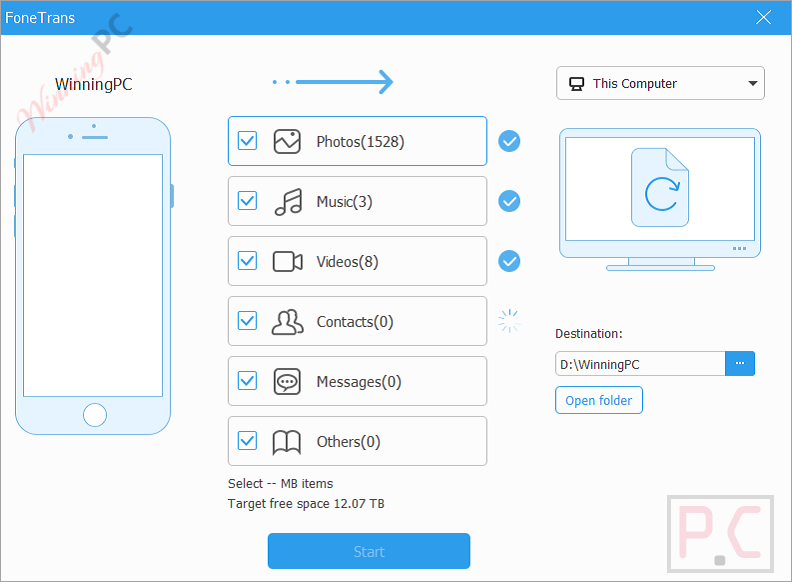
- Transfer files between iPhone, iPad, iPod, PC, and iTunes.
- Move data directly from one iOS device to another.
- Transfer photos without using iTunes.
- Export SMS messages for backup or printing.
- Import, export, and migrate contacts between devices.
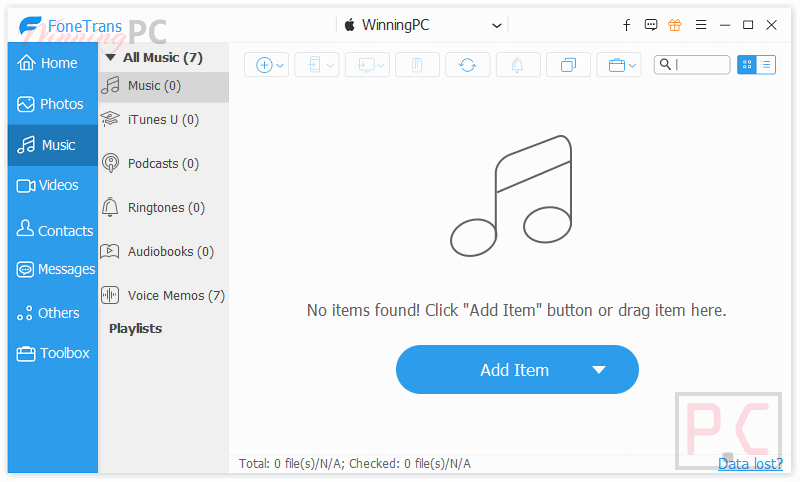
- Sync music between iOS devices, computers, and iTunes.
- Transfer videos without overwriting existing backups.
- Backup and transfer voice memos.
- Export notes, calendars, Safari data, call logs, eBooks, and more.
- One-click iPhone-to-PC and iPhone-to-iPhone data transfer.
- Create and manage photo albums.
- View photo information, including date, size, and format.
- Open HEIC images on Windows computers.
- Create, edit, and organize contacts.
- Find and merge duplicate contacts.
- Edit music metadata such as album cover, artist, and genre.
- Create playlists and manage music collections.
- Convert audio formats automatically for iOS compatibility.
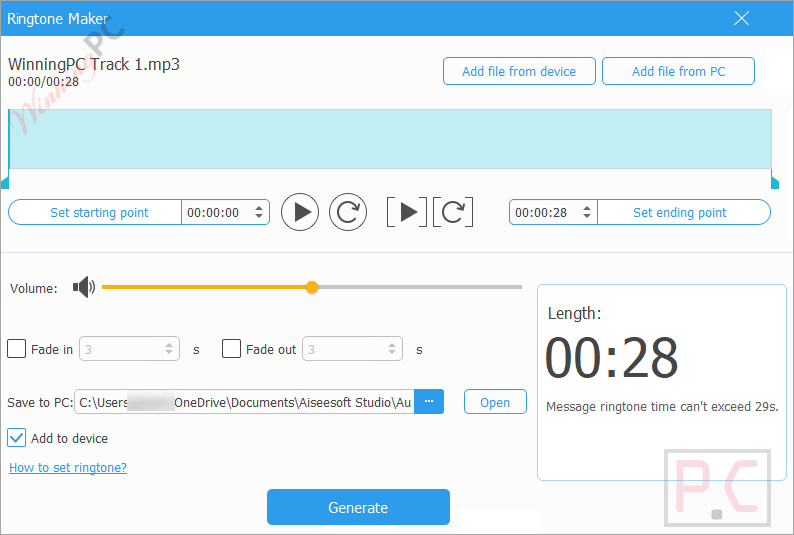
- Create custom ringtones from existing music files.
- Convert HEIC images to JPG or PNG.
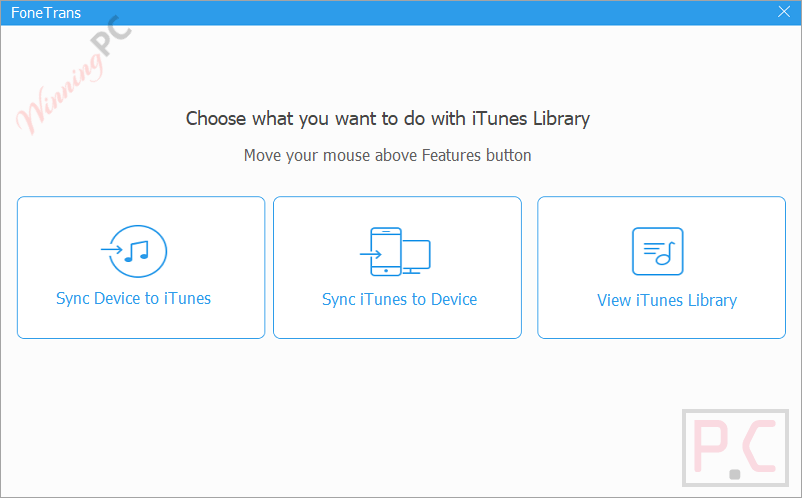
- View and synchronize iTunes libraries.
- Preview music, movies, podcasts, TV shows, and audiobooks.
Pros & Cons:
More screenshots:

Frequently Asked Questions
Where can I find working discounts or promo codes for Aiseesoft FoneTrans?
WinningPC is a great place to check for the latest Aiseesoft deals, coupon codes, and promotional offers. You can also monitor official Aiseesoft promotions for additional savings opportunities.
What is the biggest discount currently available for Aiseesoft FoneTrans?
The current featured deal is 50% OFF on all listed license plans through WinningPC, making it one of the best available discounts for the software.
What is Aiseesoft FoneTrans used for?
It is used to transfer, back up, and manage data between iOS devices, computers, and iTunes.
Can I transfer data from an old iPhone to a new iPhone?
Yes. The software supports direct iPhone-to-iPhone transfers for contacts, photos, music, messages, videos, and other supported content.
Can I transfer photos without using iTunes?
Yes. FoneTrans allows photo transfers between iOS devices and computers without relying on iTunes.
Does it support message backup?
Yes. You can export messages and save them on your computer for backup purposes.
Can I manage contacts on my computer?
Yes. You can create, edit, remove, group, export, import, and merge duplicate contacts directly from the software.
Does FoneTrans support music management?
Yes. It allows music transfers, playlist creation, metadata editing, format conversion, and music synchronization.
Can I create custom ringtones?
Yes. The built-in ringtone maker lets you create personalized ringtones from your favorite songs.
System Requirements & Details
| Operating System | Windows 11, Windows 10, Windows 8.1, Windows 8, Windows 7 |
| Processor | 1GHz Intel/AMD CPU or above |
| RAM & Storage | 1GB RAM or more |
| Supported Input | ePub, PDF, Contacts, Music, Movies, TV Shows, Music Videos, Podcasts, iTunes U, Ringtones, Audiobooks, Voice Memos, Photos, Playlists, Albums. |
| Supported Output | Contacts, Messages, WhatsApp, Kik, LINE, Viber, Messenger, WeChat, QQ, ePub, PDF, Notes, Calendars, Safari, Call Logs, Music, Movies, TV Shows, Music Videos, Podcasts, iTunes U, Ringtones, Audiobooks, Voice Memos, Photos, Playlists, Albums, App Attachments. |
| Supported iOS | iOS 6.0 and later |
| Supported iPadOS | iPadOS 13–26 |





Keep this going please, great job!
I am impressed with this site, real I am a big fan.
Hey guys , thanks for your sharing.