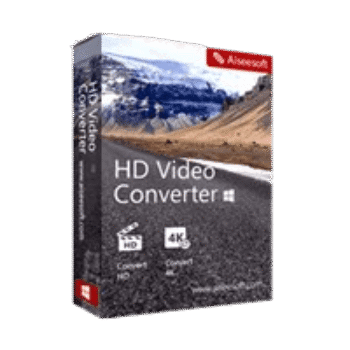
Aiseesoft HD Video Converter helps users convert HD, Full HD, and 4K videos between a wide range of formats. It supports popular codecs such as H.264, H.265/HEVC, AVCHD, DivX, MOV, MKV, AVI, and WMV while also offering basic video editing tools and device-specific output profiles.
Aiseesoft HD Video Converter for Windows
2 plans · best save 50%
📄 Licensing & Support Details
- License Type: 1 Year, Lifetime license.
- 30-Day Money-Back Guarantee
- Free Upgrades
- 24/7 Customer Support
- 100% Secure.
📝 How to apply
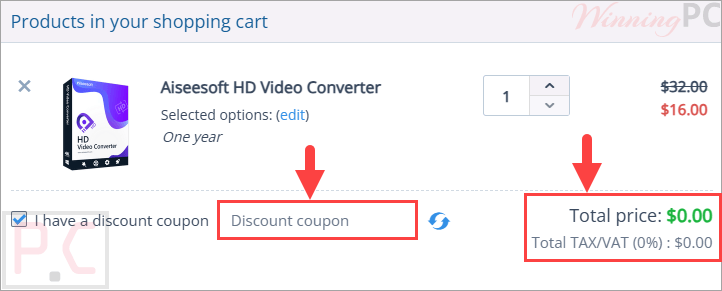
Please click ‘Copy Code’ in the upper coupon box. You can then apply this code at checkout to reduce your total.
Aiseesoft HD Video Converter: In-Depth Review & Features

Key Features:
- Convert HD, Full HD, and 4K UHD videos between multiple formats
- Supports AVCHD, MTS, M2TS, TS, H.264/AVC, H.265/HEVC, DivX, and more
- Convert videos to MP4, MOV, AVI, MKV, WMV, MPEG, WebM, and other formats
- Convert 4K videos to 1080p, 720p, SD, or other resolutions
- Convert standard-definition videos alongside HD and 4K content
- GPU acceleration with ATI and CUDA support for faster conversion
- Device presets for iPhone, iPad, Samsung Galaxy devices, HTC, Motorola, Sony, and other smartphones
- Compatible with editing software, including Adobe Premiere Pro, Sony Vegas, and Windows Movie Maker
- Extract audio from video files to MP3, AAC, FLAC, OGG, AIFF, and other formats
- Rotate videos and adjust brightness, contrast, saturation, hue, and volume
- Crop videos and customize zoom modes
- Add text and image watermarks
- Convert 2D videos to 3D effects
- Batch conversion support
- Preview video and audio effects before conversion
- Local processing for private and secure video conversion.
Pros & Cons:
More screenshots:


Frequently Asked Questions
Are there any active promo codes for Aiseesoft HD Video Converter?
Yes, you can consistently find valid promotional offers and deals for this software on WinningPC, which works alongside official channels to provide verified discounts to users.
How much can I save on a license right now?
Currently, you can secure a massive 50% OFF the regular price by using the exclusive deal available on WinningPC, dropping the 1-Year license to just $16.00 and the Lifetime license to $22.50.
Does this program handle ultra-high-definition files?
Yes, it fully supports encoding and decoding 4K UHD videos, including popular formats like MP4, TS, MKV, and AVI.
Can I pull the music out of a music video?
The software allows you to extract audio from any supported video file and save it as an MP3, FLAC, WAV, or other common audio formats.
Will my 1080p videos look worse after converting them?
No, the converter is designed to process your high-definition files without any loss in image or audio quality.
Do I need a separate program to crop my videos?
No, this software includes built-in editing options that let you crop the frame, adjust visual effects, and even rotate the video direction.
Is it possible to process a whole folder of videos at once?
Yes, the batch converting feature lets you upload and convert multiple video and audio files simultaneously to save time.
Can I add my logo to the videos I convert?
Yes, you can easily add an image or text watermark to your media and adjust its transparency and position on the screen.
System Requirements & Details
| Operating System | Windows 11, 10, 8.1, 8, 7, Vista, XP (SP2+) Mac OS X 10.7 or above (including macOS Sequoia) |
| Processor | 2GHz Intel/AMD CPU or above |
| RAM | 2GB RAM or more |
| Supported Input | 4K UHD, HD (MTS, M2TS, MP4, MOV, WMV, etc.), SD Video, Audio (AAC, FLAC, MP3, WAV, etc.) |
| Supported Output | 4K UHD, HD Video, SD Video (AVI, FLV, MKV, WebM, etc.), Audio |