Laura Marano
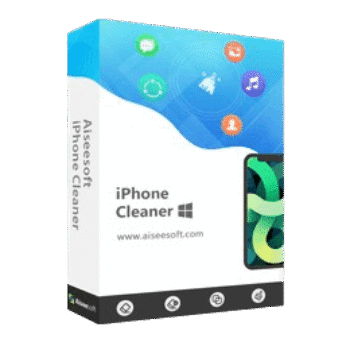
Aiseesoft iPhone Cleaner helps free up storage space, remove unnecessary files, erase sensitive information, and improve the overall performance of iPhones, iPads, and iPod Touch devices. This phone cleaner also includes features for app management, photo optimization, secure data wiping, and upcoming backup and transfer.

Aiseesoft iPhone Cleaner - Lifetime License
Use it on 1 PC | lifetime free upgrades | 30-day money-back guarantee
Aiseesoft iPhone Cleaner for Mac - Lifetime License
Use it on 1 Mac | lifetime free upgrades | 30-day money-back guarantee
Aiseesoft iPhone Cleaner License Key Free
- Product name: Aiseesoft iPhone Cleaner
- Website: https://www.aiseesoft.com
- License type: 1-year
- Platform: Windows
- Download: iphone-cleaner.exe
- Giveaway:
Aiseesoft iPhone Cleaner link
Open the Aiseesoft iPhone Cleaner giveaway page; after submitting the giveaway – check your mailbox for the free license code:

Install and launch the software on your computer. Register with your email address and the registration code you have received above:

Connect your iOS device to your computer via USB cable; now you can get your iPhone space storage information:

Aiseesoft iPhone Cleaner: In-Depth Review & Features

Key Features:
- Clear junk files, temporary files, crash logs, caches, and system junk.
- Detect and uninstall unused apps to reclaim storage space.
- Compress photos to reduce storage usage.
- Export photos to a computer for backup.
- Scan and identify large files for easy cleanup.
- Permanently wipe all data from iPhone and iPad devices.
- Selectively erase private data and personal documents.
- Remove contacts, messages, call history, notes, calendars, and voice memos.
- Clear Safari cache and advanced settings data.
- Delete content from third-party apps such as WhatsApp, Line, Viber, and Kik.
- Preview files before deletion.
- Remove duplicate contacts and redundant files.
- Choose from three security levels for data erasure.
- Integrated toolbox for backup, transfer, and restore functions.
- Planned support for backup, restore, and device-to-device data transfer.
Pros & Cons:
Frequently Asked Questions
Where can I find the latest coupons for Aiseesoft iPhone Cleaner?
You can usually find updated discounts on WinningPC, which regularly tracks software promotions. It’s also worth checking Aiseesoft’s official website for seasonal sales and special offers.
What is the biggest discount currently available?
The current deal available through WinningPC offers 50% OFF, reducing the Lifetime License price from $37.45 to $18.72.
What does Aiseesoft iPhone Cleaner do?
It helps clean junk files, remove unnecessary data, manage apps, erase private information, and free up storage space on iOS devices.
Can I permanently erase data from my iPhone?
Yes. The software includes a permanent data wiping feature designed to prevent deleted data from being recovered.
Does it remove junk files?
Yes. It can delete temporary files, crash logs, caches, and other unnecessary system data.
Can I uninstall apps with this tool?
Yes. It displays installed apps and allows you to remove unused applications directly.
Does the software support photo management?
Yes. You can compress photos to save space or export them to a computer for backup purposes.
Can I clean large videos and files?
Yes. The software scans your device for large files and allows you to remove them after reviewing the results.
Is selective deletion available?
Yes. You can preview and selectively remove specific data types such as contacts, messages, notes, call logs, and more.
Does it support WhatsApp and other messaging apps?
Yes. It can erase content from third-party applications including WhatsApp, Line, Viber, and Kik.
System Requirements & Details
| Operating System | Windows: 11, 10, 8.1, 8, 7, Vista, XP (SP2 or later) Mac OS: X 10.7 or above (including macOS Tahoe/macOS 27 Golden Gate beta) |
| Processor | Windows: 1GHz Intel/AMD CPU or above Mac: 1GHz Intel Processor and Apple M-series chips (including M5) |
| RAM & Storage | Windows: 1GB RAM or more Mac: 512MB or more (1024MB recommended) |
| Other Requirements | iOS 5 to iOS 18 (and iOS 26/27 beta), iPadOS 13 to 27 beta, iTunes 10.7 or above |