Aiseesoft iPhone Password Manager locates and exports your iOS device passcodes. The iPhone password manager tool helps you keep track of credentials, including iCloud Keychain and app logins.
Aiseesoft iPhone Password Manager for Windows
2 plans · best save 50%
Aiseesoft iPhone Password Manager for Mac
2 plans · best save 50%
📄 Licensing & Support Details
- License Type: 1 Month, Lifetime license.
- 30-Day Money-Back Guarantee
- Free Upgrades
- Technical Support
- 100% Secure.
- iOS 26 Supported.
📝 How to apply
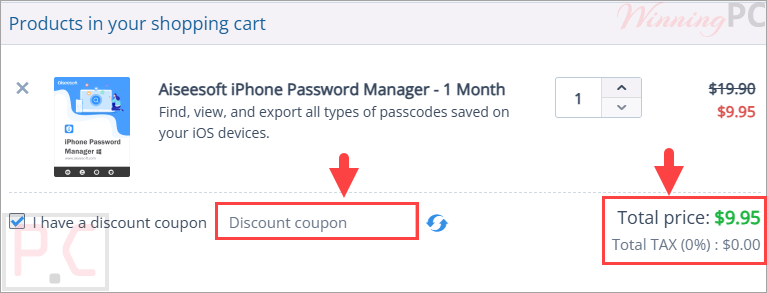
Once the ‘Copy Code’ option within the coupon section is clicked, the code is copied to your clipboard, and you are transferred to the checkout to claim the promotion.
Aiseesoft iPhone Password Manager License Key Free
- Product name: Aiseesoft iPhone Password Manager
- Website: https://www.aiseesoft.com/
- License type: 1-year
- Platform: Windows
- Download: iphone-password-manager.exe
- Giveaway link:
click here
How to get the license key?
On the Aiseesoft iPhone Password Manager giveaway page, please insert your name and e-mail address and click on the “Register” button. In a few minutes, you will receive an email with an annual license.

Download and install the software on your computer. After installation, activate the program to use all functions:

Aiseesoft iPhone Password Manager: Review & Features

Key Features:
- Scan and find passwords stored on iPhone and iPad devices
- View Apple ID account details and saved credentials
- Access iCloud Keychain password records
- Find Screen Time passcodes
- Display saved Wi-Fi account information
- Recover email account passwords
- View Google account passwords
- Find app login credentials
- Display saved credit card information
- Export selected passwords to CSV format
- Create password backups for future use
- Check device scan history records
- Organize passwords with category-based management
- Compatible with the latest iOS versions
- Supports all iPhone and iPad models
- Simple and intuitive user interface
- Privacy-focused scanning process
- Upcoming password restore functionality for iOS devices.
Pros & Cons:
More screenshots:
Aiseesoft iPhone Password Manager scanning:

Scanned results & Export!

View history!

Frequently Asked Questions
Where can I find discounts for Aiseesoft iPhone Password Manager?
You can check WinningPC for the latest verified deals and coupon codes. It’s also worth checking Aiseesoft’s official promotions and seasonal sales.
What is the biggest discount currently available?
The best available offer is currently 50% OFF the Month License through WinningPC, reducing the price from $19.90 to $9.95.
What does Aiseesoft iPhone Password Manager do?
It scans iPhone and iPad devices to find and display saved passwords, account information, and login credentials.
Can it find Wi-Fi passwords saved on my iPhone?
Yes. The software can detect and display saved Wi-Fi account information stored on your device.
Does it support Apple ID password information?
Yes. It can locate and display Apple ID-related account details saved on your iOS device.
Can I export my passwords?
Yes. Passwords can be exported to a CSV file for backup or transfer purposes.
Is my data safe while using the software?
The software is 100% safe to use and does not keep your private data after scanning.
Does it support the latest iPhone models?
Yes. It supports all iPhone models and the latest iOS versions listed by the developer.
Can I use it on a Mac?
Yes. The software is compatible with Mac OS X 10.7 and later versions, including newer macOS releases.
System Requirements & Details
| Operating System | Windows 11, 10, 8.1, 8, 7; Mac OS X 10.7 or above |
| Processor | Windows: 1GHz Intel/AMD CPU or above Mac: 1GHz Intel Processor or Apple M-series chips |
| RAM | Windows: 1GB RAM or more Mac: 512MB RAM or more (1024MB recommended) |
| Supported Input | iOS devices (iPhone, iPad) |
| Supported Output | CSV password export files |