
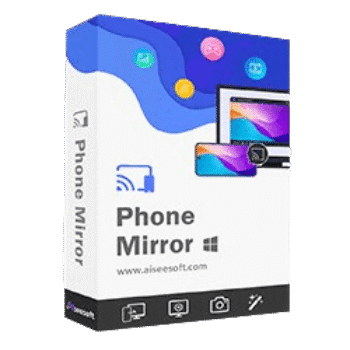
Aiseesoft Phone Mirror lets users display iPhone, iPad, and Android screens on a Windows PC in real time. This screen mirroring tool supports wireless and USB connections, phone control from PC, screen recording, screenshots, and multi-device casting.
Aiseesoft Phone Mirror
3 plans · best save 50%
1 Month License ★ Best Deal
Use it on 1 PC | 1-month free upgrades | 7-day money-back guarantee
1 Quarter License
Use it on 1 PC | 3-months free upgrades | money-back guarantee
1 Year License
Use it on 1 PC | 1-year free upgrades | 30-day money-back guarantee
Aiseesoft Phone Mirror License Key Free Download
- Product name: Aiseesoft Phone Mirror
- Website: https://www.aiseesoft.com
- License type: 1-year
- Platform: Windows
- Download: phone-mirror.exe
- Giveaway link:
click here
How to get the license key?
Go to the Aiseesoft giveaway page, and enter your name/email address. Don’t forget to agree with the privacy policy before finishing your registration. In just one minute, you will receive one Aiseesoft Phone Mirror license code for free in your mailbox:

Download and install the software on your computer, open and register it to the full version and enjoy it for 1-year free:

Aiseesoft Phone Mirror: In-Depth Review & Features

Key Features:
- Mirror iOS and Android devices to a Windows computer in real time.
- Cast videos, music, games, messages, presentations, and apps to a larger screen.
- Connect through Wi-Fi for both iPhone and Android devices.
- Mirror Android devices via USB when Wi-Fi is unavailable.
- Support QR code and PIN code connection methods for Android.
- Connect multiple mobile devices simultaneously.
- Compatible with recent iOS, iPadOS, and Android versions.
- Control Android phones directly from a PC.
- Copy phone content to a computer more conveniently.
- Record mirrored phone screens on a computer.
- Capture screenshots during screen casting.
- Draw and add text using the built-in Whiteboard feature.
- Switch between full-screen and half-screen viewing modes.
- Works with a wide range of Android brands and iPhone/iPad models.
Pros & Cons:
More screenshots:
You can mirror both Android and iOS devices to the computer via Wifi connection or USB connection:

Window Mode: move the Window with toolbar

Window Mode: move the Window without toolbar:

Recording and screenshot history:

Record setting:

Aiseesoft Phone Mirror with Android phone:

Frequently Asked Questions
Where can I find the latest Aiseesoft Phone Mirror coupons?
You can check WinningPC for updated discounts, coupon codes, and promotional offers. It’s also worth monitoring the official Aiseesoft website for seasonal deals and special campaigns.
What is the biggest discount currently available?
The best available offer is 50% OFF, available on both the 1-Month License and the 1-Year License through the current WinningPC promotion.
Does Aiseesoft Phone Mirror support both Android and iPhone?
Yes. The software supports both Android smartphones and iOS devices, including many recent iPhone and iPad models.
Can I mirror my phone to a PC without transferring files?
Yes. The software displays your phone screen directly on the computer, allowing you to view content without manually transferring files.
Does it work over Wi-Fi?
Yes. Both iOS and Android devices can connect wirelessly through Wi-Fi.
Can I connect an Android phone using USB?
Yes. Android devices can be mirrored through a USB connection when Wi-Fi is not available.
Is screen recording included?
Yes. You can record your phone screen directly from your computer while mirroring.
Can I take screenshots during screen casting?
Yes. The software includes a screenshot feature that lets you capture images during a mirroring session.
Does it support multiple devices at the same time?
Yes. Aiseesoft Phone Mirror supports connecting multiple mobile devices simultaneously
Can I control my phone from my computer?
Yes. The software includes a computer control feature for Android devices, allowing you to operate your phone from the PC.
System Requirements & Details
| Operating System | Windows 11, Windows 10, Windows 8, Windows 7 |
| Processor | Intel i3 or better multicore processor, 1GHz or above; dual-core CPU at 2.0GHz or higher |
| RAM & Storage | 1GB RAM or more |
| Supported Input | iOS devices, iPadOS devices, Android devices, Wi-Fi, USB (Android), QR code, PIN code. |
| Supported Output | Video: MP4, WMV, MOV, F4V, TS, WebM Audio: MP3, M4A, AAC, WMA Image: PNG, JPG/JPEG, BMP, GIF, TIFF |



DO NOT WASTE TIME WITH THIS PROGRAM AND IT IS USELESS, WITHOUT ANY FUNCTION AND WILL MAKE YOU ANGER TERRIBLY
IT IS NOT POSSIBLE TO MIRROR THE CELL PHONE ON THE COMPUTER, I tried several times it doesn’t work, unfortunately this program doesn’t work, my cell phone is Android 14, no function in the program or in the application doesn’t work and it’s useless
Thank you! This is a great tool to cast a phone screen to the computer.