Laura Marano
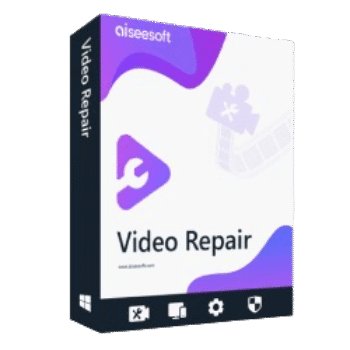
Aiseesoft Video Repair fixes unplayable or broken video files. This software can restore and repair videos using a sample file as a reference while preserving the original quality, resolution, frame rate, and bitrate whenever possible.
Aiseesoft Video Repair for Windows
2 plans · best save 50%
1 Month license ★ Best Deal
1-month license for 1 PC | free upgrades
Aiseesoft Video Repair for Mac
2 plans · best save 50%1 Month license ★ Best Deal
1-month license for 1 Mac | free upgrades
📄 Licensing & Support Details
- License Type: 1 Month, Lifetime license.
- 30-Day Money-Back Guarantee
- Free Upgrades
- Technical Support
- 100% Secure.
- AI Supported.
📝 How to apply
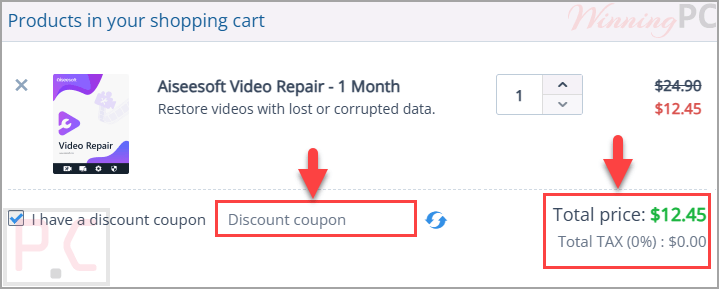
After selecting ‘Copy Code’ inside the coupon area, the promo code is saved, and you will be moved to the payment page to use your discount.
Aiseesoft Video Repair Giveaway License Key Free
- Product name: Aiseesoft Video Repair
- Website: https://www.aiseesoft.com/
- License type: 1-year
- Platform: Windows
- Download: video-repair.exe
- Giveaway link:
click here
How to get the license key?
On the Aiseesoft Video Repair giveaway page, please insert your name and email address

Check your mailbox to get your free license code for 1-year

Click on the download link download and install the software on your computer. Use the above license code to register the software to unlock full features.


Aiseesoft Video Repair: In-Depth Review & Features

Key Features:
- Repairs corrupted and damaged video files
- Supports MP4, MOV, and 3GP video formats
- Uses a sample video as a repair reference
- Restores videos based on sample resolution, frame rate, and bitrate
- Real-time guidance when selecting a sample video
- Detects sample video mismatches during repair
- Preview repaired videos before exporting
- Allows re-repair with a different sample video
- Maintains original video quality after restoration
- Repairs videos from multiple devices
- Fast repair process
- Simple interface suitable for beginners
- Multi-functional shortcut keys for easier operation
- Safe repair environment without ads or viruses
- Supports H.264 and H.265 encoders.
Pros & Cons:
More screenshots:


Frequently Asked Questions
Where can I hunt down active promo codes for this video repair tool?
If you are looking for current Aiseesoft Video Repair promotions, WinningPC is the top spot to check, right alongside the developer’s official channels. We regularly update our listings to ensure you have access to valid, working deals.
What is the absolute lowest price I can get right now?
The moment, WinningPC has an exclusive offer where you can grab 50% off the Month License, bringing it down to $12.45, or take 40% off the Lifetime License to get it for just $29.97.
What specific file types can this program fix?
It is built to handle broken MP4, MOV, and 3GP files.
Why do I have to upload a sample clip?
The software needs a working file shot from the same device or in the same format. It uses this working video as a standard blueprint to accurately rebuild the corrupted file’s data.
Will my video look worse after it is fixed?
No, the tool is designed to maintain the exact same quality, resolution, and frame rate as your reference clip.
Can I check if the fix actually worked before saving it?
Yes, the software includes a built-in preview window so you can watch a portion of the final result before you commit to exporting it.
Is my private data safe on my computer during this process?
Absolutely. The application only interacts with the specific files you upload. The rest of your system is completely ignored, and the software contains no ads or viruses.
What happens if I accidentally choose the wrong reference clip?
The system checks this automatically. If it detects a mismatch between your broken file and the reference, it will flag the error so you can easily replace it.
System Requirements & Details
| Operating System | Windows 10 or later; macOS 10.15 or above (including macOS Tahoe) |
| Processor | 1GHz Intel/AMD CPU or above |
| RAM & Storage | 1GB RAM or more |
| Supported Input | Video: MP4, MOV, 3GP (H.264, H.265) |
| Supported Output | Matches the uploaded sample video |