WinningPC
MacGlacio is the ultimate file shredding app for Mac, built to securely and permanently erase your sensitive files with unmatched precision. Featuring 51 advanced erasure algorithms, including military-grade standards, it goes far beyond regular deletion, making data completely unrecoverable even by the most powerful recovery tools.
With its refined interface, drag-and-drop support, and full macOS Finder integration, Ambeteco MacGlacio is both powerful and easy to use. Its smart Wiper technology analyzes each file and storage device in real time (especially SSDs) to apply the safest and most effective shredding method.
Ambeteco MacGlacio Plans & Coupon Code (100% Working)

MacGlacio forever - 1 machine
45% coupon code: regular price $74.99, discounted price $41.42
MacGlacio 1 year - 1 machine
15% discount code: regular price $39.99, discounted price $33.99
MacGlacio 1 month - 1 machine
15% discount code: regular price $9.99, discounted price $8.49
Key Features and Screenshots
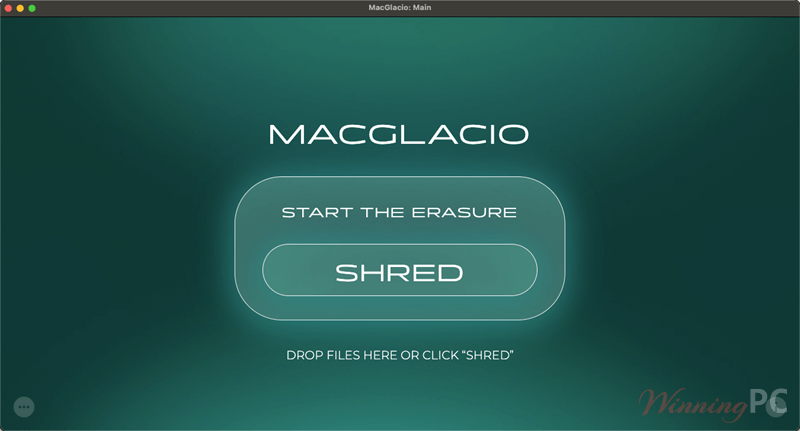
- 51 Erasure Algorithms: Military-grade and international standards for total data destruction.
- SSD & NAND Safe: Shreds data without harming your SSD or flash memory.
- Smart Wiper Technology: Automatically chooses the best method for each file, balancing speed and hardware care.
- Metadata Erasure: Removes file names, attributes, paths, and timestamps completely.
- Password Protection: Secure access and optional password confirmation before shredding.
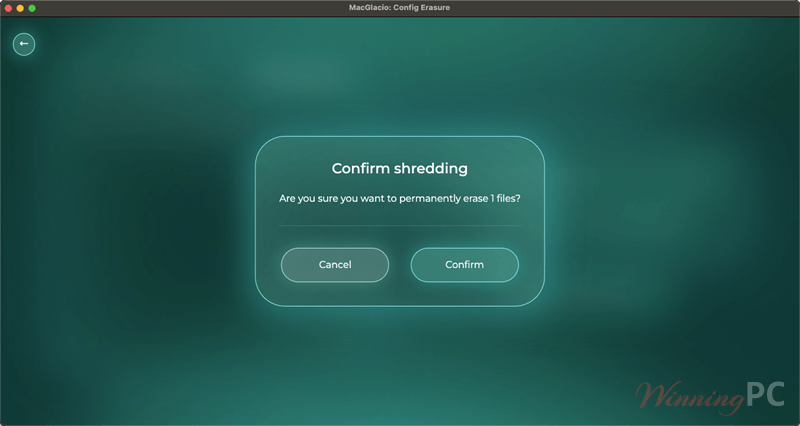
- DeleteShield: Prevents accidental deletion with smart confirmation challenges.
- WiperNow (Instant Shredding): Erase files in one click with drag-and-drop or keyboard shortcuts.
- macOS Integration: Right-click menu shredding in Finder for quick access.
- Forever Plan: One-time purchase with lifetime updates and full feature access.
- Secure Licensing: Includes Ambeteco Connect & Protect with Argon2 encryption for login and license safety.
How to Use (Step-by-Step Guide)
Step 1. Install MacGlacio from the official website or Mac App Store. Open the app and grant necessary permissions (Full Disk Access, Accessibility).
Step 2. Add files or folders by:
– Dragging them into the app window
– Using the “Add” button
– Right-clicking in Finder → “Shred with MacGlacio”
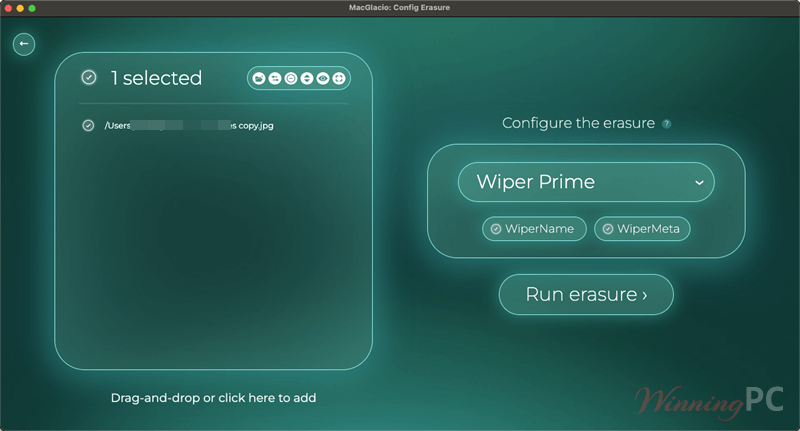
Step 3. Choose a shredding method (or let Wiper auto-select the best one). Click “Shred Now” to begin.
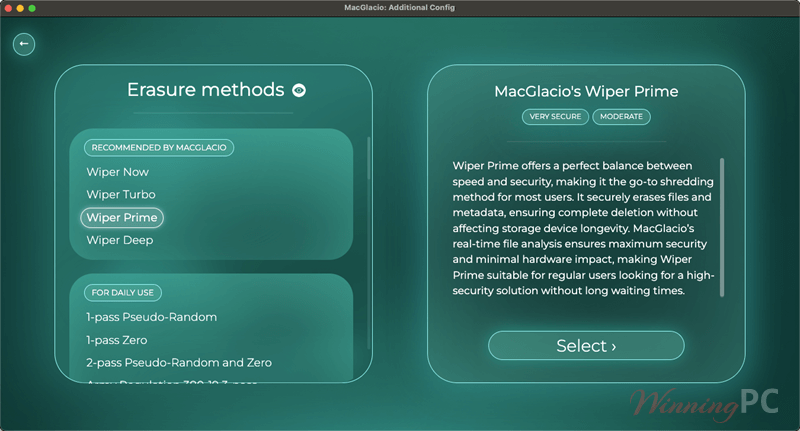
Step 4. Confirm deletion if DeleteShield is enabled. Done! Your files are securely and permanently erased.
Frequently Asked Questions
What is MacGlacio?
It is a professional file shredding app for macOS.
How is it different from just deleting files?
Unlike regular deletion, which simply removes a file’s reference but leaves its data recoverable, MacGlacio overwrites the actual data, metadata, attributes, and path names using secure erasure methods, making recovery impossible.
What is the Wiper technology?
It is MacGlacio’s intelligent shredding engine. It automatically detects file types, storage devices (including SSDs), and selects the optimal method for secure erasure – maximizing protection while minimizing hardware wear.
Does MacGlacio support SSDs and flash drives?
Yes! It is fully compatible with SSDs, HDDs, USB drives, SD cards, and more.
Can MacGlacio shred file metadata and paths?
Absolutely. This software doesn’t just delete content; it also removes file names, folder paths, timestamps, and ownership data.
Is it easy to use for beginners?
Yes. MacGlacio offers a clean interface, drag-and-drop functionality, keyboard shortcuts, and Finder integration.
What security features are included?
You will have:
– Password-protected access
– Confirmation dialogs with DeleteShield
– Argon2 encryption for sensitive data
Can MacGlacio prevent accidental deletion?
Yes. Its DeleteShield feature adds extra layers of confirmation.
Is there a discount available?
Yes! WinningPC offers an exclusive 45% off coupon code for MacGlacio.
Why Choose WinningPC
- Why Trust? We are committed to providing 100% valid and verified coupon codes, so you can always shop with confidence.
- Found an Invalid Coupon or a Better Deal? If you encounter an invalid code or a better offer, please let us know. Our team updates all discount information regularly to ensure accuracy.
- Official Authorization: We only share authentic discounts from trusted software developers.
- No Fake Discounts: Unlike some sites, we never use misleading deals. The final price you see is the true discounted price.
- Secure Purchases: All transactions are processed on the official vendor’s website, ensuring authenticity and data protection.
- Extra Support: If you face order or vendor issues, contact us. We’ll liaise with the vendor to help resolve your problem quickly.
Technical Details
| Language Support | English, Français, Italian, Spanish, Swedish, and more… |
| Money Back Guarantee | 30-Day |
| Operating System | Windows Vista, Windows 7, Windows 8/8.1, Windows 10/11 |
| Shipping | Register code will be sent to your email in minutes |
| Subscription | 1-Year, 2-Year, Lifetime |
| Support Services | Email, Tickets, Forums |