Laura Marano
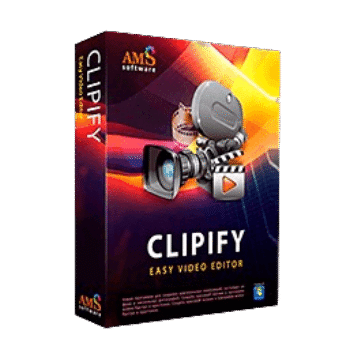
When it comes to tools for user-friendly video editing software for Windows, you should not miss AMS Clipify. It is a professional tool that you can use to cut, trim, and stitch video clips, create montages, and add music or voiceovers with ease. It provides more than 160 special effects & filters (e.g., retro, black & white, sunbeams) for stylizing footage.
AMS Clipify offers a Chroma Key (Green Screen) function to help you replace backgrounds effortlessly. Furthermore, you can use the speed control function to adjust the video playback speed for slow-motion or time-lapse effects, showcasing a moment in all its glory. When a projects are done, you can export it in full HD video in over 20 formats (AVI, MP4, MOV, etc.) or directly upload it to platforms like YouTube.
AMS Clipify Coupon Codes Oct 2026 (100% Working)
Clipify - Standard Edition
70% promo code: regular price $42, discounted price $12.60
Clipify - Deluxe Edition
70% promo code: regular price $57, discounted price $17.10
Key Features and Screenshots
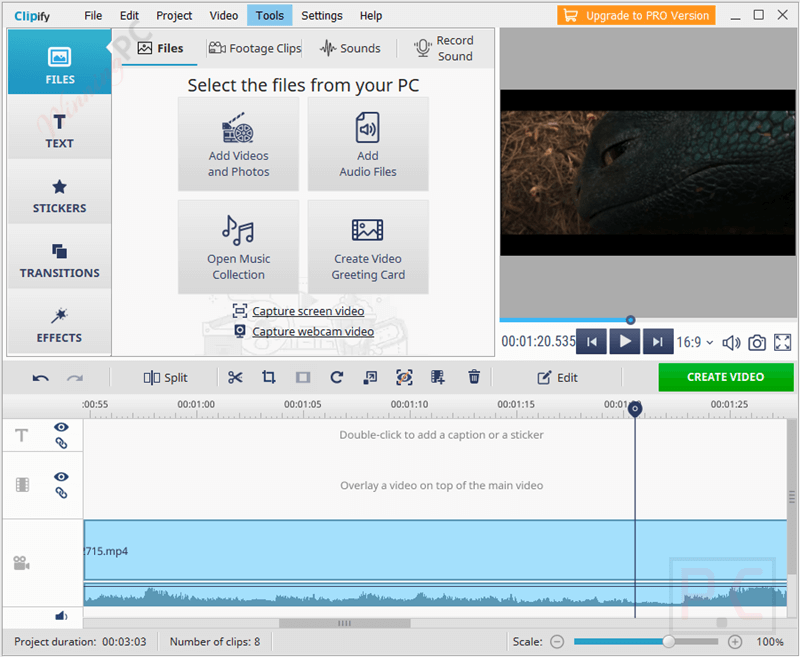
- Trim & Cut: Easily remove unwanted sections of your footage.
- Merge Clips: Combine multiple videos into one seamless clip.
- Split Videos: Break long videos into smaller scenes.
- Rotate & Flip: Correct orientation with simple rotation tools.
- 160+ Built-in Effects: Includes cinematic, retro, black & white, sepia, mist, and more to match any mood or theme.
- Color Filters: Adjust tone, brightness, contrast, and saturation.
- Chroma Key (Green Screen): Replace backgrounds with ease using a simple color selection tool.
- 30+ Background Footages: Preloaded themed clips for quick background swaps using Chroma Key.
- Video Stabilization: Instantly smooth out shaky footage with a single click.
- Color Correction: Fine-tune brightness, contrast, saturation, and hue to enhance visual quality.
- 60+ Ready-Made Titles: Professionally designed title templates for travel, DIY, tributes, and more, fully customizable.
- 300+ Royalty-Free Music Tracks: Organized by genre and mood, plus support for MP3, WAV, and OGG formats.
- Greeting Card Templates: Create personalized video cards for birthdays, weddings, holidays, and other occasions.
- 50+ Supported Video Formats: Including MP4, AVI, MOV, MKV, FLV, WEBM, and more.
- Direct Webcam Capture: Record live footage with adjustable camera settings like brightness, white balance, and hue.
- Picture-in-Picture: Combine webcam footage with screen recordings or other videos for tutorials and commentary.
- Full HD Export: Render videos in high resolution for TV, PC, mobile devices, and gaming consoles.
- DVD Authoring: Burn videos to DVD with interactive menus, customizable or template-based.
- Direct YouTube Upload: Publish videos straight to your channel without leaving the app.
- Website & Blog Export: Format videos for online sharing and embedding.
How to Use (Step-by-Step Guide)
Step 1. Download, install, and launch the software.
Step 2. Start a New Project
From the main menu, click “New Project” then choose your preferred aspect ratio (16:9, 9:16, 4:3, etc.) depending on your video platform (YouTube, Instagram, TikTok, etc.).
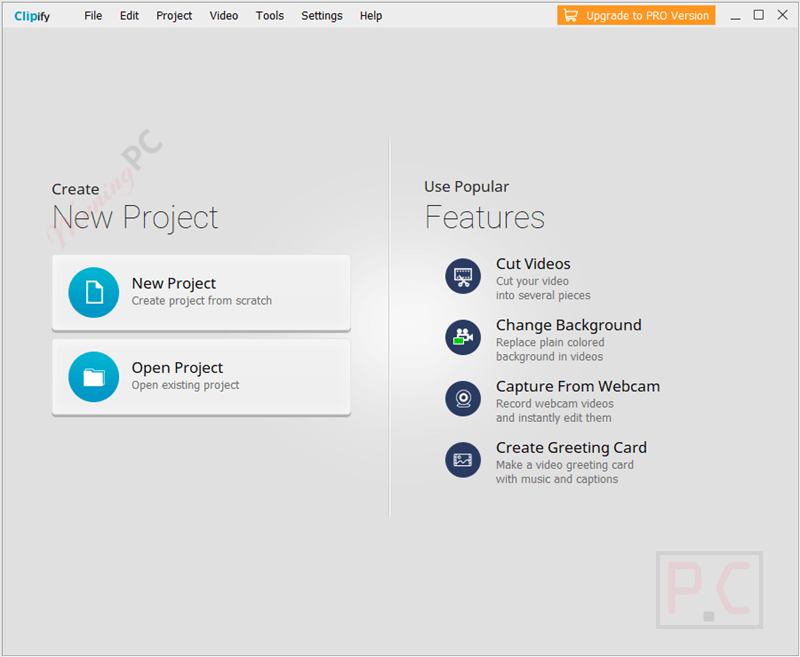
Step 3. Import Your Media Files
Click “Add Videos and Photos” to upload your clips and images. Drag and drop them into the Storyboard or Timeline at the bottom.

Step 4. Edit Your Video
– Cut or Trim: Select a clip > Click the scissors icon > Trim unwanted parts.
– Split: Use the split tool to divide clips into scenes.
– Rearrange: Drag clips to change their order.
– Add Transitions: Click on the “Transitions” tab > Drag your favorite style between clips.
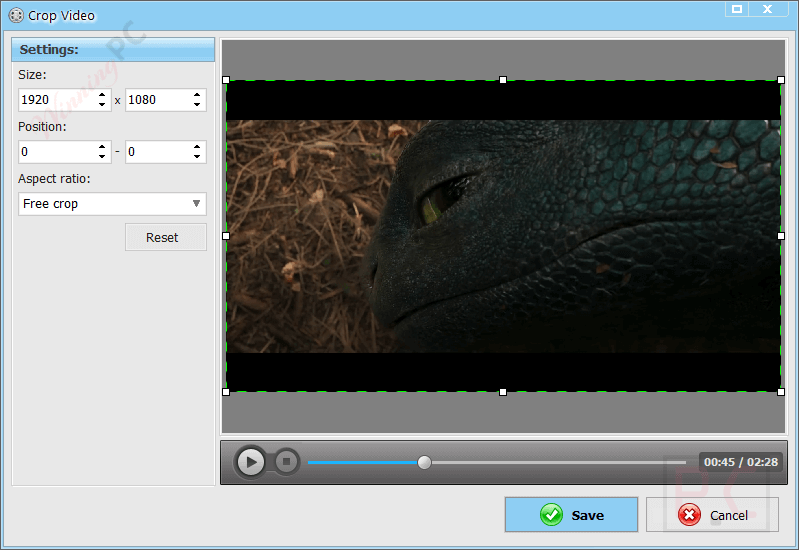
Step 5. Add Effects and Filters
Go to the “Filters & Effects” tab. Choose from 160+ built-in effects like retro, B&W, sunbeams, etc. Apply with one click and adjust the intensity if needed.

Step 6. Add Music and Voiceover
Click the “Audio” tab to add background music. Use the “Record Voiceover” button if you want to narrate your video. Adjust volume and use fade-in/out effects for smooth transitions.
Step 7. Use Chroma Key (Green Screen)
Select your green screen video. Click “Chroma Key” under the Video Tools menu. Choose the color to remove and replace it with a custom background.
Step 8. Apply Speed Control
Click on the clip. Select the Speed tool to slow down or speed up your footage.
Step 9. Add Text and Titles
Go to the “Titles” tab. Choose from intro titles, captions, or credits. Customize fonts, colors, size, and duration.
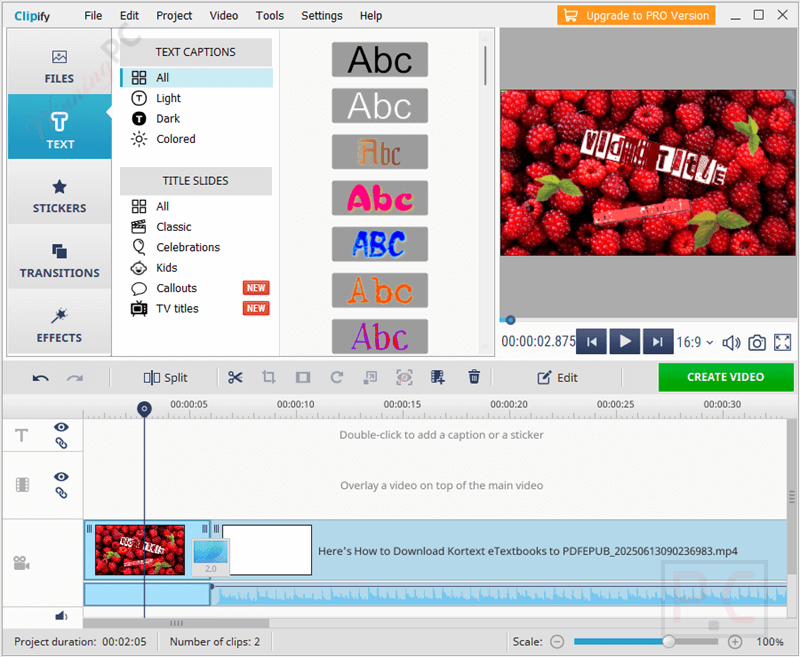
Step 10. Export Your Video
Click “Create Video” at the top right. Choose an export format (MP4, AVI, MOV, etc.). Pick a resolution (up to Full HD). Use the preset for YouTube, Instagram, Facebook, etc. Hit “Export” and save your videos.
Frequently Asked Questions
Can I use AMS Clipify to create YouTube videos?
Absolutely. Clipify includes ready-to-use export presets for YouTube and other platforms and supports Full HD video output.
Does Clipify support green screen editing?
Yes, the Chroma Key feature lets you replace green screen backgrounds with custom images or video clips in just a few clicks.
Does it include any built-in effects or transitions?
Yes, Clipify comes with over 160+ filters and effects and 40+ transition styles to enhance your videos.
Can I make photo slideshows with music using this software?
Yes, AMS Clipify has a slideshow mode that lets you turn photos into animated videos with music, text, and effects.
Does it support adding text and titles to videos?
It does! You can add animated titles, subtitles, and captions using custom fonts and styles.
How do I get the best Clipify discount?
Just head to WinningPC.com, find the Clipify deal, and apply the coupon code CLI***80 at checkout to get 80% off.
Why Choose WinningPC
- Why Trust? We are committed to providing 100% valid and verified coupon codes, so you can always shop with confidence.
- Found an Invalid Coupon or a Better Deal? If you encounter an invalid code or a better offer, please let us know. Our team updates all discount information regularly to ensure accuracy.
- Official Authorization: We only share authentic discounts from trusted software developers.
- No Fake Discounts: Unlike some sites, we never use misleading deals. The final price you see is the true discounted price.
- Secure Purchases: All transactions are processed on the official vendor’s website, ensuring authenticity and data protection.
- Extra Support: If you face order or vendor issues, contact us. We’ll liaise with the vendor to help resolve your problem quickly.
Technical Details
| Language Support | English, Français, Italian, Spanish, Swedish, and more… |
| Money Back Guarantee | 30-Day |
| Operating System | Windows 11, 10, 8, 7 |
| Supported formats & devices | MP4, AVI, MOV, WMV, MPEG-4, FLV, WEBM, MKV, etc. |
| Shipping | The registration code will be sent to your email in minutes |
| Subscription | Lifetime |
| Support Services |