Chris Bruner
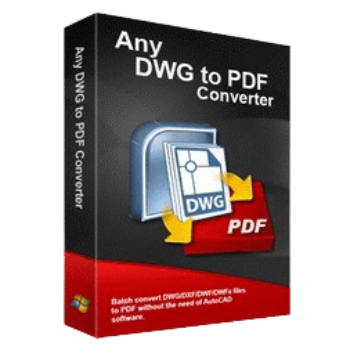
Any DWG to PDF Converter is a simple conversion application for architects, engineers, and constructors, as well as anyone who needs to manage and convert CAD drawings. This tool is specially designed to convert DWG, DXF, and DWF files into vector PDFs without requiring AutoCAD. This powerful converter software ensures that your drawings are converted to PDF with high fidelity and exacting standards, whether for archiving, sharing, or printing purposes.
Any DWG to PDF Converter offers both simplicity and depth, it allows for extensive customization in the output settings, including the size, quality, and color of the PDF file, ensuring that the converted files meet the specific needs of each project. Along with supporting converting DWG, DXF, and DWF files, this tool also allows you to convert SHX, TTF font, Xref, and embedded raster image/Excel in the drawing to PDF.
Any DWG to PDF Converter Discount Coupon Code
You may also like
AutoDWG DWG to PDF Converter Standard
10% off coupon code: regular price $99, discounted price $89.1
AutoDWG DWG to PDF Converter Pro
10% coupon code: regular price $129, discounted price $116.1
AutoDWG DWG to PDF Converter Server
10% discount coupon code: regular price $990, discounted price $116.1
Any DWG to PDF Converter Features & Screenshots
- The Any DWG to PDF Converter software is designed to help you convert DWG/DXF/DWF files created in AutoCAD into PDF format. You can select the files you want to convert, customize output settings if needed, and initiate the conversion process.

- This tool preserves the original designs in the DWG files, including vector picture data and metadata encoded in binary coding, which means the original designs did not change in the conversion process.

- It provides the batch conversion function to help you convert multiple DWG or DXF files to PDF format in a single batch, saving you time and effort, especially when dealing with a large number of files.

- You can alter the output settings when using Any DWG to PDF Converter to convert files. Before starting the conversion process, you can adjust a number of output parameters, including page size, orientation, resolution, output color, and more, according to your specific requirements.


- One notable capability is the software’s proficiency in converting various elements such as SHX, TTF fonts, Xrefs, and embedded raster images or Excel sheets within the drawings into PDF format. Furthermore, it extends its support to AutoCAD Plot Style CTB files and Line Width settings.


- With its intuitive user interface and user-friendly features, whether you want to create bookmarks in the PDF file, Any DWG to PDF Converter has got you covered. By creating bookmarks, you can easily jump to specific locations within the PDF document, making it more organized and user-friendly.

- The Password Protection function in Any DWG to PDF Converter empowers users to maintain the security and integrity of their converted PDF files. You are allowed to set passwords for PDF files to ensure sensitive information remains confidential and restrict access to design data if needed.
- By setting the PDF properties, you can enhance the organization, identification, and searchability of their PDF files. This function allows you to set the author, title, subject, and keywords for the PDF file to ensure that important information is readily accessible and well-documented.

Frequently asked questions
Is Any DWG to PDF Converter compatible with different versions of AutoCAD?
Yes, Any DWG to PDF Converter is designed to be compatible with various versions of AutoCAD, ensuring that users can convert DWG and DXF files created in different versions of the software.
Does Any DWG to PDF Converter offer command-line support?
Yes, for advanced users and automation purposes, Any DWG to PDF Converter provides command-line support, allowing for seamless integration into existing workflows and scripts.
Are updates and customer support available for Any DWG to PDF Converter?
Yes, Any DWG to PDF Converter receives regular updates to ensure compatibility with the latest versions of AutoCAD and address any issues or bugs. Additionally, users can access dedicated customer support for assistance with any queries or technical issues.
What licensing options are available for Any DWG to PDF Converter?
Any DWG to PDF Converter offers flexible licensing options, including single-user licenses, multi-user licenses, and enterprise licenses, catering to the needs of individual users as well as businesses of all sizes.
Technical Details
| Language Support | English, Français, Italian, Spanish, Swedish, and more… |
| Money Back Guarantee | 30-Day |
| Operating System | Windows 98/Me/NT/2000/XP/Vista/7/8/8.1/10/11, Windows NT/2003/2008/2019 |
| Shipping | Register code will be sent to your email in minutes |
| Subscription | Lifetime |
| Support Services | Email, Phone |