
 Laura Marano
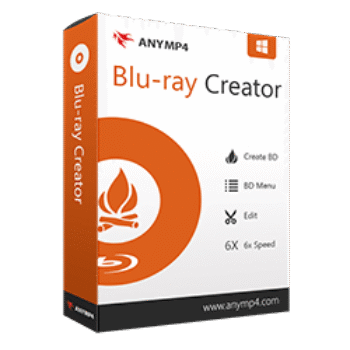
AnyMP4 Blu-ray Creator helps users create Blu-ray discs, folders, and ISO image files from popular HD and SD video formats. It also includes menu customization and basic video editing tools for creating personalized Blu-ray movies.
AnyMP4 Blu-ray Creator for Windows
2 plans · best save 50%
📄 Licensing & Support Details
- 30-Day Money Back Guarantee
- License Instant Delivery by Email
- 100% Clean & Secure Purchase
- Free Customer Support
- Free Technical Support
- Free Upgrades.
📝 How to apply
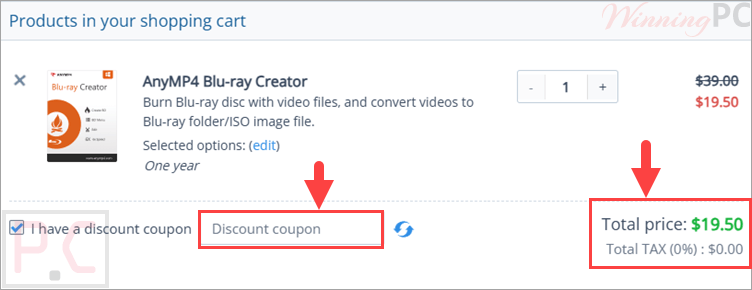
Select ‘Copy Code’ within the coupon box above. The code gets copied, and you’re directed to the checkout where you can enter it to lower your total cost.
Key Features and Screenshots

Key Features:
- Create Blu-ray discs, folders, or ISO files from HD, SD, and 4K videos
- Supports a wide range of formats, including MP4, MKV, M2TS, MTS, AVI, MOV, WMV, FLV, MXF, TS, and more
- Burn videos to BD-25 or BD-50 discs for playback on standalone Blu-ray players and software players
- Convert videos directly to Blu-ray folders for local storage or playback
- Create Blu-ray ISO image files for easy backup without using physical discs
- Built-in Blu-ray menu editor with customizable templates, frames, and buttons
- Customize menu text with different fonts, colors, and sizes
- Add background music and custom images to Blu-ray menus
- Adjust video effects such as brightness, contrast, saturation, and hue
- Crop video frames to remove black borders or unwanted areas
- Add text or image watermarks to Blu-ray videos
- Cut videos into smaller clips before burning
- Add or replace subtitles and audio tracks
- Simple, user-friendly interface suitable for beginners
- Fast Blu-ray creation speed with NVIDIA CUDA, AMD APP, and Intel Quick Sync acceleration
Pros & Cons:
More screenshots:


Frequently Asked Questions
Where can I find AnyMP4 Blu-ray Creator promo codes or discounts?
You can usually find the latest AnyMP4 Blu-ray Creator coupons on WinningPC, along with seasonal promotions from the official AnyMP4 website.
What’s the biggest discount currently available for AnyMP4 Blu-ray Creator?
Right now, WinningPC features a 50% OFF deal for both the 1-Year and Lifetime licenses of AnyMP4 Blu-ray Creator.
Can AnyMP4 Blu-ray Creator burn ISO files?
Yes. The software can create Blu-ray ISO image files from many popular video formats.
Does this software support 4K videos?
Yes. It supports 4K videos as well as standard HD and SD video formats.
Which video formats can I import?
It supports formats including MP4, MKV, AVI, MOV, WMV, FLV, MTS, MXF, TS, WebM, and many more.
Can I create Blu-ray folders without a disc?
Yes. You can generate Blu-ray folders directly on your computer without burning to a physical disc.
Does the program include menu templates?
Yes. It includes multiple Blu-ray menu templates, frames, and buttons that can be customized.
Can I add subtitles to my Blu-ray movie?
Yes. The software supports external subtitle files like SRT, ASS, and SSA.
System Requirements & Details
| Language Support | English, Français, German, Italian, Spanish, Swedish, and more… |
| Operating System | Windows 11, Windows 10, Windows 8.1/8, Windows 7, Windows Vista, Windows XP (SP2 or later) |
| Processor | 2GHz Intel or AMD CPU or above |
| RAM & Storage | 2GB RAM or more, 10GB available hard disk space |
| Supported Input | TS, MTS, M2TS, MXF, TRP, TP, MOD, TOD, DV, AVI, MP4, MOV, MKV, FLV, WebM, WMV, and more. |
| Supported Output | Blu-ray Disc, Blu-ray Folder, ISO |



Денег не жалко: долларов нет.