Laura Marano
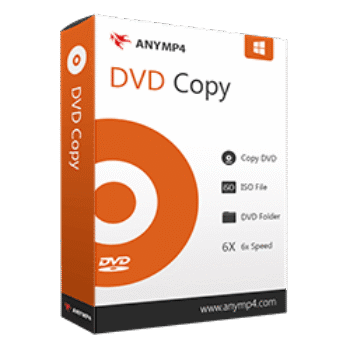
AnyMP4 DVD Copy lets you back up DVDs to your PC, blank discs, or ISO/folder formats. This DVD copy preserves the original quality, audio, subtitles, and menus, making it ideal for DVD enthusiasts.
AnyMP4 DVD Copy for Windows
2 plans · best save 50%
AnyMP4 DVD Copy for Mac
2 plans · best save 50%
📄 Licensing & Support Details
- 30-Day Money Back Guarantee
- License Instant Delivery by Email
- 100% Clean & Secure Purchase
- Free Customer Support
- Free Technical Support
- Free Upgrades.
📝 How to apply
By selecting the ‘Copy Code’ button located in the coupon area, the code will be copied, and you’ll be taken to the checkout to enjoy your reduced price.

AnyMP4 DVD Copy Serial Key Free Download
- Product name: AnyMP4 DVD Copy
- Website: https://www.anymp4.com
- License type: 1-year
- Platform: Windows
- Giveaway link:
click here
Download: dvd-copy.exe
Open the AnyMP4 DVD Copy giveaway page and fill your information to get a free license code via email:

Download and install the program on your computer, launch it to register to the full version:

AnyMP4 DVD Copy: In-Depth Review & Features

Key Features:
- Copy DVD to DVD, ISO, or folder with lossless quality
- Three copy modes: Full Copy, Main Movie, Custom
- 50× faster copying with Intel, AMD, NVIDIA GPU acceleration
- Compress DVD-9 or DVD-5 to save storage
- Preview videos, select subtitles/audio, loop titles, and skip menus
- Remove region code protection for universal playback
- Compatible with Windows (11–XP) and Mac (OS X 10.9+)
- Supports wide range of input/output formats including 3D and HD video
- Works with Apple devices, gaming consoles, and other media players
- Compatible with video editing software like Final Cut Pro, Adobe Premiere, iMovie.
Pros & Cons:
More screenshots:


Frequently Asked Questions
Where can I find coupons, promos, or deals for AnyMP4 DVD Copy?
WinningPC is the primary source for valid coupons and promo codes. You can also check official AnyMP4 channels for occasional deals.
What is the best current discount on AnyMP4 DVD Copy?
WinningPC currently offers 50% OFF on both 1-Year and Lifetime licenses.
Can I copy a DVD to my hard drive with this software?
Yes, AnyMP4 DVD Copy can save DVDs directly to your Windows or Mac hard drive.
Is it possible to copy only the main movie without extras?
Yes, using the Main Movie copy mode, you can skip trailers, ads, or bonus content.
Can I copy DVDs to a flash drive or external drive?
Absolutely. You can copy DVD content to USB drives, external HDDs, or SSDs.
Does AnyMP4 DVD Copy support region-free playback?
Yes, it can remove region codes, allowing your copied DVDs to play anywhere.
What copy modes does AnyMP4 DVD Copy offer?
It offers Full Copy, Main Movie, and Custom modes for flexible backups.
Which devices are compatible with the copied DVDs?
Copied DVDs can be played on iPhones, iPads, iPods, Apple TV, PSP, PS3, Xbox360, and many media players.
Can I compress large DVDs to smaller discs without losing quality?
Yes, it can compress DVD-9 to DVD-5 while retaining high quality.
System Requirements & Details
| Feature | Windows | Mac |
| Operating System | Windows 11, 10, 8/8.1, 7, Vista, XP (SP2+) | OS X 10.9+, macOS Tahoe 26 |
| Processor | 1GHz Intel/AMD CPU | 1GHz Intel / Apple M-series |
| RAM & Storage | 1G RAM or more | 1G RAM or more |
| Supported Input | DVD Disc, Folder, ISO; Various audio/video formats | DVD Disc, Folder, ISO |
| Supported Output | DVD Disc, Folder, ISO; Wide range of audio/video/HD/3D formats | DVD Disc, Folder, ISO |