Chris Bruner

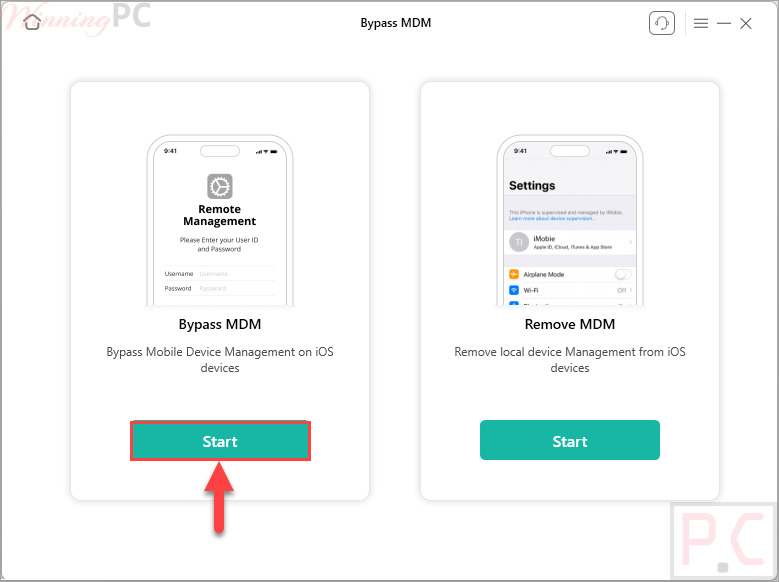
AnyUnlock – Bypass MDM helps you remove local device management or bypass remote MDM locks on your iPhone or iPad without needing a username, password, or a jailbreak.
- Status: ✅ Active & Verified
- Last checked: October 2026
- Offer: 65% Off
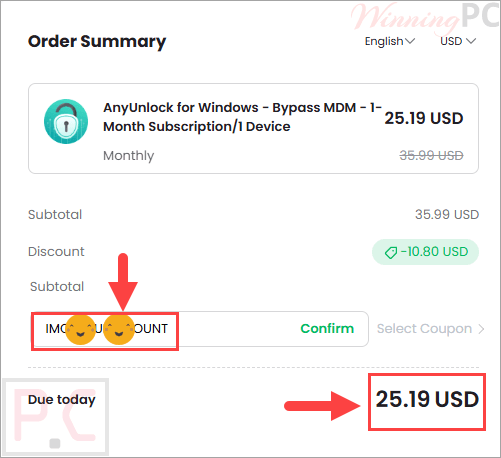
- Coupon code: IMOBE***ISCOUNT

iMobie Special Coupon Code
Click the Copy Code button to get IMOBEDUD**** coupon code and use it when checking out to save more.

AnyUnlock – Bypass MDM (1 Month Subscription)
58% off coupon code: regular price $59.99, discounted price $25.19
AnyUnlock – Bypass MDM (1-Year Subscription)
65% off coupon code: regular price $79.99, discounted price $27.99
AnyUnlock – Bypass MDM (One-Time Purchase)
65% off coupon code: regular price $119.99, discounted price $41.99
You may also like

AnyUnlock for Windows - Full Toolkit - 1-Year Subscription/5 Devices
88% off coupon code: regular price $353.88, discounted price $41.99. Unlock all kinds of iPhone passwords from one place
AnyUnlock for Mac - Full Toolkit - 1-Year Subscription/5 Devices
90% discount coupon code: regular price $473.88, discounted price $48.99. Unlock all kinds of iPhone passwords from one place
Education Discount

iMobie Educational Discount Offer
Claim the Discount Now with Your Educational Email. Simply enter your educational email address below to claim your 30% educational discount instantly.
📄 Licensing & Support Details
- Lifetime free upgrades
- 24/7 free customer support.
- 60-day money-back guarantee
- Secure online payment
- 100% clean
📝 How to apply
To grab this deal, click the ‘Copy Code’ button in the coupon box above. The code will be copied, and you will be redirected to the checkout page, where you can apply it to secure your discounted price.
AnyUnlock – Bypass MDM: Review & Features
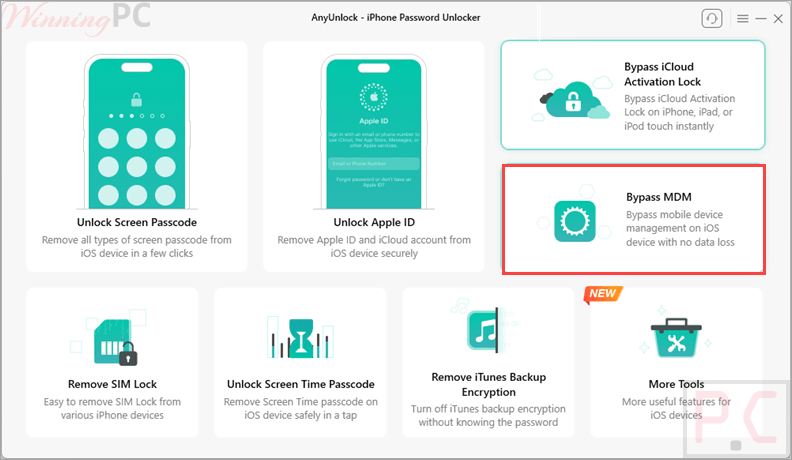
Key Features
- Bypass remote MDM locks without needing a password.
- Remove local MDM from iOS devices while keeping all your data intact.
- Unlock any type of iPhone screen passcode.
- Bypass the iCloud Activation Lock in three simple steps.
- Remove the Apple ID from your device with a single click.
- Easily unlock encrypted iPhone backups.
- Remove Screen Time or restriction passcodes.
- Find, view, and export various saved iOS passwords.
- Turn off the iPhone camera shutter sound without muting the device.
Pros & Cons
More screenshots
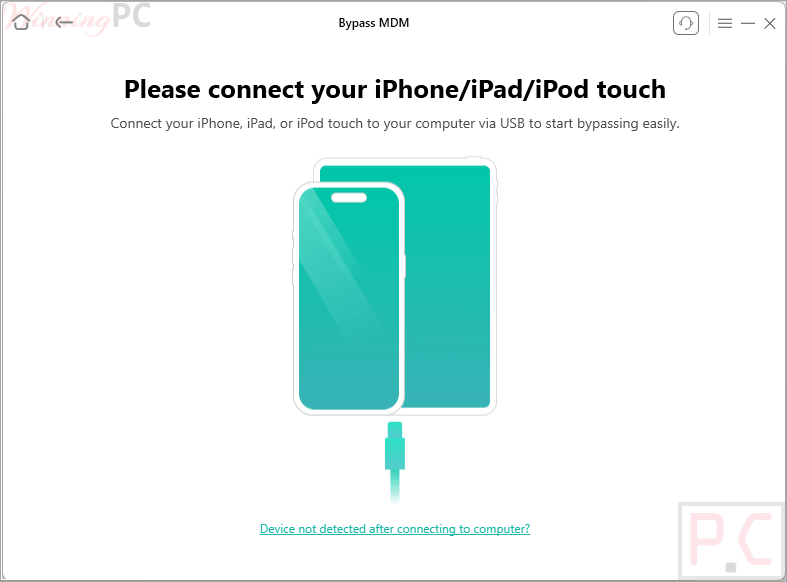
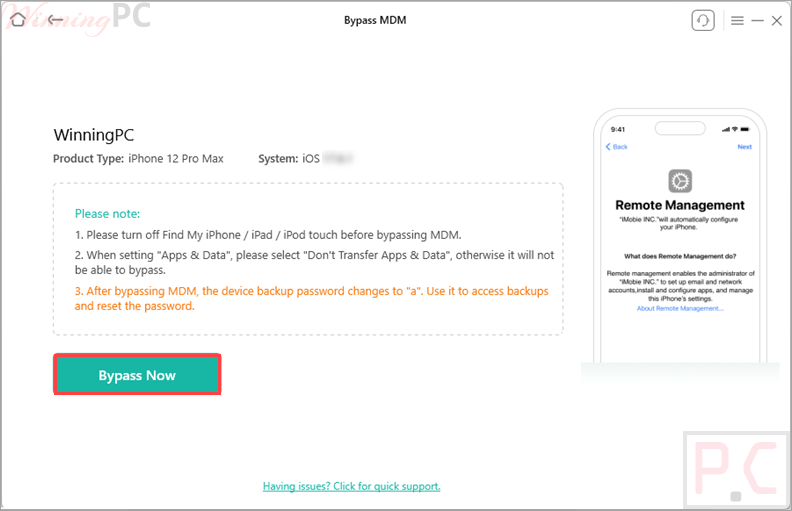
Frequently Asked Questions
Where can I find a coupon or deal for AnyUnlock?
The latest and best deals can be found on WinningPC.
What is the best discount available for AnyUnlock – Bypass MDM?
The best current discount is 65% OFF, available directly on WinningPC.
Will removing local device management erase the data on my device?
No. Removing local device management with this tool will not affect your stored data. All personal files and settings remain exactly as they were.
Does bypassing remote MDM management wipe my iPhone?
Yes. To bypass remote management, AnyUnlock – Bypass MDM must reset your iOS device, which erases all existing content and settings.
Do I need to jailbreak my iPad to remove the MDM lock?
No, the software removes and bypasses MDM restrictions securely without requiring a jailbreak.
Do I have to turn off Find My iPhone before using this tool?
Yes. For the bypass or removal to work successfully, you must disable the Find My iPhone or iPad feature in your settings first.
What happens if I reset my phone after bypassing remote management?
If you perform a factory reset or flash the firmware after a remote bypass, the device will be MDM locked again. You will need to use the software to bypass it a second time.
System Requirements & Details
| Feature | Specifications |
|---|---|
| Language Support | English, Japanese, German, French, Spanish, Arabic, Italian, Korean, Traditional Chinese, Portuguese, Dutch, Turkish. |
| Operating System | Windows: 11, 10, 8, 7, Vista (32/64-bit) macOS: 10.13 to macOS 26 iOS: iOS 5 to iOS 26 |
| Processor | 1GHz (32/64 bit) for Windows / 1GHz Intel or above for Mac |
| RAM & Storage | Windows RAM: 256 MB+ (1024MB Recommended) Mac RAM: 512 MB+ Storage: 500 MB+ free space |