
 Cathryn Lee
Your computer is experiencing several problems, but it is raining heavily, so you need to address them now to meet your work deadline. AnyViewer is a remote desktop software for Windows that helps IT technicians resolve computer issues remotely, without needing to visit your location.
The first designed mission for AnyViewer is to help users access and take control of a remote computer located anywhere at any time via a security code. In addition, it can also be used for sending files between local & remote devices. With its help, you can easily transfer files from a local folder to any remote folder, and vice versa, with high quality. The standout feature of AnyViewer software is its intuitive user interface, which makes it easy to access a computer remotely.
AnyViewer Coupon Codes October 2026

AOMEI 2026 Halloween promotion: Up to 80% OFF
Join AOMEI's Halloween Sale 2026 and save up to 80% on popular software and the new Family Bundle. Protect, manage, and recover your valuable data for less. The event ends on Nov 15th, 2026!
You may also like

AnyViewer Professional (1 Year)
35% Off coupon code: regular price $42.96, discounted price $32.47

AOMEI Flash Sale (80% OFF)
80% off to get AOMEI bundle to protect, manage, and optimize Windows and iOS or single product.
AnyViewer Solo License Key Free Download
- Product name: AnyViewer Solo
- Website: https://www.anyviewer.com/
- License type: 6-month
- Platform: Windows
- Download: https://www.anyviewer.com/download.html
- Giveaway:
AnyViewer giveaway link - License code – last updated: Apr 07, 2026
Click here...
- License code: B620-4D1A-833A-D564
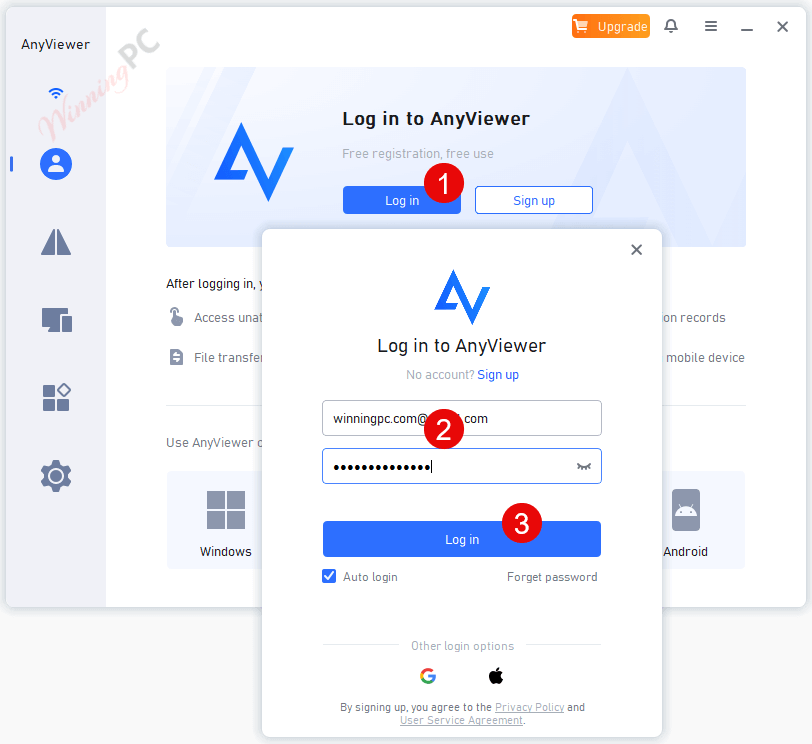
Download and install the software using the link provided above. Log in with your AnyViewer account:
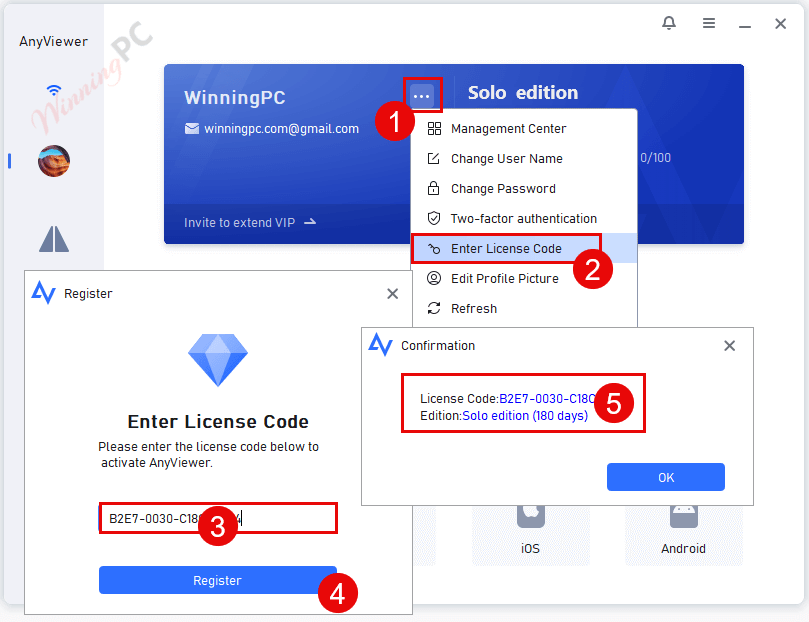
Now click “Enter License Code” from the account information section and enter the above license code, then confirm registration:
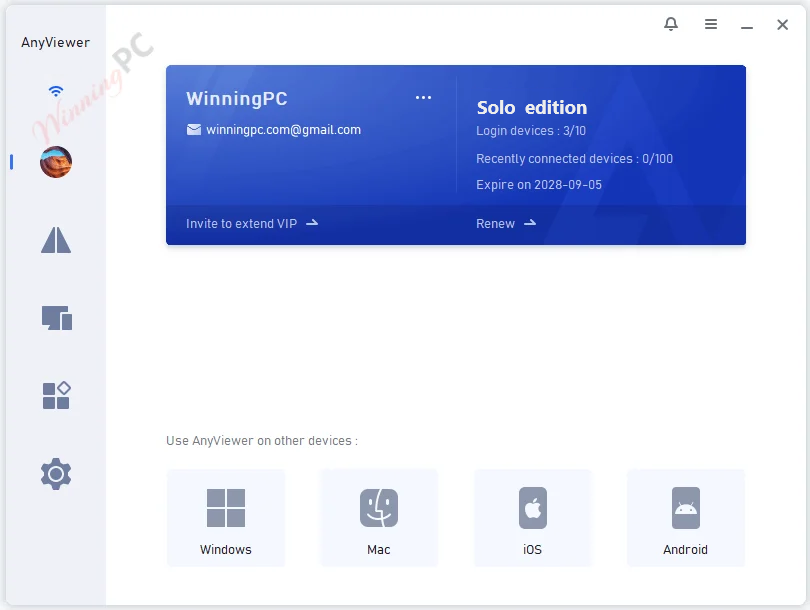
You can enjoy AnyViewer for free:
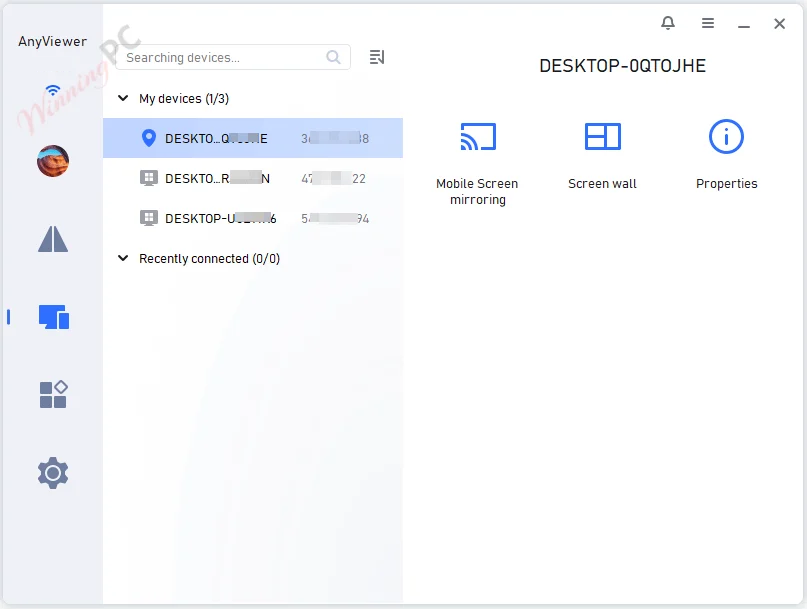
AnyViewer Screenshot!
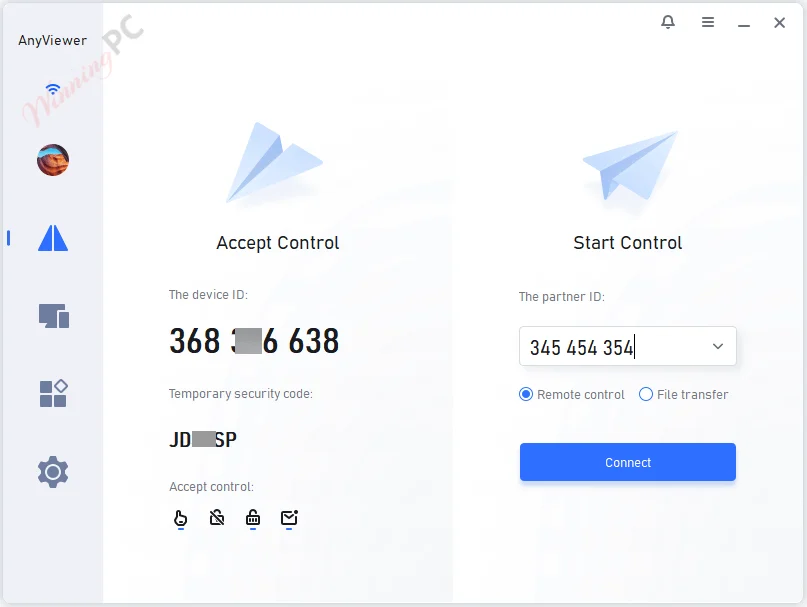
File Transfer

Device Control

Device
Tools
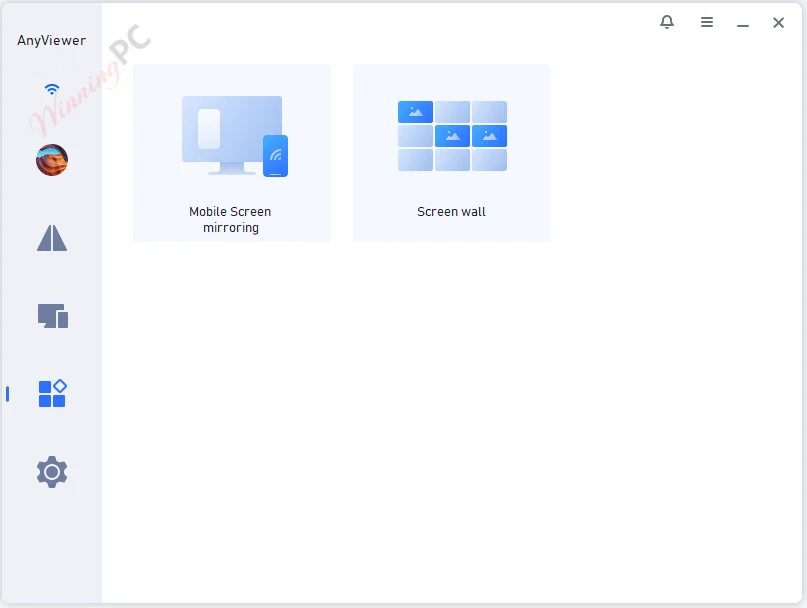
Main Features
- AnyViewer is a powerful remote desktop connection software for Windows PCs and Windows Server that helps you remotely access work computers from home or during the trip without complicated settings.
- You have just received a sudden overtime notice at home and need the necessary files on your office computer, AnyViewer allows you to access your office computer and transfer files remotely to your computer with ease.
- With the help of AnyViewer, you can fix technical issues without being on-site. You are allowed to access and control the desktops, laptops, or servers without physical presence.
- It is very useful to remotely support your customers, families, or friends to help them solve any IT problem instantly.
- With the help of AnyViewer, you can connect to your home computer for remote games whenever you want and where you are.
- AnyViewer has a simple and intuitive interface, ensuring you an easy remote access process.
Technical Details
| Language Support | English, Français, Italian, Spanish, Swedish, and more… |
| Money Back Guarantee | 15-Day |
| Operating System | Windows Vista, Windows 7, Windows 8/8.1, Windows 10/11 |
| Shipping | Register code will be sent to your email in minutes |
| Subscription | 1-Month, 1-Year |
| Support Services |




Slow as hell. Useless.
Slow as hell. Don’t bother trying this. TeamViewer free is 1000% faster!
TeamViewer is never free. You sign your soul to the devil.
With this program, the connection to the other party’s computer is very slow. It infuriates people. Even though I got a 2-year license from winningpc, I removed it. Use free alternatives (AnyDesk, TeamViewer or Alpemix ) instead, they are much faster.
Thanks for sharing.
License is valid. I got 2 year pro membership. Didn’t tried it yet, but time to get it and think about it later.
I got 1 year pro just by creating an account, and an additional 1-year by using the code under my name don’t he main window, clicking the [ v ] and selecting [ Enter license code ].
As far as I can tell, I directly my user to also install the program, they get a basic or pro membership, and my account has 10 ‘assigned’ devices I presume from which I can act as a remote controller, and I get 100 ‘managed’ devices that I can control.
I’ve not tried it yet, I’ll be back to compare it to FREE Teamviewer ( which often decides a computer is a pro and not FREE, and stops remote sessions ), and FREE AeroAdmin ( which sometimes denies transferring files, so I email them to myself if they are small enough, and then receive them at the other end ).
Thanks for letting us explore this and share.
.