Chris Bruner
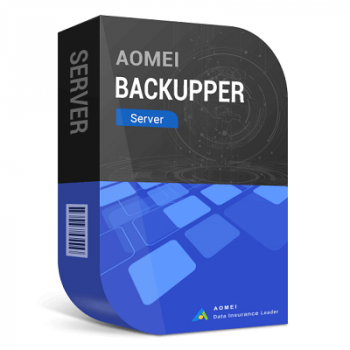
Use code AOQD***SRLT-70PD to save 70% on every AOMEI Backupper Server plan — Server – Yearly $104.30, Server + Lifetime Upgrades $89.70. ✅ Verified Oct 2026 by Chris. Copy the code below and apply it at checkout; all plans include a 30-day refund.
AOMEI Backupper Server backs up Windows Server PCs by creating system, disk, partition, and file backups. It also supports file sync to other locations and cloning to make an exact copy of selected disks, partitions, files, or folders. You can run backups automatically with scheduled tasks to keep copies updated without doing it manually.

AOMEI Summer Sale 2026: Up to 80% OFF & New Family Bundle
Join AOMEI's Summer Sale 2026 and save up to 80% on popular software and the new Family Bundle. Protect, manage, and recover your valuable data for less. The event ends on Aug 31st, 2026!

AOMEI Backupper Server (Yearly / 1 Server)
For 1 Windows Server | 90-day unconditional money-back guarantee
AOMEI Backupper Server + Lifetime Upgrades
For 1 Windows Server | Lifetime use and upgrades

AOMEI Flash Sale (80% OFF)
80% off to get AOMEI bundle to protect, manage, and optimize Windows and iOS or single product.
Table of Contents
Main Features & Screenshots

- Simple and Quick Backup: AOMEI Backupper Server backs up system, disk, partition, or files quickly so you can recover after crashes and failures.
- Exact File/Folder Sync: syncs files to other locations to keep an exact copy of selected files and folders.
- One-Click Clone: clones disks, systems, or partitions so you can replace a drive without restoring first.
- Fast Recovery: restores system, disk, partition, or files quickly to return the server to an earlier working state.
- Create Bootable Media: creates WinPE bootable CD/DVD or USB media to start a computer that won’t boot.
- Dissimilar Hardware Restore: restores a system or disk image to different hardware, including CPU and motherboard, while ensuring secure boot.
- Selective File Restore: mounts image files as virtual partitions to browse contents and restore only the files you need.
- Automatic Backup: schedules backups daily, weekly, or monthly so protection runs regularly without manual steps.
- USB Plug in: runs scheduled backups from or to a USB drive automatically when the device is plugged in.
- Backup Scheme: removes old backup images automatically by cycle or count to keep recent backups without using excess space.
- Incremental/Differential Backup: captures only new or changed data to reduce backup time and storage use.
- PXE Boot Tool: boots multiple LAN clients over the network for backup, restore, sync, and clone operations.
- Email Notification: emails backup or sync results, including success, failure, or when user interaction is required.
- Command Line Utility: runs backup, restore, and clone tasks from the command prompt using a built-in CLI tool.
- Dynamic Disk Clone Tool: clones dynamic disk partition and system volumes, but does not support cloning the entire dynamic disk.
- Image Management: checks, merges, explores, imports, and exports images to help you manage backups as needed.
- Personalized Backup Management: supports split, encryption, compression, comments, intelligent sector, and VSS for more tailored backups.
More screenshots


Frequently Asked Questions
What is AOMEI Backupper Server?
A backup, restore, sync, and cloning tool made for Windows Server machines (physical or virtual).
What can I back up with it?
System, disk, partition, and files.
Can it run automatic scheduled backups?
Yes—scheduling includes daily/weekly/monthly, event triggers, and USB plug-in triggers.
How does it prevent backups from filling the disk?
It has a “Backup Scheme” option to automatically delete older backup images based on rules.
Can it sync files and folders?
Yes, it can sync files to other locations and keep an exact file/folder copy.
How do I clone an entire hard drive on a server?
Use Disk Clone to clone the whole disk (sector-by-sector cloning is mentioned).
Can it restore to different hardware?
Yes, it supports restoring a system/disk image to dissimilar hardware (“Dissimilar Hardware Restore” / “Universal Restore”).
Does it help if a server won’t boot?
Yes, you can create WinPE bootable media (CD/DVD/USB) to boot a troubled machine.
Does it support PXE boot for LAN operations?
Yes, it includes a PXE Boot Tool to start multiple clients in a LAN for backup/restore/sync/clone tasks.
Does WinningPC have a discount for AOMEI Backupper Server?
Yes. WinningPC provides a 70% off coupon code for this product (use the code shown on WinningPC.com).
Why Choose WinningPC
- Why Trust? We are committed to providing 100% valid and verified coupon codes, so you can always shop with confidence.
- Found an Invalid Coupon or a Better Deal? If you encounter an invalid code or a better offer, please let us know. Our team updates all discount information regularly to ensure accuracy.
- Official Authorization: We only share authentic discounts from trusted software developers.
- No Fake Discounts: Unlike some sites, we never use misleading deals. The final price you see is the true discounted price.
- Secure Purchases: All transactions are processed on the official vendor’s website, ensuring authenticity and data protection.
- Extra Support: If you face order or vendor issues, contact us. We’ll liaise with the vendor to help resolve your problem quickly.
Technical Details
| Language Support | English, Français, Italian, Spanish, Swedish, and more… |
| Money Back Guarantee | 90-Day |
| Operating System | Windows 7/8/8.1/10/XP/Vista |
| Shipping | Register code will be sent to your email in minutes |
| Subscription | Lifetime |
| Support Services | Email, Forums, Live Chat |