Chris Bruner
AOMEI Cloner is a reliable tool for upgrading drives, migrating systems, and backing up data. It lets you clone entire disks or specific partitions so your files, apps, and system settings remain exactly the same on the new drive. With support for system, disk, and partition cloning, you can move your OS or copy a full storage drive in just a few clicks. AOMEI Cloner offers intelligent cloning to copy only used sectors and sector-by-sector cloning for a complete replica. Features like SSD 4K alignment and flexible partition adjustments help improve performance and ensure the cloned disk fits your exact needs.
AOMEI Cloner PRO Coupon Codes

AOMEI 2026 Halloween promotion: Up to 80% OFF
Join AOMEI's Halloween Sale 2026 and save up to 80% on popular software and the new Family Bundle. Protect, manage, and recover your valuable data for less. The event ends on Nov 15th, 2026!

AOMEI Black Friday Offer
AOMEI Partner sale allows you to get special offers to obtain professional solutions to back up data comprehensively and manage disk and clouds effectively.

AOMEI Cloner Professional (Lifetime Upgrades / 1 Computer)
30% off coupon code: regular price $59.95, discounted price $41.96
AOMEI Cloner Professional (1 Year / 1 Computer)
30% off coupon code: regular price $39.95, discounted price $27.96
Giveaway: AOMEI Cloner License Code for Free
- Product name: AOMEI Cloner Professional
- Website: https://www.aomeitech.com/clone-software/
- License type: 1-year
- Platform: Windows
- Download: AOMEICloner.exe
- License code – last updated: Nov 30, 2025
Click here
License code: AOMEI_Cloner_Giveaway_WinningPC.zip
Download and install AOMEI Cloner on your computer, then activate it with the license code above:

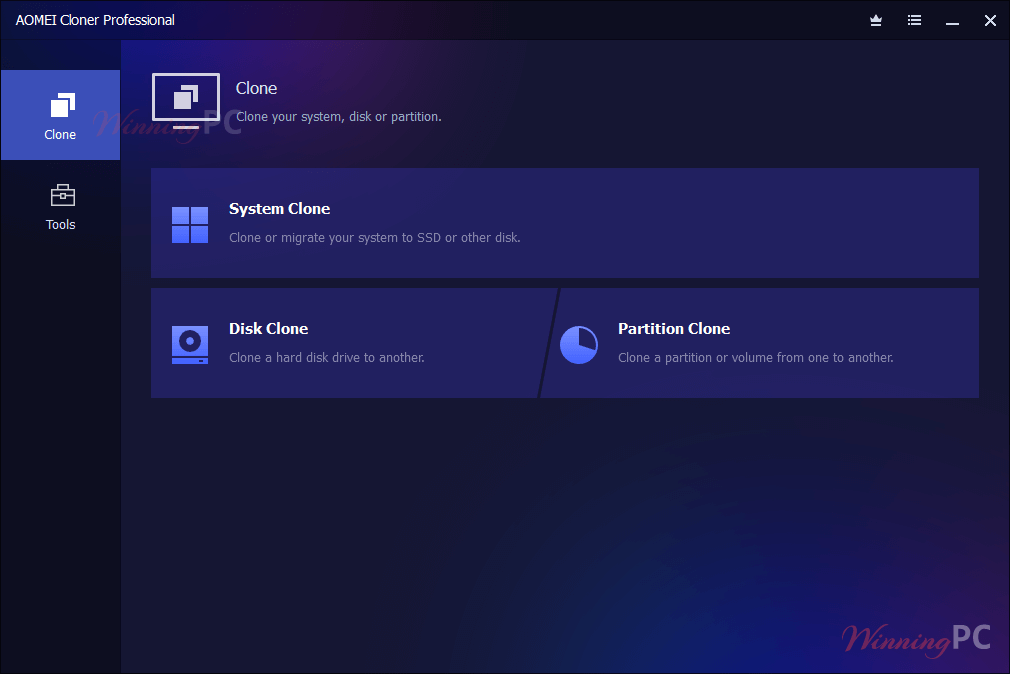
AOMEI Cloner Professional screenshot
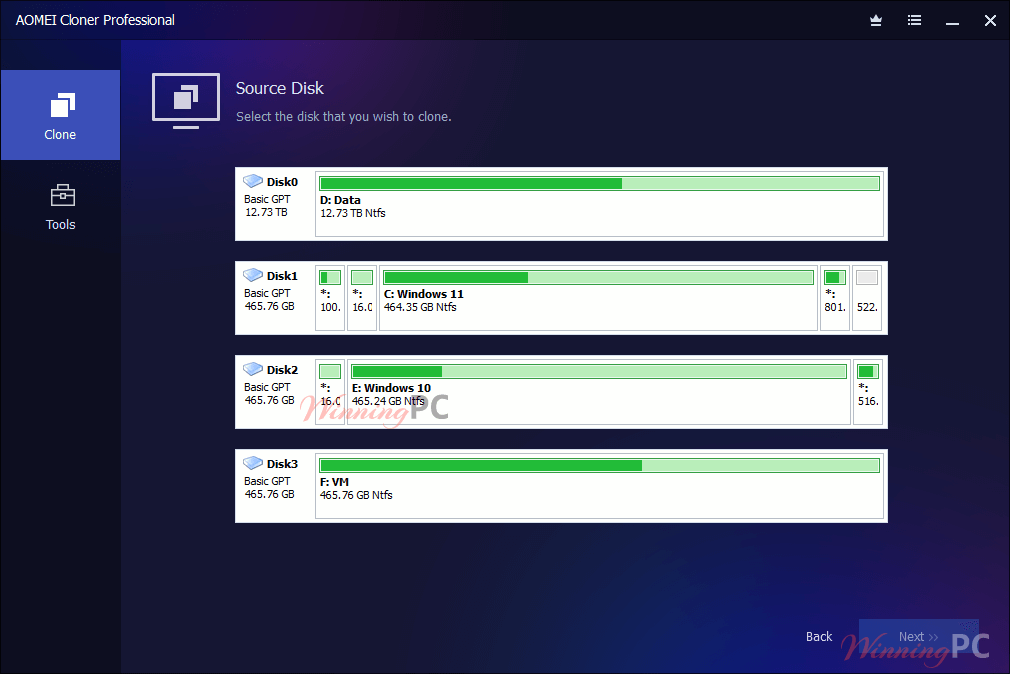
Disk clone:
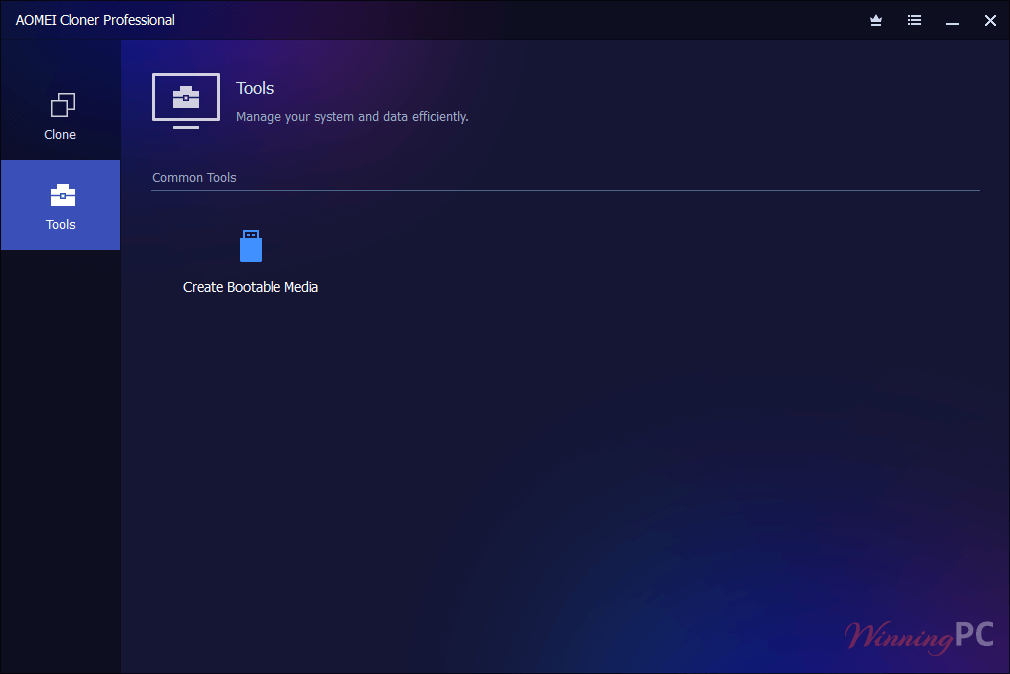
Tools
Key Features
- System Clone: Powerful disk cloning software to easily and perfectly upgrade from HDD to SSD or transition, including installed applications, settings, and boot data, to a larger storage drive without reinstalling Windows or apps.
- Disk Clone: AOMEI Cloner can clone an entire hard drive, including all partitions, system files, and user data, to another drive in one seamless process, ensuring all data, programs, and settings are preserved.
- Partition Clone: Clone a partition or volume from one to another, maintaining the original structure and data integrity. This function is useful for backing up or transferring only certain parts of your drive.
- Intelligent Used-Sector Cloning: This function copies only the data on used sectors of the source disk, skipping empty space, to help migrate larger drives to smaller SSDs without manual resizing with high success rate.
- Sector-by-Sector Clone: The feature can create an exact replica of your source disk, including all hidden and unused sectors, without worrying about boot failure due to. Ideal for restoring data with 100% accuracy, ensuring nothing is left behind.
- SSD Alignment: When cloning to an SSD, AOMEI Cloner automatically aligns 4k physical sectors for SSD during cloning to maximize speed, extend lifespan, and prevent performance issues.
- Edit Partitions: Choose “Edit Partitions” to automatically adjust destination partition size, drive letters, and types during the cloning process. This flexibility ensures the new disk fits your storage needs perfectly.
- Clone from Command Line: System administrators and IT professionals can automate cloning tasks via the command line, streamlining batch operations and mass deployments without manual input, thereby enhancing efficiency.
- Cross-Disk Compatibility: This tool supports cloning between MBR and GPT partition styles or vice versa without converting. It can improve user data security and expand storage capacity.
- Wide Device Compatibility: It works with a wide variety of storage devices, including HDDs, SSDs, SSHDs, SD cards, and USB drives, making it suitable for desktops, laptops, and servers.
- Bootable Rescue Media: Create a bootable USB or CD/DVD so you can clone drives even if the operating system won’t start. This is especially useful for recovering from a crashed system.
Pricing Plans & Pros/Cons
Pricing Plans
| Plan Name | Price | Detail |
|---|---|---|
| Free Edition | No cost | – Basic disk-clone capabilities – No technical support |
| Professional (Annual Subscription) | $39.95 per year | – Includes full cloning features – Free technical support (via email/ticket). – Automatic program updates during the subscription period. |
| Professional (Lifetime License) | $59.95 one-time payment | – All Professional features for lifetime use – One-time fee (no recurring payments) – Free lifetime upgrades to all new versions – Free technical support for life |
Free Trial & Refund
- Free Trial: You can download the software for free and use it in “Preview” (simulation) mode before buying. In trial mode, you’re able to see all menus/settings and simulate cloning operations, but you cannot execute an actual clone until you enter a license key.
- Refund Policy: All paid editions of AOMEI Cloner (both Professional Yearly and Professional Lifetime) carry a 90-day unconditional money-back guarantee. If you’re not completely satisfied within 90 days of purchase, you can request a full refund, no questions asked.
Frequently Asked Questions
Can I clone my system to a new SSD or HDD without reinstalling Windows?
Yes, AOMEI Cloner enables you to migrate your entire operating system, installed programs, files, and boot settings to a new disk, preserving your current setup.
Will cloning my C drive copy all my programs and settings?
Yes, cloning your C drive creates a full, bootable copy, including the operating system, installed software, user data, and system settings.
Can I use my computer while the software is running?
It supports hot cloning, allowing you to clone your system drive without shutting down or interrupting your work.
What types of drives and interfaces are supported?
This software supports a wide range of storage devices and interfaces, including SATA, NVMe, PCIe, SAS, USB, and more.
What happens to the data on the destination disk during cloning?
All existing data on the destination drive will be overwritten. Back up any important files before starting the cloning process.
Is there a discount available for AOMEI Cloner?
Yes! You can use the WiningPC coupon code AMAD***BA30 to get a 30% discount on your purchase.
Technical Details
| Language Support | English, Français, Italian, Spanish, Swedish, and more… |
| Money Back Guarantee | 90-Day |
| Operating System | Windows 11, 10, 8.1, 8, 7, Server |
| Shipping | Register code will be sent to your email in minutes |
| Subscription | 1-Year, Lifetime |
| Support Services | Email, Tickets |