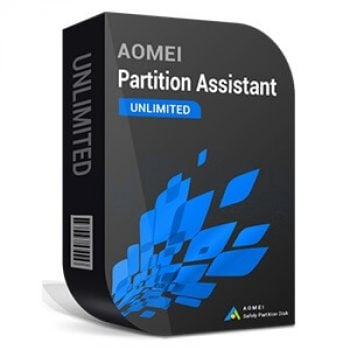
AOMEI Partition Assistant Unlimited manages disk partitions on Windows PCs and Servers within a company. It lets you create, format, delete, resize, remove, and merge partitions. You can also migrate the system drive and convert disks between MBR and GPT without reinstalling Windows or apps. It’s useful for organizing hard drives or USB drives, adjusting partition sizes, and moving Windows to a different disk while keeping your setup.
Partition Assistant Unlimited Coupon Code Oct 2026

AOMEI 2026 Halloween promotion: Up to 80% OFF
Join AOMEI's Halloween Sale 2026 and save up to 80% on popular software and the new Family Bundle. Protect, manage, and recover your valuable data for less. The event ends on Nov 15th, 2026!
AOMEI Partition Assistant Unlimited (Current Version / Unlimited PCs & Servers)
30% off coupon code: regular price: $399.0, discounted price: $279.30
AOMEI Partition Assistant Unlimited (Yearly / Unlimited PCs & Servers)
30% discount coupon code: regular price: $399.0, discounted price: $279.30
AOMEI Partition Assistant Unlimited + Lifetime Upgrades (Unlimited PCs & Servers / License)
30% discount coupon code: regular price: $599.0, discounted price: $419.30

AOMEI Flash Sale (80% OFF)
80% off to get AOMEI bundle to protect, manage, and optimize Windows and iOS or single product.
Main Features & Screenshots

- Enterprise Disk Manager: AOMEI Partition Assistant Unlimited manages hard drive partitions across unlimited Windows Servers and PCs within one company.
- Portable Boot Repair Toolkit: creates a portable version to fix boot issues and manage partitions without installing the program.
- Windows Server 2025 and Windows 11 Compatibility: works well with the latest Windows Server 2025 and Windows 11 environments.
- Partition Management Tools: resizes, moves, merges, splits, creates partitions, and allocates free space to maximize disk usage.
- Disk and Partition Cloning: performs sector-level cloning to create exact disk or partition copies with 100% data integrity.
- OS Migration and Disk Replacement Support: supports OS migration and disk replacement workflows commonly used in enterprise environments.
- Partition and Data Recovery: recovers unexpectedly lost or deleted partitions and data to reduce disruption after accidental loss.
- Data Sanitization: permanently deletes data using sanitization technology to help mitigate enterprise data leak risks.
- Bootable USB Emergency Repair: creates a bootable USB to repair crashed systems or manage partitions on any company computer.
- Windows To Go Creator: builds a portable, fully functional Windows OS on a USB drive to support BYOD work environments.
- Portable USB Version: copies the software to removable media so it can run on any PC without installation.
- Windows Login Password Reset: resets or removes forgotten Windows login passwords in minutes to restore access quickly.
- BitLocker Encryption and Decryption: encrypts drives with BitLocker and supports decryption to protect sensitive data from unauthorized access.
More screenshots


Frequently Asked Questions
What is AOMEI Partition Assistant Unlimited?
It’s a disk and partition management tool for enterprises, licensed for unlimited Windows PCs and Servers within one company.
What partition tasks can it do?
Common tasks include resize/move, merge, split, create partitions, and allocate free space.
Can it clone disks or partitions?
Yes. It includes sector-level cloning for disk/partition cloning and is used for OS migration and disk replacement.
Does migrating OS delete or break the source system?
No. The source system isn’t deleted and can still boot normally unless you erase it yourself.
What does “Unlimited” license mean exactly?
One license is valid for one company and can register unlimited PCs and servers in that company (including multiple branches).
Is the license subscription-based or a one-time purchase?
They offer Subscription and Lifetime options. Subscription includes upgrades while active; Lifetime is one-time purchase with “Lifetime Upgrade” service.
What is the “Portable USB Version”?
It lets you copy the program to a removable device to run it on other computers without installing it.
Can it help if a PC won’t boot?
It can create a bootable USB to boot a computer and manage partitions or repair issues to reduce downtime.
What business-focused tools are included besides partitioning?
Highlighted tools include Windows To Go Creator, Reset Password, and BitLocker encryption/decryption support.
Does WinningPC have a discount for this product?
Yes. WinningPC provides a 30% discount coupon code for AOMEI Partition Assistant Unlimited (use the code shown on WinningPC at checkout).
Why Choose WinningPC
- Why Trust? We are committed to providing 100% valid and verified coupon codes, so you can always shop with confidence.
- Found an Invalid Coupon or a Better Deal? If you encounter an invalid code or a better offer, please let us know. Our team updates all discount information regularly to ensure accuracy.
- Official Authorization: We only share authentic discounts from trusted software developers.
- No Fake Discounts: Unlike some sites, we never use misleading deals. The final price you see is the true discounted price.
- Secure Purchases: All transactions are processed on the official vendor’s website, ensuring authenticity and data protection.
- Extra Support: If you face order or vendor issues, contact us. We’ll liaise with the vendor to help resolve your problem quickly.
Technical Details
| Language Support | English, Français, Italian, Spanish, Swedish, and more… |
| Money Back Guarantee | 90-Day |
| Operating System | Windows 10/8.1/8/7/Vista/XP |
| Shipping | Register code will be sent to your email in minutes |
| Subscription | Lifetime |
| Support Services | Email, Forums, Live Chat |